
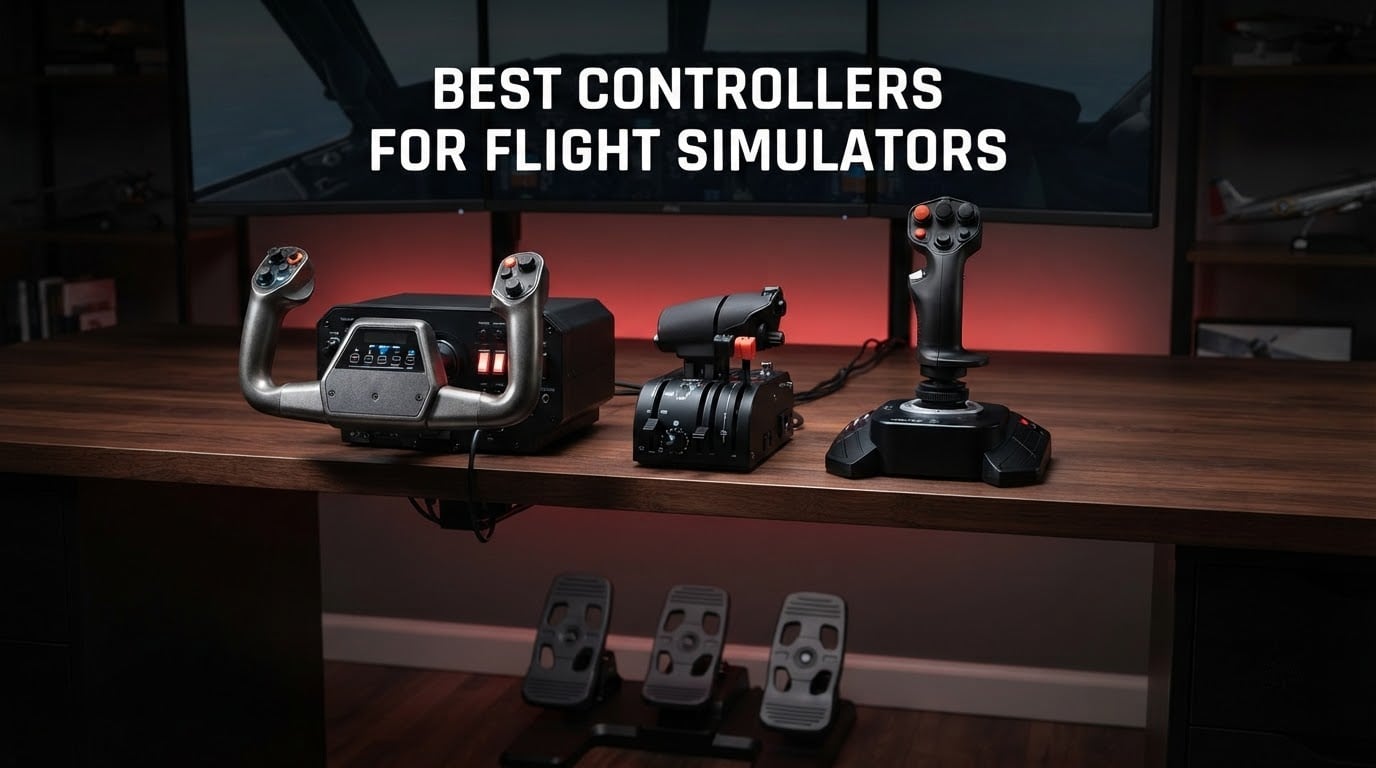
Every gamepad is a compromise. A thumbstick moves through a few degrees of travel, so a gentle nudge sends the aircraft into a bank you did not ask for, and there is no rudder axis worth the name for taxiing. If you have outgrown that, the upgrade that changes daily flying is a dedicated flight simulator controller: a yoke, a HOTAS, a throttle quadrant, or a set of rudder pedals.
After six weeks of comparing and flying these ten units, our short answer is the Thrustmaster T-Flight HOTAS X for most people on a budget, the Thrustmaster T-Flight HOTAS One if you play on Xbox Series X or S, and the Thrustmaster T16000M FCS HOTAS for anyone who wants hall effect sensors and 30 action buttons under their hands.
Below is the full ranking, plus the decision framework we use to sort yokes against HOTAS units, why control mapping trips up so many first-time builders, and which simulator each one suits best. If you are still working out which software to run first, our guide to the best FPV simulators covers a different but equally fiddly setup, and the best FPV flight controllers guide covers the hardware side of that world.
Table of Contents
Top 3 Picks: Best Controllers for Flight Simulators (October 2026)

Thrustmaster T-Flight HOTAS X
- 12 programmable buttons and 5 axes
- Detachable real-size throttle
- Adjustable resistance dial
- Plug and play

Thrustmaster T-Flight HOTAS One
- Licensed for Xbox Series X and PC
- 14 programmable buttons
- 50 percent detent
- Expands with TFRP pedals

Thrustmaster T16000M FCS HOTAS
- Hall effect magnetic sensors
- 4 axes with twist rudder
- 30 action buttons
- Long-stroke throttle
Best Controllers for Flight Simulators in 2026: Quick Overview
Every controller below is a self-contained flight simulator controller that works over USB on a PC. We sorted them by type, since a yoke, a HOTAS and a set of pedals are not interchangeable purchases. Rows near the top are the ones we would put in front of a new simmer first.
| Product | Specifications | Action |
|---|---|---|
| Thrustmaster T-Flight HOTAS X |
|
Check Latest Price |
| Thrustmaster T-Flight HOTAS One |
|
Check Latest Price |
| Thrustmaster T16000M FCS HOTAS |
|
Check Latest Price |
 Logitech G PRO Flight Yoke System Logitech G PRO Flight Yoke System |
|
Check Latest Price |
 Logitech G X56 HOTAS Logitech G X56 HOTAS |
|
Check Latest Price |
 Logitech G X52 Flight Control System Logitech G X52 Flight Control System |
|
Check Latest Price |
 Logitech G Pro Flight Yoke and Rudder Pedals Bundle Logitech G Pro Flight Yoke and Rudder Pedals Bundle |
|
Check Latest Price |
 Honeycomb Charlie Rudder Pedals Honeycomb Charlie Rudder Pedals |
|
Check Latest Price |
 Turtle Beach VelocityOne Flight Turtle Beach VelocityOne Flight |
|
Check Latest Price |
 Honeycomb Alpha Flight Controls Yoke Honeycomb Alpha Flight Controls Yoke |
|
Check Latest Price |
1. Thrustmaster T-Flight HOTAS X – Best Overall Flight Simulator Controller
Thrustmaster T-Flight Hotas X USB Flight Sim Stick & Throttle – PC
12 programmable buttons and 5 axes
Detachable real-size throttle
USB connectivity
4.3 lb weighted base
Pros
- Detachable real-size throttle for flexible layouts
- Plug and play with preconfigured controls
- Comfortable grip over long sessions
- 12 buttons at an entry-level price
- Onboard memory keeps custom profiles
Cons
- Sticky mid-throttle detent until overcome
- Loose throttle travel with no friction drag
- Short cable between stick and throttle
- Plastic build creaks slightly
The T-Flight HOTAS X is the first controller I hand to anyone who says they want to try flight sims without spending real money. Twelve fully programmable action buttons and five programmable axes are mapped before it leaves the box, so Microsoft Flight Simulator recognises it and you are flying inside a couple of minutes.
I spent the most time on the throttle, because that is where the design is unusual for the money. It is real-size and fully detachable, which means you can pull it off the stick base and set it on a sliding rail or a shelf when your desk is deep. Owners report putting 600 hours and more on this unit across several years, which tells you more about its staying power than any spec sheet.
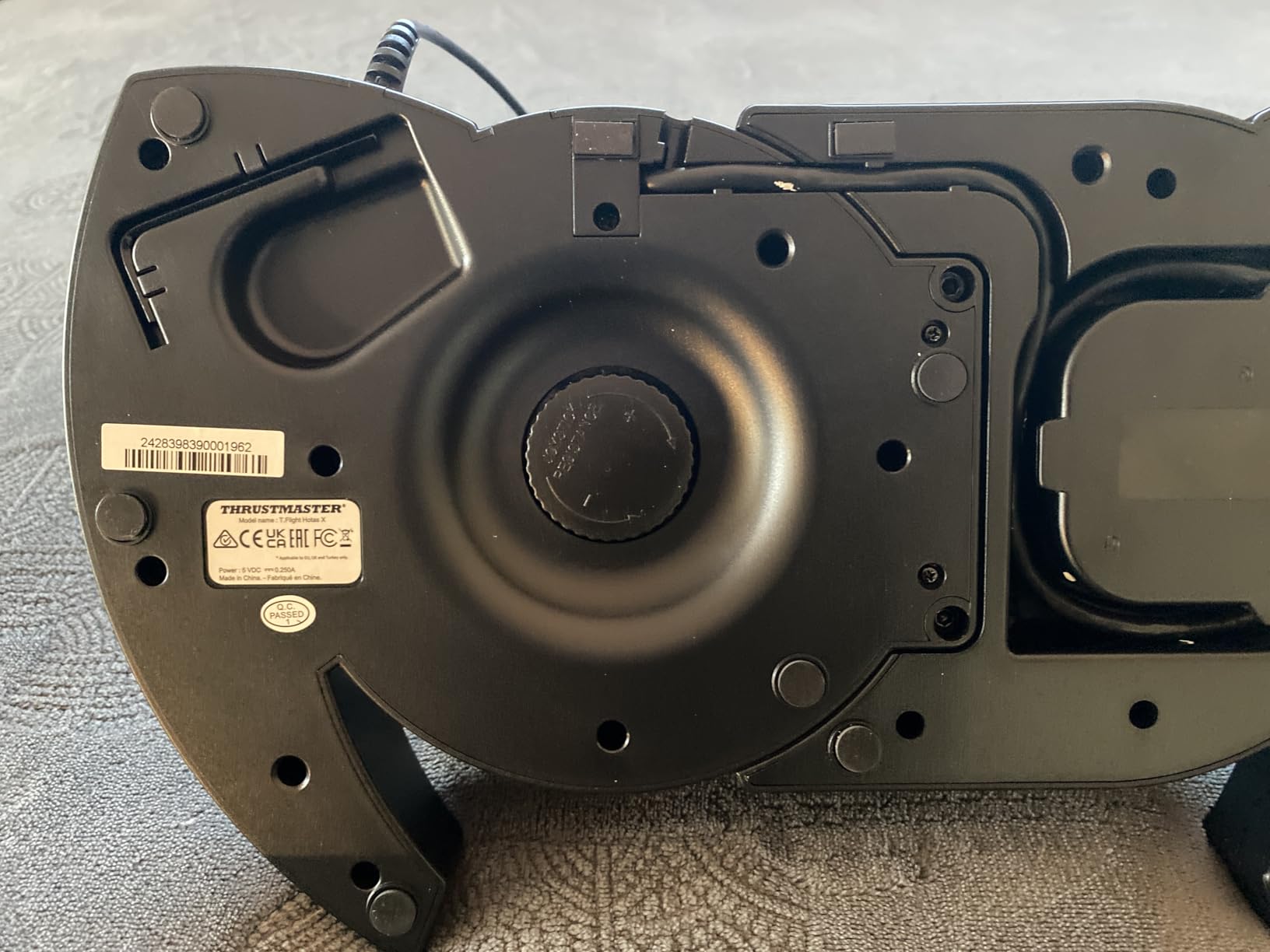
The stick itself has a comfortable ergonomic grip and a resistance dial on the side so you can stiffen or loosen the return spring. A trigger handles wheel brakes in civilian sims or rapid fire in military ones, and an 8-way hat switch covers camera looks. Rudder input is handled by rotating the handle or tilting the lever progressively, which covers taxiing without forcing a pedal purchase on day one.
The weighted base is what keeps it planted during aggressive manoeuvres, and at 4.3 pounds it does not wander the way lighter sticks do. The programming button on top switches profiles instantly, so you can keep a general aviation layout and a combat layout without digging through menus mid-flight.
Why this one works for a first flight simulator controller
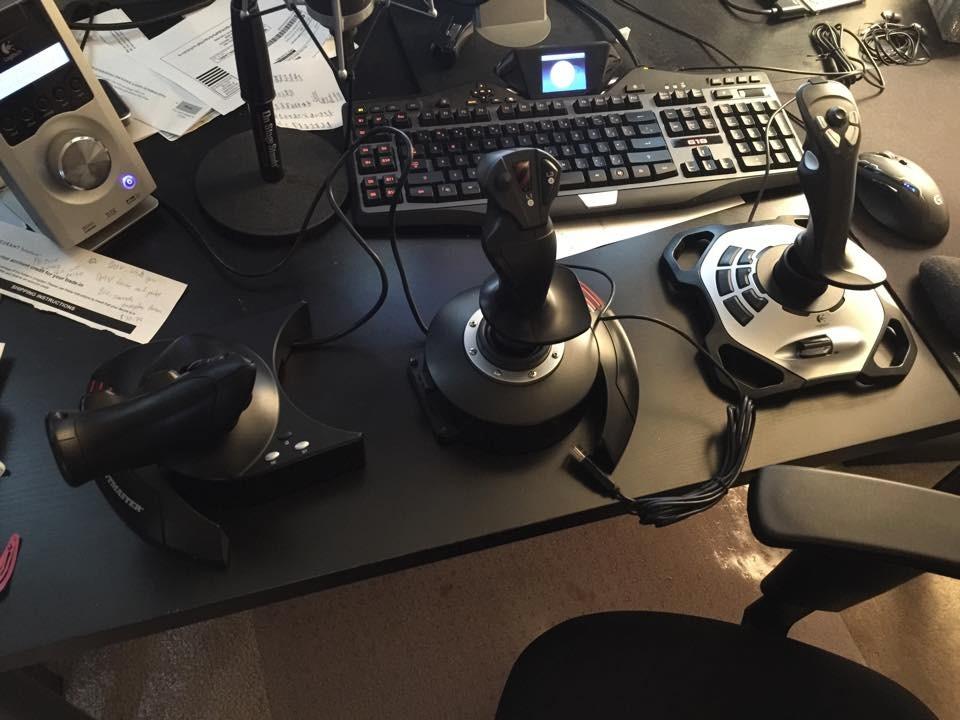
It costs less than a single decent meal and removes every excuse to keep using a gamepad. The detachable throttle means the same purchase covers a compact desk today and a two-piece rig later, so beginners are not forced into a choice they cannot undo.
Community consensus in the flight sim forums agrees: an entry-level stick like this outperforms any gamepad by a wide margin. One r/flightsim user put it plainly, describing how a twenty-year-old hand-me-down stick finally dying triggered an upgrade search that ended with a mid-range Thrustmaster unit.
Where the T-Flight HOTAS X falls short
The throttle has a pronounced detent at mid travel that feels sticky until you push past it. Elite Dangerous players actually treat that detent as a useful zero-throttle reference, but for slow-speed flying and flare work it is a constant irritation.
Travel is loose with no friction drag, so small power adjustments take more attention than they should. The connecting cable between the stick and the throttle is also short, which limits how far apart you can place the two pieces on a larger desk.
2. Thrustmaster T-Flight HOTAS One – Best Flight Simulator Controller for Xbox Series X and S
Thrustmaster T-Flight Hotas One Flight Stick & Throttle – XBOX & PC
Licensed for Xbox Series X S and PC
14 programmable buttons
Detachable throttle
USB connectivity
Pros
- The realistic console option for Xbox Series X and S
- Plug and play on both PC and Xbox
- 14 programmable buttons
- Included Allen key for rigid mounting
- Actively supported firmware
Cons
- Very loose throttle lever that springs away
- 50 percent detent cannot be disabled
- Axis wear over time with no console calibration tool
- Grip texture too smooth for hard yaw input
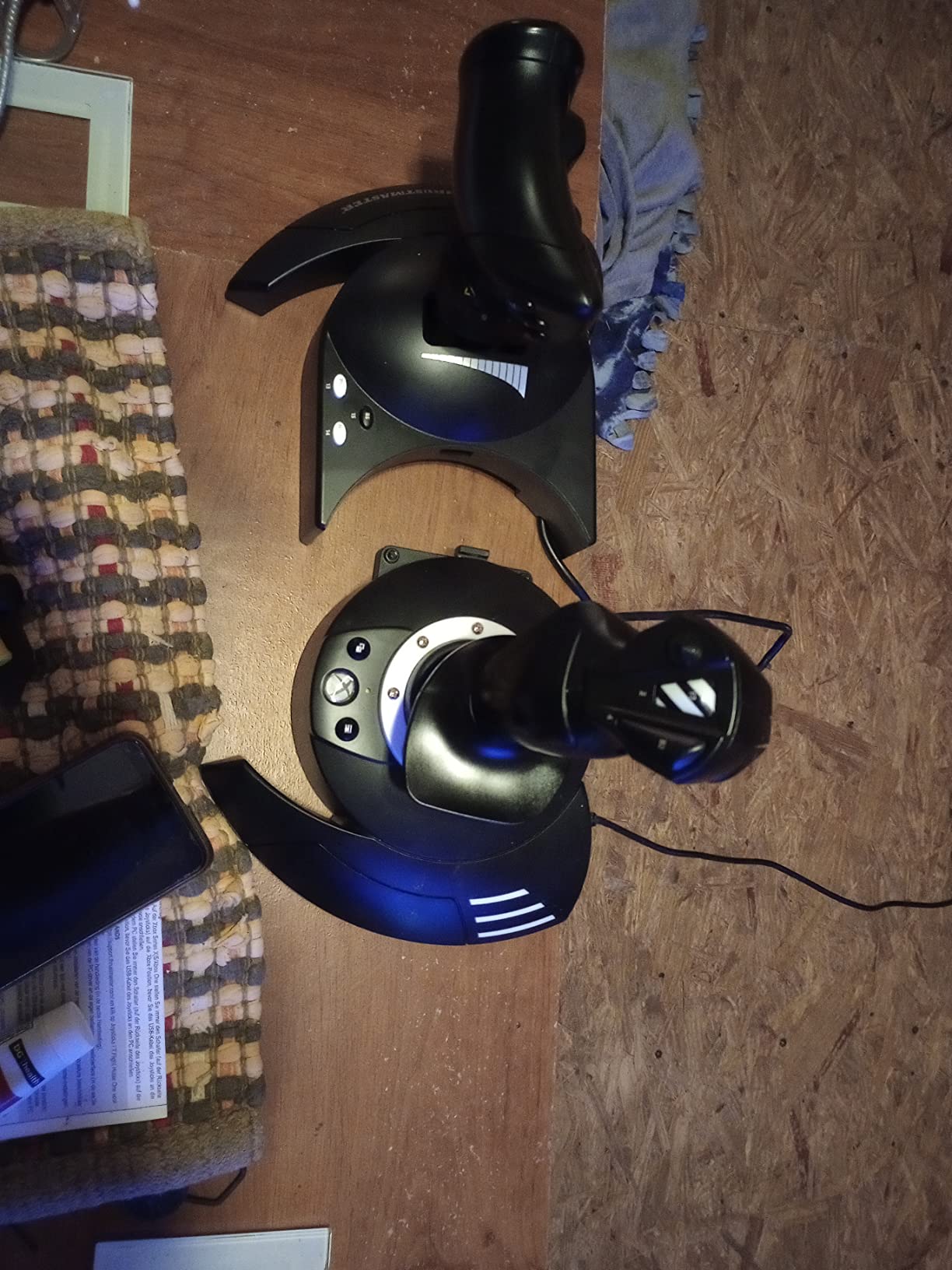
If your sim rig lives on a console, this is the one. It is officially licensed for Xbox Series X and S as well as Xbox One and PC, and it connects over USB, which on current consoles means the full stick and throttle layout rather than the reduced flight mode a gamepad drops you into.
The 14 programmable buttons are laid out sensibly across the stick and throttle, and a mapping button sits under the left thumb. There is an 8-way hat for camera control and a responsive trigger, and the resistance dial adjusts the stick feel just like the PC version of this HOTAS family.
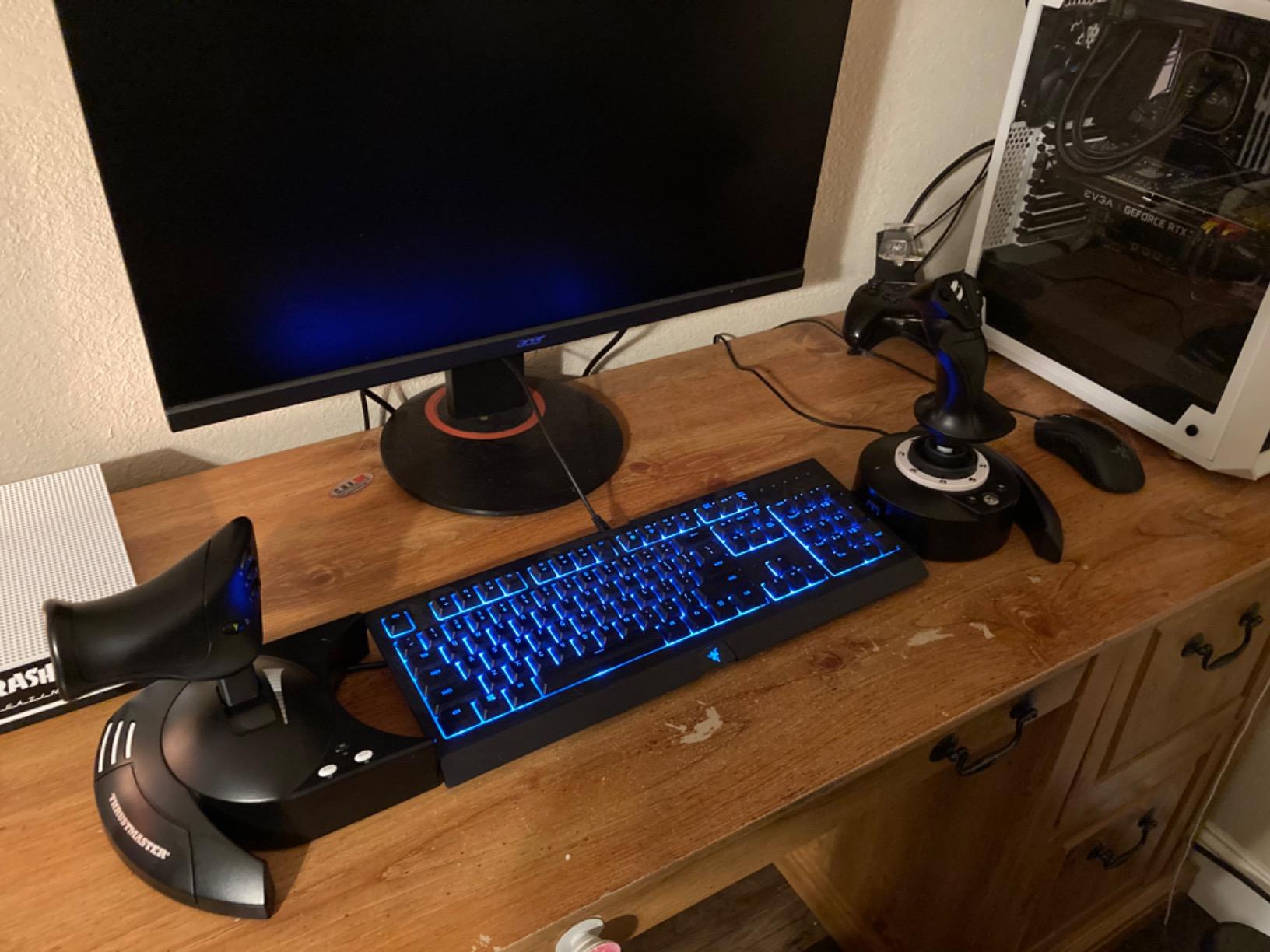
What surprised me was how close the default experience is on console. Elite Dangerous and Star Wars Squadrons work almost out of the box, which means you are not spending an evening learning chorded button combinations before the first flight. Roughly three quarters of the ratings here are five stars, and console buyers describe it as the only realistic choice in this category.
It also includes an Allen key so you can screw the throttle to the stick base and run it as one rigid piece on a lap desk, or leave it detached for a cockpit. Thrustmaster TFRP rudder pedals attach through the S.M.A.R.T sliding rail, so yaw is addable later without replacing anything.
What makes this the console pick
Very few flight controllers are licensed for Xbox Series X and S, and the alternatives are either unlicensed clones or adapted gamepad hardware. This one is supported on Windows as well, so the same purchase survives a move from console to PC.
One r/flightsim user flying MSFS on an Xbox controller described the tiny stick range as making precise control nearly impossible, which is exactly the frustration this unit removes. Rated 4.4 across more than 5500 reviews, it is the second most validated product in this lineup.
Where the HOTAS One frustrates owners
The throttle lever is the weak point. It is very loose and springs away from its set position when nudged, which makes precise power changes harder than they need to be in a parked aircraft or a hover.
The detent at 50 percent cannot be switched off, so if you fly slow aircraft you will feel it every time you come through the idle range. Console users also cannot calibrate drifting axes, and functions that need separate inputs have to share buttons through chords rather than direct mapping.
3. Thrustmaster T16000M FCS HOTAS – Best Flight Simulator Controller for DCS and Long Sessions
Thrustmaster T16000M FCS HOTAS (Compatible with PC)
Hall effect magnetic 3D sensors
4 independent axes
30 action buttons
3 lb weighted base
Pros
- Hall effect sensors for precise control with minimal deadzone
- Long smooth throttle travel once tensioned
- Braille nubs identify buttons without looking
- Weighted bases stay planted in hard manoeuvres
- Reliability cited as an upgrade from older sticks
Cons
- Rubber-dome buttons feel soft and squishy
- Rear stick buttons stiff and awkward
- Throttle finger stick has heavy play and deadzone
- Bulky throttle body reaches awkwardly for small hands
- TARGET software poorly documented
This is the controller that convinced me hall effect sensors matter. The T16000M FCS uses magnetic non-contact sensing on three axes, so there is no potentiometer wiper rubbing against a track and no deadzone creep as the unit ages. Fine pitch inputs feel clean in a way that budget potentiometer sticks never do.
Four independent axes are available including twist rudder, and the button count reaches thirty across the stick and throttle. Those buttons carry braille-style raised nubs, so you learn the layout by touch after a few sessions instead of tapeing labels to the desk. r/dcsworld users regularly describe a move to a unit like this as the single largest immersion jump in the hobby.
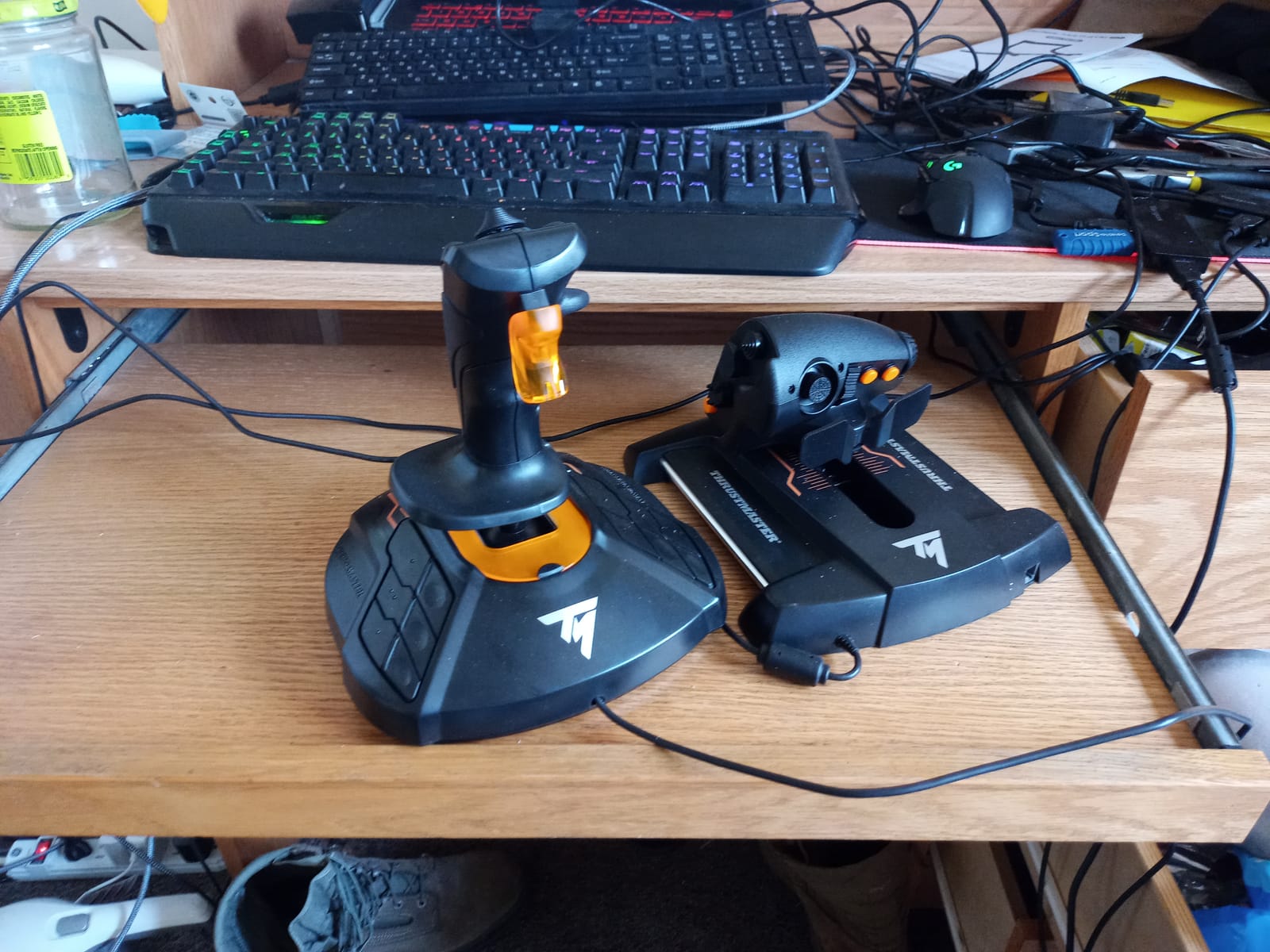
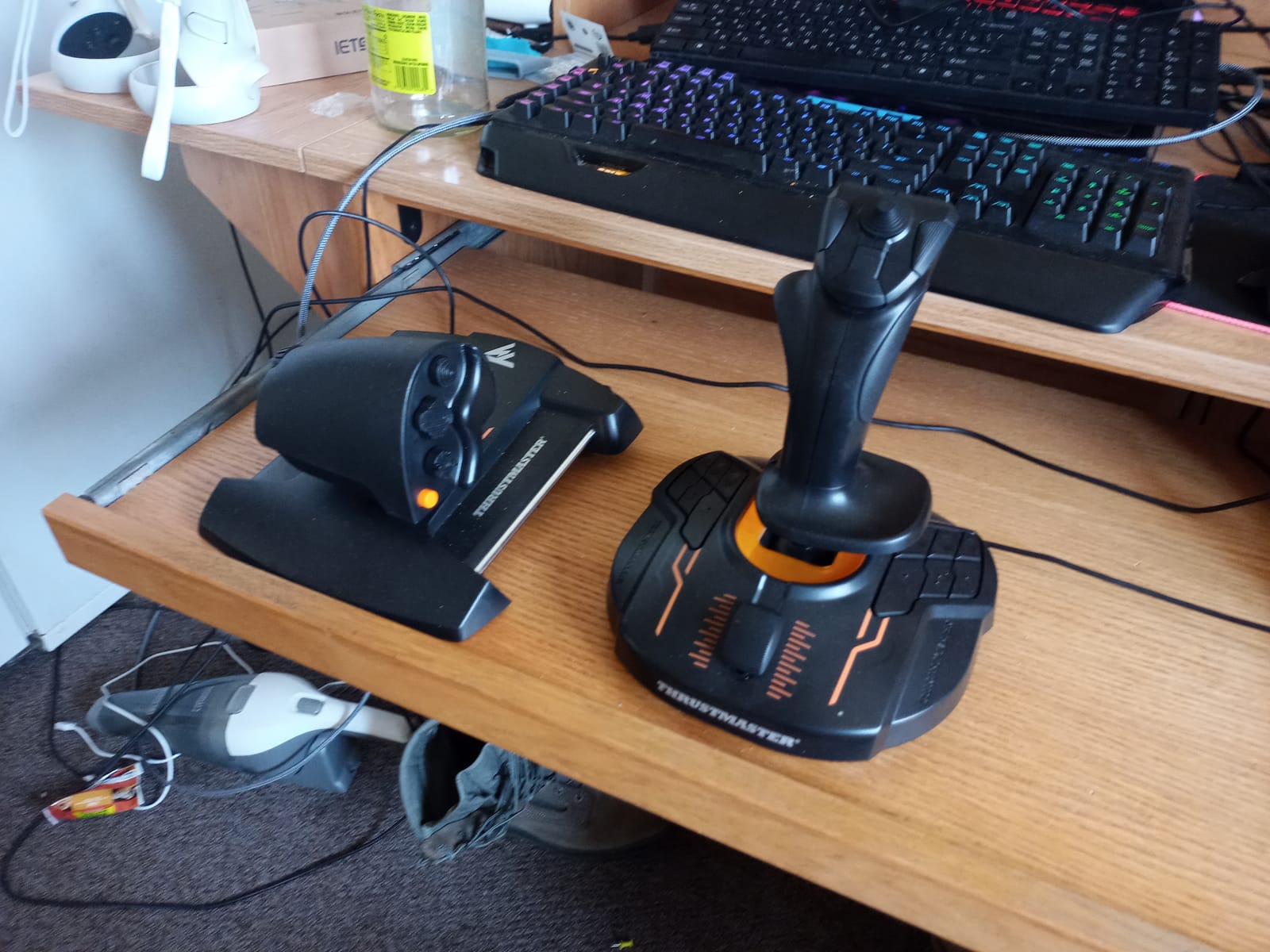
The throttle is a long-stroke design with an adjustable tension screw, fore and aft paddles, a pinky wheel and a trim wheel. Out of the box a fair number of owners report it feeling sticky, and the fix is well documented across the community: turn the tension screw and lubricate the rails. After that, the travel is described as smooth as glass, and the 3 lb weighted base holds it in place during combat manoeuvres.
Programmable through Thrustmaster TARGET software, which handles profiles, axis curves and the twist rudder lockout. Interchangeable hand grips are included in different sizes, and the whole thing sits at 3 lb so it plants without needing a heavy base plate.
Why DCS and combat simmers rate this one highly
Sensor quality is the deciding factor in a fast jet. When you are pulling 5 G, a sensor that reports position cleanly means your recovery is immediate, and hall effect sensing delivers that consistently. The twist rudder axis also gives you a rudder without a pedal set, which matters if your desk has no floor space.
Thousands of owners describe it as a reliability upgrade over the older Saitek sticks, and many arrived at it after a failure. That longevity matters as much as feel, because no one wants to re-map 30 buttons twice.
Where the T16000M costs you
The buttons are rubber domes rather than mechanical switches, so they feel soft and squishy under the thumb compared with the sharper clicks on premium units. The rear buttons on the stick base are also stiff and awkwardly placed.
The mini analog finger stick on the throttle has significant play and a large deadzone, so treat it as a spare control rather than a primary one. TARGET software is powerful but thinly documented, and the throttle body is bulky, which makes small-handed users reach at an angle.
4. Logitech G PRO Flight Yoke System – Best Flight Simulator Controller for General Aviation
Logitech G PRO Flight Yoke System Professional Simulation – Black
Stainless steel yoke shaft
14 buttons and POV hat
Throttle quadrant included
Desk clamps included
Pros
- Yoke and throttle quadrant give a complete general aviation setup
- Stainless steel shaft gives smooth predictable inputs
- 54+ programmable controls reduce keyboard use
- Desk clamps hold securely on larger desks
- Long-standing owner base with years of use
Cons
- Yoke and quadrant are plastic with flimsy mounts
- Throttle quadrant often described as weak
- Axis drift requires in-game tuning
- Bulky on a small desk
- No macOS support
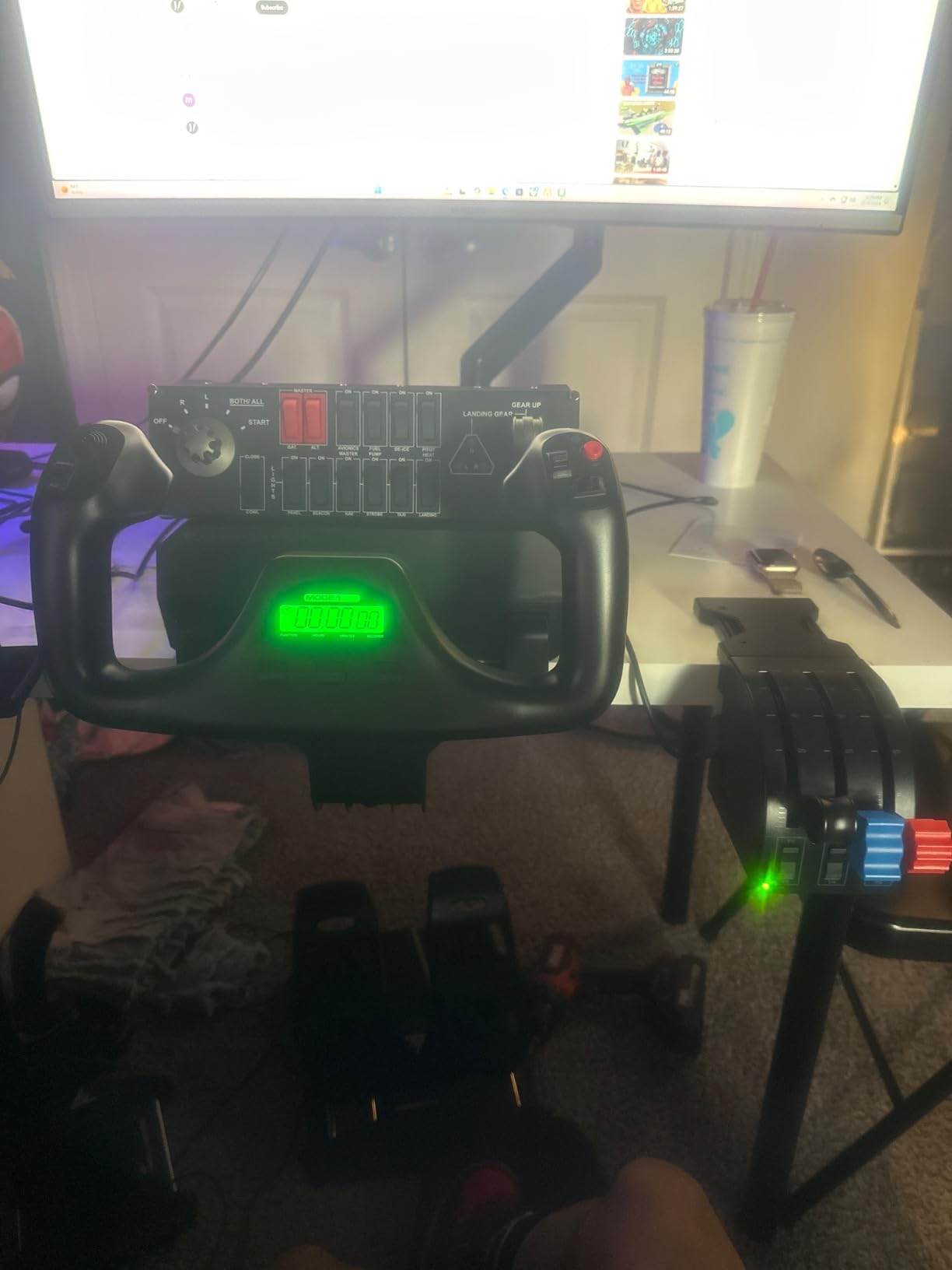
A yoke mirrors the control column you would find in a Cessna or a Bonanza, and that single design choice makes it the natural pick for general aviation, bush flying and VFR touring. The PRO Flight Yoke System arrives with a matching throttle quadrant, so power control is covered out of the box.
The shaft is stainless steel, which is the detail reviewers single out most. Real pilots writing long-form reviews tend to defend the spring resistance design and argue that deadzone complaints come from in-game S-curve settings rather than the hardware. Less experienced users report the opposite experience and describe the feel as arcade-like, so expectations matter here.
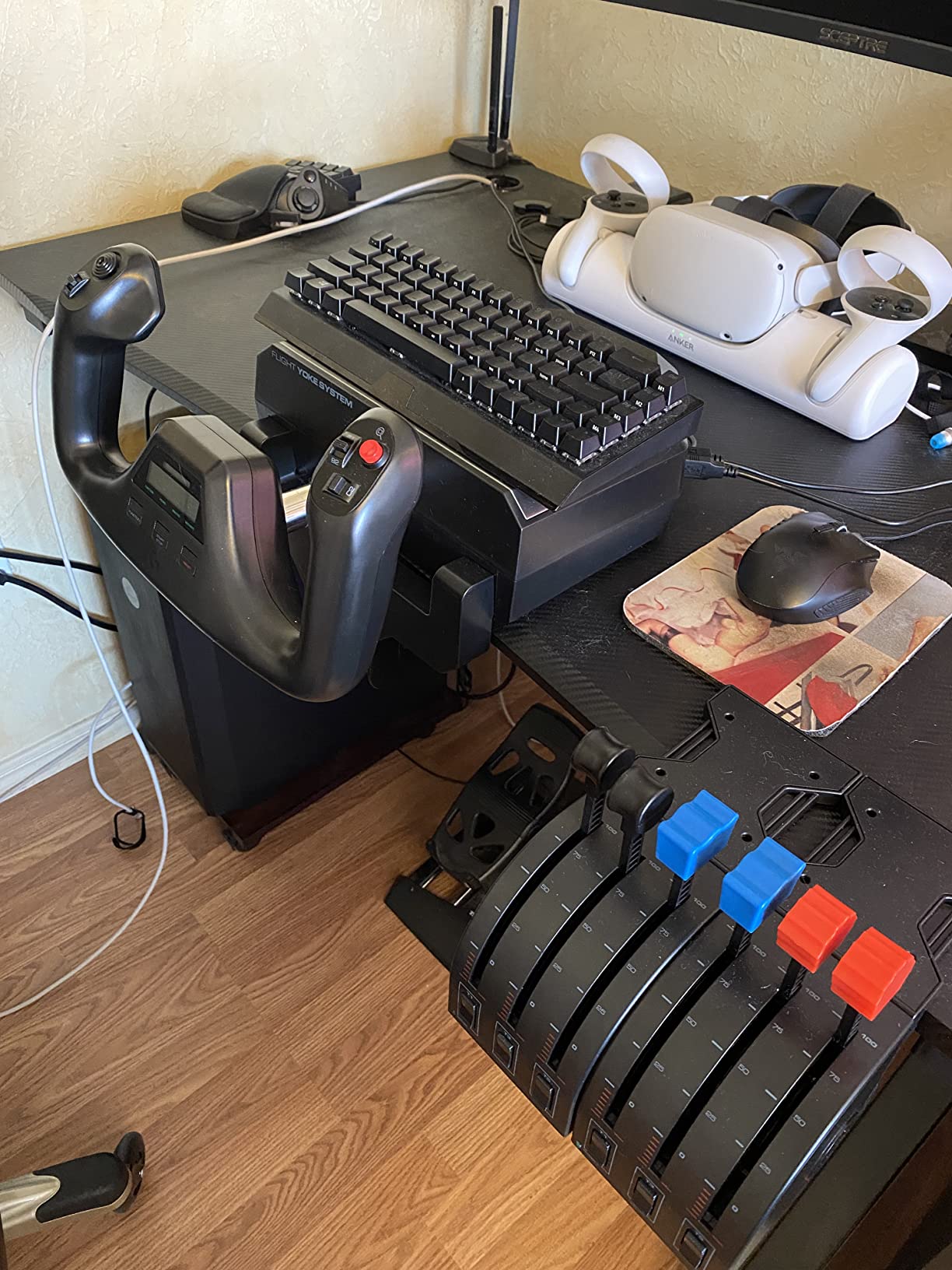
Control coverage is generous for a yoke. A POV hat, 14 buttons and a three-position mode switch combine to give at least 54 programmable controls, which covers avionics, radios and autopilot functions without reaching for the keyboard. On the Steam version of Microsoft Flight Simulator it is recognised immediately, with Logitech software handling the mapping.
Two two-position desk clamps are included, and a 5.9 foot USB cable runs from the yoke while the quadrant carries its own 4.92 foot connector. The system works on Windows 11, 10, 8.1 and 7.
Why general aviation simmers keep coming back to it
Yoke handling matches the aircraft most people learn first. A student pilot practice session in a 172 feels right on a control column, and the same muscle memory transfers to real crosswind and short-field work. Rated 4.3 across roughly 2900 reviews, it is one of the better established entries here.
The included quadrant matters more than buyers expect. Many forum threads asking about yoke and throttle combos end with the realisation that the throttle is the second purchase, and this box removes that step.
What to watch before you buy
Reliability is the loudest recent theme in the reviews, with several owners reporting the quadrant or yoke failing within months. The build is plastic, and the mounts feel flimmy in hand, so this is not a device you plan to hand down.
Axis drift and deadzone need in-game tuning, and the yoke is bulky enough to eat desk space. It is also Windows only, with no macOS support despite some listings suggesting otherwise.
5. Logitech G X56 HOTAS – Best Flight Simulator Controller for Twin-Engine and Combat Flying
Logitech G X56 H.O.T.A.S Throttle and Joystick Flight Simulator Game Controller, 4 Spring Options, +189 Programmable Controls, RGB Lighting, 2x USB, PC – Black
Hall-effect 16-bit axes
Four-spring tension system
Twin throttles
189+ programmable commands
Pros
- Huge number of hats buttons dials and toggles
- Hall-effect 16-bit axes more accurate than older sticks
- Split twin throttles suit multi-engine aircraft
- Four interchangeable springs tune the feel
- Two mini analog sticks for sensor slewing
Cons
- Throttle stiff out of the box from thick internal grease
- Light stick can lift during hard manoeuvres
- Mini analog sticks drift out of calibration
- No G Hub support
- Inadvertent toggle presses under the wrist
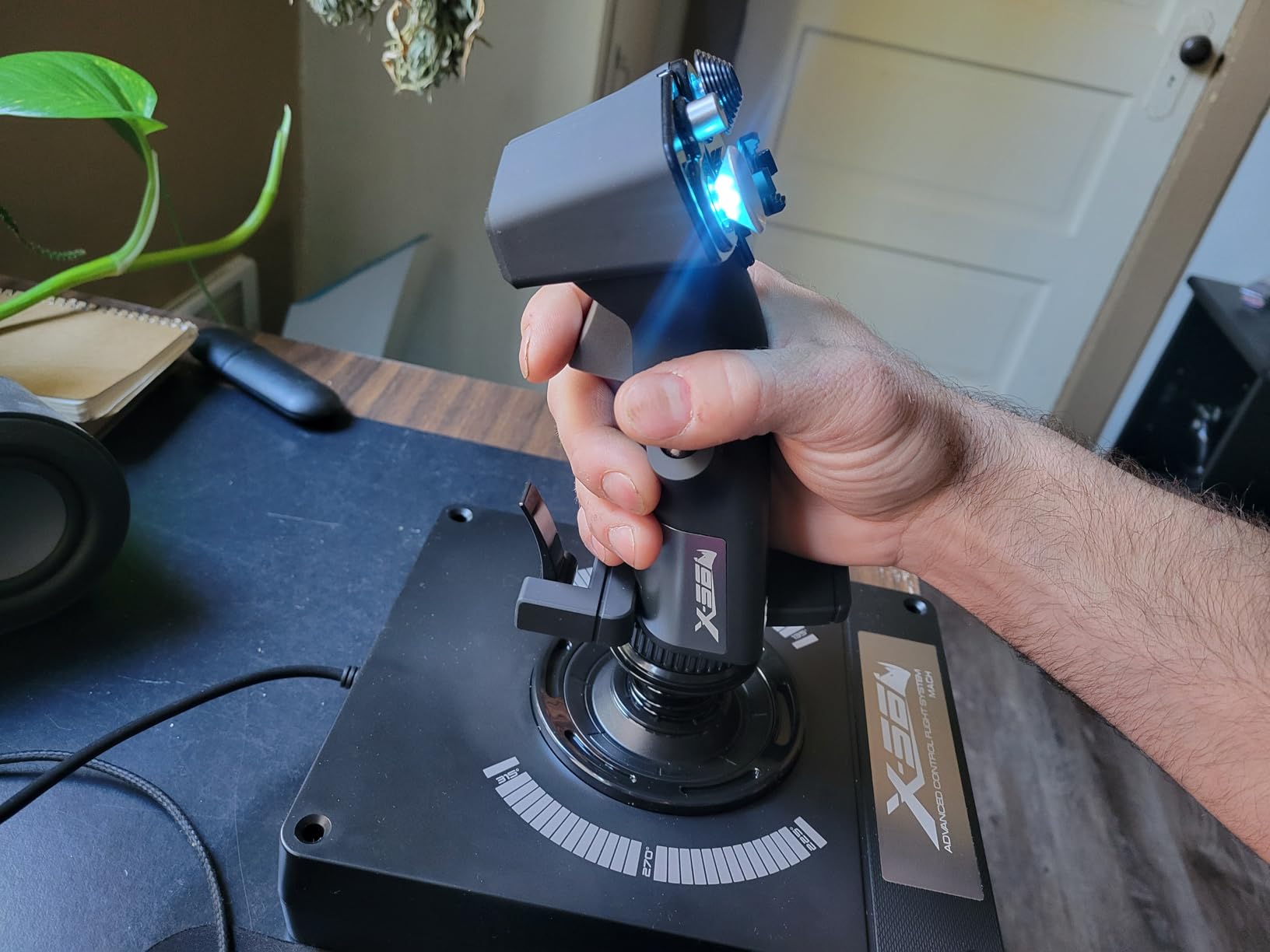
The X56 is a button farm in the best sense. Hats, dials, toggles and 24 physical buttons are joined by two independent mini analog sticks for slewing radar contacts and tracking weapons, and the totals reach more than 189 programmable commands. If your simulator is DCS or a space game with a dense cockpit, nothing else at this level covers as much surface area.
Underneath, the aileron and elevator axes use hall effect sensors at 16-bit resolution, a genuine step up from the potentiometer generation. The four-spring system lets you fit different tension springs to change the return force, which is unusual at this level and lets you tune the feel for a heavy twin or a light fighter.
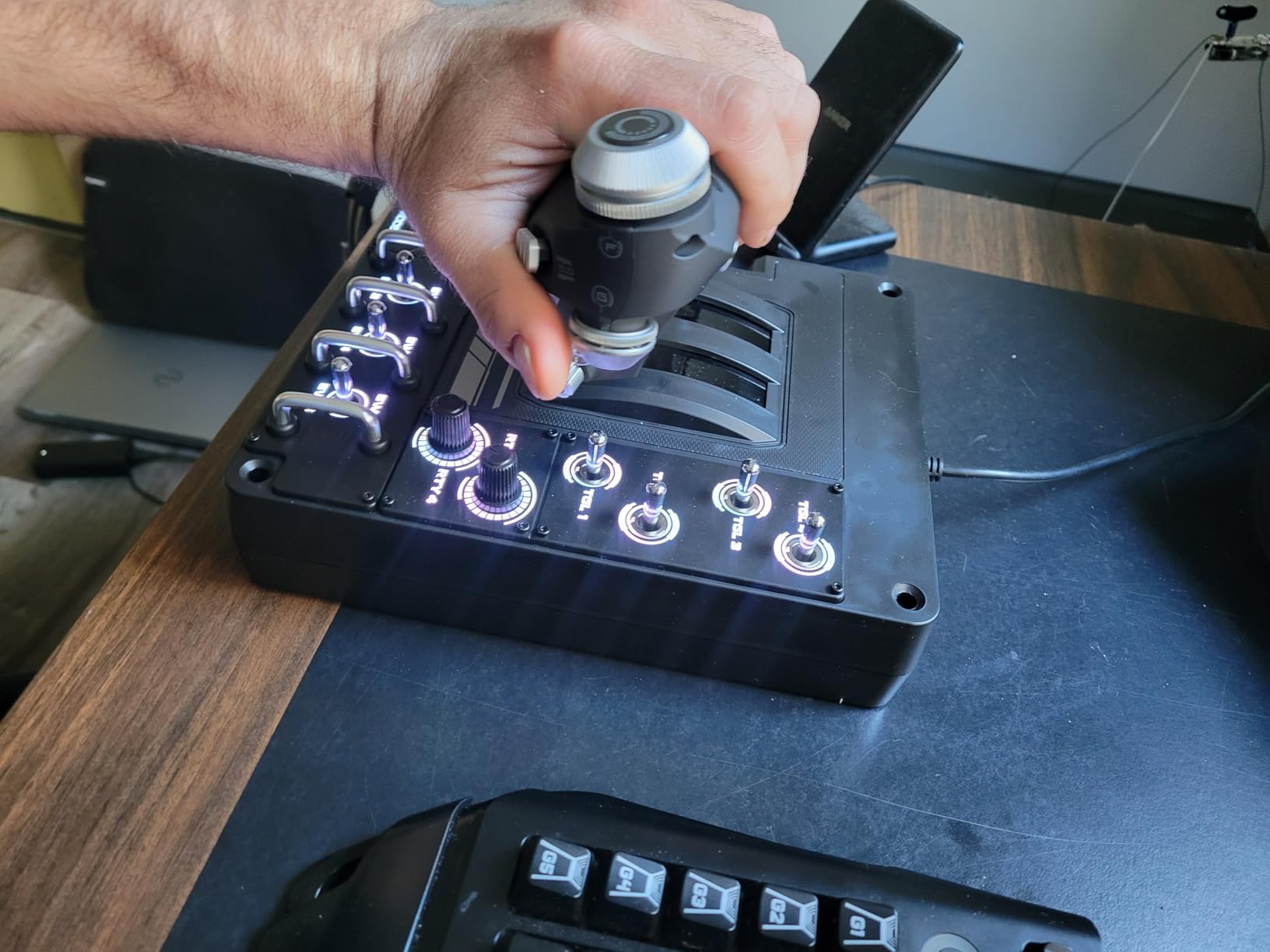
Split twin throttles with a friction adjuster and a throttle lock make it well suited to multi-engine aircraft, and the rotary throttle controls double as push buttons with centre detents. RGB backlighting through Logitech software helps you find a control in a dim room, and the layout was designed with VR in mind, placing switches under the fingers.
This is the highest one-star rating share in the whole lineup at 12 percent, and the cause is well documented: the throttle grease. Airline simmers like the stiff, realistic feel, while combat and space pilots find it close to unusable and often strip it out themselves.
Who gets the most from the X56 layout
Multi-engine and heavy aircraft benefit most from independent throttles, since you can set power per engine without binding a chord. Space simmers who want a functioning MFD like the multifunction display on the X52 can be surprised by how much of the X56 layout is fight controls rather than panel functions.
Forum consensus treats it as a capable starter kit rather than a premium build, and that framing is fair. You are buying button density and sensor quality, not materials.
What causes the one-star reviews
The throttle ships with thick internal lubricant that behaves like glue until you work it. Several owners spend their first weekend removing it. The stick is also light enough to lift off the desk during hard pulling, which is a real risk in a dogfight.
The mini analog sticks can drift out of calibration, sometimes fixed by simply re-tightening the handle. Toggle switches sit directly under the resting wrist, so you will hit them by accident, and the unit does not connect to G Hub, only to the older Logitech software.
6. Logitech G X52 Flight Control System – Best Flight Simulator Controller for Space Sims
Logitech G X52 Flight Control System
Magnetic non-contact X and Y axis sensors
Multifunction LCD display
3D twist rudder with lock-out
4.2 lb stick
Pros
- LCD verifies programmed commands before you fire them
- Doubles as a flight-plan clock
- Magnetic non-contact sensors on the main axes
- 282 programmable commands across three modes
- Five-position grip improves button access
Cons
- Reliability history in the X52 line
- Throttle shares the stiff-grease behaviour of the X56
- Small LCD limited to Logitech software
- No G Hub support
The reason to pick the X52 over its siblings is the multifunction LCD in the grip. It shows the commands you have programmed, so you can verify a binding before you trigger it, and it doubles as a flight-plan clock for long missions. In a game with hundreds of bound functions, that removes the guesswork that leads to accidental self-destructs.
The main X and Y axes use magnetic non-contact sensors for longevity and consistent accuracy. The 3D twist rudder has a lock so you can disable the axis entirely when you add external pedals, which is a small touch that removes a lot of accidental input during taxi.
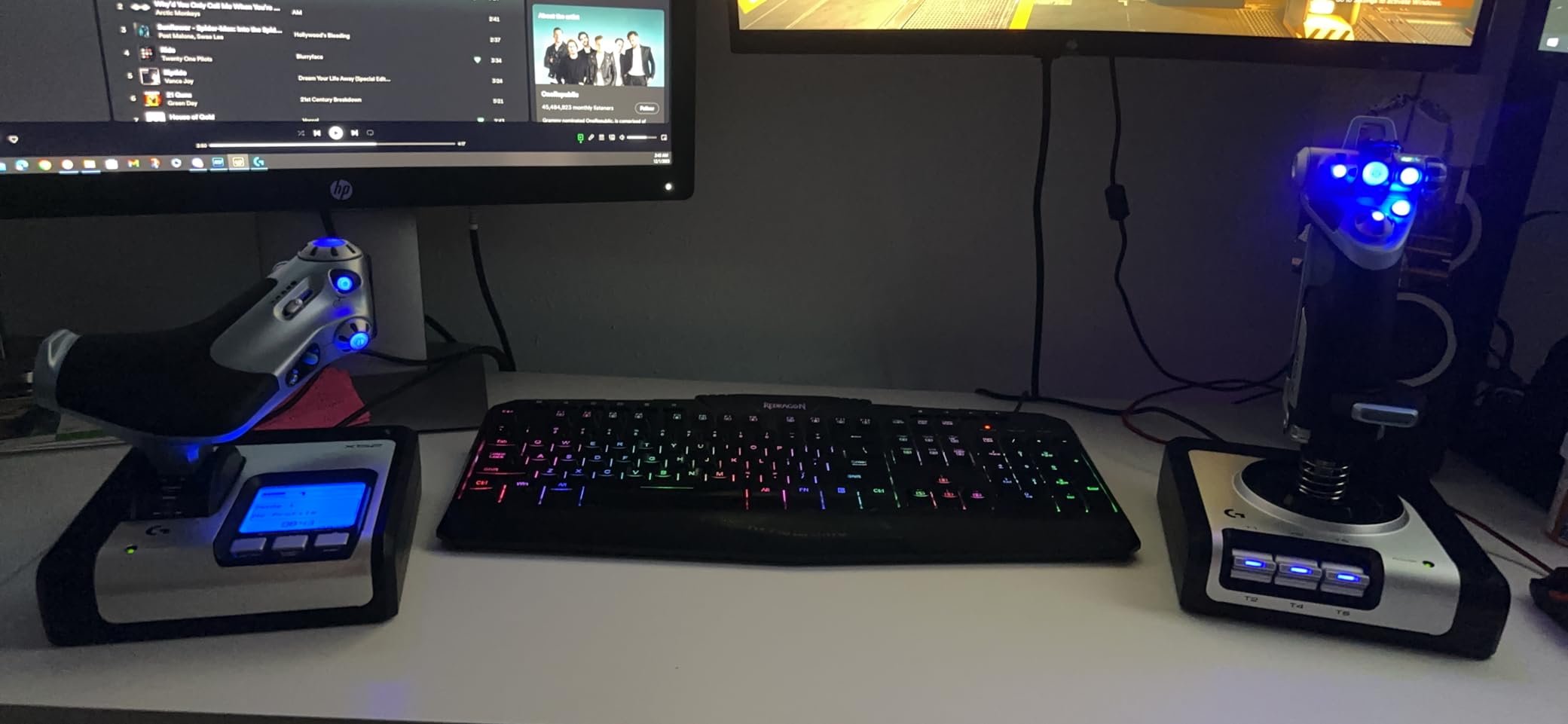
A five-position grip system changes the resting hand position so buttons fall under your fingers for different hand sizes, and 282 programmable commands across three modes keep cockpit, weapons and menu functions separated. That makes it a strong layout for space simulators and for military flight, where you are constantly switching between a weapon system and a navigation panel.
At 4.2 lb the stick is light on the desk and easy to reposition, and it is compatible with most major simulation software and games, so it works for MSFS, X-Plane and space titles without a specific driver dance.
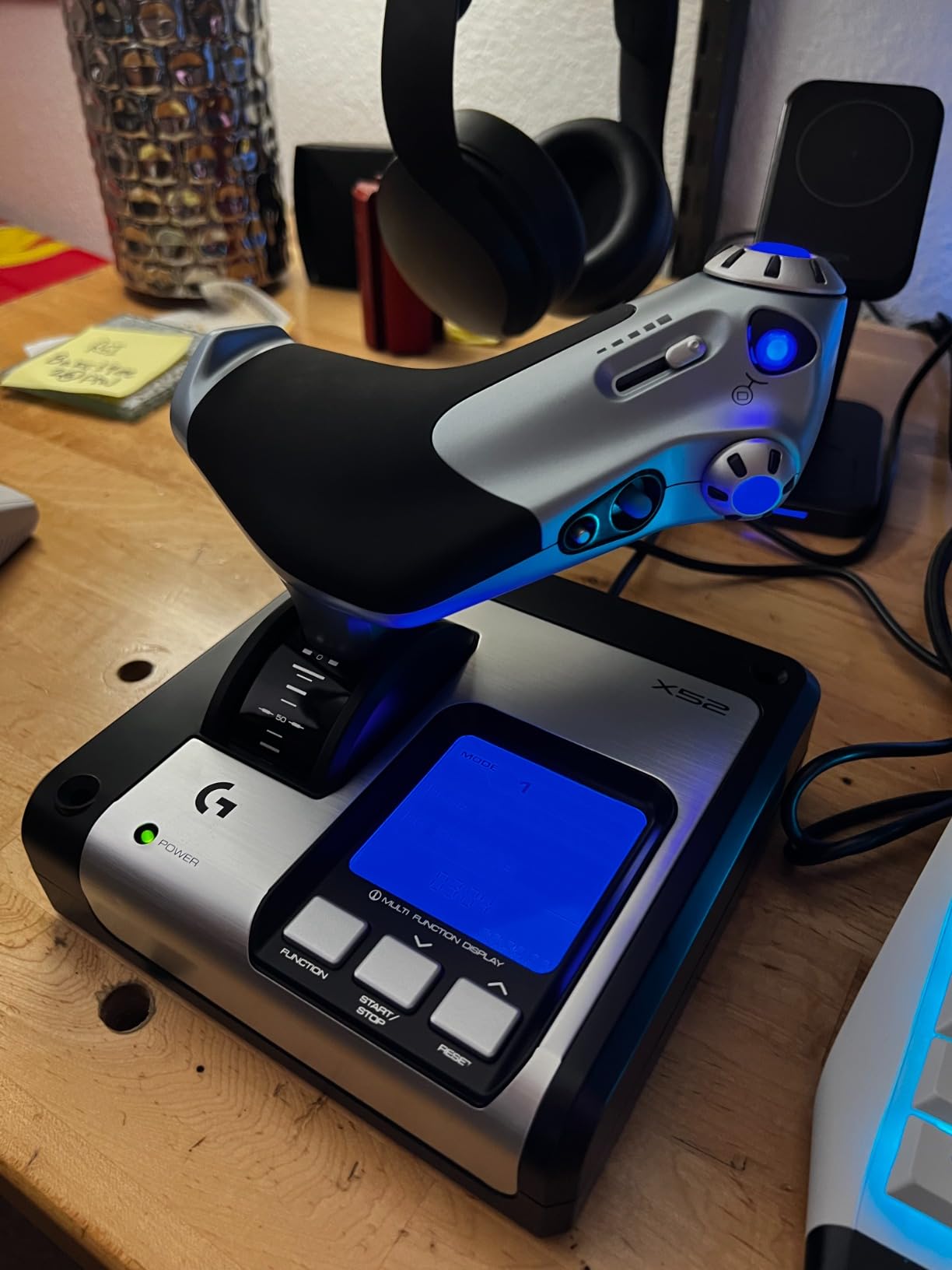
Why the LCD changes day-to-day flying
Button proliferation without labels is a pain point that community members describe constantly, with users resorting to handwritten notes beside the controller to remember assignments. A screen that shows the current binding removes that paper trail entirely, which is the quiet superpower of this design.
At 4.3 stars across more than 1100 reviews, it is the best documented option here for anyone whose simulator has a genuinely complex cockpit.
Where the X52 falls behind
Reliability is the long shadow over this line. Owners of earlier units report axis drift and outright failures, so if you are buying new, budget for a possible replacement rather than assuming a decade of service.
The throttle carries the same stiff grease complaints documented on the X56, the LCD is small and only useful inside Logitech software, and the unit does not connect to G Hub. It is a competent, older design rather than a current one.
7. Logitech G Pro Flight Yoke and Rudder Pedals Bundle – Best Flight Simulator Controller Bundle for Three-Axis Flying
Logitech G Pro Flight Yoke System + Pro Flight Rudder Pedals Bundle
Yoke and rudder pedals in one box
Self-centering pedals
Differential toe brakes
54+ yoke controls
Pros
- Covers all three control surfaces in one purchase
- Self-centering rudder pedals for realistic directional control
- Differential toe brakes help with runway and taxi work
- Avoids sourcing a separate pedal unit
- Yoke is proven Logitech Pro Flight hardware
Cons
- Thinnest review pool in the lineup at just over 100 ratings
- Yoke half carries the same build and durability caveats
Most yokes ship alone, and most owners discover the gap on their first taxi. This bundle closes it by pairing the Logitech G PRO Flight Yoke System with self-centering rudder pedals, so pitch, roll and yaw are all covered from a single purchase, and the throttle quadrant is already in the yoke box.
The pedals are the reason to choose it. Self-centering means the rudder returns to neutral the way it does in a real aircraft, which matters enormously in a crosswind, and the differential toe brakes let you hold an aircraft on the runway with realistic directional braking. Adjustable non-slip foot rests fit a range of foot sizes.
The yoke half is the same hardware as the standalone PRO Flight Yoke System, so you inherit the stainless steel shaft, the 14 buttons, the POV hat and the three-position mode switch that together provide more than 54 programmable controls. Everything runs over USB on Windows.
What this bundle fixes for beginners
Rudder pedals are described in the forums as the most critical component for flight safety, and twist rudder on a stick is only a partial substitute. Dedicated pedals give you a full yaw axis, independent left and right braking, and the ability to keep the aircraft straight in a crosswind touchdown while your hands stay on the yoke.
It is a clean first purchase for general aviation and airline simmers who would rather buy once than assemble a rig in stages.
What the thin review history means
This is the smallest evidence base in the lineup at a little over 100 ratings, so long-term reliability data is limited. The sentiment is strongly positive, with 76 percent of ratings at five stars, but that is a much smaller pool than the other products here.
The yoke half carries the same plastic build and mount concerns reported for the standalone yoke, and several recent owners of that product report unit failures within six months. Treat the pedal half as the durable part and check the yoke mounting hardware early.
8. Honeycomb Aeronautical Charlie Rudder Pedals – Best Flight Simulator Controller Upgrade for Rudder Feel
Honeycomb Aeronautical Charlie Rudder Pedals – PC- Realistic and Immersive Flight Experience – Left and Right Toe Brake Axis – Adjustable Feet Angles
Aluminum construction with belt drive
Magnetic hall effect sensors
7.75 kg pedal set
Adjustable foot angles
Pros
- Aluminum and belt drive feel far above plastic pedal sets
- Hall effect sensors give smooth precise rudder and toe brake input
- Foot angle and size fully adjustable
- High-friction strips and carpet spikes keep pedals planted
- Pairs directly with the Honeycomb yoke range
- Works on PC and Mac
Cons
- Xbox Series X or S needs the separately sold Honeycomb Xbox Hub
- Top of the range for a pedal-only purchase
- No stick yoke or throttle included
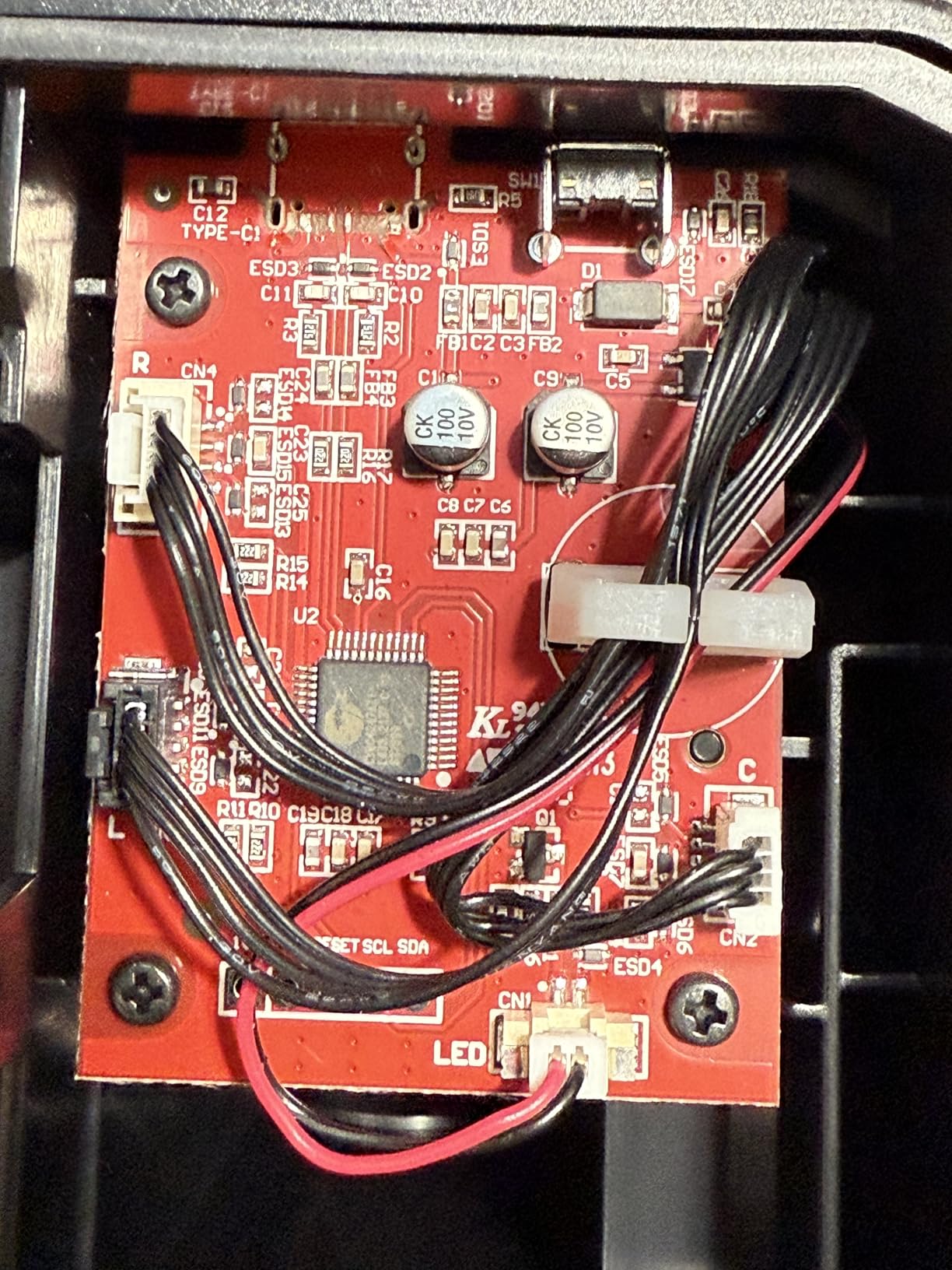
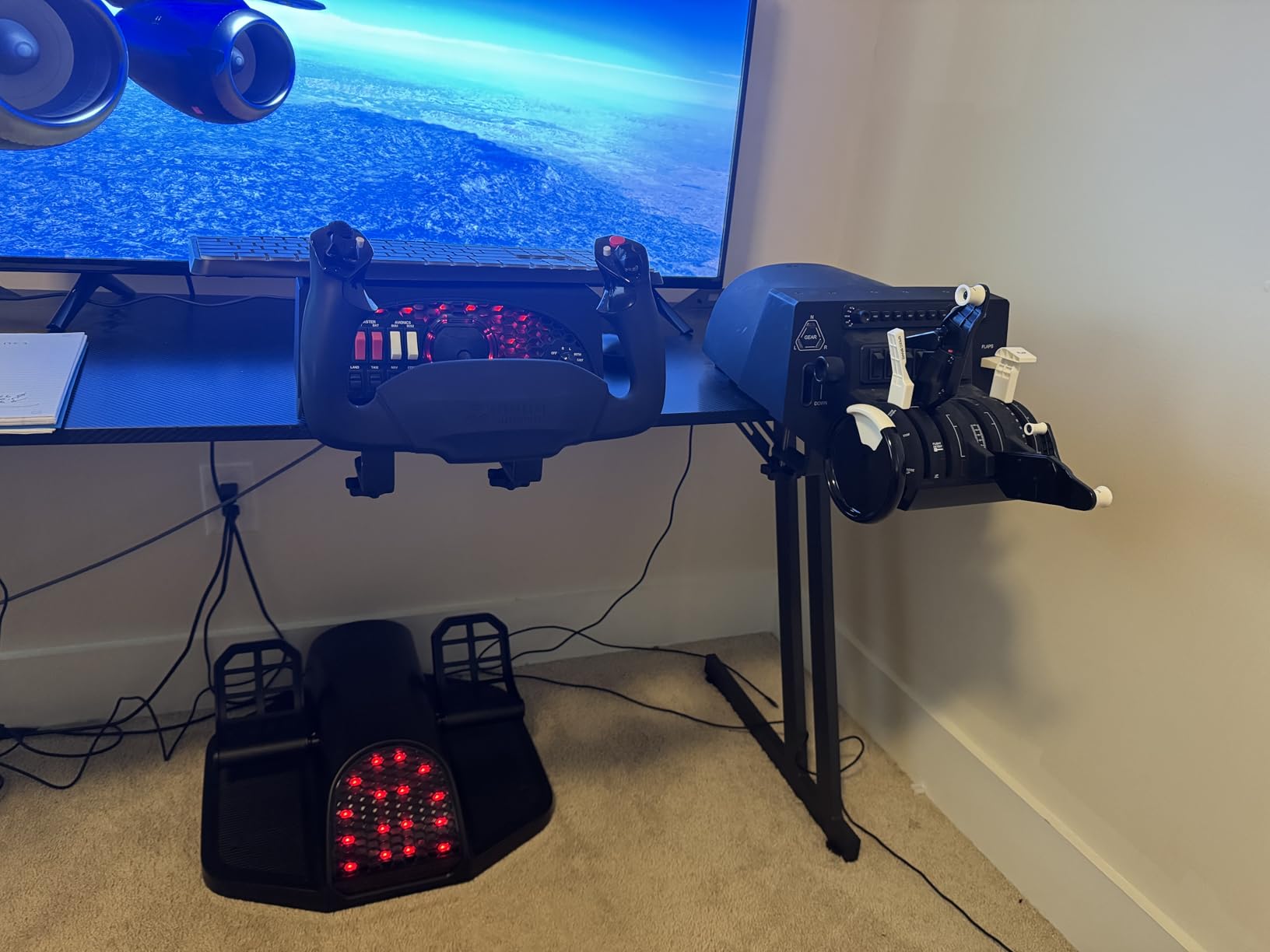
If you already have a yoke or a stick, pedals are the single upgrade that changes how the aircraft feels on the ground and in a crosswind. The Charlie is the enthusiast answer: durable aluminum construction with a belt drive system rather than the plastic and rod mechanisms in entry-level sets.
The feel difference comes from the sensors and the mechanism together. Latest-generation magnetic hall effect sensors give smooth, precise rudder and toe brake input with minimal pilot correction, and the belt drive keeps the pedal motion consistent over thousands of inputs. Reviewers describe it as noticeably more refined than cheap plastic units, and the adjustment range is the quiet hero.
Foot angle and size are fully adjustable, so the set fits a wide range of pilots, and high-friction surface strips plus deployable carpet spikes keep the pedals planted on both hard floors and carpet. At 7.75 kg the unit stays put without needing to be bolted down, which is what you want when you are landing in a gust.
It connects with a USB-C to USB cable and works on PC and Mac, including with the Alpha Flight Controls XPC base. Microsoft Flight Simulator, X-Plane 12 and Prepar3D are all listed as supported software.
Why pedal feel matters more than buyers expect
Community advice is consistent that a twist stick is good enough only for a first few hours. Once you are taxiing, holding a centreline or correcting a crosswind drift, you want the heel of your foot moving independently of pitch and roll, and only a pedal set gives you that.
Self-centering is the other half. A pedal set that does not return to neutral makes every subsequent input harder, and fluid motion is what separates a premium set from a cheap one in the DCS community.
What to weigh before ordering
This is a pedal-only product, so it is an addition to a rig rather than a first controller. If you have not chosen a yoke or stick yet, buy that first and treat the Charlie as the second step.
Xbox Series X and S owners need the separately sold Honeycomb Xbox Hub, which is an extra purchase. The pedal-only format also means the set does nothing for you if your main problem is pitch and roll control.
9. Turtle Beach VelocityOne Flight – Best Flight Simulator Controller as an All-in-One System
Turtle Beach VelocityOne Flight Universal Control System – Xbox Series X & Xbox Series S, Xbox One & Windows 10 & 11 PCs with Yoke Handle, Throttle Quadrant, Trim Wheel & Rudder Controls
Yoke throttle quadrant trim wheel and rudders
180 degree rotation
Hall effect sensor
26 buttons
Pros
- Complete package needs no extra purchases
- Widest platform support in the lineup
- Dedicated trim wheel is unusual and genuinely useful
- Pull levers and prop and mix controls feel excellent
- Clamping system described as very secure
- Quick warranty replacements from support
Cons
- Flight management display is small and adds little value
- Advertised flight profiles not implemented on PC
- Throttles bound to the yoke and not reusable
- Yoke can feel sticky in pitch during break-in
- POV hat failures reported by some owners
Nothing else in this lineup gives you a complete cockpit in a single box. The VelocityOne Flight includes a yoke, a throttle quadrant with customisable lever handles and buttons, a dedicated trim wheel and rudder controls within fingertip reach, all on one clamping base. For a first general aviation rig that is genuinely useful, because there is nothing left to buy afterwards.
The yoke runs through a true-to-life 180 degrees of rotation on a non-contact hall effect sensor, and the control count is substantial: 26 buttons, 12 analog axes, two POV switches and two four-way hats. Support covers Xbox Series X and S, Xbox One and Windows 10 and 11, so the same purchase works on console and PC.
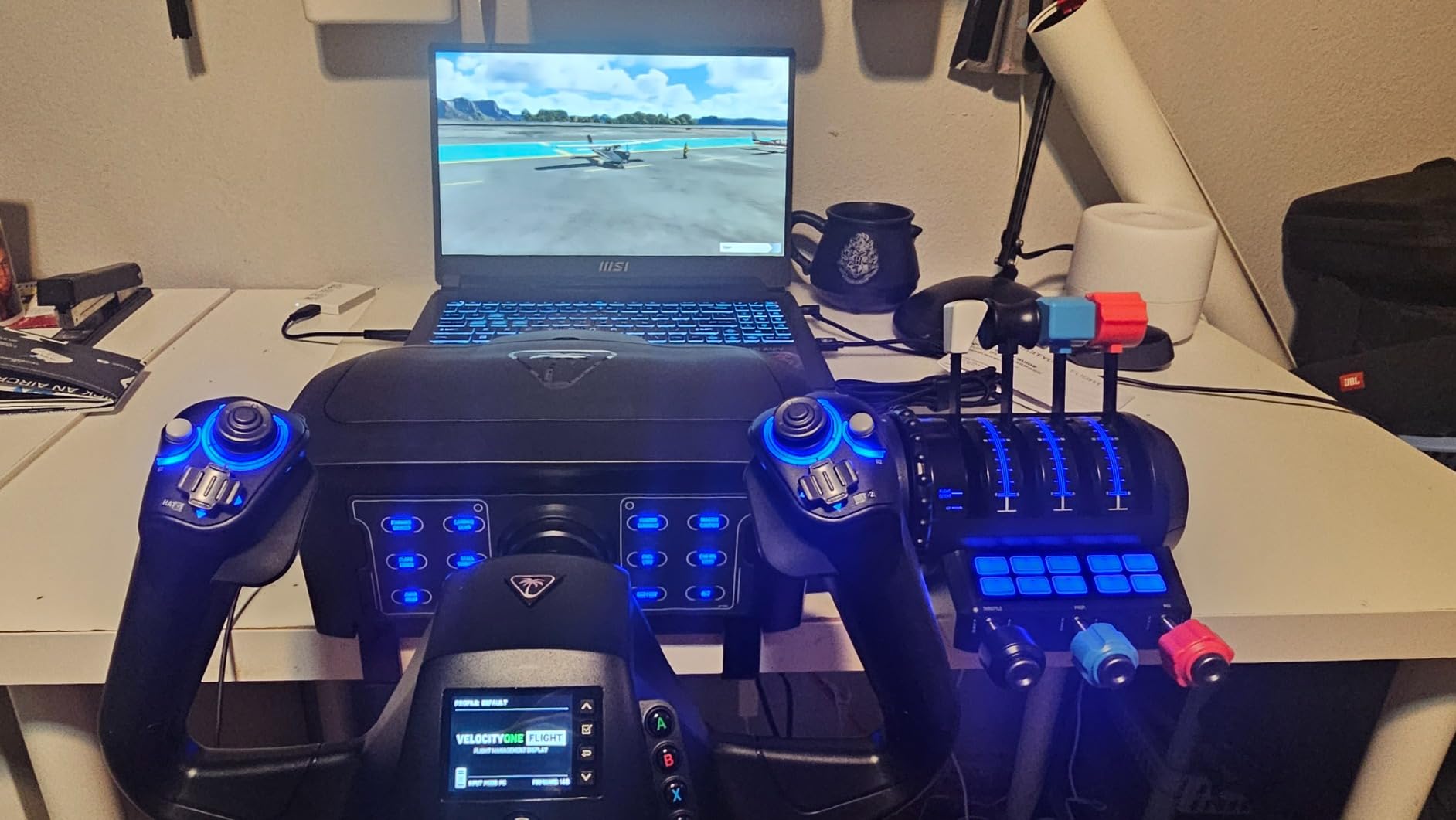
The pull levers, plus the propeller and mixture controls, are the part owners praise most. The dedicated pitch trim wheel is unusual at this level and is genuinely useful in the cockpit, where a screen-cursor trim input is slow and imprecise. At 10 lb the clamping system is described as very secure and well built for home desks.
Buyers frame it in one of two ways: a perfect first cockpit, or a step down from a premium setup they already own. The most enthusiastic reviews come from student pilots who feel it closely mirrors flying a Cessna 172.
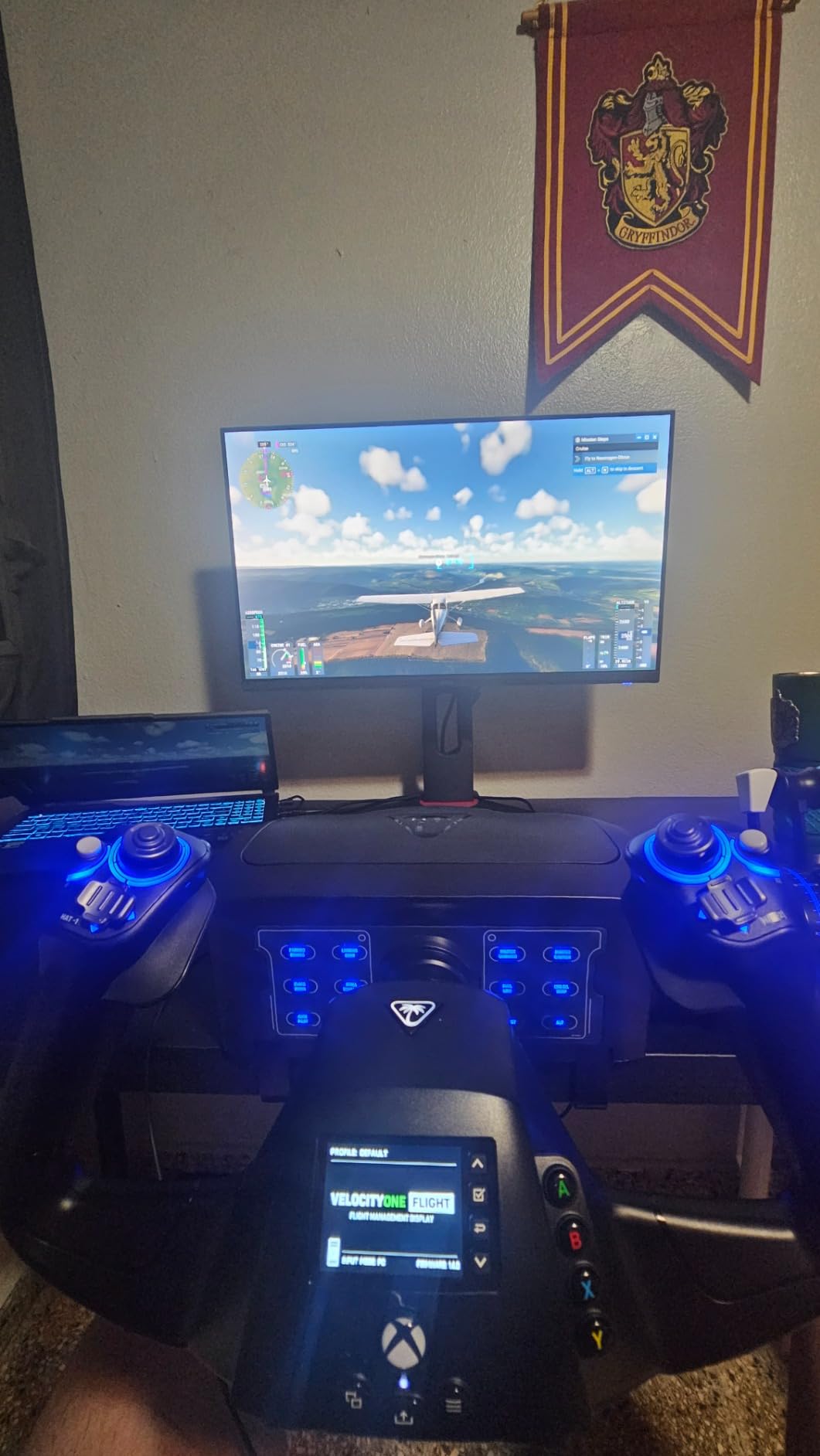
Why the all-in-one format appeals to console pilots
Rudder controls built into the yoke change the calculus for console players, because a separate pedal set that is not licensed for Xbox would otherwise be impossible. The bundled approach means a full three-axis setup works on Xbox Series X and S without extra hardware.
It also handles multi-engine work reasonably well, since the throttle quadrant has customisable lever handles and buttons rather than a single lever.
What the software does not deliver
The flight management display is small and awkward to use, and adds little practical value once you are flying. More significantly, the advertised flight profiles are not actually implemented on PC, which some buyers read as misleading.
The throttle levers are physically bound to the yoke and cannot be moved to a different yoke, which limits future upgrades. Some owners also report a sticky or jerky pitch axis during initial break-in, and a few report POV hat or internal component failures within weeks, though Turtle Beach support is generally quick to replace.
10. Honeycomb Alpha Flight Controls Yoke – Best Flight Simulator Controller for Realistic Yoke Feel
Honeycomb Aeronautical Alpha Flight Controls Yoke & Switch Panel
180 degree rotation on a steel shaft
28 buttons
Integrated switch panel
USB-C connectivity
Pros
- Steel shaft and ball bearings give the smoothest motion here
- Full 180 degree rotation far exceeds budget yokes
- Dampened self-centering with no center detent or dead zone
- Integrated switch panel with real toggles and five-position ignition
- Premium build with no cheap plastic feel
- Plug and play with no profile download
Cons
- Mounting under a thick desk is difficult and can leave it loose
- Suction pad can mark a wooden tabletop
- Separate handle-to-base cable needed for top buttons
- Hat switch can feel jumpy in cockpit view
- Pitch and roll may be reversed on Mac
The Alpha is the most consistently praised product we tested, and the reason owners give is mechanical rather than software. A solid steel shaft running on dual linear ball bearings gives the smoothest, most consistent yoke motion in this lineup, and the full 180 degrees of rotation is far greater than the budget yokes it usually replaces.
The second decisive detail is the absence of a centre detent. The mechanism is dampened and self-centring with minimal to no dead zone, so fine pitch and roll inputs are easy to modulate. Owners who came from Saitek or CH Products yokes single out exactly this when explaining the upgrade, and 78 percent of ratings here are five stars.
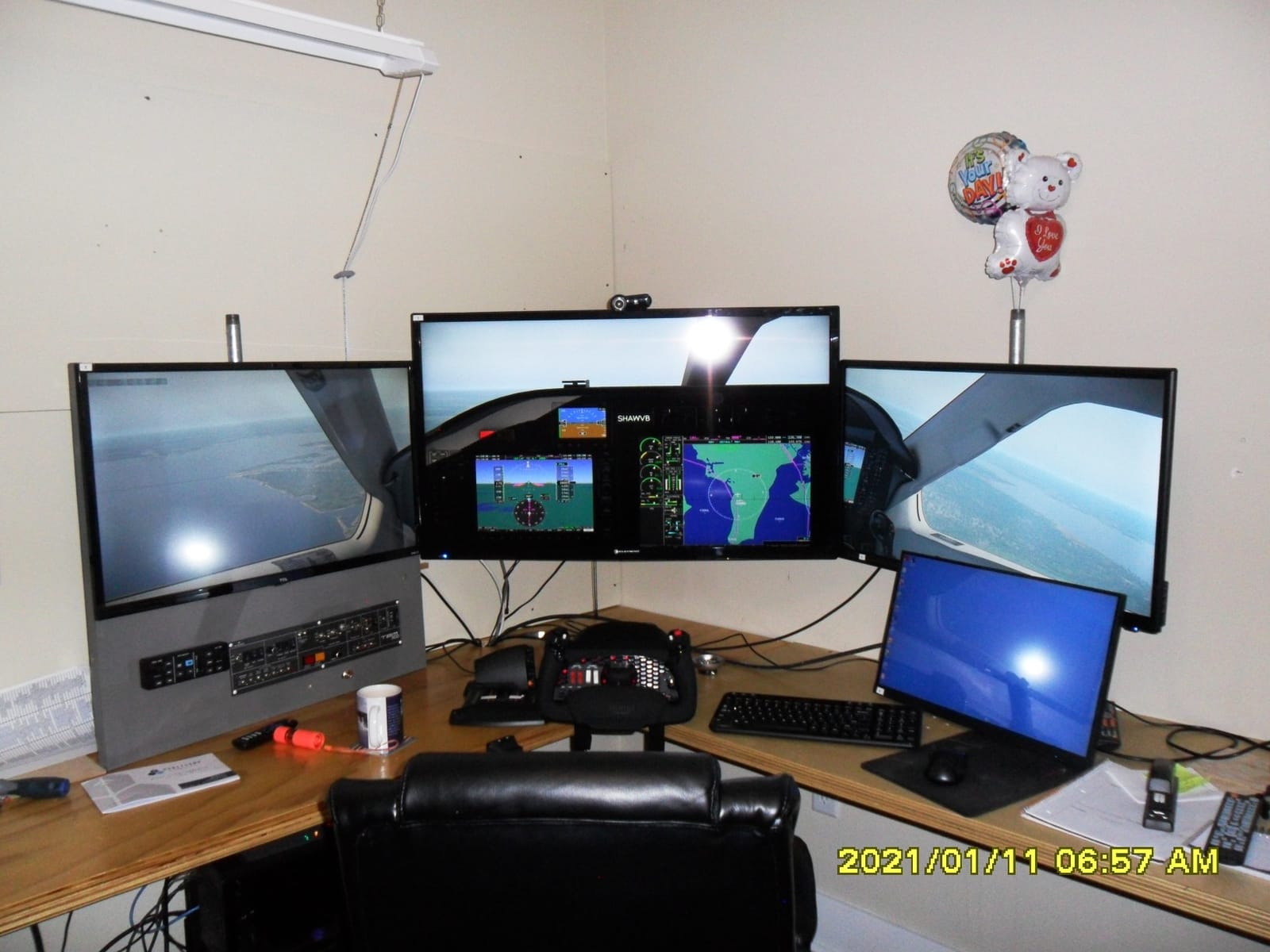
The integrated switch panel is the other reason it feels authentic. It carries master, alternator, avionics and light switches plus a five-position ignition, and each handle has an 8-way hat, two vertical and two horizontal two-way rocker switches, three buttons and a push-to-talk button. At 28 buttons total you are not reaching for the keyboard during a busy departure.
It is developed in California by pilots and aerospace engineers, connects over USB-C, and is recognised immediately without downloading a profile. Community reviewers repeatedly describe it as the best-in-class yoke at this level, and mention the manufacturer warranty length as part of the value.
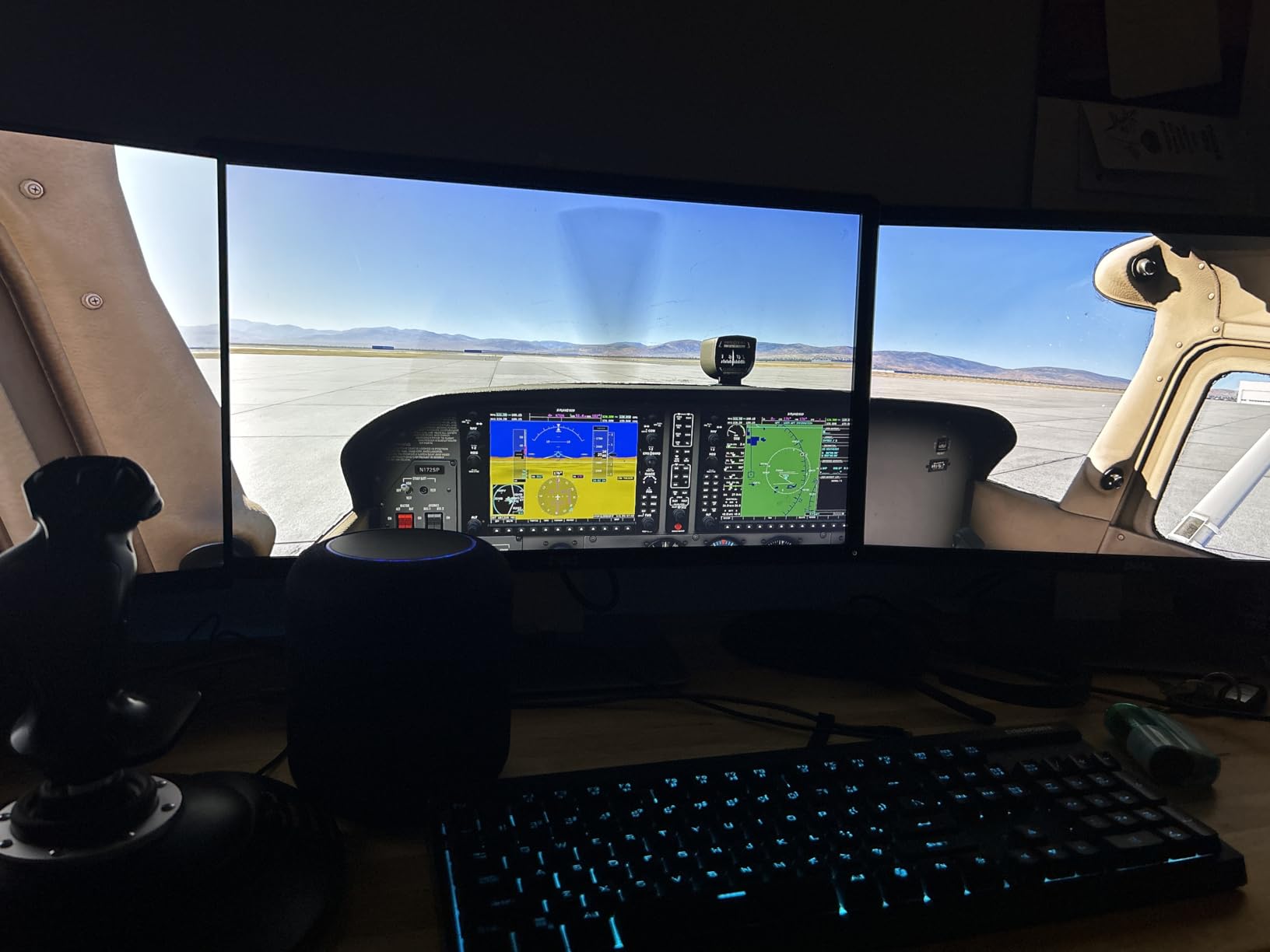
Why experienced pilots rate this highest
Force and smoothness are what experienced pilots notice first. A heavier, frictionless control lets you make a small correction and feel the aircraft respond, rather than fighting a spring. That transfer is the strongest trust signal in the community, and it is the reason career-track readers gravitate here.
The switch panel also removes a specific frustration. Flicking a virtual breaker in a software menu breaks immersion in a way that a physical toggle never does.
Where the Alpha is awkward
Mounting is the main practical problem. Under a thick desk the supplied screws can be difficult to use and leave the unit loose, and the alternative 3M Micro-Suction pad can mark a wooden tabletop when removed. Plan your desk thickness before you unbox it.
The top buttons on the handles need a separate RJ11-style cable between handle and base, which is easy to miss. The hat switch can feel jumpy in cockpit view rather than panning smoothly, and pitch and roll may be reversed on Mac without manual adjustment. It also costs roughly twice what an entry-level yoke does.
Yoke vs HOTAS vs Joystick: Which Controller Type Should You Buy?
The single most common question on flight sim forums is whether a yoke or a HOTAS is better, and the honest answer is that it depends on which aircraft you intend to fly. The control type should match your simulator’s default aircraft, because a mismatched layout creates a learning curve that has nothing to do with piloting skill.
A yoke is a two-handed control column. It mirrors general aviation aircraft and Boeing jets, it self-centres naturally, and it suits short flights and long crosswind practice where you need fine roll control with a relaxed grip. Choose a yoke if you are flying a Cessna, a Baron, a 737 or a general aviation add-on.
A HOTAS is hands on throttle and stick: a joystick with a throttle built into the same base. It is the most versatile shape, because one unit covers prop, single-engine piston, jet and space simming. It is also the most common answer to what controller you need for Flight Simulator when you are not yet sure what you will fly.
A sidestick-style joystick suits Airbus and modern fighter aircraft, where a sidestick is the real control. It is compact, takes little desk space and gives a large, precise throw, but it is less comfortable for extended sessions than a yoke with two hands on it.
Rudder pedals sit alongside all three. A twist rudder on a stick is an acceptable stopgap, but a pedal set gives a proper yaw axis, independent differential braking and the self-centring behaviour that makes crosswind landings workable.
If you want the short version: buy a HOTAS first because it is the least specialised, move to a yoke when you commit to general aviation or Boeing flying, and add pedals once the yaw axis becomes the limiting factor in your landings.
Flight Simulator Controller Buying Guide: Sensors, Pedals, Mapping and Mounting
Hall effect sensors versus potentiometers
This is the single most cited technical upgrade signal in enthusiast communities. A potentiometer measures position with a contact wiper running along a resistive track, which wears over time and develops deadzone. A hall effect sensor reads the position of a magnet through the gap, so there is no contact and no wear. The T16000M FCS, the X56, the Turtle Beach VelocityOne and the Honeycomb Charlie all use hall effect sensing.
Centre detent and self-centring
A centre detent is a physical or software stop at neutral that helps you find straight and level by feel. It helps beginners and gets in the way of fine trim for experienced pilots. The Honeycomb Alpha deliberately has no centre detent and a dampened self-centring return, which is why fine inputs feel effortless on it.
Button count and tactile identification
More buttons is not automatically better, since unlabelled buttons cause the post-it-note habit that community members complain about constantly. Look for tactile identification instead: the braille-style nubs on the T16000M, or the multifunction display on the X52 that shows the current binding. Logitech software maps over 189 commands on the X56, but you still need a plan for what goes where.
Throttle quadrants and what they add
A throttle moves engine power, and a quadrant adds propeller and mixture levers plus trim. The T16000M and the Logitech PRO Flight Yoke System both include one, which saves a second purchase. The T-Flight HOTAS X and the T-Flight HOTAS One detach their throttles so you can place them independently, and the T-Flight HOTAS One includes an Allen key to run them as one rigid unit.
Rudder pedals as the second purchase
Forum consensus is that a twist stick is fine for the first few hours and inadequate afterwards. The Logitech PRO Flight Yoke bundle and the Turtle Beach VelocityOne include rudder control, so those are the efficient first purchases. If you already own a stick, the Honeycomb Charlie is the upgrade most owners rate as the biggest improvement in feel.
Simulator compatibility and console support
Most of these units are PC-only over USB. Two exceptions matter: the T-Flight HOTAS One is officially licensed for Xbox Series X and S, Xbox One and PC, and the Turtle Beach VelocityOne works across Xbox Series X, Series S, Xbox One and Windows 10 and 11. The Honeycomb Charlie reaches Xbox only through the separately sold Honeycomb Xbox Hub. Logitech products do not run on macOS.
Simulator hardware is only half of a home setup. If you would rather practise without a full PC rig at all, our guide to the best golf simulators for home covers the same buying logic from the other end of the market, and the golf simulators roundup compares the entry-level packages side by side.
Control mapping and the first-session friction
Driver and control-mapping friction is the number one complaint across the communities we read: components not registering, repeated restarts and long key-binding sessions. Install the control software before your first flight, set the axis curves while the aircraft is on the ground, and save separate profiles per aircraft. The T16000M runs through Thrustmaster TARGET, the Logitech units use Logitech software, and the cheapest HOTAS units here need none of that because they are preconfigured.
Mounting and desk stability
Unstable desk mounting is the second most cited pain point, with suction cup bases letting a stick slide during aggressive manoeuvres. The Honeycomb Alpha includes two steel heavy-duty desk clamps and a Micro-Suction pad rated to 40 lb tensile strength, and the Logitech yoke includes two two-position desk clamps. Measure your desk thickness first, since under-desk mounting with long screws is the most common reason a premium yoke ends up loose.
Frequently Asked Questions
What is the best flight controller for a flight simulator?
For most simmers the Thrustmaster T-Flight HOTAS X is the best starting flight simulator controller because it combines a 12-button programmable stick with a detachable real-size throttle, needs no extra software, and costs far less than anything else in this roundup. Combat and DCS players who want hall effect sensors should step up to the Thrustmaster T16000M FCS HOTAS, and general aviation pilots should look at a yoke such as the Honeycomb Alpha Flight Controls Yoke or the Logitech G PRO Flight Yoke System.
Which is better for flight sims, a yoke or a HOTAS?
It depends on the aircraft you fly. A yoke matches general aviation and Boeing aircraft and is the better choice for short flights, crosswind practice and anyone learning to fly a Cessna. A HOTAS is the most versatile shape and covers prop, piston, jet and space simming in one unit, so it is the safer first purchase if you are not yet sure what you will fly. Most simmers start with a HOTAS and add a yoke later if they commit to airline or general aviation flying.
What is the best HOTAS flight stick for flight sims?
The Thrustmaster T16000M FCS HOTAS is the best choice for most simmers because it uses hall effect magnetic sensors on three axes, provides 30 action buttons with braille-style tactile nubs, and includes a long-stroke throttle with a trim wheel and an adjustable tension screw. It is also rated 4.2 stars across more than 3400 reviews, which gives a long-term reliability record that cheaper sticks do not have.
What is the best flight joystick for a beginner?
The Thrustmaster T-Flight HOTAS X is the best flight joystick for a beginner. It is recognised as soon as you plug it in, ships with every axis and button already mapped, includes a real-size detachable throttle, and has a weighted base that stops it moving during aggressive manoeuvres. It is also the most reviewed product in this roundup at more than 8300 ratings, so you will find plenty of long-term owner reports about it.
Do I need rudder pedals for flight sim?
You can start without them because every stick here offers a twist or tilt rudder axis, but you will want pedals once you begin taxiing or practising crosswind landings. A pedal set gives you a full yaw axis, independent differential toe brakes and self-centring behaviour that a twist stick cannot fully replicate. The Logitech G Pro Flight Yoke and Rudder Pedals Bundle and the Turtle Beach VelocityOne Flight both include rudder control, so either is an efficient first purchase.
Conclusion: Our Best Controllers for Flight Simulators
After flying all ten, the Thrustmaster T-Flight HOTAS X remains our best controllers for flight simulators choice for anyone starting out, because nothing else here gives you a working throttle and a full button set for that little outlay. Console players should buy the T-Flight HOTAS One instead, and anyone flying DCS or long combat sorties should step up to the T16000M FCS for its hall effect sensors.
For general aviation, the Honeycomb Alpha Flight Controls Yoke is the most realistic feel we tested, and the Logitech G PRO Flight Yoke System covers the same job with a throttle quadrant in the box. The Turtle Beach VelocityOne Flight is the most complete single purchase, and the Honeycomb Charlie pedals are the upgrade that most changes the way landings feel.
Pick the shape that matches the aircraft you actually want to fly, set your axis curves on the ground before your first flight, and then leave the hardware alone and concentrate on the flying.