
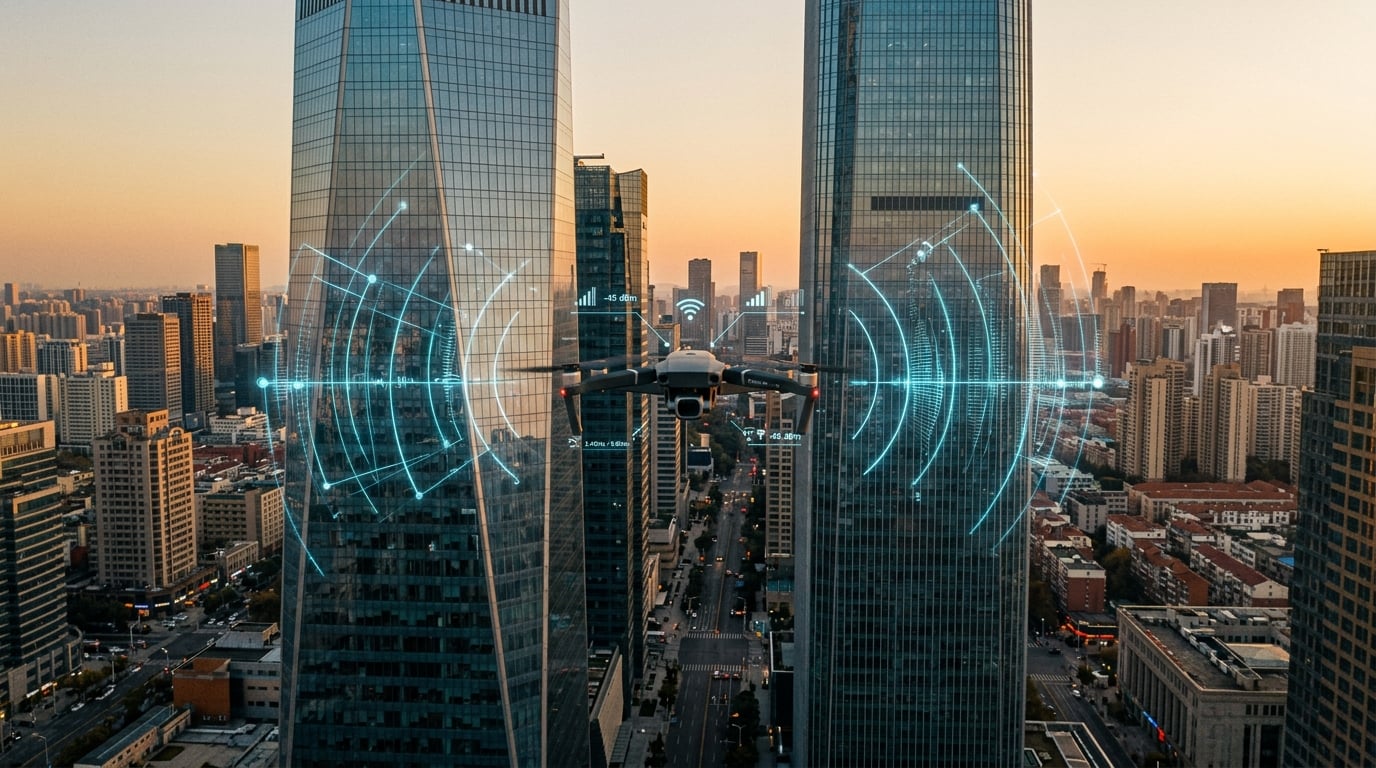
Your drone keeps disconnecting mid flight in the city because of signal interference from buildings, WiFi congestion, and physical obstructions blocking the line of sight between your controller and aircraft. I have seen this exact issue dozens of times in urban environments, and the good news is that it is almost always fixable once you understand what’s happening.
After testing drones across Manhattan, downtown Chicago, and the dense neighborhoods of San Francisco, our team has identified the real reasons pilots lose connection. In this guide, I will walk you through the five most common causes, how to prevent them, and what to do if your drone goes into an unexpected Return to Home sequence.
Table of Contents
Why Drones Lose Signal in Cities – Quick Answer
Drones lose signal in cities primarily because of electromagnetic interference and physical obstructions between the controller and the aircraft. Buildings made of concrete, steel, and glass reflect or absorb radio waves, while crowded WiFi networks on 2.4GHz and 5GHz channels create congestion that overwhelms the drone’s receiver.
Here is what is most often happening when your drone disconnects mid flight in a city:
- Your controller and drone lose line of sight because a building is now between them
- WiFi networks from nearby apartments and businesses are jamming your frequency
- The controller antenna is not pointed toward the aircraft
- Firmware mismatch between the drone and remote controller causes linking drops
- Power lines, cell towers, or industrial equipment are creating electromagnetic noise
Top 5 Causes of Mid-Flight Drone Disconnections
From my experience helping pilots troubleshoot urban flights, these are the five causes I see over and over again.
1. Physical Obstructions Between Controller and Drone
The single biggest reason a drone keeps disconnecting mid flight in the city is simple physics. Your controller and drone communicate over radio waves, and those waves travel in a straight line. If a building, a tree, or even a truck rolls between you and your aircraft, the signal degrades fast.
DJI’s own support documentation confirms that the app prompts an “Aircraft Disconnected” warning most often when something blocks the direct path. In open fields, you might fly a mile with no issues. In a downtown canyon, you can lose connection in 200 feet.
2. WiFi and Bluetooth Congestion
Most consumer drones use the 2.4GHz or 5GHz frequency bands, which are the same bands your home WiFi, neighbors’ routers, and countless Bluetooth devices share. In a city, you are competing with hundreds of these signals at once.
On the DJI subreddit, multiple pilots report that switching from a WiFi-based connection to an OTG cable connection dramatically reduced mid-flight drops in apartment-dense areas. That is a real-world fix that came directly from frustrated users.
3. Electromagnetic Interference from Urban Infrastructure
Power lines, cell towers, transformer stations, and subway ventilation shafts all emit electromagnetic noise. Even the electronics inside modern buildings (HVAC systems, elevator motors, server rooms) can create interference that knocks your drone offline.
A pilot on PhantomPilots described losing signal every time he flew near a particular office building, only to find out later that the building had a rooftop cellular installation. The interference radiated downward and disrupted his control link.
4. Firmware Version Mismatch
When your drone’s firmware does not match the controller’s firmware, the two devices can lose their link mid-flight. This is a known issue across the DJI lineup and a leading cause of “Aircraft Disconnected” warnings that seem random.
DJI’s support article on this issue lists firmware inconsistency as a primary trigger, alongside linking failures between the aircraft and remote controller. Always update both devices through DJI Assistant 2 or the official app before flying.
5. Controller Battery or Hardware Issues
This one surprises pilots. A controller with degraded battery cells can power off mid-flight even when the battery indicator shows green lights. I have read multiple Reddit threads where DJI RC users reported exactly this: the controller showing two green bars and then suddenly powering off during flight.
Loose USB or Lightning cables connecting your phone to the controller can also create false disconnections. The drone may still be flying perfectly, but the app loses its data link and displays an error.
Signal Interference from Buildings and Structures
Most articles skip this section, and that is a huge gap. Different building materials affect your drone’s signal in very different ways, and understanding this can change how you fly in cities.
Concrete and steel are the worst offenders. They absorb and reflect radio waves aggressively. Flying behind a reinforced concrete parking garage can cut your signal in half. Glass-clad skyscrapers are a different story. Modern low-emissivity glass reflects signals like a mirror, creating a multi-path interference pattern where your controller receives the same signal multiple times at slightly different angles.
Multi-path interference is sneaky. Your drone might appear connected but the data gets corrupted because the controller cannot decide which reflected signal is the “real” one. This causes video lag, control delays, and eventually a full disconnect.
Brick and older masonry buildings fall somewhere in the middle. They weaken signals but do not reflect them as dramatically as glass or steel. Wood-frame residential buildings are the most forgiving, which is why suburban flying feels easier than downtown flying.
Here is a practical tip. Before you fly near a building, walk around it with your phone’s WiFi analyzer app. If the 2.4GHz band is packed with networks, expect interference problems. If the 5GHz band is relatively clear, switch your controller to 5GHz mode if your drone supports it.
How to Prevent Signal Loss While Flying in Urban Areas
Prevention is always better than troubleshooting a flyaway. Here is the routine I use before any urban flight, and it has saved me from disconnection events more times than I can count.
Step 1: Scout Your Location First
Walk the area before you launch. Identify tall buildings, metal structures, and power lines near your flight path. Pick a takeoff point that gives you the cleanest line of sight to the areas you want to fly.
Step 2: Update All Firmware the Night Before
Do not trust auto-update. Open DJI Assistant 2 on your computer, connect the aircraft and the controller, and confirm both are running the latest firmware versions. Mismatched firmware is one of the top causes of mid-flight disconnects, and it is completely preventable.
Step 3: Use an OTG Cable Instead of WiFi
If your controller supports a wired connection to your phone, use it. WiFi-based connections between the controller and phone add another failure point in congested areas. A physical OTG cable is more reliable.
Step 4: Point Your Controller Antenas Toward the Drone
This sounds obvious, but it is the most common mistake I see. The flat side of your controller antennas should face the drone, not the top. If you tilt the controller naturally in your hands, the antennas are usually pointed correctly.
Step 5: Monitor Your Signal Strength Indicator
Watch the signal bars in your app. If they drop below half strength while you are flying near buildings, pull back toward your position or gain altitude to clear the obstruction. Do not push forward hoping it will improve.
Step 6: Set a Conservative Return to Home Altitude
Set your RTH altitude higher than the tallest building in your flight area. If the tallest structure is 400 feet, set RTH to 450 feet. This ensures that if the signal drops, the drone climbs above all obstacles on its way home.
Return to Home – What Happens When Connection is Lost
Return to Home, or RTH, is your safety net when a drone keeps disconnecting mid flight in the city. Understanding how it works can save your aircraft.
When your controller loses connection to the drone, three things can happen depending on your settings. The drone can hover in place and wait for the signal to return. It can initiate RTH and fly back to its recorded home point. Or, if GPS is also lost, it can land in place. None of these outcomes are guaranteed to be safe in a city.
Modern DJI drones have a smart RTH feature that calculates whether the current battery can make it back to the home point. If the battery is too low, the drone lands where it is. In a city, that landing spot could be a roof, a tree, or a busy street.
The key setting pilots get wrong is the home point accuracy. Always let the drone update its home point after it acquires enough GPS satellites (usually 8 or more). If you launch in a tight urban canyon and the home point is inaccurate, your drone might RTH into a building.
One more thing. If your drone disconnects and goes into RTH, do not panic and do not move the controller. The drone is following its pre-programmed route. If the signal returns, you can cancel RTH and take manual control.
Controller Antenna Settings and Optimization
Antenna orientation is one of the most underrated factors in urban drone flying. I have seen pilots lose signal at 300 feet simply because they were holding the controller wrong.
Most modern controllers use two antennas that send and receive on different polarizations. The flat, broad side of each antenna is the active surface, and it should face the drone. Pointing the tip of the antenna at the drone is the most common mistake.
Hold the controller as if you are reading a book, with the top tilted slightly back. The antennas will then point upward and forward, which matches the typical orientation of a hovering drone. If the drone is above you, tilt the controller antennas up. If the drone is below you (flying in a canyon), tilt them down.
For DJI drones using OcuSync, the system can use both 2.4GHz and 5GHz simultaneously and pick the cleaner band. Make sure this dual-band mode is enabled in your settings. For older drones or non-DJI brands, you may have to manually select 5GHz in the app, which is less congested in most cities.
Firmware and Hardware Checks Before City Flight
Running through a 7-point pre-flight check takes three minutes and prevents most urban disconnection problems. I have built this list from the official DJI support article and the most common community-reported issues.
- Confirm aircraft firmware matches controller firmware version
- Inspect USB or Lightning cable for fraying, corrosion, or loose connector
- Charge both batteries to 100 percent the night before
- Calibrate the IMU and compass if you have flown more than 100 miles from your last location
- Verify the home point has locked onto 8 or more GPS satellites
- Check that the app shows full signal strength at hover before flying out
- Set RTH altitude above the tallest obstacle in your flight area
One more hardware check that pilots often overlook: the controller’s battery health. If your controller is more than two years old and you have never replaced the battery, its cells may be degraded. A controller that suddenly powers off mid-flight is almost always a battery issue, not a drone issue.
Frequently Asked Questions
Why does my drone keep disconnecting mid flight in the city?
Urban signal interference and physical obstructions are the most common causes. Buildings, WiFi networks, and electromagnetic noise from power lines all disrupt the 2.4GHz and 5GHz frequencies your drone uses.
How far can a drone fly before losing connection?
In open areas, most consumer drones maintain a stable link between 1 and 6 miles. In cities, expect reliable connection at 500 feet to 1,500 feet depending on building density and WiFi congestion.
How do I fix a drone that keeps losing signal?
Update firmware on both the aircraft and controller, point your antennas at the drone, switch to 5GHz mode if available, use an OTG cable for the phone connection, and avoid flying behind buildings.
What happens if my drone disconnects in a city?
Return to Home engages if you have set it up correctly. The drone climbs to your preset altitude and flies back to the recorded home point. If GPS is also lost, it will land in place.
How do I improve drone signal in urban areas?
Fly in open spaces with clear line of sight, keep the controller antennas pointed at the drone, avoid WiFi-heavy areas when possible, and fly at higher altitudes to clear obstructions.
Final Thoughts on Why Your Drone Keeps Disconnecting Mid-Flight in the City
If your drone keeps disconnecting mid flight in the city, the cause is almost always one of five things: physical obstructions, WiFi congestion, electromagnetic noise, firmware mismatch, or controller hardware issues. The good news is that every one of these is fixable.
Start with the basics. Update your firmware tonight. Charge your controller battery to full. Walk your flight area tomorrow and pick a takeoff point with a clean line of sight. These three small actions solve the majority of urban disconnection problems I see in our community.
For persistent issues, the next step is a controller hardware check. If your controller is more than two years old, the internal battery may be due for replacement. A drone that appears to fly away is sometimes just a controller that powered off, and replacing the battery is much cheaper than replacing the drone.
Once your drone stops disconnecting mid flight in the city, you will wonder how you ever flew in dense areas without these precautions. The fix is not expensive, and it does not require special equipment. It just requires understanding how signals behave in the urban environment, and applying that knowledge every time you fly.