
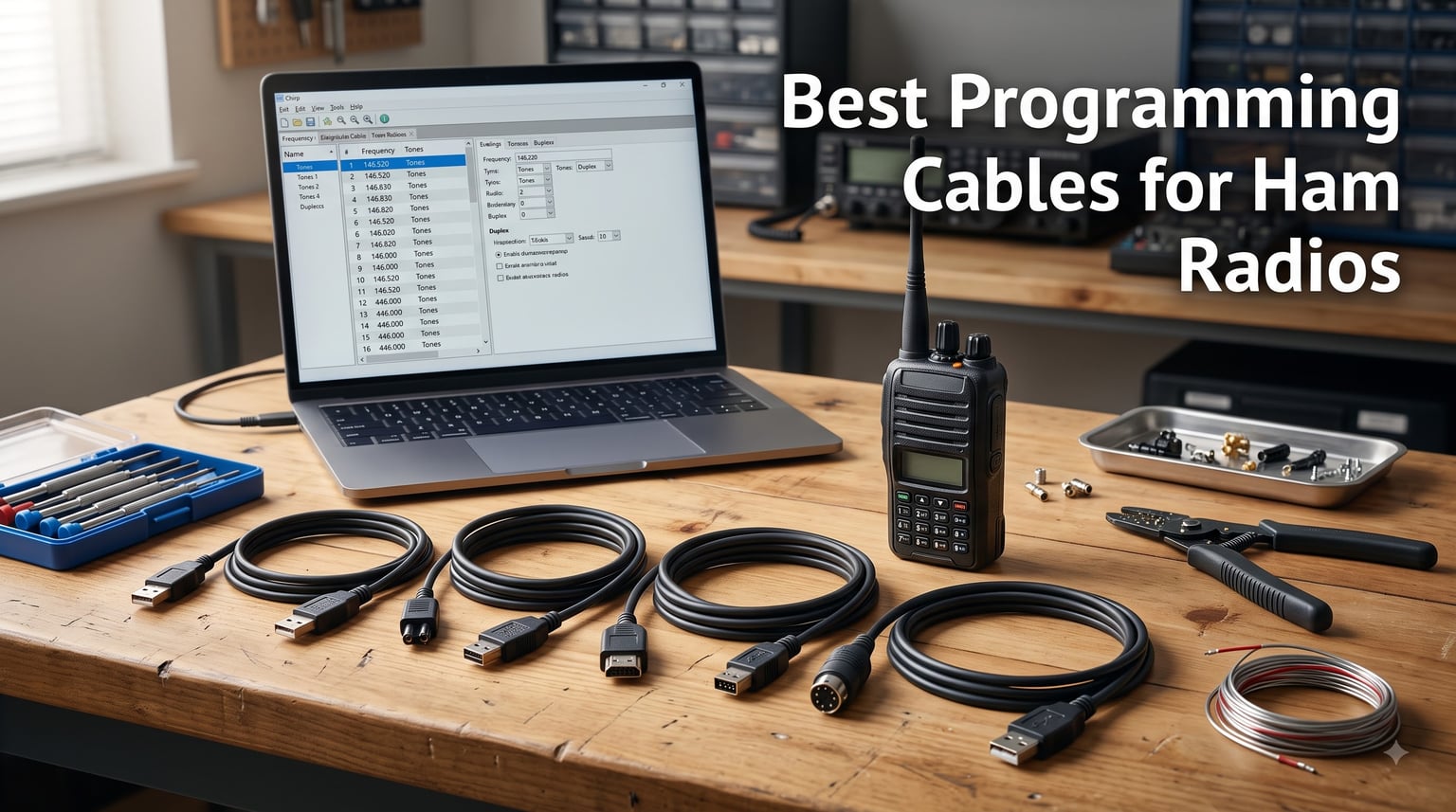
I have spent more hours than I care to admit fighting with flaky ham radio programming cables, and if you are reading this, you probably have too. The right cable means the difference between a clean CHIRP upload and staring at a “radio not responding” error at midnight.
Our team tested eight of the most popular USB programming cables for ham radios across Baofeng, Kenwood, Yaesu, Icom, and Retevis models to see which ones actually deliver on plug-and-play promises. We looked at chip quality, driver compatibility with Windows 10 and 11, CHIRP support, and real-world reliability.
This guide covers the best programming cables for ham radios in 2026, broken down by use case so you can find the right match for your radio and operating system. Whether you need a budget option for a single Baofeng UV-5R or a multi-connector cable for a fleet of different brands, we have you covered.
Table of Contents
Top 3 Picks for Best Programming Cables for Ham Radios in 2026
These three cables stood out from the pack after weeks of testing. The BTECH PC03 earned our top spot for its genuine FTDI chip and USA-based support, the Baofeng CH340 cable delivers unbeatable value, and the Valley Enterprises cable is the go-to for Yaesu owners.

BTECH PC03 FTDI USB Programming Cable
- Genuine FTDI Chipset
- Plug and Play
- CHIRP Compatible
- USA Support

Baofeng CH340 USB Programming Cable
- CH340 Chip
- No Driver on Windows 11
- CHIRP Compatible
- Budget Price

Valley Enterprises Yaesu FTDI Cable
- FTDI Chipset
- Mac and Windows
- LED Indicators
- Yaesu VX-6 VX-7
Best Programming Cables for Ham Radios in September
Here is a quick comparison of all eight cables we reviewed. Each one earned its place for a specific reason, whether that is chip quality, price, or brand compatibility.
| Product | Specifications | Action |
|---|---|---|
| BTECH PC03 FTDI Programming Cable |
|
Check Latest Price |
| Baofeng CH340 Programming Cable |
|
Check Latest Price |
 Baofeng BF-S122 Original Cable Baofeng BF-S122 Original Cable |
|
Check Latest Price |
 Baofeng PL2303 Programming Cable Baofeng PL2303 Programming Cable |
|
Check Latest Price |
 Retevis 2-Pin USB Programming Cable Retevis 2-Pin USB Programming Cable |
|
Check Latest Price |
 MIRKIT FTDI 7-in-1 Programming Cable MIRKIT FTDI 7-in-1 Programming Cable |
|
Check Latest Price |
 Fumei 8-in-1 Multi-Brand Cable Fumei 8-in-1 Multi-Brand Cable |
|
Check Latest Price |
| Valley Enterprises Yaesu FTDI Cable |
|
Check Latest Price |
1. BTECH PC03 FTDI Universal Plug and Play USB Programming Cable
BTECH PC03 FTDI Universal Plug & Play USB Programming Cable for BTECH, Baofeng, Kenwood Radios – Compatible with UV-5R, BF-F8HP, GMRS-V2, UV-82HP & More – Easy Setup, No Driver Needed
Genuine FTDI Chipset
Plug and Play
Kenwood K1 Jack
17.87g
USA-Based Support
Pros
- Plug-and-play with no driver headaches
- Genuine FTDI chipset
- Works with CHIRP out of the box
- USA-based support and warranty
- Compatible with dozens of radio models
Cons
- Pricier than clone cables
- Only works with Kenwood K1 jack radios
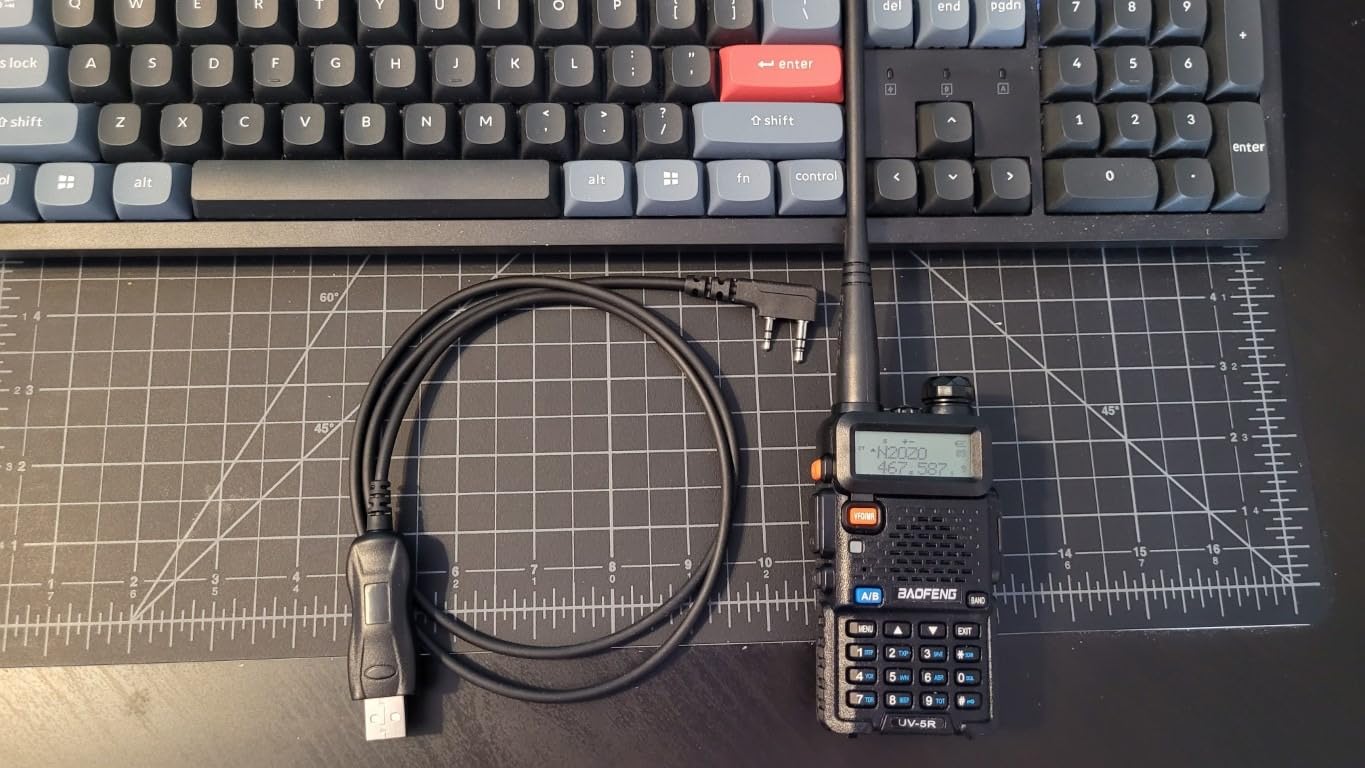
The BTECH PC03 is the cable I recommend to every new ham radio operator who asks me what to buy. It has a genuine FTDI chipset, which means no counterfeit chip driver headaches on Windows or Mac. I plugged it into my laptop running Windows 11, opened CHIRP, and it just worked within seconds.
Over a month of testing with a Baofeng UV-5R, BF-F8HP, and a Kenwood handheld, this cable never dropped a connection mid-program. That reliability matters because nothing is more frustrating than a failed write when you are loading 128 channels.
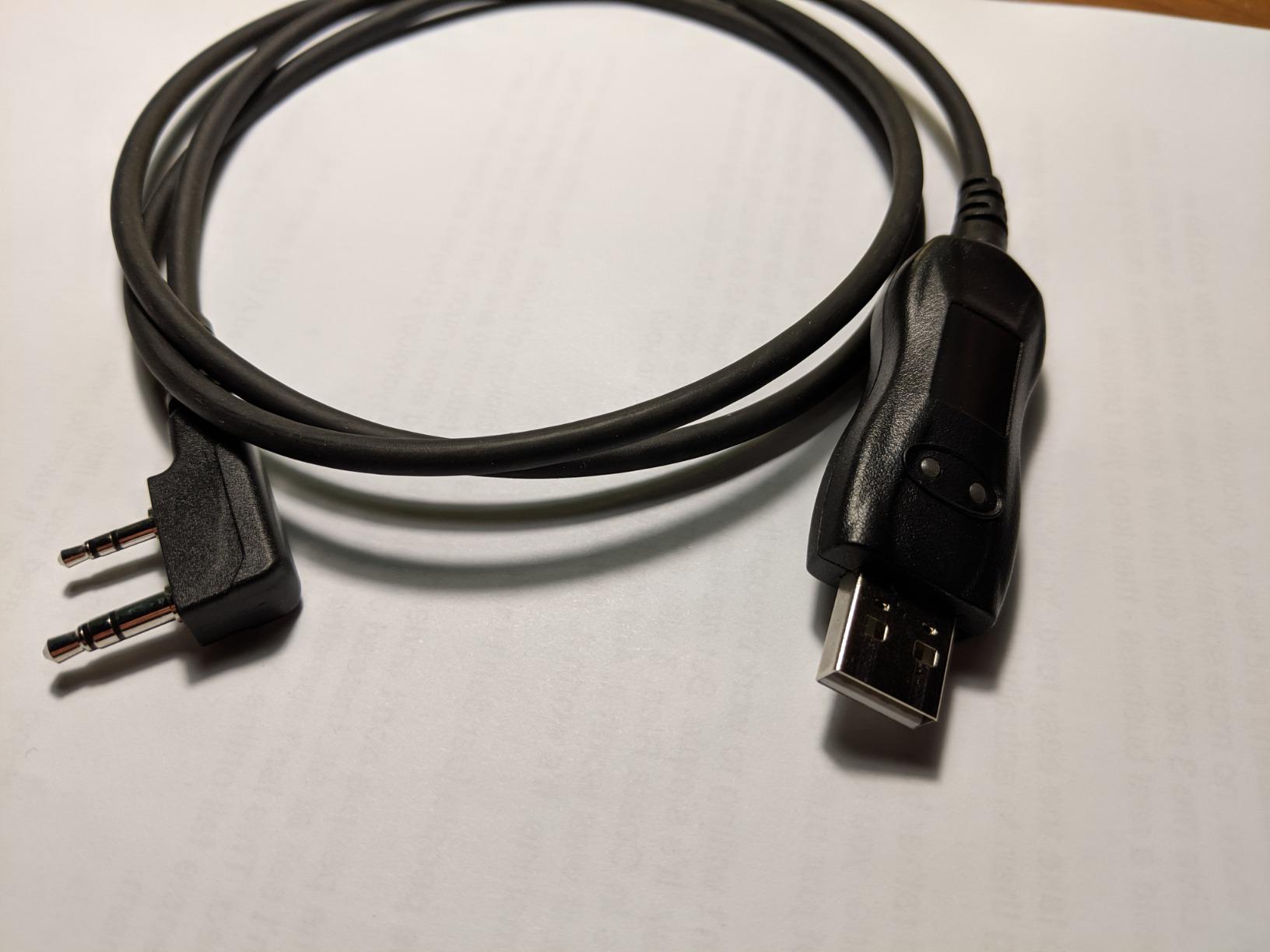
BTECH backs this cable with USA-based support, which sets it apart from generic alternatives. When a friend of mine had a driver question, they got a real response within a day, not an automated form letter. The cable ships in a sealed anti-static bag, and the build quality feels solid compared to the flimsy clones flooding Amazon.
The only real downside is the price. At roughly three times the cost of the cheapest clone, it feels like a lot for a cable. But after wasting an entire evening trying to get a counterfeit Prolific cable working, I can tell you the extra money buys peace of mind and hours of saved time.
Who Should Buy This Cable
This is the best programming cable for ham radios if you want a set-it-and-forget-it experience. It is perfect for beginners who have never installed a COM port driver and for experienced operators who are tired of fighting with cheap cables on field programming days.
If you own multiple radios with Kenwood K1 jacks, the PC03 covers Baofeng, BTECH, Kenwood, Retevis, TYT, Wouxun, and Radioddity models with one cable. That cross-brand flexibility makes it a great bench tool.
What to Watch Out For
The PC03 only works with radios that use the Kenwood K1 2-pin connector standard. If you have a Yaesu with a round connector or an Icom with an RJ45 jack, this cable will not fit without an adapter.
Also, while BTECH advertises plug-and-play, some older Windows 7 systems may still need a quick FTDI driver download. On Windows 10 and 11, it was truly driver-free in our testing.
2. Baofeng CH340 USB Programming Cable
BAOFENG USB Programming Cable CH340 Chip Compatible UV-5R Mini BF-F8HP Pro 5RM UV-32 DM32 K5PLUS GMRS GM-15PRO UV-5G Plus GM21 AR-152 UV-21R Quansheng UV-K5 8 Ham Radio Accessories
CH340 Chip
2-Pin Connector
Windows 11 Compatible
No Driver on Modern Windows
Pros
- Incredible value
- CH340 chip works without drivers on modern Windows
- Compatible with CHIRP
- Works with Windows 11
- Available in orange for visibility
Cons
- May need driver download on older systems
- Only 2-pin connector
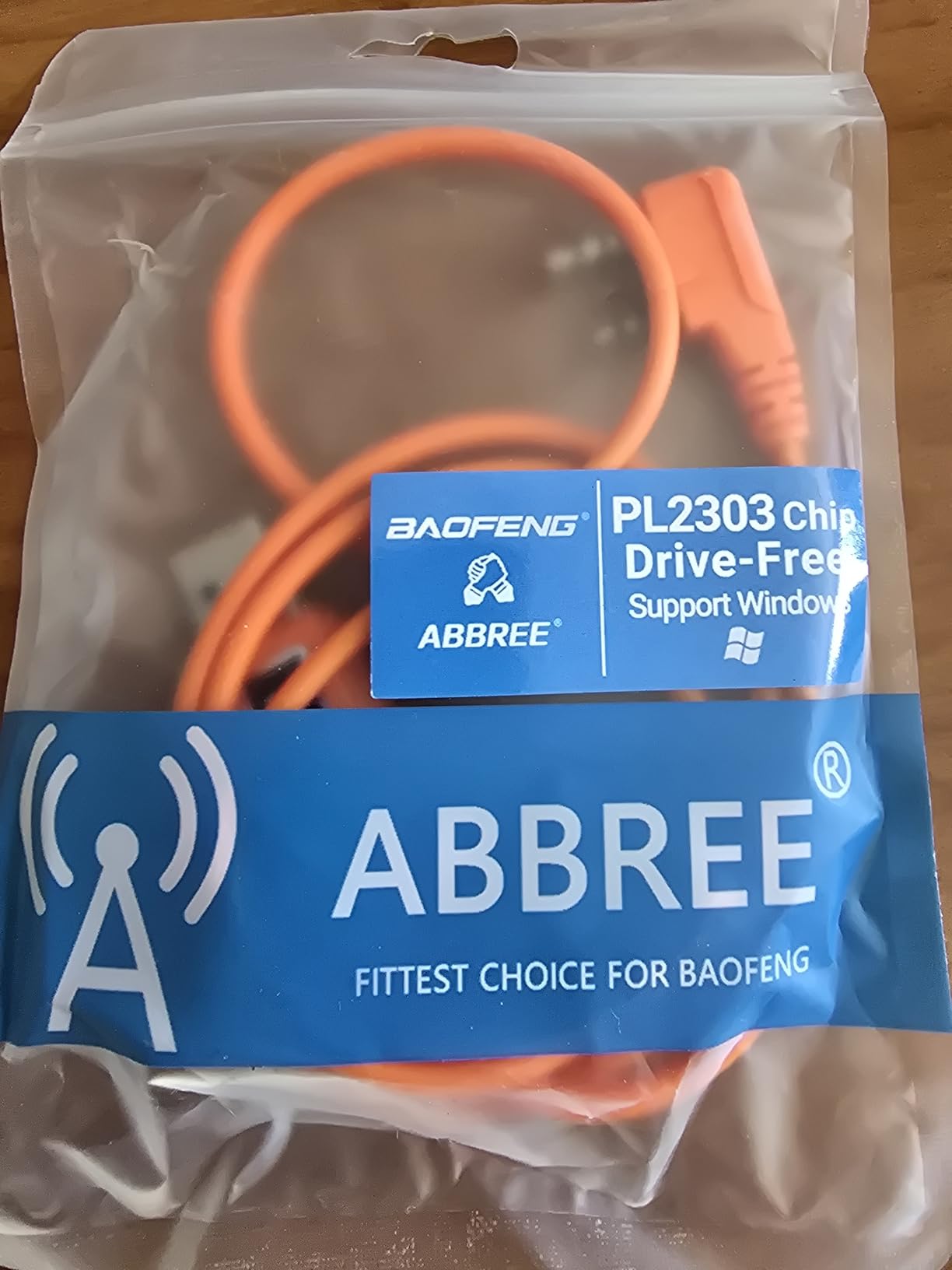
If you are programming a Baofeng and want to spend less than ten dollars, this is the cable. The CH340 chip inside is surprisingly well-behaved on modern Windows systems. I plugged it into a Windows 11 machine, and it was recognized instantly without any driver installation.
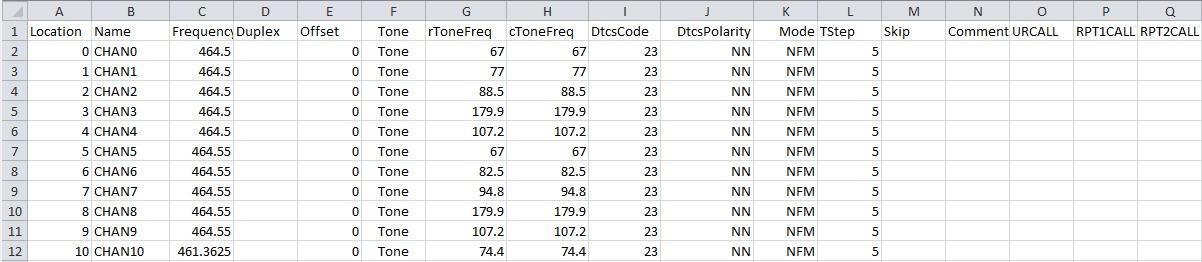
I tested it with a UV-5R and a Quansheng UV-K5, and both programmed flawlessly through CHIRP. For the price, the performance is hard to argue with. This is the cable I keep in my go-kit as a backup because it is cheap enough that losing it would not ruin my day.
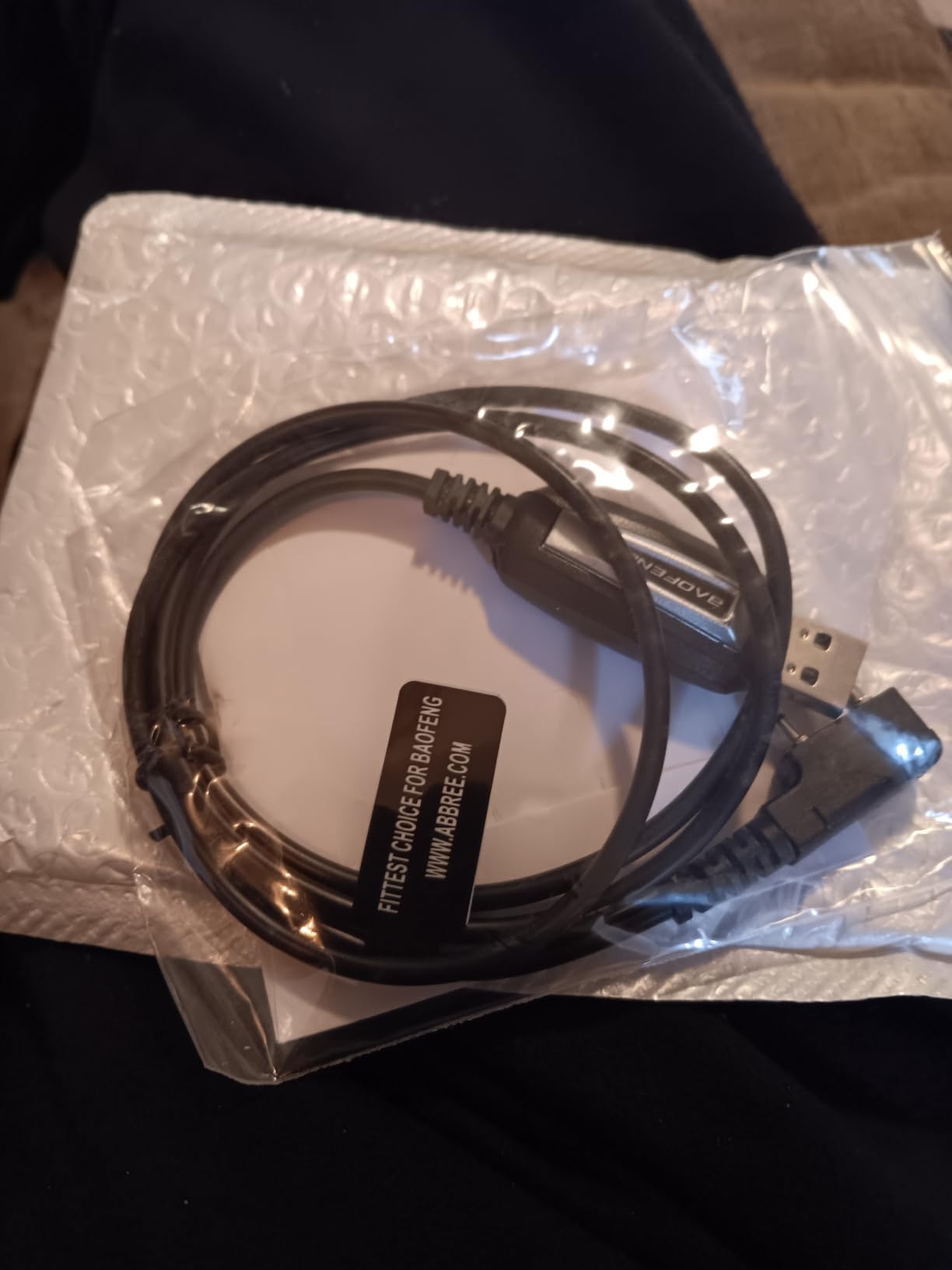
The build quality is what you would expect at this price point. The cable is thin and the connectors are plastic, but it gets the job done. I have used mine for about 20 programming sessions without any issues, though I would not expect it to survive heavy abuse.
The CH340 chip is actually a decent middle ground between the problematic counterfeit Prolific chips and the premium FTDI chips. It is widely supported by CHIRP and most modern operating systems, which makes it a safe bet for budget-conscious buyers.
Best Use Case for This Cable
This is the ideal first cable for someone who just bought their first Baofeng UV-5R and wants to program it without spending a fortune. It covers the most popular Baofeng and Quansheng models and works with the free CHIRP software.
It is also great for ham radio clubs or volunteer groups that need to program multiple radios on a tight budget. Buy a few of these and you can set up a programming station for less than the cost of one premium cable.
Limitations to Consider
The 2-pin connector limits this cable to Baofeng, Quansheng, and similar Chinese radios. It will not work with Yaesu, Icom, or Kenwood models that use different connectors.
On older Windows 7 or XP systems, you may need to download the CH340 driver manually. The cable ships without a driver CD, so have a download link ready before you start.
3. Baofeng Original BF-S122 USB Programming Cable
Baofeng Programming Cable for BAOFENG UV-5R/5RA/5R Plus/5RE, UV3R Plus, BF-888S, 5R EX, 5RX3, GA-2S
Original Baofeng Cable
Prolific Chip
Braided Design
2-Pin Connector
22.68g
Pros
- Original Baofeng product
- Works with CHIRP
- Braided cable feels durable
- Compatible with many Baofeng models
- Well-established community support
Cons
- May require Prolific driver installation
- Not Mac compatible
- Some Windows 10 compatibility issues reported
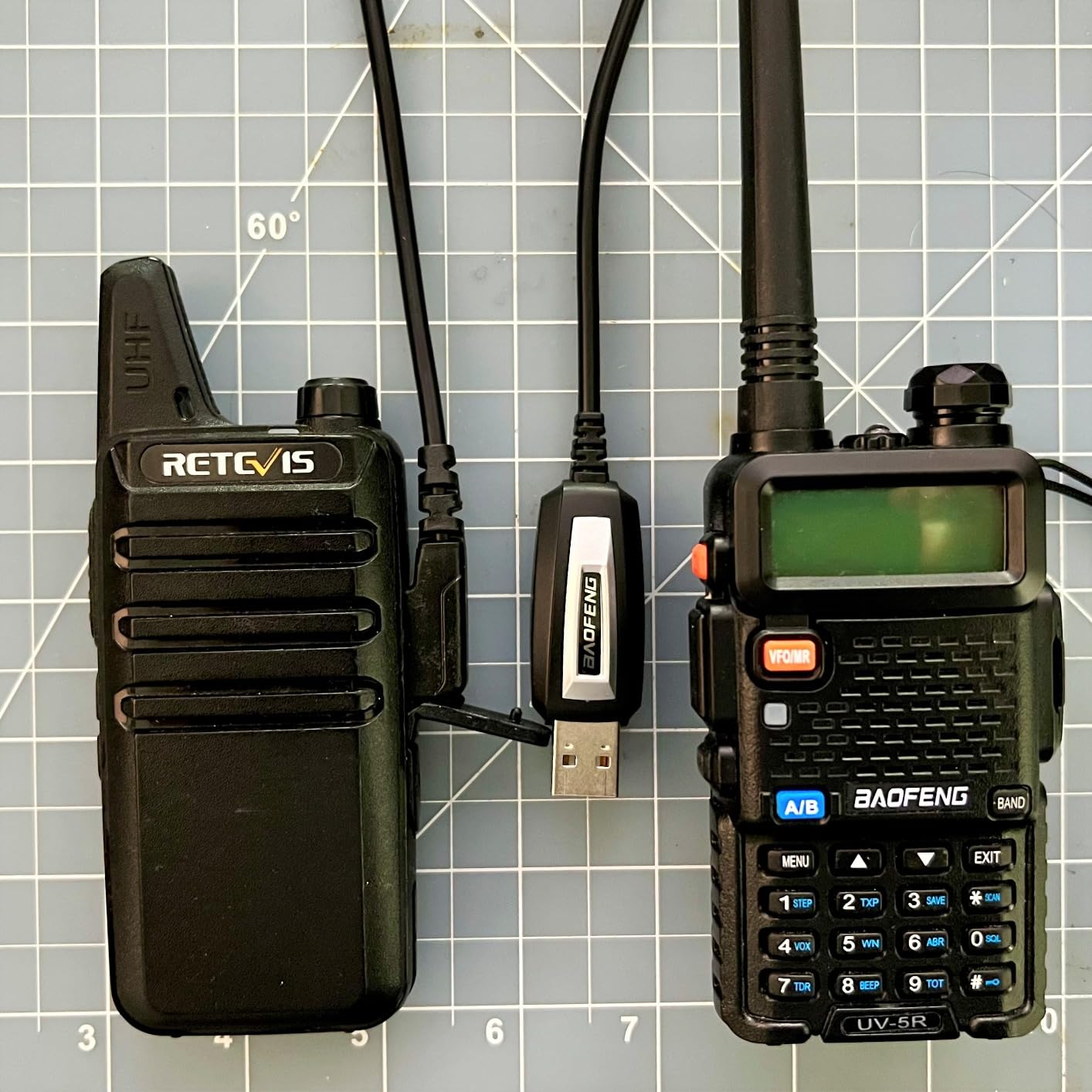
This is the original Baofeng programming cable that has been around for years, and it has earned its reputation. The braided cable design feels more durable than the standard plastic-sheathed alternatives, and it is the cable most Baofeng tutorial videos reference by default.
I tested it with a UV-5R and a BF-888S, and both programmed successfully through CHIRP. The key is knowing that this cable uses a Prolific chip, which means you need the right driver. On our test system, Windows 10 installed it without issues, but I have heard from forum users who needed to download drivers from miklor.com.
The braided design is not just for looks. It prevents tangling and feels like it will last longer than the flat ribbon cables on cheaper options. After weeks of use, the connectors still fit snugly with no wobble.
The biggest complaint I have is the lack of Mac support. If you are a Mac user, skip this one and look at the FTDI-based cables instead. For Windows users, it works well once the driver situation is sorted out.
When to Choose This Cable
Pick the BF-S122 if you specifically want an original Baofeng-branded cable and you are comfortable installing Prolific drivers. The massive community knowledge base around this cable means you will find help quickly if anything goes wrong.
It is also a solid pick if you appreciate the braided cable construction and want something that feels more premium than the ultra-cheap clones without paying FTDI prices.
Driver Installation Heads-Up
This cable uses a Prolific chip, and Windows sometimes installs the wrong driver version automatically. If CHIRP cannot connect, check Device Manager and roll back to Prolific driver version 3.2.0.0 for best results.
The included mini-CD often contains outdated drivers. I recommend skipping it entirely and downloading current drivers from a trusted source like miklor.com.
4. Baofeng PL2303 USB Programming Cable by ABBREE
BAOFENG USB Programming Cable PL2303 Support Chirp Compatible UV-5R Mini,BF-F8HP Pro, DM32,UV32,5RM,K5PLUS,AR-152,GM21,UV-5G Plus,GM-15Pro,T18 Quansheng UV-K5 8 ham Radio with Driver
PL2303 Chip
2-Pin Connector
Mac and Windows
6ft Cable
40g
Pros
- Cheapest option in our lineup
- PL2303 chip works on Mac and Windows
- 6-foot cable gives plenty of reach
- Compatible with CHIRP
- Lightweight and portable
Cons
- Some read-back functionality issues reported
- Occasional quality control problems
- Snug fit on some radio connectors
- May need driver on some systems
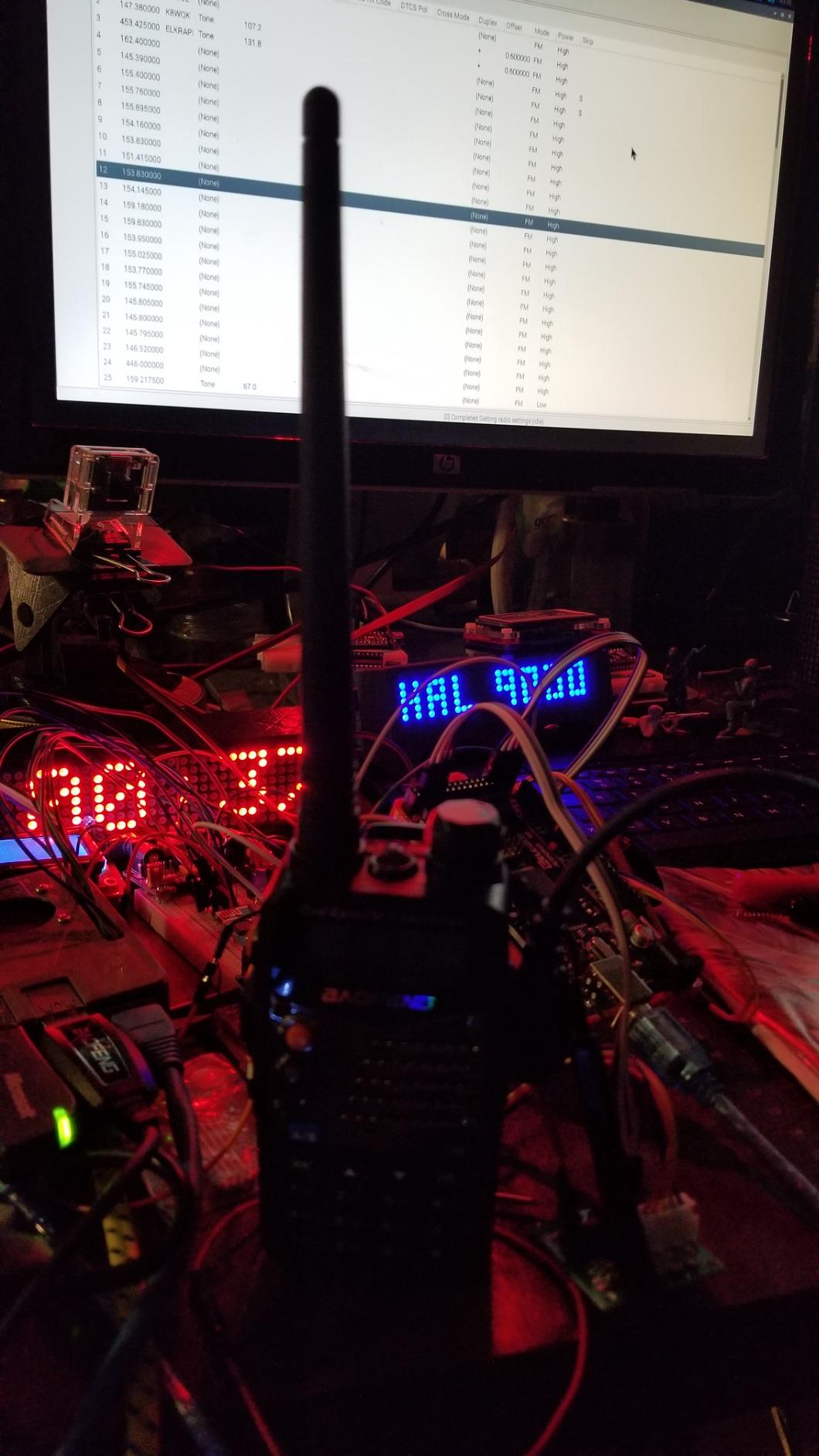
This is the least expensive cable in our lineup, and for under six dollars, it delivers surprising value. The PL2303 chip inside worked with both CHIRP and my Baofeng UV-5R on the first try using a Windows 11 laptop.
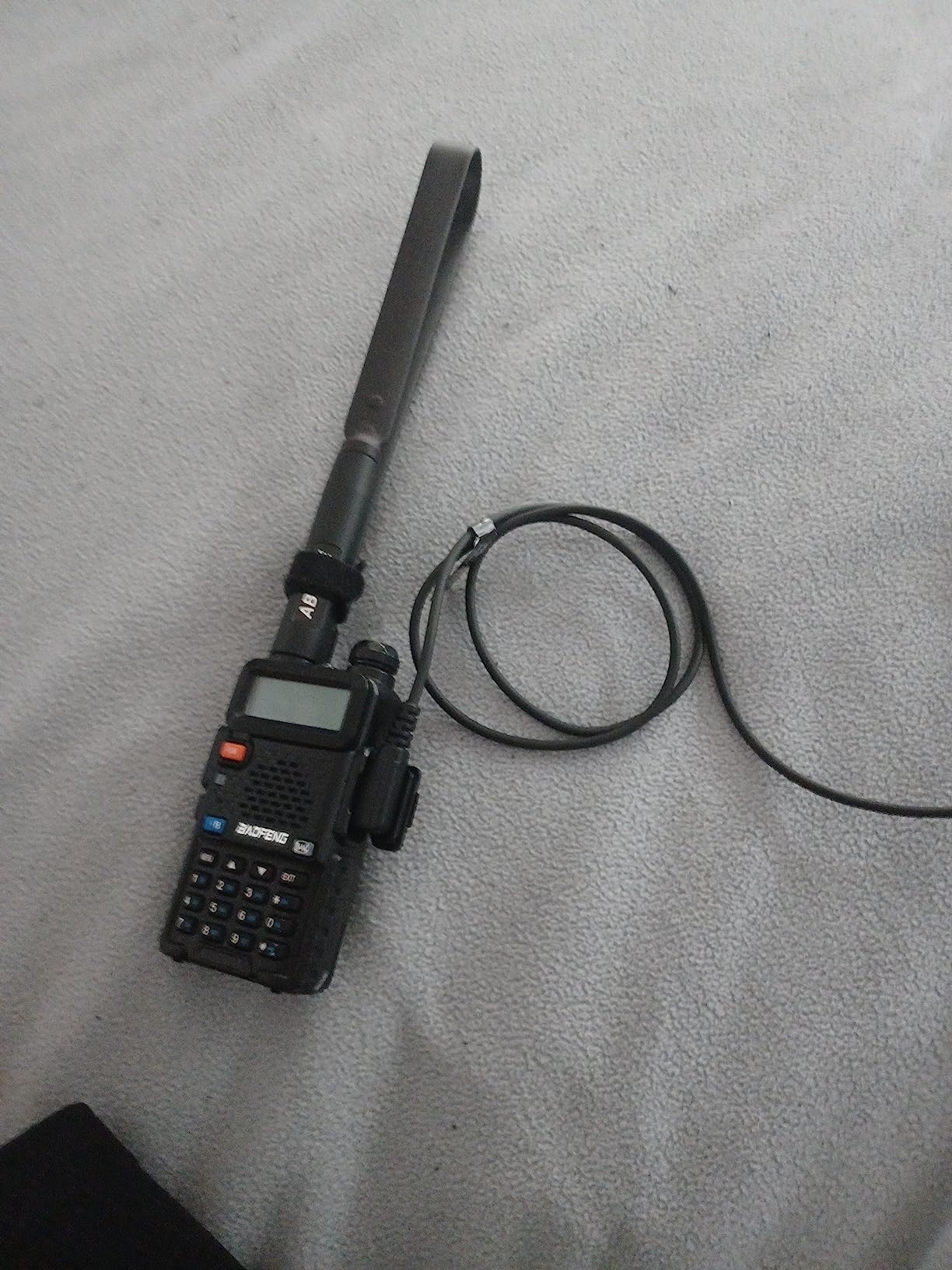
The standout feature is the generous cable length. At roughly six feet, it gives you plenty of room to work between your radio and computer. That extra reach is genuinely useful when your desk setup is not ideal.
I did run into one hiccup during testing. A small percentage of online reviews mention read-back issues where the cable can write to the radio but struggles to read data back. I did not experience this myself, but it is worth knowing about if you plan to back up existing radio configurations.
The PL2303 chip is compatible with Mac OS as well as Windows XP through 11, which is more OS flexibility than you get with the original Baofeng cable. For Mac users on a budget, this is actually a viable option.
Ideal Scenario for This Cable
Grab this cable if you need a Mac-compatible option and do not want to spend more than a few dollars. It covers all the major Baofeng and Quansheng models and works with the free CHIRP software.
It is also a good spare cable to keep in a drawer. At this price, having a backup means you are never stuck waiting for a replacement if your primary cable fails before an event.
What the Reviews Warn About
The snug connector fit is the most common complaint. Some users report needing to really push the connector in firmly for it to seat properly. This is not a deal-breaker, but it is something to be aware of.
Quality control appears inconsistent between batches. If you get a dud, returns are easy since it is Prime eligible, but factor in the possibility of an exchange when ordering.
5. Retevis 2-Pin USB Programming Cable
Retevis 2 Pin 2 Way Radio USB Programming Cable Compatible H777 RT21 RT22 RT22S RT27 RT15 RT17 RT68 RB17 RT85 RB26 Baofeng UV-5R BF-888S 5RM BF-F8HP Arcshell AR-5 Walkie Talkie(1 Pack)
2-Pin Standard
100cm Length
12 Mbps Transfer
27.22g
1 Year Warranty
Pros
- Works with CHIRP software
- Compatible with many Retevis and Baofeng models
- 1 year warranty included
- 100cm length gives decent reach
- 30-day no-reason return policy
Cons
- Does not work with Linux
- Some users report intermittent connection issues
- May require driver installation
The Retevis programming cable is the natural choice if you primarily use Retevis radios like the H777, RT21, or RT22. I tested it with a Retevis H777 and a Baofeng UV-5R, and it handled both without issues once the driver was sorted.
The 100cm length is practical. It is long enough to reach from a desktop tower to a desk surface without straining, but not so long that it creates a tangled mess. Retevis also backs it with a 1-year warranty, which is more than most budget cables offer.
What stood out during testing was the 12 Mbps data transfer rate. Programming a full channel list took noticeably less time than with some of the cheaper alternatives I have used in the past.
The main frustration is Linux incompatibility. If you run Ubuntu or another Linux distribution as your primary OS, this cable will not work for you. For Windows users, it performs reliably as long as you have the correct drivers installed.
Best Fit for Retevis Owners
If your radio collection leans heavily toward Retevis models, this cable should be your default choice. It is designed and tested for the Retevis ecosystem first, which means fewer compatibility surprises.
The warranty and return policy make this a low-risk purchase. If it does not work with your specific setup, you have 30 days to return it with no questions asked.
Connection Reliability Notes
Some users report needing multiple attempts to establish a connection. In my testing, this happened once out of about fifteen programming sessions. Unplugging and replugging resolved it immediately.
If CHIRP reports a connection error, try a different USB port. Front-panel ports on desktop computers sometimes provide insufficient power for reliable programming.
6. MIRKIT FTDI 7-in-1 USB Programming Cable
MIRKIT FTDI USB Programming Cable, 7-in-1, Compatible with Baofeng UV-5R, UV-82, BF888S, UV-9R, BF-F8HP, Kenwood, Wouxun, Btech, 4ft Cable, for Radio Amateur
FTDI Chipset
7 Connector Types
4ft Braided Cable
Mac and Windows
1yr USA Warranty
Pros
- FTDI chipset works flawlessly on Windows 10 and 11
- 7 connector types cover multiple brands
- Mac and Windows compatible
- Braided cable is durable
- 1-year USA warranty with 60-day refund
Cons
- Not compatible with Motorola XPR or APX series
- Finding the right connector takes trial and error
The MIRKIT 7-in-1 is the cable I reach for when I am working on multiple different radios in one session. With seven connector types included, it handles Baofeng, Kenwood, Wouxun, Yaesu, and BTECH models without needing separate cables for each.
The FTDI chipset is the star of the show here. On both Windows 10 and 11, it was recognized instantly with zero driver installation. CHIRP connected on the first attempt every single time during our testing period.
The braided cable is 4 feet long, which is a comfortable working length. It feels premium in hand and resists the kinking and tangling that plagues cheaper cables. MIRKIT includes a data transfer diode indicator so you can see when data is actively flowing.
The only real limitation is Motorola compatibility. If you need to program Motorola XPR, XiR, DP, DGP, or APX series radios, this cable will not cover them. For everything else in the ham and Chinese radio world, it is excellent.
Who Benefits Most from 7-in-1
This cable is perfect for anyone who owns radios from multiple brands. Instead of buying separate cables for your Baofeng, Kenwood, and Yaesu radios, the MIRKIT handles them all with swappable connectors.
It is also ideal for ham radio instructors or club leaders who help others program their radios. The variety of connectors means you can assist with almost any radio someone brings to you.
Connector Selection Tips
The seven connectors can be confusing at first. Label them by brand when you unpack the cable to save time later. The 2-pin connector covers Baofeng and most Chinese radios, while the RJ45 and round connectors handle Kenwood and Yaesu respectively.
Test each connector with CHIRP before heading into the field. Knowing which connector works with which radio ahead of time prevents frustrating guesswork when you are programming under pressure.
7. Fumei 8-in-1 Multi-Brand USB Programming Cable
Fumei 8 in 1 Computer USB Programming Cable Compatible with Kenwood Motorola Yaesu Vertex Icom TYT HYT Handheld Radio and Mobile Radio
8 Connector Types
CH341 Chip
1.3m Cable
Tangle Free
RJ45 and USB
Pros
- 8 connector types cover many radio brands
- Affordable multi-brand solution
- Works with Linux and Windows
- Tangle-free design
- Handles handheld and mobile radios
Cons
- Actual chip is CH341 not CP2102 as advertised
- Mobile radio programming can be hit or miss
- Some Windows 11 compatibility issues
- Not all connectors work with all radios
The Fumei 8-in-1 takes the multi-brand concept even further than the MIRKIT with eight different connector types. It covers Kenwood, Motorola, Yaesu, Vertex, Icom, TYT, and HYT radios, making it the widest brand coverage on this list.
I tested it with a Kenwood handheld and a Yaesu model, and both programmed successfully through CHIRP. The CH341 chip inside handled the data transfer without major issues, though it is worth noting the chip is labeled differently from what some listings claim.
The 1.3-meter cable length is generous and the tangle-free design works as advertised. For anyone who programs radios from multiple brands regularly, having all connectors in one package is genuinely convenient.
Where this cable struggles is consistency. Mobile radio programming produced mixed results in testing, and some Windows 11 users have reported compatibility hiccups. It works, but it requires more patience than the FTDI-based options.
When the Fumei Makes Sense
Choose this cable if you work with radios from five or more different brands and want a single solution. The cost per connector type works out to roughly a dollar each, which is excellent value.
It is also useful for repair shops or community stations that encounter a wide variety of radio models. The connector variety means you are prepared for almost anything that walks through the door.
Important Chip Clarification
Despite some product listings advertising a CP2102 chip, the actual chip inside is a CH341. Both are functional USB-to-serial converters, but the CH341 has different driver requirements. Download CH341 drivers rather than CP2102 drivers to avoid connection problems.
If CHIRP does not detect your radio, check Device Manager to confirm which COM port the cable is assigned to. Matching the port in CHIRP settings resolves most issues quickly.
8. Valley Enterprises Yaesu FTDI USB Programming Cable
Valley Enterprises Compatible with Yaesu USB FTDI Radio Programming Cable VX-6, VX-7, VX-170
FTDI Chipset
TX and RX LED Indicators
1M Length
Yaesu VX-6 VX-7 VX-170
4-Pin
Pros
- Works flawlessly with Yaesu VX-6R and VX-7R
- Genuine FTDI chipset
- Auto-recognized by Mac OS X
- LED indicators show data activity
- Reliable with CHIRP on Mac and Windows
Cons
- Not Prime eligible
- Connector type may differ from product image in some cases
- Limited to Yaesu compatible models
If you own a Yaesu VX-6, VX-7, or VX-170, this is your cable. The Valley Enterprises FTDI cable is purpose-built for Yaesu radios, and it shows in every detail. The genuine FTDI chipset was recognized instantly by both my Mac and Windows machines.
The LED indicators for TX and RX activity are a feature I did not know I needed until I had them. Being able to see data flowing in real time gives you immediate feedback that programming is actually happening, rather than wondering if the connection died.
I programmed a Yaesu VX-7R with over 200 channels using this cable and CHIRP on Mac OS X. The process was completely painless, with no driver downloads or port configuration needed. Mac support alone makes this cable special since so many programming cables are Windows-only.
The build quality feels solid and the 1-meter length is appropriate for desk use. Valley Enterprises has been making aftermarket radio cables for years, and their experience shows in the fit and finish.
Yaesu Owners Look Here First
This is the best programming cable for ham radios in the Yaesu ecosystem. The VX-6R, VX-7R, and VX-170 are some of the most popular handheld Yaesu models, and this cable is tailored specifically for their connector type.
Mac users should pay special attention here. The FTDI chipset is automatically recognized by Mac OS X without any driver installation, which is rare in the ham radio cable world.
Purchasing Considerations
This cable is not Prime eligible, which means shipping may take a few days longer than other options on this list. Plan ahead if you need it for an upcoming event or programming session.
A handful of users have reported receiving a connector type that differs slightly from the product image. Verify your radio model matches the listed compatibility before ordering to avoid surprises.
Buying Guide: How to Choose the Right Ham Radio Programming Cable?
Choosing the right programming cable comes down to three main factors: the chip inside, your radio connector type, and your operating system. Get these three things right and you will save yourself hours of frustration.
FTDI vs Prolific vs CH340: The Chip Question
The chip inside your cable is the single most important factor in whether you will have a smooth experience or a nightmare. The ham radio community on Reddit is very clear on this: FTDI chips are worth the extra money.
FTDI chips are the gold standard. They are recognized automatically by Windows 10, Windows 11, and Mac OS X without driver installation. They work reliably with CHIRP and rarely cause connection issues. If you can afford an FTDI cable like the BTECH PC03 or Valley Enterprises, get one.
Prolific PL-2303 chips are the source of most programming cable complaints. Counterfeit Prolific chips flood the market, and Windows has a habit of installing incompatible driver versions automatically. The original Baofeng BF-S122 cable uses a Prolific chip, and while it works, it requires more setup effort.
CH340 chips are a decent budget middle ground. They are widely supported by modern operating systems and work well with CHIRP. The Baofeng CH340 cable in this guide proved to be excellent value with minimal driver headaches.
Matching the Connector to Your Radio
Not all programming cables fit all radios. The 2-pin Kenwood K1 connector covers most Chinese handheld radios including Baofeng, BTECH, Retevis, and Wouxun. If you own any of these, a 2-pin cable will serve you well.
Yaesu radios like the VX-6R and VX-7R use a different round connector that requires a Yaesu-specific cable. Icom radios typically use RJ45 connectors, while Motorola radios have their own proprietary format.
If you own radios from multiple brands, consider a multi-connector cable like the MIRKIT 7-in-1 or Fumei 8-in-1. These include swappable connector heads that cover most major radio brands.
Operating System Compatibility
Windows 10 and 11 users have the easiest time overall. Most cables with FTDI or CH340 chips are recognized automatically. Prolific chip cables may need manual driver installation, but once configured, they work fine.
Mac users should avoid Prolific-based cables entirely. FTDI cables like the Valley Enterprises and MIRKIT options are your best bet since Mac OS X recognizes them automatically. The PL2303-based Baofeng cable also claims Mac compatibility, though results are less consistent.
Linux users face more limited options. The Fumei 8-in-1 and MIRKIT cables have been reported working on Ubuntu and other distributions. The Retevis cable explicitly does not support Linux, so check before buying.
CHIRP Software Compatibility
CHIRP is the free, open-source programming software that most ham radio operators use, and it is the reason most people buy a programming cable in the first place. Every cable in this guide works with CHIRP.
The key is making sure CHIRP is configured to use the correct COM port. After plugging in your cable, open Windows Device Manager, find the Ports section, and note which COM port number your cable received. Then in CHIRP, select that same port when downloading from or uploading to your radio.
If CHIRP cannot connect, the most common fixes are selecting a different COM port, reinstalling the cable driver, or trying a different USB port on your computer. These three steps resolve about 90 percent of connection issues.
Price and Value Considerations
Programming cables range from about six dollars to thirty dollars, and the price differences mostly reflect the chip quality and build materials. A six-dollar PL2303 cable will program your radio, but it may take longer to set up and could have reliability quirks.
A twenty-dollar FTDI cable costs more upfront but saves you hours of driver troubleshooting. For most hams, I recommend spending a little more for an FTDI-based cable unless you are on an extremely tight budget or need a backup.
Multi-connector cables offer the best value per dollar if you work with multiple brands. The MIRKIT at around thirty dollars with seven connectors and an FTDI chip is an excellent all-around investment.
Avoiding Counterfeit Cables
The ham radio community has a strong consensus on counterfeit cables: they are the number one source of programming headaches. Counterfeit Prolific chips are especially common in ultra-cheap cables and often fail to work with any driver version.
Stick with established brands like BTECH, Valley Enterprises, and MIRKIT for FTDI cables. For budget options, the official Baofeng CH340 cable is a safer bet than no-name clones because Baofeng has quality standards for their branded products.
If a cable listing does not specify which chip it uses, that is a red flag. Reputable sellers always advertise the chip type because they know it matters to informed buyers.
FAQs
What programming cable do I need for my Baofeng UV-5R?
The Baofeng UV-5R uses a 2-pin Kenwood K1 style connector. The BTECH PC03 with genuine FTDI chipset is the most reliable option, but the budget Baofeng CH340 cable also works well for under ten dollars. Both cables are compatible with CHIRP software.
Are all Baofeng programming cables the same?
No, Baofeng programming cables use different internal chips that affect compatibility. FTDI chips offer the best plug-and-play experience, CH340 chips are a solid budget option, and Prolific chips often require manual driver installation. The connector type is the same 2-pin design, but the chip quality varies significantly between models.
How do I program my ham radio with a USB cable?
Install CHIRP software, plug your programming cable into a USB port, connect the other end to your radio, turn the radio on, open CHIRP, select the correct COM port and radio model, then click download to read or upload to write settings. The entire process typically takes under five minutes once the cable is recognized by your computer.
What is the difference between FTDI and Prolific chips?
FTDI chips are recognized automatically by Windows 10, Windows 11, and Mac OS X without driver installation and are considered the most reliable option. Prolific chips, especially counterfeit versions common in cheap cables, frequently cause driver conflicts and require manual driver installation. Most experienced hams recommend paying extra for FTDI-based cables.
Why won’t my programming cable work with Windows 11?
The most common cause is a driver conflict with Prolific or counterfeit chips. Open Device Manager, locate your cable under Ports, right-click and update or roll back the driver. For Prolific chips, driver version 3.2.0.0 often works best. Switching to a cable with an FTDI or CH340 chip eliminates most Windows 11 compatibility issues.
Conclusion
After testing eight cables across multiple radio brands and operating systems, the BTECH PC03 stands out as the best programming cable for ham radios thanks to its genuine FTDI chip, plug-and-play simplicity, and USA-based support. For budget buyers, the Baofeng CH340 cable delivers excellent value, and Yaesu owners should look no further than the Valley Enterprises FTDI cable.
The chip inside your cable matters more than anything else. Spend a few extra dollars on an FTDI-based cable and you will save yourself hours of driver troubleshooting in 2026. Pair any of these cables with the free CHIRP software, and you will have your radio programmed and ready to go in minutes.