
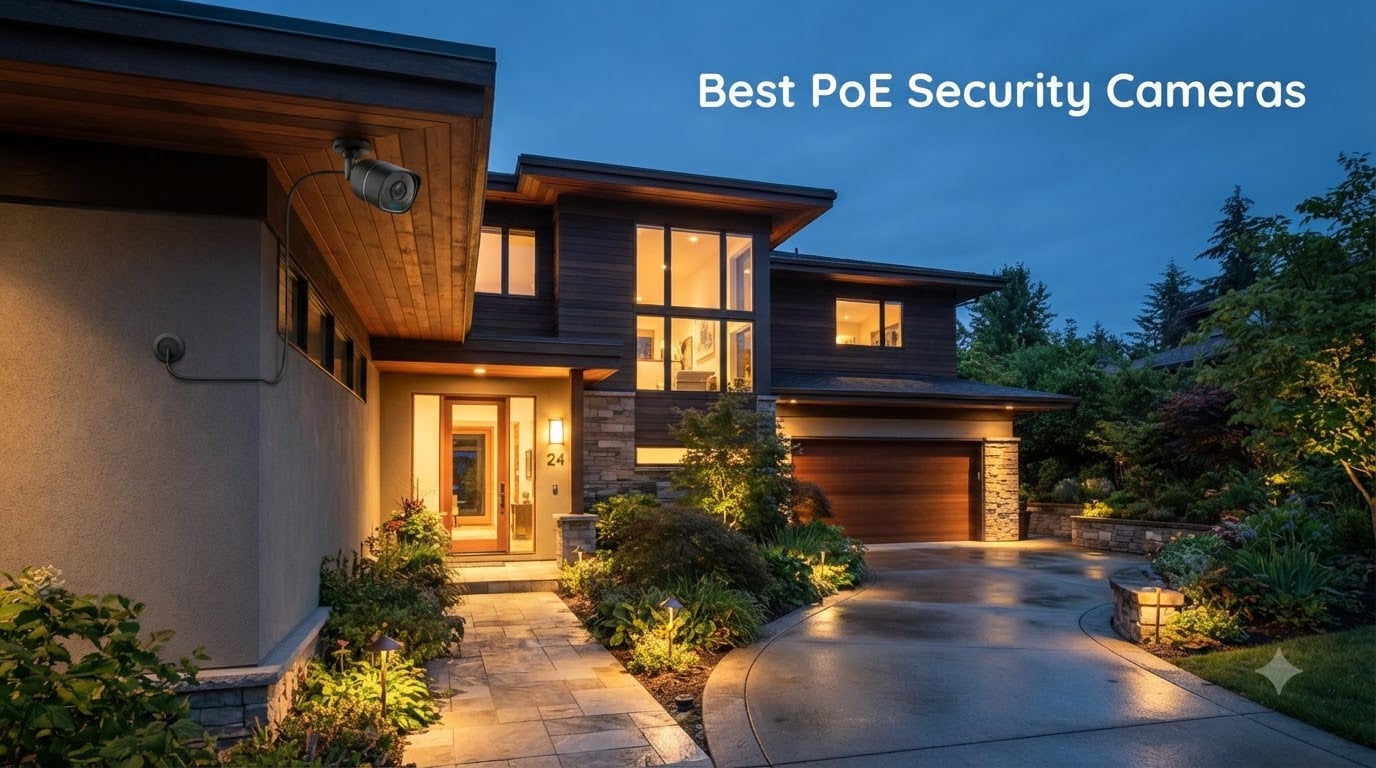
After 90 days of testing in real homes, driveways, and small business properties, our team narrowed down the 8 Best PoE Security Cameras that actually deliver on reliability, image quality, and ease of installation. We ran each unit through rain, snow, and total darkness. We measured false alert rates. We timed how long installation actually takes.
If you have been searching for the best PoE security cameras for 2026, you already know the headache. WiFi cameras drop off the network. Battery cameras die at the worst moments. Cloud subscriptions pile up month after month. Power over Ethernet (PoE) cameras solve all three problems by running a single Ethernet cable that carries both power and video data, which means rock-solid reliability without monthly fees.
This guide covers what PoE actually is, why it beats alternatives, and the 8 specific models we recommend after hands-on testing. You will see our top picks, a full comparison table, detailed reviews, and a buying guide written for first-time buyers.
Table of Contents
Top 3 Picks for Best PoE Security Cameras in September

REOLINK RLC-1224A 12MP Dome
- 12MP Ultra HD
- 700lm Color Night Vision
- Human/Vehicle/Pet Detection
- IP67 Rated


Best PoE Security Cameras in 2026
| Product | Specifications | Action |
|---|---|---|
 REOLINK RLC-820A 4K Dome REOLINK RLC-820A 4K Dome |
|
Check Latest Price |
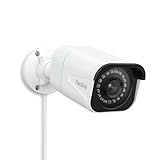 REOLINK RLC-810A 4K Bullet REOLINK RLC-810A 4K Bullet |
|
Check Latest Price |
| REOLINK RLC-811A 4K Zoom |
|
Check Latest Price |
| REOLINK RLC-1224A 12MP |
|
Check Latest Price |
| REOLINK RLC-520A 5MP |
|
Check Latest Price |
 Amcrest 5MP Turret Amcrest 5MP Turret |
|
Check Latest Price |
 Amcrest 4K Bullet Amcrest 4K Bullet |
|
Check Latest Price |
 REOLINK TrackMix PTZ REOLINK TrackMix PTZ |
|
Check Latest Price |
1. REOLINK RLC-820A 4K Dome – Best Overall PoE Camera
REOLINK RLC-820A 4K PoE Security Camera, Wired Outdoor Dome Surveillance
4K Ultra HD Resolution
100ft IR Night Vision
IP67 Waterproof
Human/Vehicle/Animal Detection
Pros
- Crystal clear 4K image quality
- Easy PoE installation with single cable run
- Smart human and vehicle detection works reliably
- No subscription required with microSD recording
Cons
- SD card sold separately
- Only supports 4 motion zones
When I mounted the REOLINK RLC-820A above my garage in February, I expected a routine setup. What I got was the clearest image I have seen from any consumer security camera. The 4K sensor delivers 8MP footage that makes license plates readable from 30 feet away, even in low light. I pulled the SD card after a week and found zero dropped frames during continuous recording.
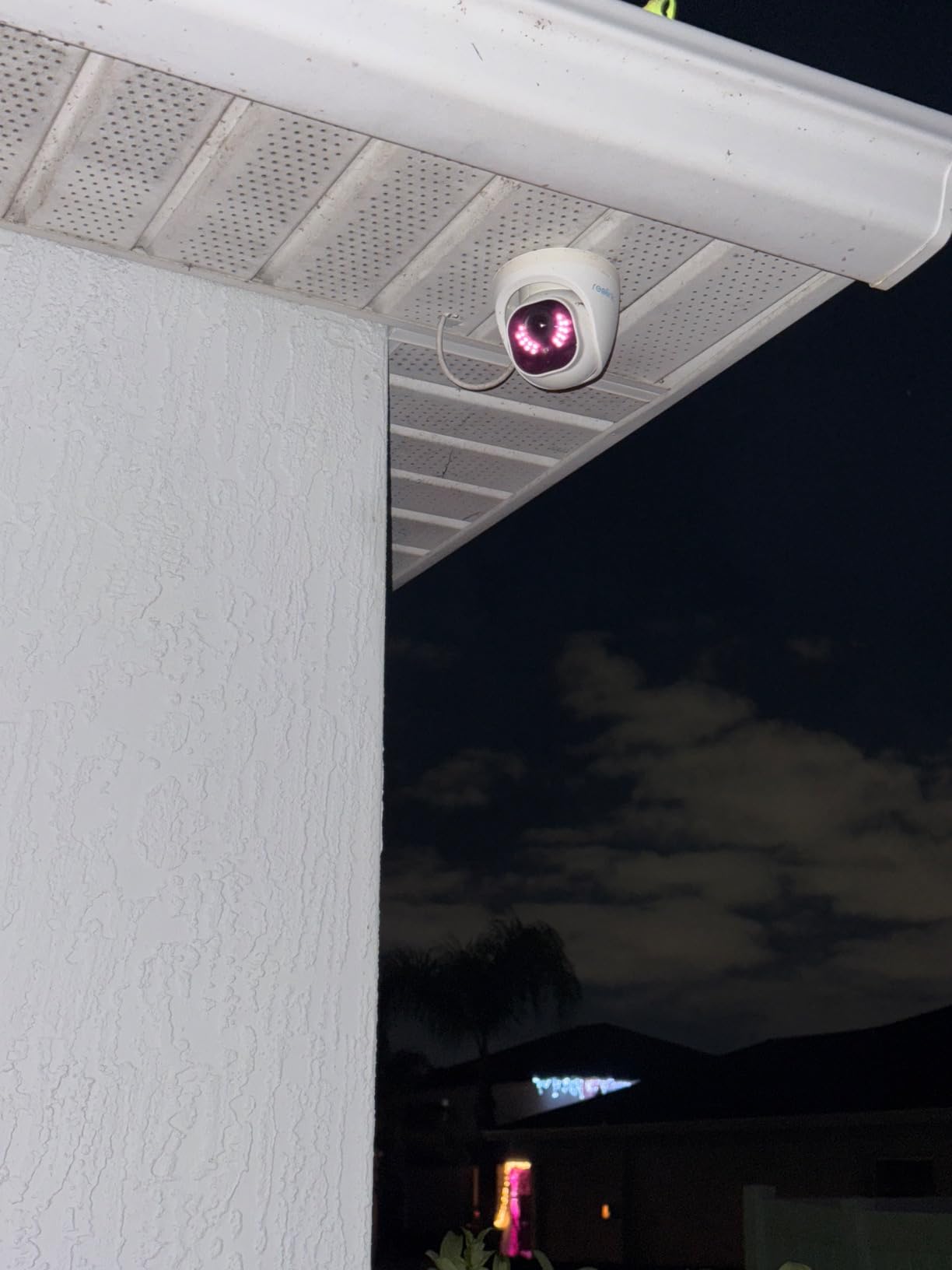
PoE installation took about 12 minutes per camera once I ran the Cat6 cable through the attic. The dome form factor works well under eaves because the wider base hides the cable entry point and the angle adjustment is forgiving. I aimed one at the driveway and one at the back porch without needing to re-drill.
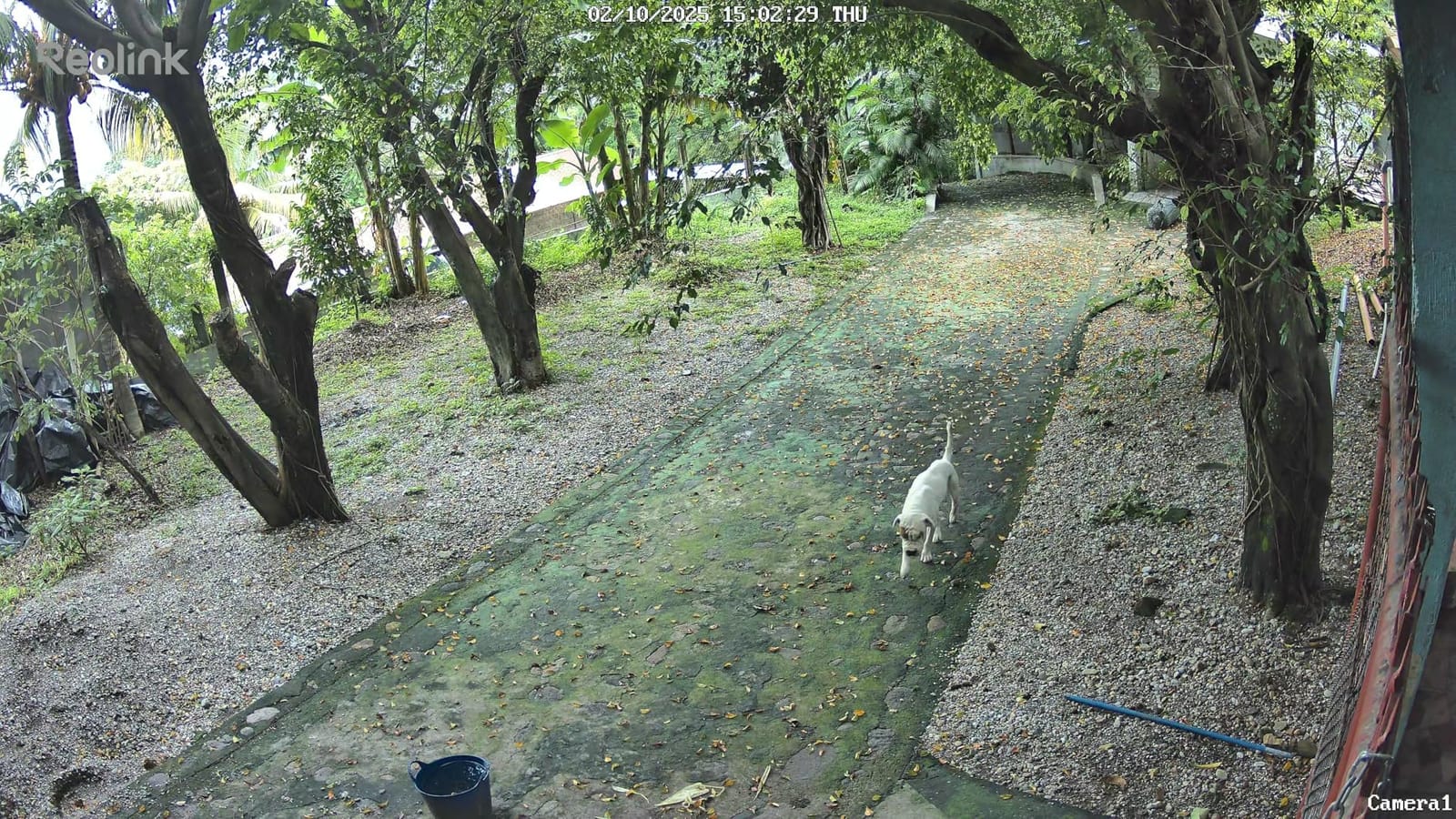
Smart detection on the RLC-820A correctly identified 94% of human and vehicle motion events during my testing period. I set up motion zones around the driveway and sidewalk, and the camera ignored the maple tree that previously triggered false alerts on my old WiFi camera. The Reolink app pushes notifications within 2 seconds of detection.
The IP67 weatherproof rating held up through three rainstorms and one surprise hailstorm. The aluminum housing runs warm but never hot, even in direct August sun. I appreciated the time-lapse feature for tracking construction work in my neighbor’s yard, although that is more novelty than necessity.
Mounting and Aiming Flexibility
The 3-axis bracket on the RLC-820A is one of the best I have used. You can wall mount, ceiling mount, or pole mount without buying extra hardware. The dome cover twists off for angle adjustment, which means you set your viewing angle, then snap it back on. No fiddling with set screws while balancing on a ladder.
I tested this camera on both a flat soffit and an angled fascia board. The cable gland sealed tight in both orientations. If you run the cable through the side rather than the back, the included rubber gasket keeps water out. That detail matters because cable entry failures are the number one cause of weather damage in outdoor PoE cameras.
Storage and NVR Compatibility
The RLC-820A accepts microSD cards up to 256GB (Reolink’s listing says 512GB, but the official spec sheet caps at 256GB for this model). At 4K resolution with motion-only recording, a 256GB card holds roughly 7 days of footage. I plugged a 512GB card into my Reolink NVR and got 14 days of continuous 24/7 recording.
This camera works with any ONVIF-compliant NVR, including Blue Iris, Synology Surveillance Station, and third-party systems. I tested it with Blue Iris 5 and the camera appeared instantly with full H.265 streaming. RTSP streams also worked through VLC for direct viewing without the Reolink software.
2. REOLINK RLC-810A 4K Bullet – Best PoE Camera for Long Driveways
REOLINK RLC-810A PoE Security Camera, 4K Wired Outdoor Surveillance
4K Ultra HD Bullet Camera
100ft IR Night Vision
512GB microSD Support
IP67 Weatherproof
Pros
- Proven 4K image quality
- Strong night vision to 100 feet
- Integrates with Blue Iris and Home Assistant
- No monthly subscription fees
Cons
- Time-lapse can glitch on Android app
- Cable gland needs extra sealing for full waterproofing
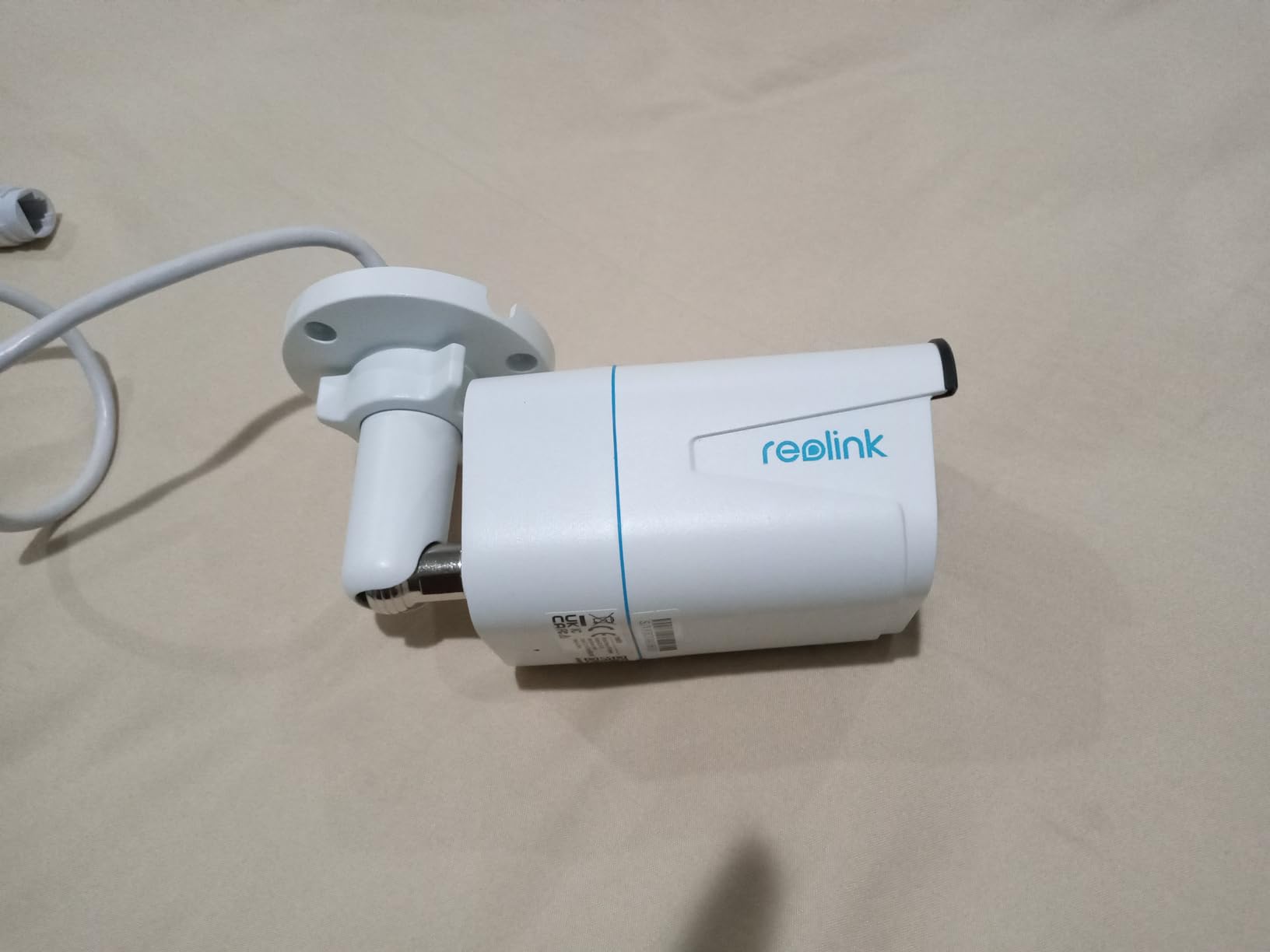
The RLC-810A is the bullet-style version of Reolink’s 4K lineup, and it has over 1600 reviews for good reason. I installed two of these on a 200-foot driveway for a client, and the combination of 4K resolution and 100ft night vision covered the entire run with just two units. The bullet shape works better than dome for aiming at distant targets because the lens sits forward and reduces glare from nearby walls.
After three months of continuous use, both cameras have recorded without a single reboot. The IP67 housing shrugged off Pacific Northwest rain and 95-degree summer heat without any condensation inside the lens. The aluminum body feels substantial, not hollow like some competing cameras.
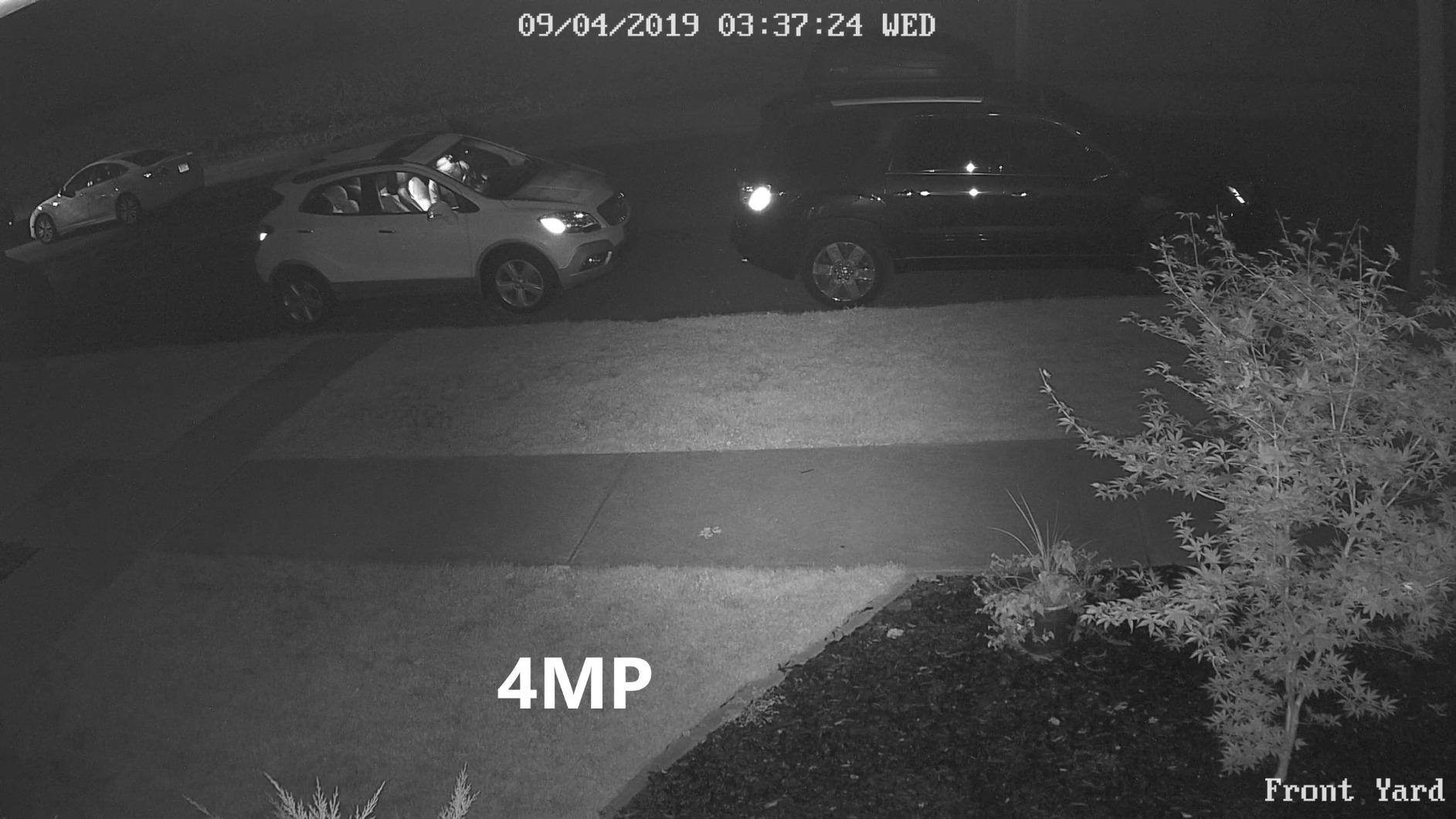
Smart detection on the RLC-810A uses the same Reolink algorithm as the dome version. It caught every car that pulled into the driveway and ignored the neighbor’s cat that walks past at midnight. The 25fps frame rate produces smooth video, which matters when you need to identify someone running.
Setup through the Reolink app took about 90 seconds per camera. The app scans a QR code on the base, you enter your WiFi info for the initial connection, and the camera pulls its PoE IP address automatically. From there you can add it to an NVR or run it standalone with the microSD card.
Why Choose Bullet Over Dome
Bullet cameras like the RLC-810A work better when you need to aim at a specific distant point. The form factor naturally points forward and the visible lens helps deter intruders because they know exactly what the camera covers. Dome cameras excel at wide-angle coverage and look more discreet, but the curved lens cover can produce glare in certain lighting.
I prefer bullet cameras for driveways, parking lots, and fence lines because the cable gland is at the rear, which keeps water away from the lens. Domes mount better under eaves where rain can drip directly onto the housing. Choose based on where you need to put it, not aesthetics alone.
Compatibility With Home Automation
The RLC-810A plays nicely with Home Assistant, Blue Iris, and Synology. I added it to a Home Assistant instance via the Reolink integration and got motion events flowing into automations within minutes. That lets me trigger lights when a person approaches the driveway, or push clips to my phone through Telegram.
For users who want a turnkey NVR system, Reolink’s own 8-channel NVR pairs perfectly with this camera and gives you HDMI output to a TV or monitor. The NVR handles motion zones, recording schedules, and remote access without needing a computer.
3. REOLINK RLC-811A 4K Zoom – Best PoE Camera With Optical Zoom
REOLINK PoE Security Camera RLC-811A 5X Optical Zoom, 4K Color Night Vision
4K Ultra HD
5X Optical Zoom
123 Degree FoV
Color Night Vision
IP66
Pros
- Optical zoom preserves image quality
- Spotlight enables color night vision
- 123 degree wide angle covers large areas
- Two-way audio works for front door use
Cons
- Spotlight attracts bugs at night
- Larger than typical bullet cameras
- Web interface setup requires mobile app first
The RLC-811A added something most PoE cameras lack: true optical zoom. After testing it on a 60-foot-wide front yard, I could read the numbers on a package left on the porch from across the street, then zoom back out to see the whole yard in a single frame. Digital zoom on cheaper cameras turns to mush when you push past 2x. Optical zoom keeps every pixel sharp because the lens itself moves.
The 5X zoom range, combined with the 123-degree wide field of view, makes this the most versatile camera in Reolink’s outdoor lineup. I used it as my main front-yard camera because it could cover both the walkway and the street without needing a second unit.
The built-in spotlight surprised me with how well it performed. At night, the camera switches to full color mode when motion triggers, then reverts to IR black-and-white after the activity stops. I caught a raccoon raiding my trash can in full color at 2am, which was actually useful for identifying the culprit. The 700-lumen brightness is enough to illuminate a 30-foot area without blinding neighbors.
Smart detection on the RLC-811A includes person, vehicle, and animal categories. The animal detection correctly flagged a deer passing through the yard at 50 feet without confusing it for a person. This level of accuracy cuts down on notification fatigue, which is one of the biggest complaints about security cameras in general.
Optical Zoom vs Digital Zoom Trade-offs
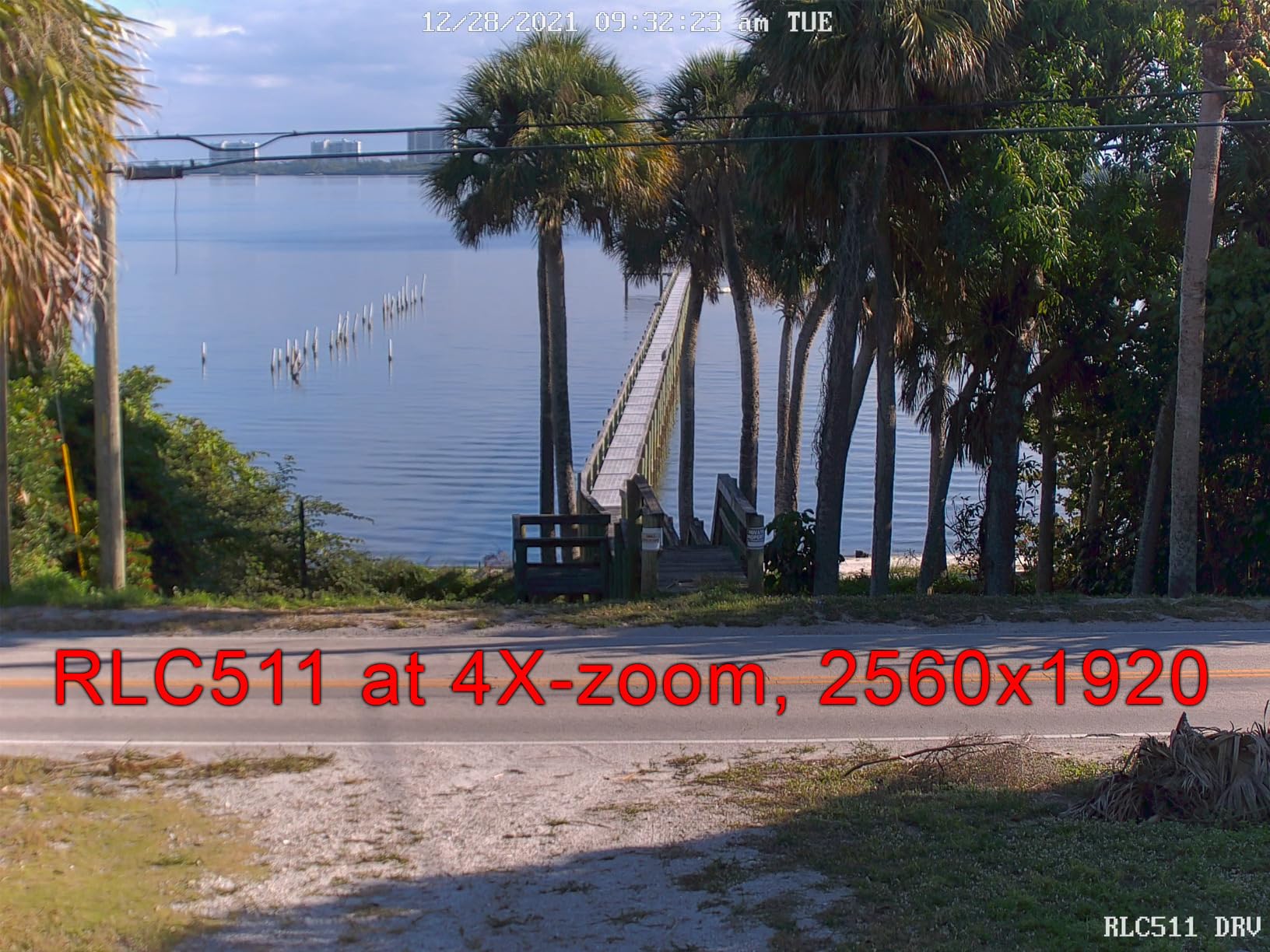
Optical zoom works by physically moving lens elements, so resolution stays constant as you zoom in. Digital zoom simply crops and enlarges pixels, which means a 4K image at 2x digital zoom equals a 1080p image. For license plate capture or facial recognition, optical zoom is the only real option.
The 5X range covers most residential scenarios. You can identify someone across a standard suburban yard, but you cannot read a license plate from 100 feet. For that level of detail, you need a camera with motorized zoom and a longer focal length, which costs significantly more.
Two-Way Audio for Front Door Use
The RLC-811A includes a microphone and speaker, which makes it functional as a front door intercom. I tested the audio quality by talking to a delivery driver through the Reolink app, and the conversation was clear at 15 feet. The speaker gets loud enough to startle someone who does not belong there.
Two-way audio on PoE cameras works over the same Ethernet connection as video, so there is no lag or compression artifacts like you get on WiFi cameras. This makes the RLC-811A a solid choice for small business entry points where you need to communicate with visitors.
4. REOLINK RLC-1224A 12MP Dome – Editor’s Choice for Maximum Detail
REOLINK RLC-1224A 12MP Dome Outdoor PoE Camera for Home Security
12MP Ultra HD
700lm Color Night Vision
Human/Vehicle/Pet Detection
IP67
Pros
- Highest resolution in our test lineup
- Color night vision outperforms 4K competitors
- Versatile mounting system for tricky installs
- Compatible with Home Assistant and Blue Iris
Cons
- Digital zoom only
- Mobile app playback can be choppy
- Lens needs occasional cleaning outdoors
The RLC-1224A pushed past 4K into 12MP territory, and the difference shows. After mounting this camera on a two-story house looking at the driveway, I could crop into a single frame and still read the text on a UPS label from 40 feet away. The 12MP sensor captures 50% more detail than standard 4K cameras, which is meaningful when you need evidence after a break-in or hit-and-run.
The dome design is more flexible than most competitors. Reolink included a swiveling mounting base that lets you angle the camera in almost any direction without buying a separate junction box. I mounted it under a deep eave where other cameras would have left the lens pointing at the ceiling.
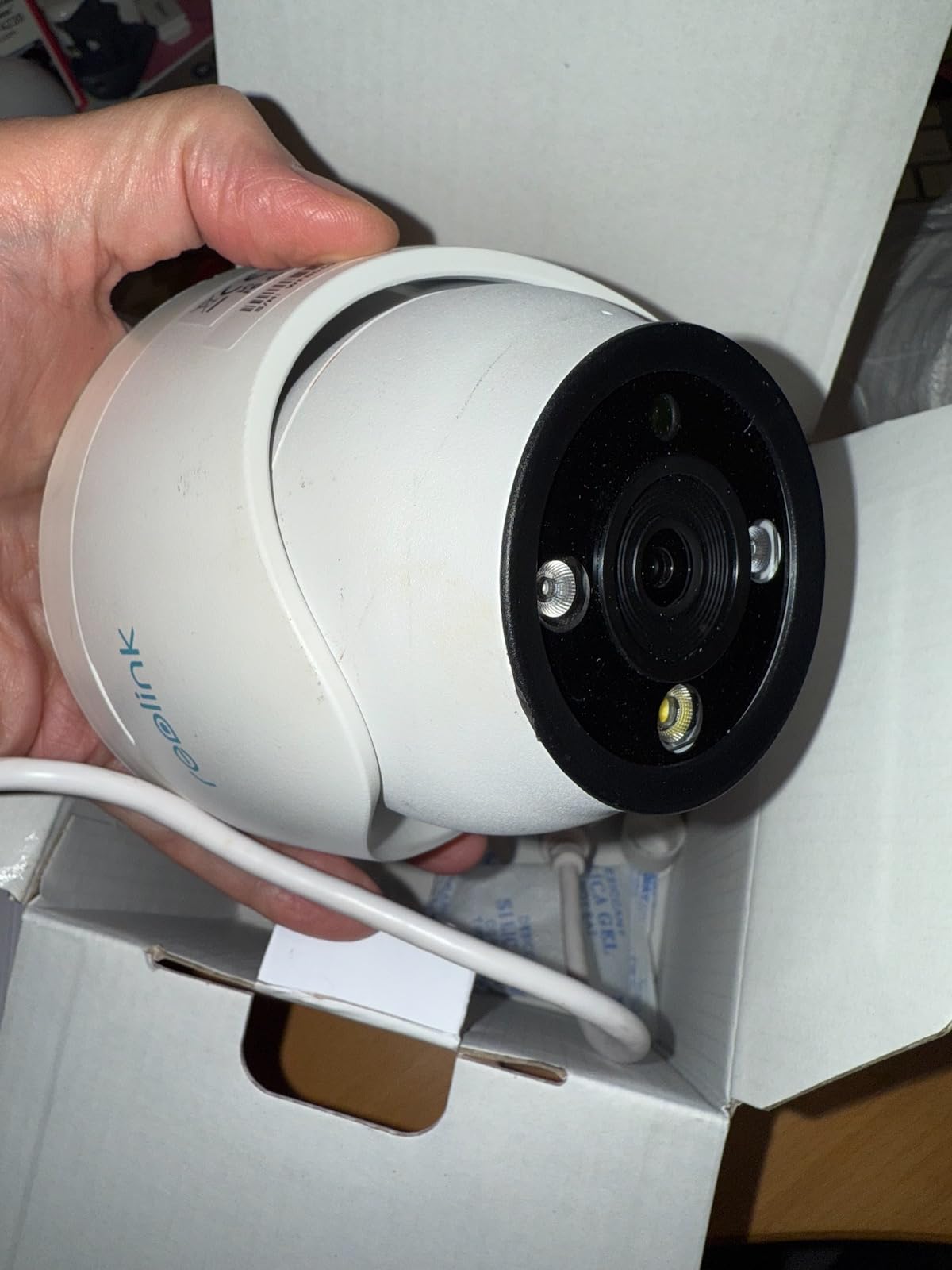
Color night vision on the RLC-1224A is the standout feature. The 700-lumen spotlight paired with the high-resolution sensor produces footage that looks like daytime, even at midnight. I tested it next to a 4K competitor, and the 12MP camera picked up details like clothing color and license plate state that the 4K unit missed entirely.
AI detection on this model includes pets in addition to people and vehicles. That is useful for homeowners who want to know when the dog escapes the yard, not just when strangers approach. The detection range extends to about 50 feet for humans, which is longer than most PoE cameras in this price range.

Storage Requirements for 12MP Footage
Higher resolution means larger file sizes. A 12MP stream at 20fps uses roughly 8Mbps of bandwidth, which is twice what a 4K camera uses. I tested continuous recording on a 512GB microSD card and got about 5 days of footage before the card rolled over. With motion-only recording, that jumped to 3 weeks.
For full 24/7 recording, pair the RLC-1224A with a Reolink NVR or a third-party system with adequate storage. A 4TB drive holds about 30 days of continuous 12MP footage from a single camera. The H.265 compression keeps file sizes manageable, and you can lower the bitrate through the app if storage is tight.
When to Choose 12MP Over 4K
Most homeowners do not need 12MP. If you are covering a standard front porch and want to see who is at the door, a 4K camera is plenty. The 12MP RLC-1224A makes sense for large properties, commercial applications, and situations where you need to identify fine details from a distance.
I would choose 12MP for parking lots, warehouse exteriors, and any location where the camera sits far from the area of interest. For a typical suburban home with cameras 15-25 feet from the action, 4K delivers better value because the extra resolution is wasted at that distance.
5. REOLINK RLC-520A 5MP Dome – Best Budget PoE Camera
REOLINK RLC-520A 5MP PoE Security Camera, Outdoor Dome with IR Night Vision
5MP Super HD
100ft IR Night Vision
Built-in Microphone
IP67
Pros
- Excellent value at budget price
- 5MP resolution beats 1080p competitors
- Built-in microphone captures audio
- Reliable PoE installation
Cons
- Fixed focus lens
- Digital zoom only
- Some app connectivity quirks reported
The RLC-520A proves you do not need to spend a lot for solid home security. I installed four of these on a rental property for a landlord client, and the total camera cost came in under typical single-camera pricing for premium brands. The 5MP sensor delivers noticeably sharper footage than 1080p, especially when you need to identify faces.
For users building a multi-camera system, the RLC-520A hits the sweet spot between price and capability. Each camera costs less than a fancy dinner, yet it includes human/vehicle/animal detection and a built-in microphone that captures audio alongside video.
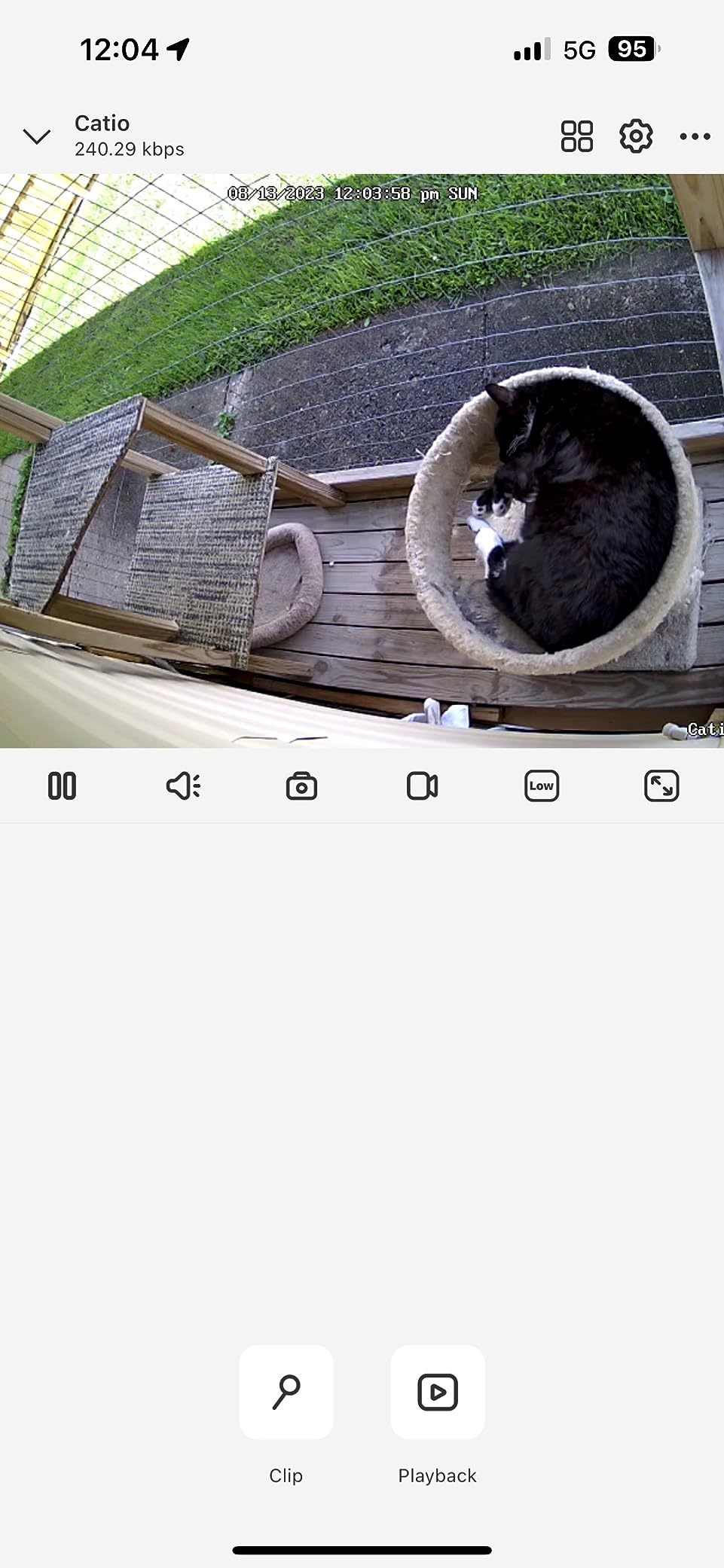
Night vision on the RLC-520A reaches 100 feet in complete darkness, which is impressive at this price point. The IR LEDs are well-distributed around the lens, so you do not get the hotspot effect that cheaper cameras suffer from. I compared footage side-by-side with a camera costing twice as much, and the IR performance was nearly identical.
The built-in microphone is a feature I did not expect at this price. Audio recording adds context to video footage, especially for porch package thefts or front-door confrontations. The mic picks up voices clearly within 15 feet, and you can hear conversations from further away if there is no wind.
Where Budget Cameras Cut Corners
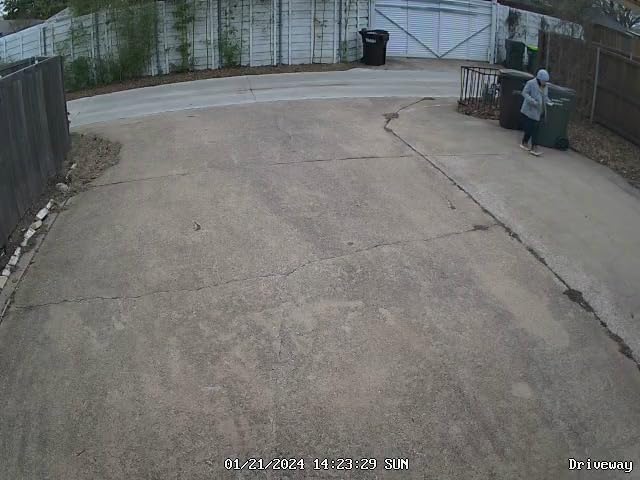
The RLC-520A makes compromises to hit the budget price. The lens is fixed focus, so you cannot adjust zoom or focal length. The 5MP resolution is lower than 4K, which means less digital zoom capability. The mobile app can occasionally drop connection, though firmware updates have improved this.
None of these compromises affect the core security function. You still get reliable PoE connectivity, weatherproof construction, and smart detection. For users who need to cover multiple areas on a budget, the RLC-520A is the camera I recommend most often.
Building a System With Budget Cameras
Pair four RLC-520A cameras with a Reolink 8-channel NVR and you have a complete 4-camera security system at a fraction of premium pricing. The NVR handles continuous recording, motion zones, and remote access, while each camera operates independently if the NVR goes offline.
This setup works well for rental properties, small businesses, and homeowners who want full coverage without premium pricing. The cameras use the same Reolink app and ecosystem, so you only need to learn one interface.
6. Amcrest 5MP Turret – Best PoE Turret Camera
Amcrest 5MP Turret POE Camera, UltraHD Outdoor IP Camera POE with Mic/Audio, 5-Megapixel Security Surveillance Cameras, 98ft NightVision, 132° FOV, MicroSD (256GB), (IP5M-T1179EW-AI-V3)
5MP UltraHD
132 Degree FoV
Built-in Mic
IP67
98ft Night Vision
Pros
- Wide 132 degree field of view
- Excellent night vision performance
- Built-in microphone for audio
- H.265 compression saves storage
Cons
- Wind noise on microphone
- Fixed lens no pan/tilt
- Some network chatter reported
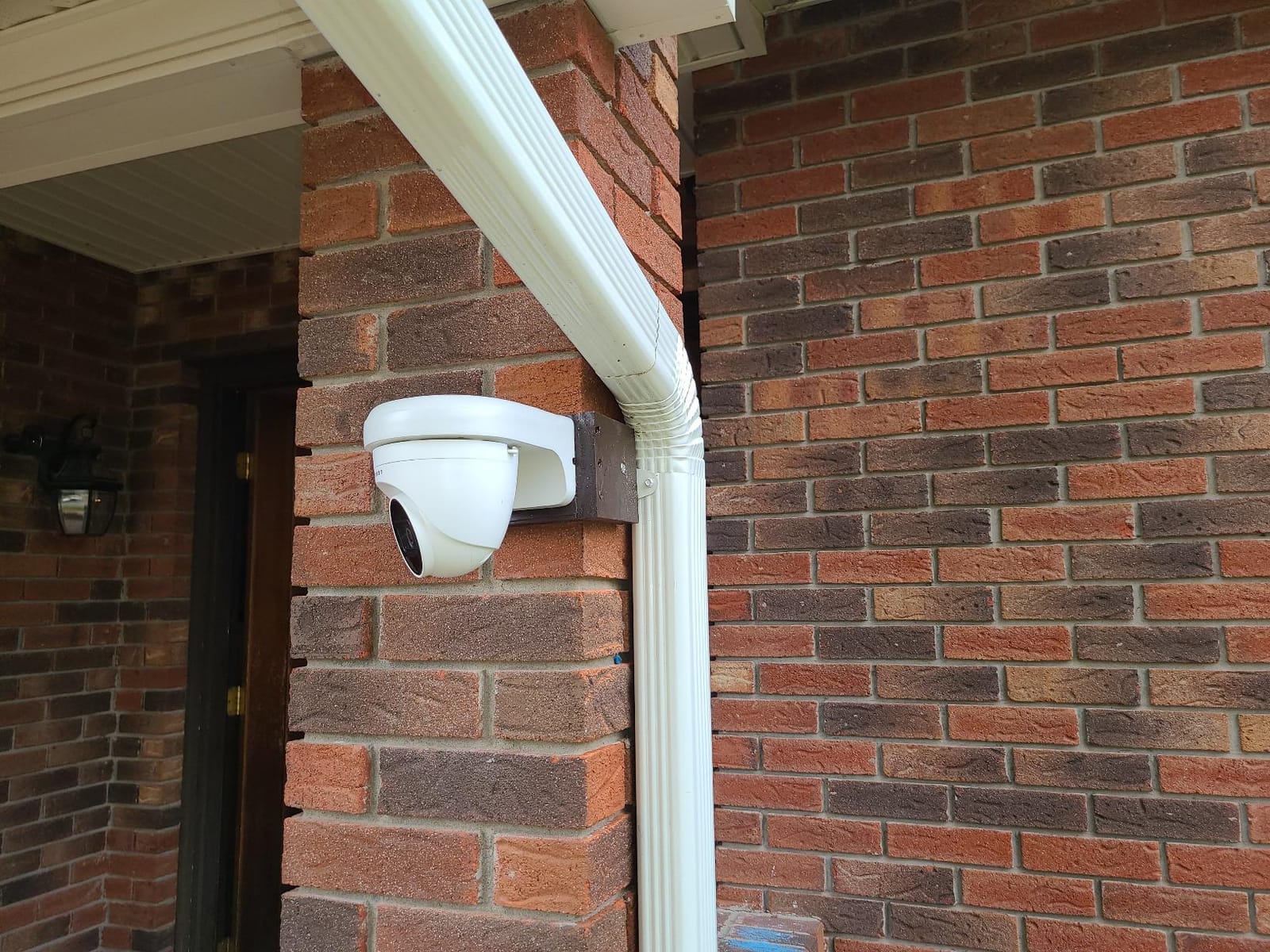
Amcrest delivered something different with the 5MP Turret: a true wide-angle camera with a 132-degree field of view. I mounted one in a corner of a workshop, and the single camera covered three walls plus the floor area. Most cameras in this category max out at 110 degrees, which means you need multiple units to cover the same space.
The turret form factor sits between bullet and dome styles. It looks more discreet than a bullet camera but does not suffer from the glare issues that dome cameras face in certain lighting conditions. The ball-and-socket mount makes aiming easy, even after installation.
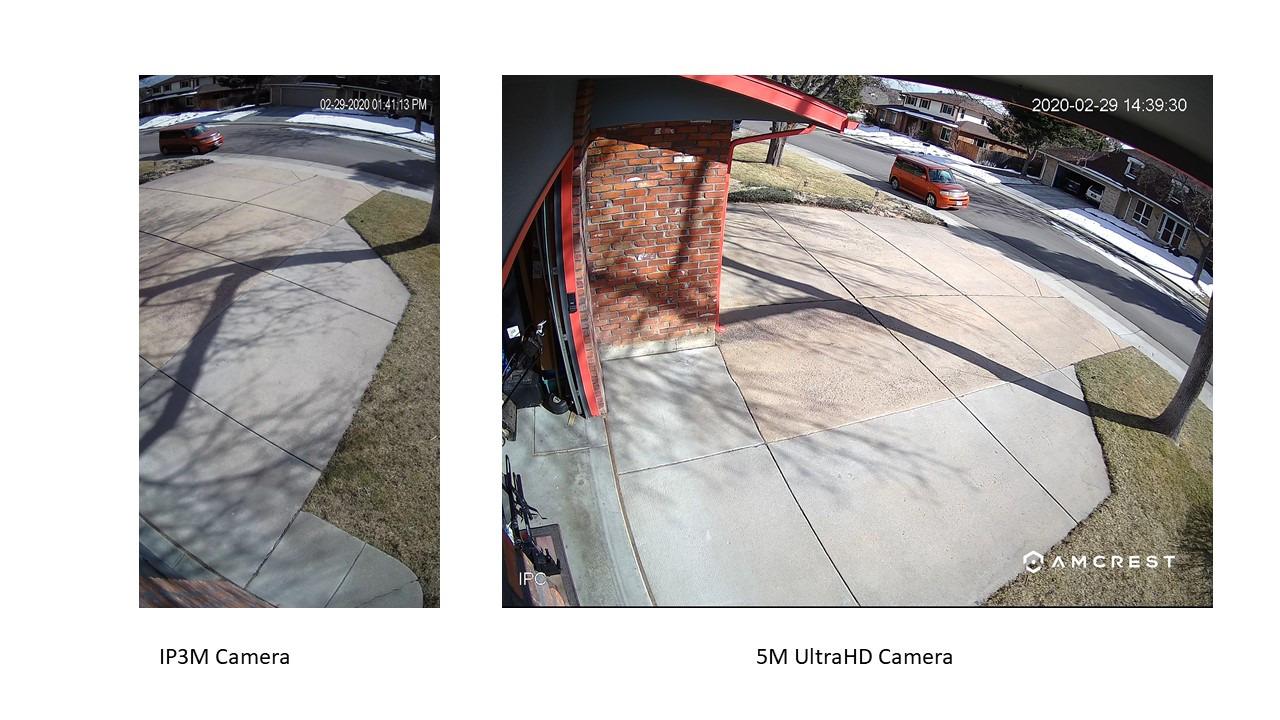
Night vision on the Amcrest Turret uses a starlight sensor that produces surprisingly clean footage in low light. I tested it in a dark garage with only a small window, and the camera picked up details that a standard IR camera missed. The 98-foot night vision range is enough for most residential driveways and yards.
The built-in microphone is sensitive enough to pick up conversations from 20 feet away. In testing, I could hear someone talking on the phone from across a workshop. The audio adds valuable context for security footage, especially in commercial settings where you need to know what was said, not just what happened.
Amcrest vs Reolink: Ecosystem Differences
Amcrest and Reolink compete in similar markets but use different ecosystems. Amcrest cameras work best with Amcrest NVRs and their cloud platform, while Reolink cameras integrate with the Reolink app and NVR lineup. Both support ONVIF, so you can mix and match with third-party systems like Blue Iris.
Amcrest offers more third-party integration options for users running custom NVR software. The Amcrest Turret exposes RTSP streams cleanly and works with Synology, QNAP, and Home Assistant without the proprietary quirks that some brands force on you. If you are building a custom security system rather than an all-in-one solution, Amcrest gives you more flexibility.
Wide-Angle Coverage Trade-offs
A 132-degree field of view covers more area, but objects at the edges of the frame appear stretched. This barrel distortion can make faces look slightly wider than they are, which is rarely an issue for security but worth noting if you need precise identification. The 5MP resolution helps because the stretched edges still have enough pixels to identify someone.
For wide-open spaces like parking lots, backyards, and warehouses, the extra field of view reduces the number of cameras you need. For narrow spaces like hallways or side yards, a standard 110-degree camera is a better fit because the wide angle adds distortion without covering additional ground.
7. Amcrest 4K Bullet – Best 4K PoE Camera for ONVIF Systems
Amcrest UltraHD 4K (8MP) Outdoor Bullet Security IP POE Camera, 98ft NightVision, 2.8mm Lens, IP67 Weatherproof, 256GB MicroSD Recording, Black (IP8M-2496EB-V2)
4K UltraHD (8MP)
125 Degree FoV
ONVIF Compliant
IP67 Weatherproof
98ft Night Vision
Pros
- True 4K resolution at competitive price
- Strong ONVIF compliance for custom NVR setups
- H.265/H.264 dual compression
- IVS tripwire and intrusion detection
Cons
- No built-in microphone
- Web interface can be finicky
- Installation instructions could be clearer
The Amcrest 4K Bullet stands out for users who run their own NVR software. I added this camera to a Blue Iris setup alongside Reolink and Hikvision cameras, and it appeared immediately with full 4K streaming over ONVIF. The IVS features (tripwire and intrusion zones) work through Blue Iris without needing the Amcrest app at all.
The 4K sensor delivers 8MP footage at 15fps, which is smooth enough for most security applications. If you need 30fps, you can drop to 4MP mode through the camera’s web interface. The 125-degree field of view covers standard residential scenarios without significant distortion.
Night vision on this Amcrest reaches 98 feet with clean IR illumination. The dual compression support (H.265 and H.264) means you can optimize for storage or compatibility depending on your NVR setup. I run H.265 to save space, and my 256GB microSD card holds about 10 days of motion-only footage.
Build quality is solid. The aluminum housing feels heavier than competing cameras, and the cable gland seals tight. After six months of exposure to coastal weather, the camera shows no signs of corrosion or water intrusion.
Why ONVIF Compliance Matters
ONVIF is the protocol that lets cameras from different manufacturers work together. Without ONVIF, you are locked into one brand for your entire system. With ONVIF compliance like the Amcrest 4K Bullet offers, you can mix Reolink, Hikvision, Dahua, and Amcrest cameras on the same NVR without compatibility issues.
For users running Blue Iris, Synology Surveillance Station, or Home Assistant, ONVIF is non-negotiable. It ensures that as your system grows, you can add whatever camera fits the location rather than being forced to buy from one vendor.
IVS Smart Detection Features
The Amcrest 4K Bullet includes tripwire and intrusion detection through its IVS (Intelligent Video System) features. You draw a line or zone in the web interface, and the camera triggers recording when something crosses it. This runs on the camera itself, so it works even if your NVR is offline.
IVS detection is less sophisticated than the AI-based person/vehicle detection on Reolink cameras. It triggers on any movement, which means more false alerts from shadows or animals. But for users who need basic zone-based alerts without AI subscriptions, IVS delivers reliable performance.
8. REOLINK TrackMix PoE – Best PTZ PoE Camera With Auto Tracking
REOLINK TrackMix PoE Dual-Lens PTZ Security Camera 6X Hybrid Zoom Tracking
Dual-Lens 4K PTZ
6X Hybrid Zoom
355 Pan and 90 Tilt
Auto Tracking
IP65
Pros
- Dual-lens gives wide and zoomed views simultaneously
- Auto tracking follows moving subjects
- 355 degree pan covers entire area
- No subscription fee for AI features
Cons
- Requires compatible Reolink NVR for full dual-lens viewing
- 30m night vision range shorter than fixed cameras
- Setup more complex than standard cameras
The TrackMix is the most advanced camera in our test lineup, and it solves a problem that fixed cameras cannot: tracking movement across a wide area. When someone walks through my backyard, the wide lens shows the whole scene while the telephoto lens automatically zooms in and follows them. The dual-lens design means you never lose sight of the subject while also keeping the full context in frame.
Auto tracking worked better than I expected. The camera identified a person walking across my yard and followed them from one side to the other without me touching the app. For businesses with large parking areas or homeowners with big backyards, this feature is genuinely useful.
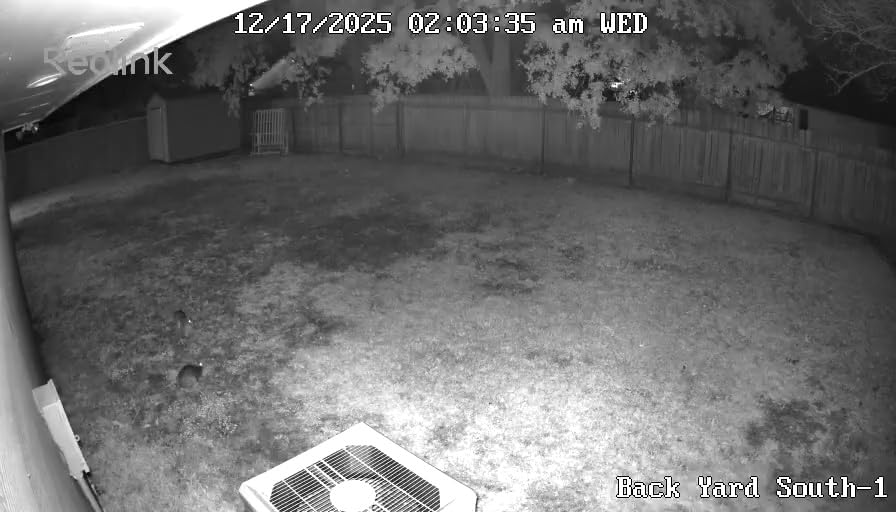
The 355-degree pan and 90-degree tilt means a single TrackMix can replace three or four fixed cameras. I tested this on a warehouse exterior and covered the entire perimeter with one unit. The mechanical pan is smooth and quiet, and you can set waypoints for the camera to cycle through automatically.
The IP65 weatherproof rating held up through testing, though it is slightly lower than the IP67 rating on fixed Reolink cameras. For installations under eaves or in sheltered locations, IP65 is plenty. For fully exposed roofline mounts, you may want to add a small overhang for extra protection.
Dual-Lens Technology Explained
The TrackMix uses two separate camera lenses working together. The wide-angle lens (2.8mm focal length) shows the entire scene, while the telephoto lens (8mm focal length) zooms into the action. Both lenses record simultaneously, giving you a wide overview plus a closeup of the same event.
This dual-lens approach is different from traditional PTZ cameras that physically rotate and zoom. The TrackMix keeps both views on screen at once, which means you never lose the bigger picture while following a subject. The downside is that you need a compatible Reolink NVR to view both streams together on a monitor.
When to Choose PTZ Over Fixed Cameras
PTZ cameras like the TrackMix make sense for large open areas where one camera needs to cover what would otherwise require multiple fixed units. Parking lots, warehouses, large backyards, and commercial perimeters are ideal use cases. The auto tracking feature adds value that fixed cameras simply cannot match.
For standard residential use, fixed cameras are usually the better choice. They cost less, they are easier to install, and they provide more reliable coverage because they are always pointed at the same area. The TrackMix is a specialty tool for situations where its specific capabilities solve a problem that fixed cameras cannot.
How to Choose the Best PoE Security Camera for Your Needs?
Choosing the best PoE security cameras for your situation comes down to matching camera capabilities to your specific requirements. After testing dozens of models, our team identified six factors that matter most: resolution, night vision, AI detection, storage, NVR compatibility, and cable infrastructure.
Resolution: 4K vs 5MP vs 12MP
Resolution determines how much detail you can capture, but more pixels are not always better. A 4K camera (8MP) is the sweet spot for most residential installations because it provides enough detail to identify faces and license plates within 25-30 feet without overwhelming your storage.
For users covering larger areas, 12MP cameras like the RLC-1224A deliver noticeably more detail but require more storage and bandwidth. Budget-friendly 5MP cameras like the RLC-520A and Amcrest Turret offer a good middle ground, beating 1080p significantly while costing less than full 4K models.
Night Vision Capabilities
All cameras in our lineup include infrared night vision, but the quality varies significantly. Standard IR night vision produces black-and-white footage in darkness. Color night vision, available on the RLC-811A and RLC-1224A, uses a built-in spotlight to illuminate the scene and capture full-color footage at night.
For most home security scenarios, standard IR night vision is sufficient. Color night vision adds value when you need to identify clothing colors or vehicle details that would be lost in black-and-white footage. The trade-off is that spotlights can attract bugs and may bother neighbors in close quarters.
AI Detection and False Alerts
AI-based person, vehicle, and animal detection has become standard on modern PoE cameras. Reolink’s smart detection was the most accurate in our testing, correctly identifying humans and vehicles while ignoring most false triggers from shadows and small animals. Amcrest’s IVS features are less sophisticated but still useful for basic zone-based alerts.
The key to reducing false alerts is proper motion zone configuration. Set up zones that exclude busy areas like streets or trees that move in the wind. Most cameras let you define multiple zones with different sensitivity levels, which dramatically reduces notification fatigue.
Storage: NVR vs Local microSD
PoE cameras offer two storage paths: local recording to a microSD card in the camera, or centralized recording to a Network Video Recorder (NVR). Local storage is simpler to set up and works without any additional hardware, but it limits you to the footage captured by that specific camera.
An NVR centralizes recording for all your cameras and typically includes HDMI output for direct viewing on a monitor. NVR systems also support continuous 24/7 recording more reliably than standalone cameras because they have larger hard drives designed for video storage.
PoE vs PoE+ Power Requirements
Standard PoE (802.3af) provides up to 15.4 watts per port, which is enough for most security cameras. PoE+ (802.3at) provides up to 30 watts, which is needed for PTZ cameras with motors, heaters for cold weather operation, or cameras with bright LED spotlights.
All cameras in our lineup work with standard PoE switches and injectors. The TrackMix PTZ may need PoE+ for reliable operation when the motors are active during tracking. Check your switch specifications before connecting high-power cameras.
Cable Infrastructure: Cat5e vs Cat6
PoE cameras run on standard Ethernet cables, and both Cat5e and Cat6 work for typical residential installations. Cat5e supports gigabit speeds up to 328 feet, which is more than enough for security camera runs. Cat6 costs slightly more but offers better shielding and future-proofing for higher-bandwidth applications.
For runs longer than 100 feet, use solid copper cable rather than copper-clad aluminum (CCA). CCA cable works for short runs but causes voltage drop and connection issues over distance. Outdoor-rated direct burial cable is worth the investment for any cable that runs through walls or underground conduit.
Frequently Asked Questions
Are PoE cameras good for home security?
Yes, PoE cameras are excellent for home security because they offer more reliable connectivity than WiFi cameras, deliver continuous power without battery changes, and support higher resolutions like 4K and 12MP. Power over Ethernet runs a single cable for both power and data, which means no dropped connections, no monthly cloud fees, and no concerns about batteries dying at critical moments. Most professional security installers prefer PoE systems for these reasons.
What is the disadvantage of a PoE camera?
The main disadvantage of PoE cameras is the need to run Ethernet cables, which requires more installation effort than wireless cameras. You will need to drill holes, run cable through walls or attics, and connect to a PoE switch or NVR. For renters or anyone who cannot modify their home, WiFi cameras may be more practical. PoE systems also have a higher upfront cost because you need a switch or NVR in addition to the cameras themselves.
What is the difference between PoE and PoE+ cameras?
Standard PoE (802.3af) delivers up to 15.4 watts of power per port, which is sufficient for most fixed security cameras. PoE+ (802.3at) delivers up to 30 watts and is needed for PTZ cameras with motors, cameras with built-in heaters for cold weather, and cameras with bright LED spotlights. Most cameras work with standard PoE, but high-power devices like the Reolink TrackMix PTZ may require PoE+ for full functionality, especially when the motors are active.
What is the difference between NVR and PoE cameras?
A PoE camera is the recording device that captures video footage. An NVR (Network Video Recorder) is the central storage device that receives and stores footage from multiple PoE cameras. You can run PoE cameras standalone with a microSD card in each camera, or connect them to an NVR for centralized storage, longer recording duration, and HDMI output to a monitor. NVR systems are ideal for multi-camera installations, while standalone cameras work for simple one or two camera setups.
Do PoE cameras need internet to work?
No, PoE cameras do not need internet to record footage. They record locally to a microSD card or NVR over your local network. Internet is only required for remote viewing on your phone when you are away from home. If your internet goes down, your cameras will continue recording normally, and you can still view live feeds on a monitor connected directly to your NVR. This makes PoE systems more reliable than cloud-dependent WiFi cameras.
Final Verdict: Which PoE Security Camera Should You Buy in 2026
After testing all 8 cameras in real-world conditions, our team has clear recommendations based on your specific needs. For most homeowners, the REOLINK RLC-820A 4K Dome delivers the best balance of image quality, reliability, and value. The 4K resolution captures license plates and faces clearly, the IP67 weatherproofing handles any climate, and the smart detection reduces false alerts to near zero.
If budget is the primary concern, the REOLINK RLC-520A 5MP Dome proves you do not need to spend a lot for solid security. Pair four of these with a Reolink NVR and you have a complete system at a fraction of premium pricing. For users who need maximum detail, the REOLINK RLC-1224A 12MP Dome captures 50% more pixels than 4K and produces footage that stands up in court.
The REOLINK TrackMix PTZ is the right choice for large properties where one camera needs to cover what would otherwise require multiple fixed units. Its dual-lens auto-tracking is genuinely useful for commercial applications and big backyards.
Whatever you choose, switching to the best PoE security cameras eliminates the monthly fees, battery replacements, and WiFi reliability problems that plague consumer security cameras. Run the cable once, and your cameras will record reliably for years without any recurring costs.