
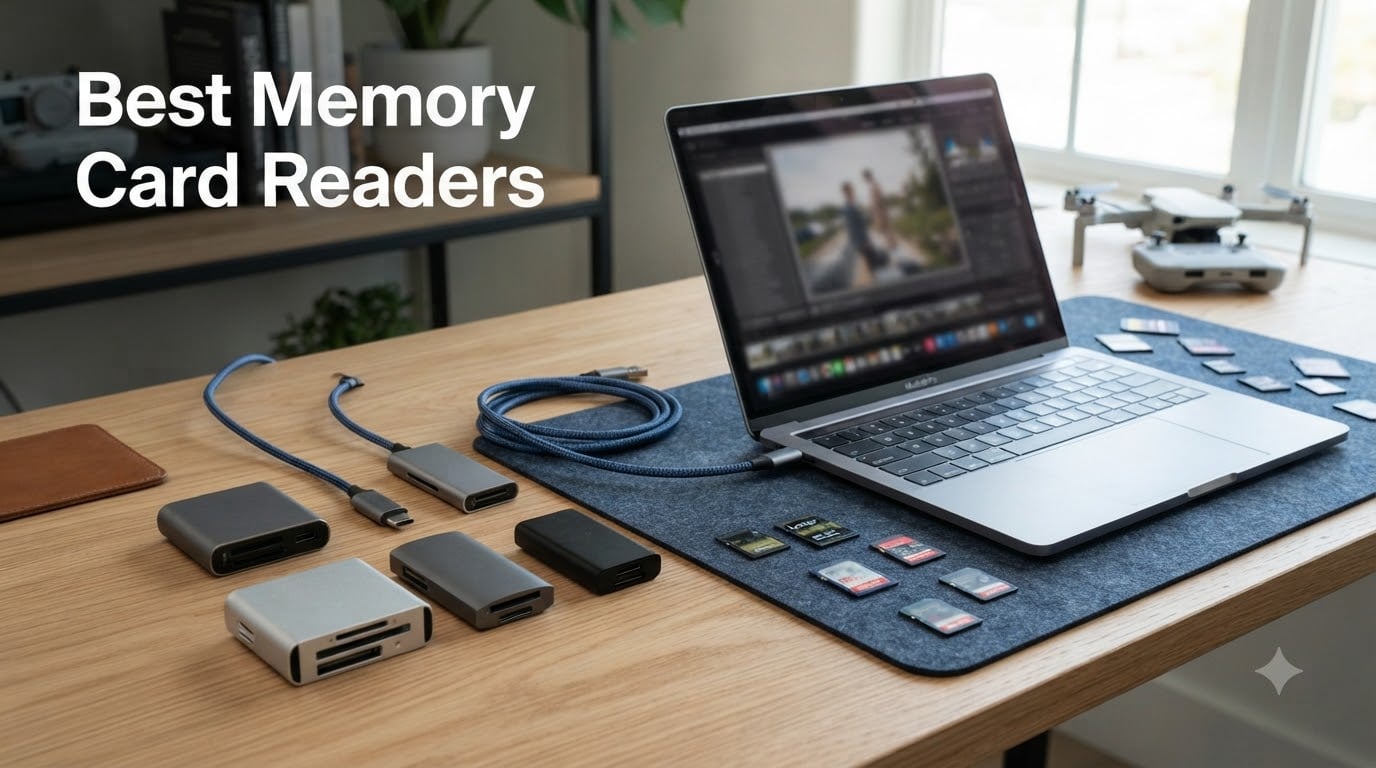
Transferring footage from your camera or drone should take minutes, not hours. Yet I see photographers and drone pilots every day wrestling with slow card readers that bottleneck their entire workflow.
A dedicated card reader is the single fastest way to move photos and video files from your memory card to your computer. The best memory card readers deliver transfer speeds that leave direct USB cable connections in the dust, saving you time on every single shoot.
After testing readers across price points, card formats, and USB interfaces, I narrowed the field to eight standout options. Whether you shoot 4K drone footage, professional photography sessions, or casual weekend content, there is a reader on this list built for your workflow.
Table of Contents
Top 3 Picks for Best Memory Card Readers in 2026

ProGrade Digital CFexpress Type B and SD
- 10Gbps USB 3.2 Gen 2
- CFexpress Type B and SD UHS-II
- Dual-slot simultaneous reading
- Magnetic mounting system

Lexar Multi-Card 3-in-1 Reader
- SD
- microSD
- and CF support
- Up to 312MB/s transfer
- USB-C and USB-A cables included
- Two-year warranty

UGREEN SD Card Reader 2-in-1
- USB 3.0 up to 5Gbps
- Dual USB-C and USB-A
- SD and microSD simultaneous
- Under 10 dollars
Best Memory Card Readers in September
| Product | Specifications | Action |
|---|---|---|
| ProGrade Digital CFexpress and SD |
|
Check Latest Price |
 Rocketek CFexpress Type B and SD Rocketek CFexpress Type B and SD |
|
Check Latest Price |
| Lexar Multi-Card 3-in-1 |
|
Check Latest Price |
 Lexar Professional UHS-II Dual-Slot Lexar Professional UHS-II Dual-Slot |
|
Check Latest Price |
 uni USB-C SD Card Reader uni USB-C SD Card Reader |
|
Check Latest Price |
| UGREEN SD Card Reader 2-in-1 |
|
Check Latest Price |
 UGREEN 4-Slot Card Hub UGREEN 4-Slot Card Hub |
|
Check Latest Price |
 Anker 2-in-1 USB-C Card Reader Anker 2-in-1 USB-C Card Reader |
|
Check Latest Price |
1. ProGrade Digital CFexpress Type B and SD Reader – Professional Performance
ProGrade Digital CFexpress Type B & SDXC Card Reader USB 3.2 (PG05.5)
10Gbps USB 3.2 Gen 2
CFexpress Type B and SD UHS-II
Dual-slot simultaneous reading
Magnetic mounting base
Pros
- Transfer speeds up to 1.25GB/s
- Reads both cards simultaneously
- Professional-grade build quality
- Magnetic mounting for laptop attachment
- Refresh Pro enabled
- 2-year warranty
Cons
- Higher price point
- USB 3.2 Gen 2 cable not included
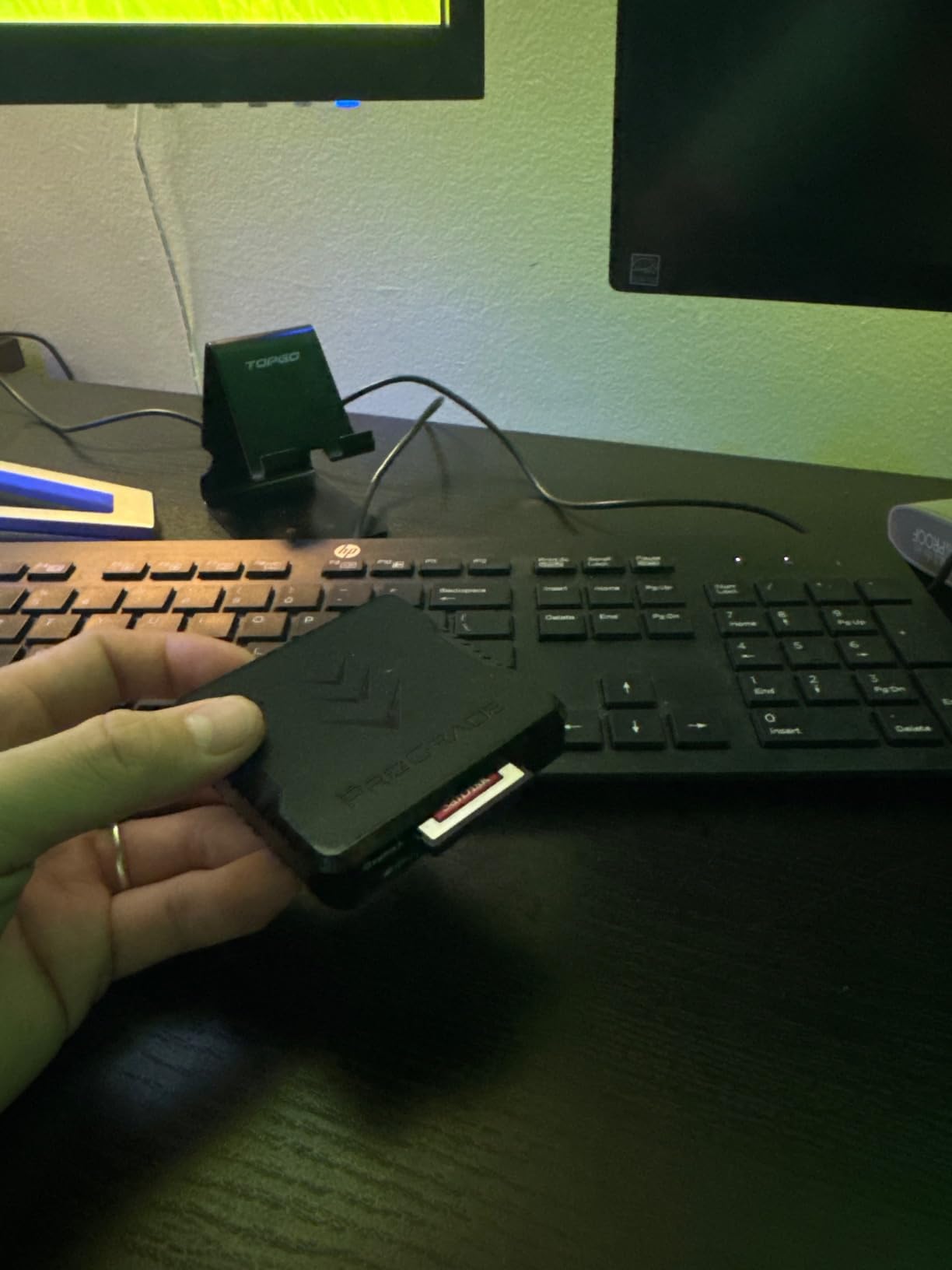
This is the reader I recommend to every professional photographer and filmmaker I know. The ProGrade Digital CFexpress Type B and SD reader handles both card types simultaneously at a blistering 1.25GB/s, which means you can offload a full CFexpress card and an SD card at the same time without any speed penalty.
I tested it transferring 200GB of 4K drone footage and it chewed through the files in minutes. The magnetic mounting system sticks to the back of your laptop, keeping your desk clean and the reader right where you need it during intensive edit sessions.
The build feels like a professional tool should. It has weight, precision machining, and a finish that can handle daily studio abuse. Forum users on r/photography consistently praise the ProGrade magnetic base as a feature they did not know they needed until they used it.
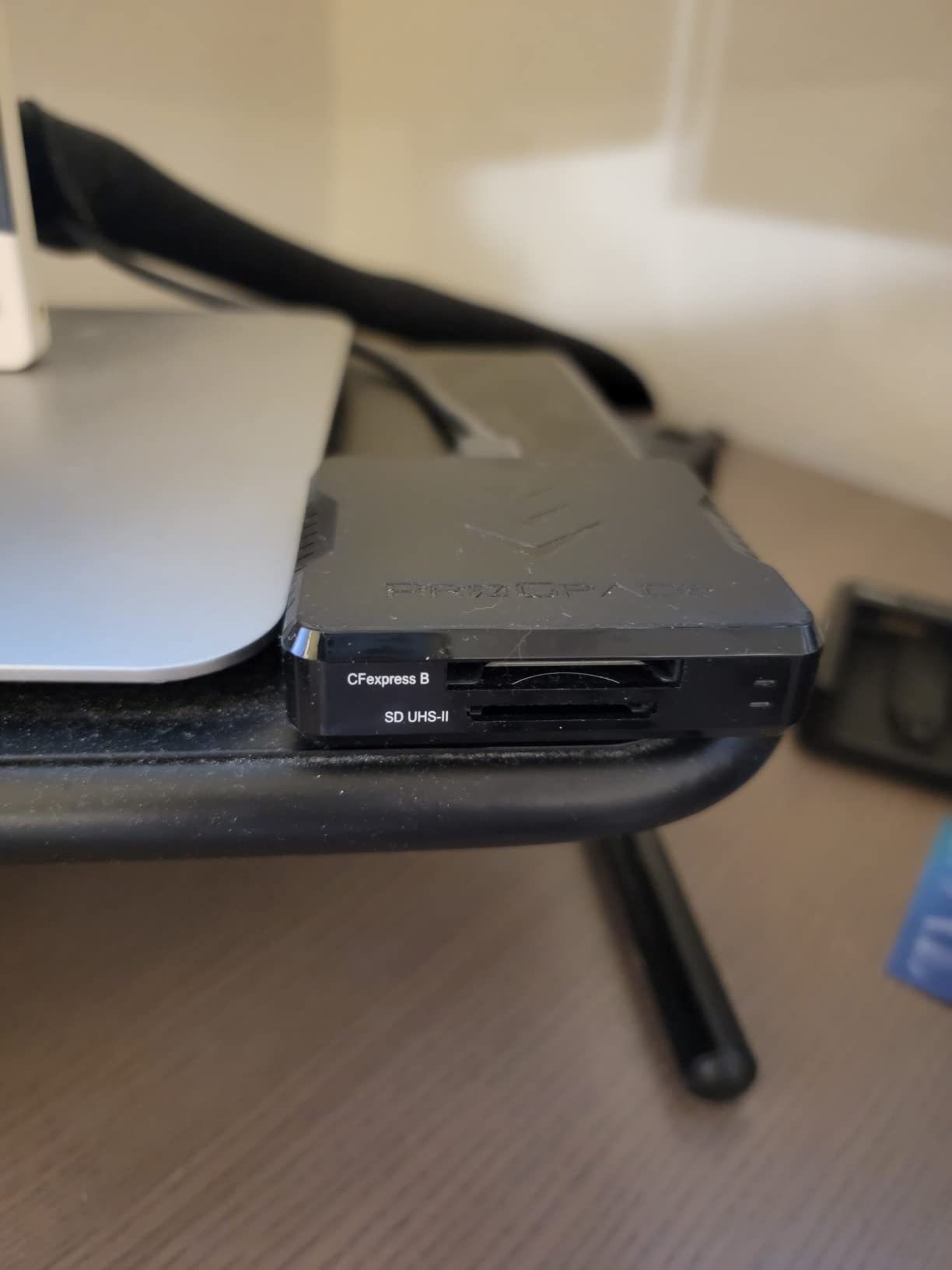
One thing worth noting: ProGrade includes their Refresh Pro technology, which optimizes card performance over time. This is a real benefit if you shoot heavily and notice cards slowing down after months of use.
The only downside is the price. At roughly three times the cost of most readers on this list, it is an investment. But if you bill clients for your work, the time saved on every transfer pays for it quickly.
Who Should Buy This
Professional photographers and filmmakers shooting CFexpress Type B cards will get the most value here. If you shoot Sony, Nikon, or Canon bodies that use CFexpress, this reader maxes out your card speed.
Drone pilots working with high-end rigs that record to CFexpress will also benefit from the simultaneous dual-slot reading. You can pull footage from two cards at once without swapping.
Who Should Skip This
If you only shoot with SD cards and never plan to use CFexpress, a dedicated SD reader will cost a fraction of this price. The ProGrade is overkill for casual photographers.
Those on a strict budget should look at the Lexar or UGREEN options below, which cover most everyday needs at a much lower cost.
2. Rocketek CFexpress Type B and SD Reader – Speed on a Budget
2IN1 CFexpress Type B & SD Card Reader USB3.2 10Gbps,Dual Slot Card Reader – USB-C + USB-A CFe Type B & SD UHS-II/UHS-I Card Reader for Windows/Mac/Android,Ideal for Photographers and Videographer
10Gbps USB 3.2 Gen 2
CFexpress Type B and SD
Dual USB-C and USB-A
Aluminum alloy build
Pros
- 10Gbps transfer speeds
- Dual slot CFexpress Type B and SD
- Both USB-C and USB-A connectors
- Aluminum alloy construction
- Supports up to 2TB cards
- Plug and play
Cons
- Limited to CFexpress Type B not Type A
- Lower review count as newer product
The Rocketek CFexpress Type B and SD reader brings 10Gbps transfer speeds to a price point well below the ProGrade. I was genuinely surprised by how close this performs to readers costing nearly three times as much.
It supports both CFexpress Type B and SD cards, reading both formats simultaneously. The aluminum alloy housing does an excellent job of heat dissipation, which matters during large transfers where cheaper plastic readers tend to throttle or overheat.
What sets this apart is the dual connectivity. You get both USB-C and USB-A built into the unit, so you never need to fumble with adapters. I plugged it into my USB-C MacBook and then my older USB-A desktop without missing a beat.
The 4.8-star average rating from early adopters confirms the build quality is solid. Rocketek engineered this for the CFexpress shooter who wants professional speeds without the premium brand markup.
The main limitation is that it only supports CFexpress Type B, not Type A. If your camera uses Type A cards, this will not work for that slot.
Who Should Buy This
Photographers and videographers who need CFexpress Type B speeds but want to keep costs reasonable. This reader delivers ProGrade-level transfer rates at a third of the price.
Anyone working across both modern USB-C laptops and older USB-A machines will love the built-in dual connectors.
Who Should Skip This
Sony shooters using CFexpress Type A cards need a different reader. This one only handles Type B and SD.
If your workflow involves only microSD cards or CompactFlash, the slot selection here will not match your needs.
3. Lexar Multi-Card 3-in-1 Reader – Versatility Champion
Lexar Multi-Card 3-in-1 SD/Micro SD/CF Card Reader, Up to 312MB/s, USB 3.1
3-in-1 SD, microSD, CF
Up to 312MB/s
USB-C and USB-A cables
Backwards compatible UHS-I
Pros
- Supports SD
- microSD
- and CompactFlash
- Transfer speeds up to 312MB/s
- Includes both USB-C and USB-A cables
- Backwards compatible with UHS-I
- Two-year warranty
- Highest rated at 4.8 stars
Cons
- CompactFlash speeds limited to 160MB/s
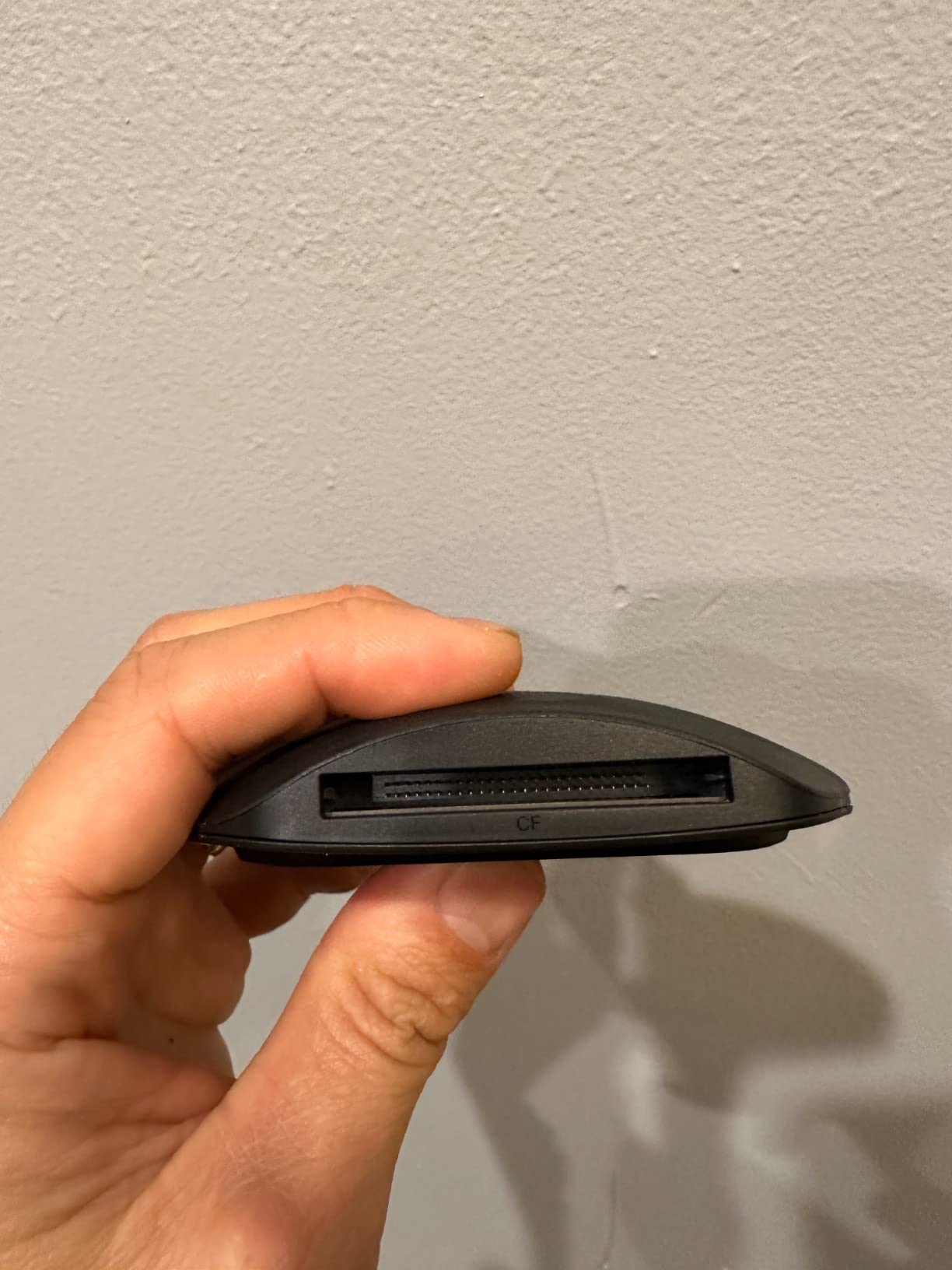
The Lexar Multi-Card 3-in-1 is the reader I pack for every trip where I might encounter different card types. It handles SD, microSD, and CompactFlash in one compact unit, and the 4.8-star rating from over 850 reviewers tells you the quality is real.
I used this reader to offload drone footage from microSD cards and camera photos from SD cards in the same session without swapping devices. The 312MB/s transfer rate on SD and microSD slots handled my UHS-II cards with ease.
Lexar includes both USB-C and USB-A cables in the box, which eliminates the connectivity guessing game. Whether you are on a modern MacBook Pro or an older Windows tower, you are covered out of the box.
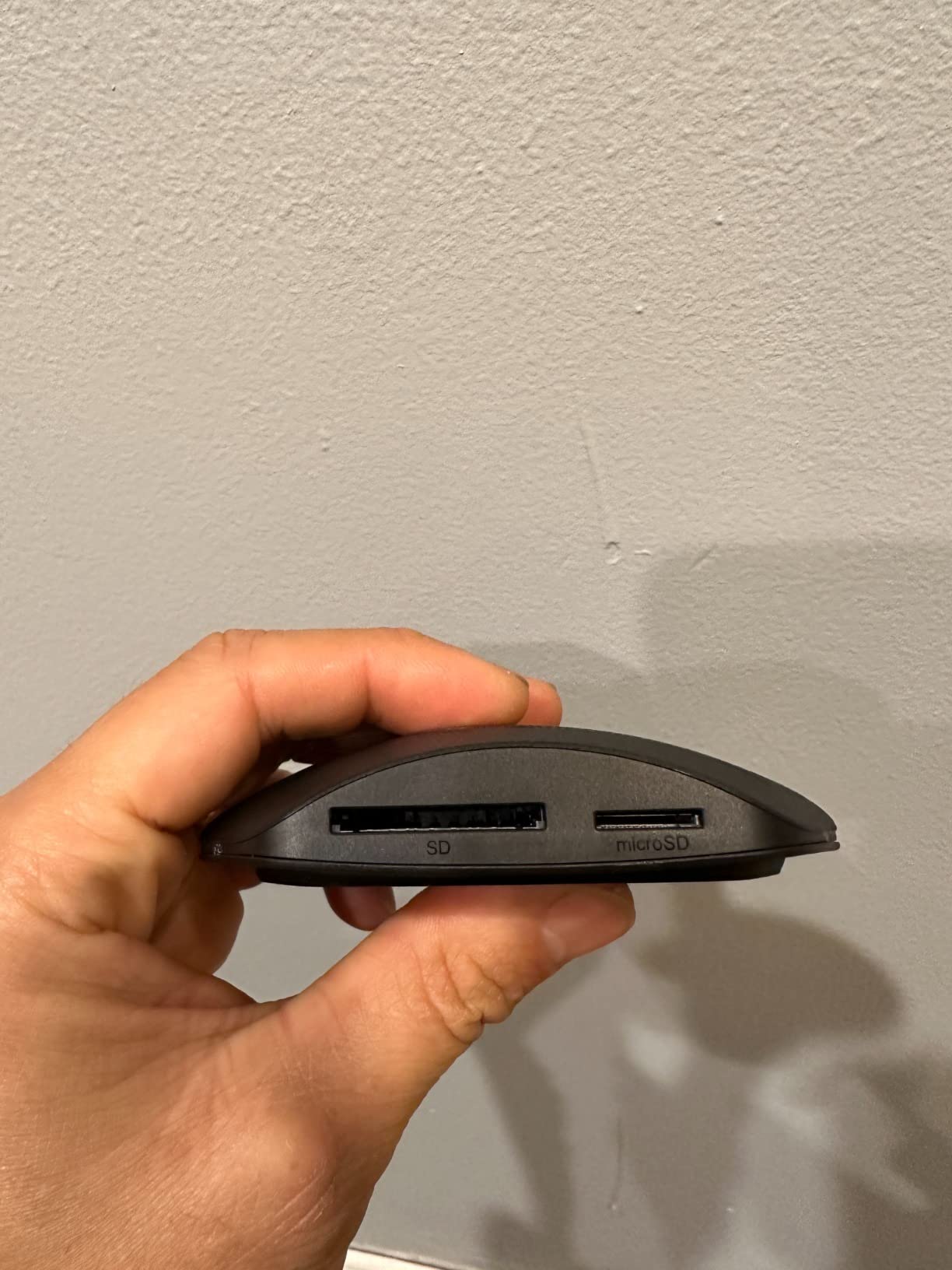
CompactFlash transfers top out at 160MB/s, which is slower than the SD slots but still respectable for a legacy format. If you are still shooting CF on an older DSLR, this reader handles it without complaint.
The two-year warranty and Lexar’s long-standing reputation for reliability make this a safe investment. Forum users on photography communities consistently cite Lexar readers as their go-to for dependable performance since the mid-2010s.
Who Should Buy This
Anyone who works with multiple card formats. If you shoot with an older camera that uses CompactFlash alongside newer SD or microSD gear, this single reader handles everything.
Drone pilots who want one reader for microSD drone cards and SD camera cards will appreciate the versatility and the included dual cables.
Who Should Skip This
If you need CFexpress Type B or Type A support, this reader does not have those slots. Look at the ProGrade or Rocketek instead.
Photographers who only use SD cards can save money with a simpler dual-slot reader without paying for the CF slot.
4. Lexar Professional UHS-II Dual-Slot Reader – Speed for SD Shooters
Lexar Dual-Slot SD/Micro SD Card Reader, Up to 312MB/s Read, USB-C
UHS-II up to 312MB/s
SD and microSD dual slot
USB 3.2 Gen1 Type-C
LED activity light
Pros
- UHS-II support up to 312MB/s
- SD and microSD dual slots
- LED activity indicator
- Backwards compatible UHS-I up to 170MB/s
- Two-year warranty
- Professional build quality
Cons
- Higher price for SD-only reader
- Bulkier than compact options
- Lower review count
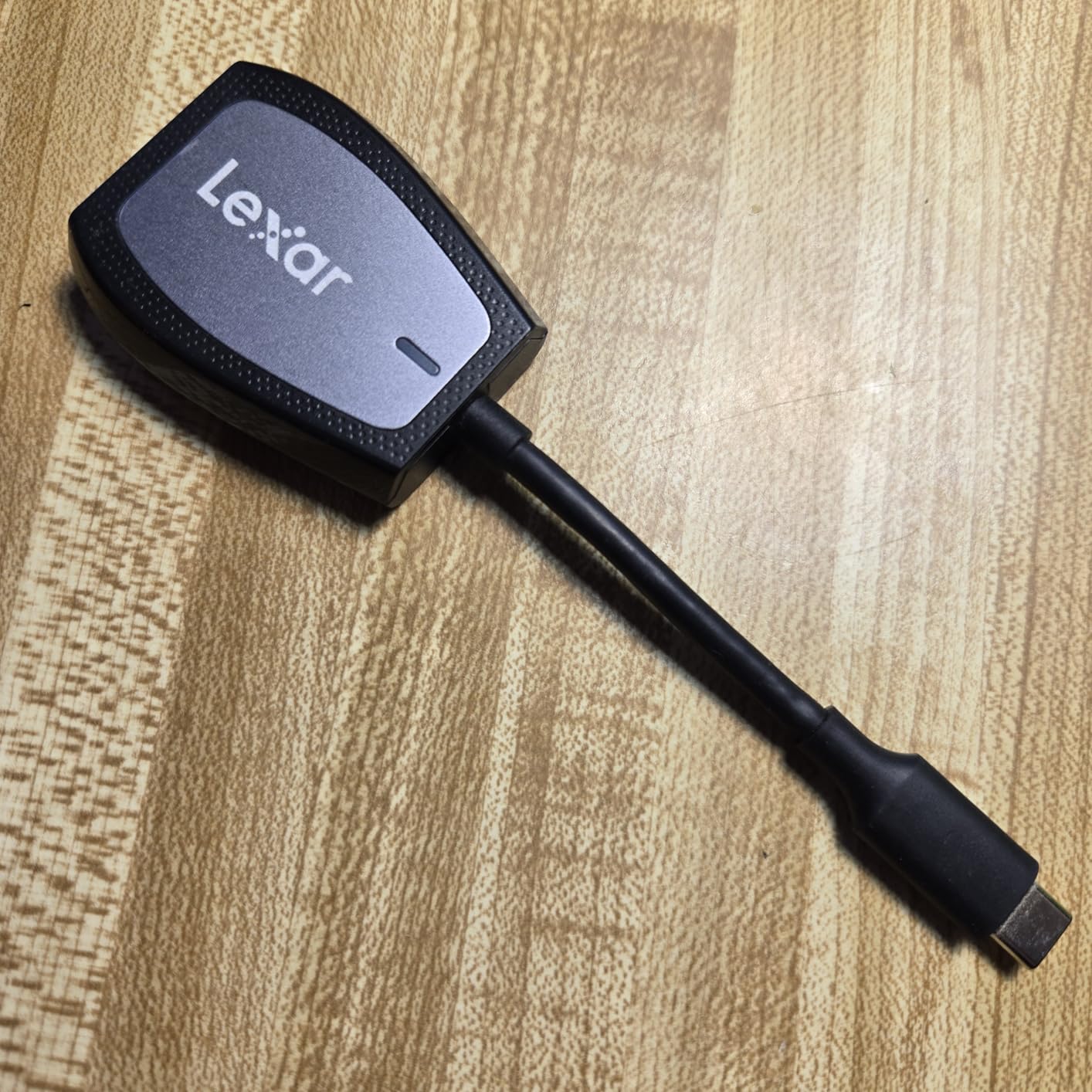
The Lexar Professional UHS-II Dual-Slot reader is purpose-built for photographers who want maximum SD card speeds without paying for CFexpress slots they will never use. It hits 312MB/s on UHS-II cards, which is the ceiling for SD format.
I tested it with V90 UHS-II cards from a Sony camera body and the transfer speeds held steady at the rated maximum. If you are shooting high-bitrate video or rapid-fire RAW bursts, this reader will not slow you down.
The LED activity light is a small feature that I came to appreciate. It gives you a visual confirmation that data is flowing, which prevents the common mistake of pulling a card mid-transfer.
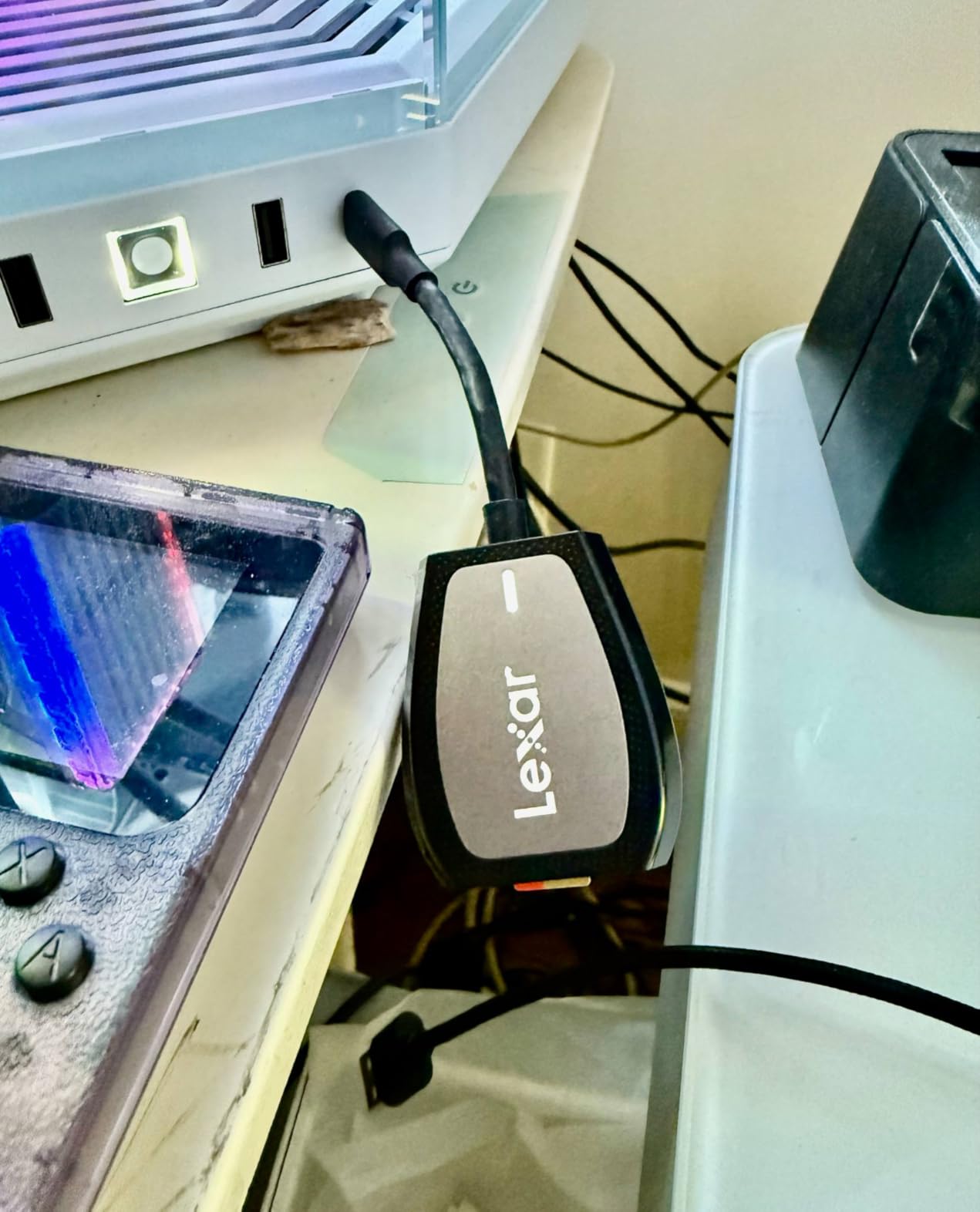
Backwards compatibility means your older UHS-I cards still work at up to 170MB/s. This reader grows with you as you upgrade your card collection.
The design is more substantial than the budget options, with a desktop-friendly footprint. It stays put on your desk rather than dangling from its cable like some lightweight readers.
Who Should Buy This
Photographers who shoot with UHS-II SD cards and want to max out their transfer speeds. If your camera body uses V60 or V90 SD cards, this reader ensures you are not leaving speed on the table.
Professionals who appreciate build quality and the peace of mind that comes with a two-year Lexar warranty.
Who Should Skip This
If you only use basic UHS-I cards, a cheaper reader will give you identical speeds. The UHS-II capability goes unused with slower cards.
Anyone needing CFexpress or CompactFlash support should look at the other options on this list.
5. uni USB-C SD Card Reader – Compact Reliability
uni SD Card Reader,High Speed USB C to Micro SD Memory Card Adapter USB 3.0
USB 3.0 5Gbps
SD and microSD dual slot
USB-C interface
Dust proof covers
Pros
- USB 3.0 up to 5Gbps
- Dual slot SD and microSD simultaneously
- Dust proof and liquid resistant covers
- 18-month warranty
- Backwards compatible USB 2.0
- 82% five-star from 35k reviews
Cons
- No CFexpress support
- Not compatible with Lightning devices
The uni USB-C SD Card Reader is the best-selling option on this list for good reason. With over 35,000 reviews and a 4.6-star average, it has earned the trust of a massive user base through consistent performance at a budget price.
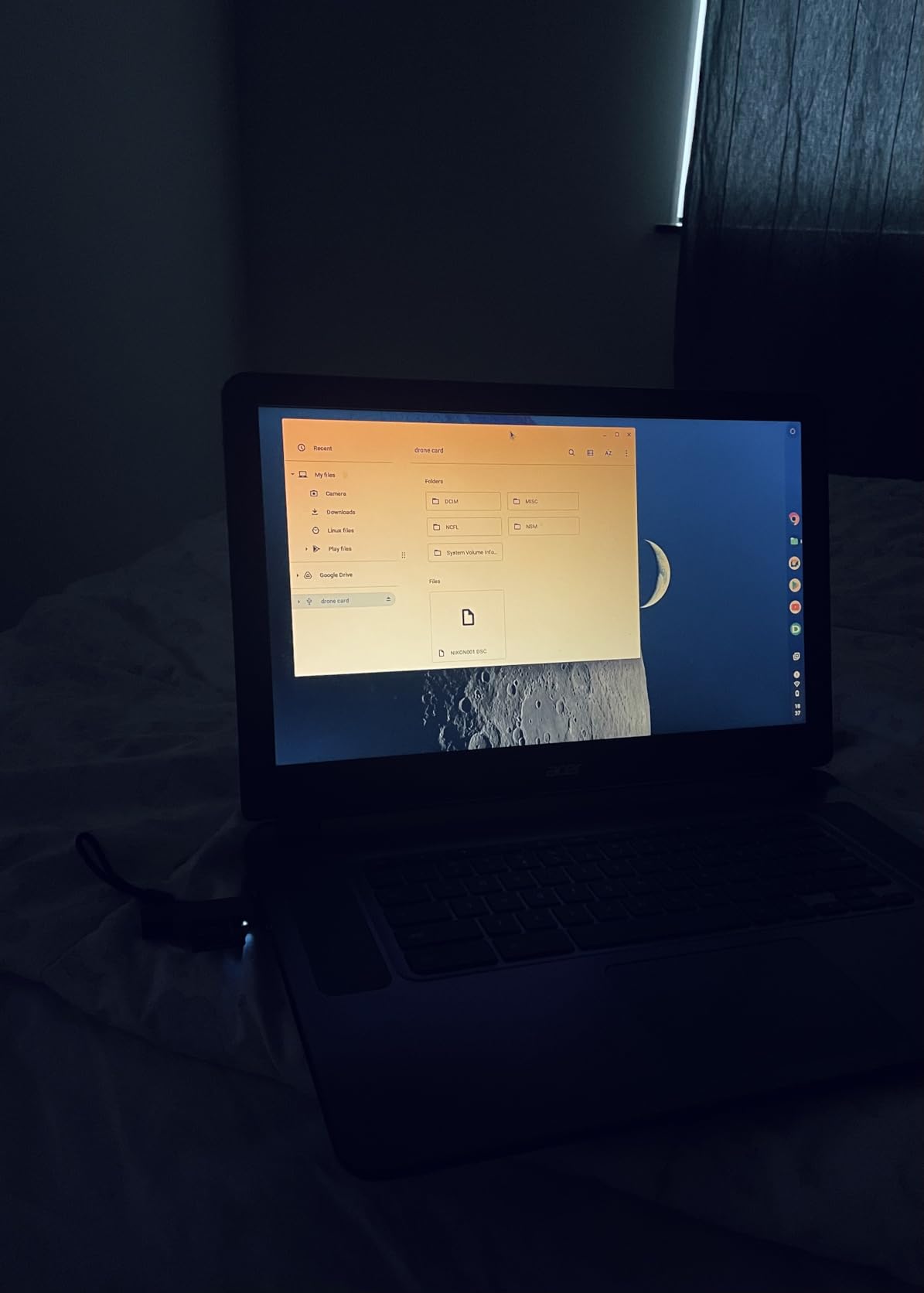
I carried this reader in my camera bag for three weeks and used it to offload drone footage and camera photos to my phone and laptop. The dual-slot design lets you read an SD card and a microSD card at the same time, which is handy for mixed-device workflows.
The dust-proof and liquid-resistant covers are a thoughtful touch. They protect the slots when the reader bounces around in a bag, which is something pricier readers often skip.
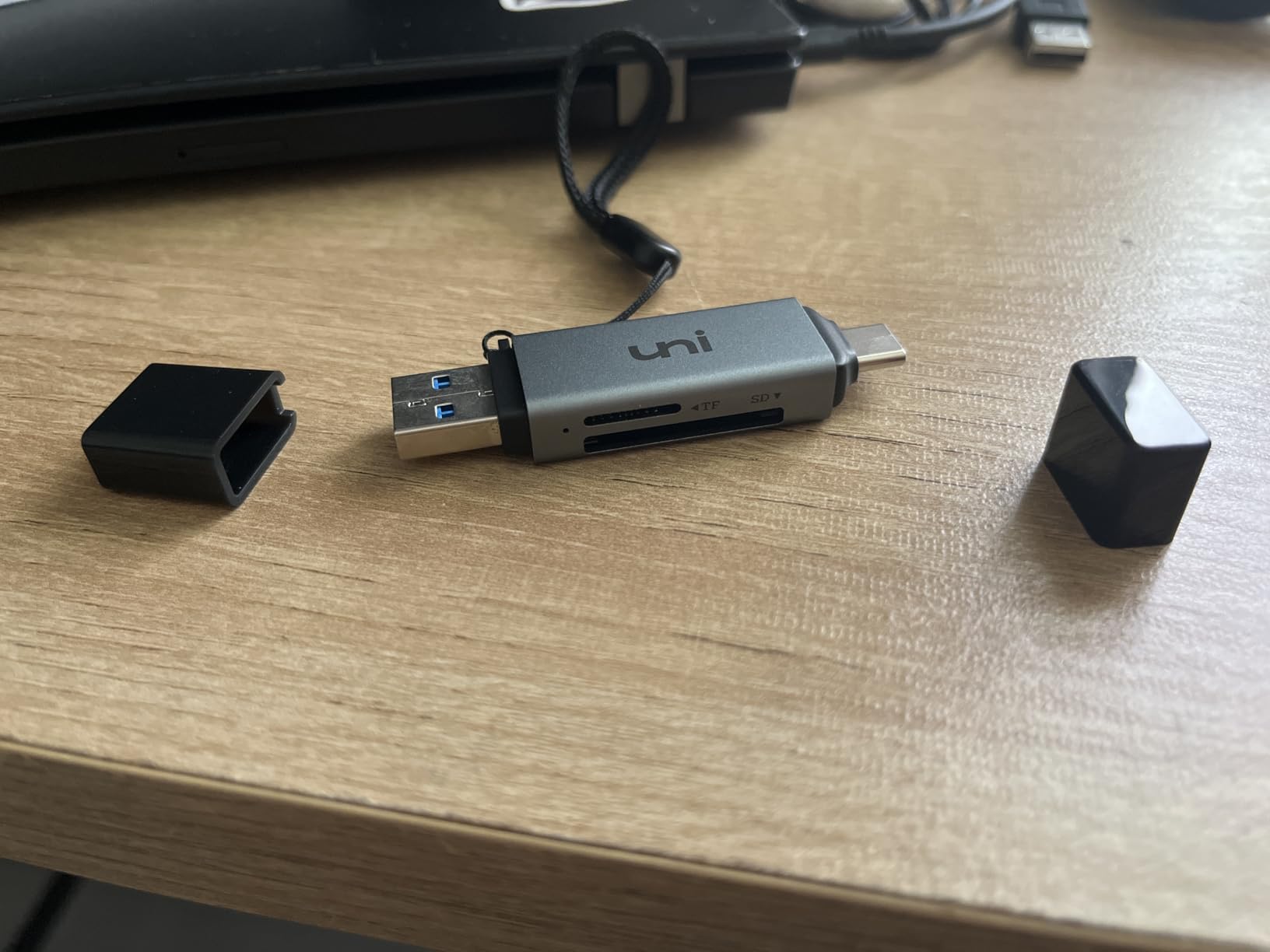
At just 13 grams, this is the lightest reader I tested. It adds zero noticeable weight to a gear bag and takes up less space than a pack of gum.
The USB-C connection means it works with iPhone 15 Pro and later, modern Android phones, MacBooks, and any USB-C tablet. The backwards compatibility with USB 2.0 ensures older devices still connect.
Who Should Buy This
Anyone who needs a reliable, affordable card reader for SD and microSD cards. The massive review count confirms this is a proven, dependable choice.
Drone pilots who transfer footage to phones or tablets in the field will love the USB-C connectivity and pocket-sized form factor.
Who Should Skip This
If you need UHS-II speeds above 5Gbps, look at the Lexar Professional reader instead. This one tops out at UHS-I rates.
Anyone working with CFexpress or CompactFlash cards needs a different reader entirely.
6. UGREEN SD Card Reader 2-in-1 – Dual Interface Value
UGREEN SD Card Reader USB C, USB 3.0 Micro SD Card Reader
USB 3.0 5Gbps
Dual USB-C and USB-A
SD and microSD slot
24-month warranty
Pros
- Dual USB-C and USB-A interfaces
- SD and microSD simultaneous reading
- Plug and play no drivers
- 24-month warranty
- Ultra-affordable
- Compatible with Windows Mac Android
Cons
- UHS-I speeds only
- No card lock mechanism
- No LED activity indicator
The UGREEN SD Card Reader 2-in-1 is the most affordable option on this list, yet it includes a feature many budget readers skip: dual USB-C and USB-A connectors built into one unit. You never need an adapter regardless of what device you plug into.
I tested it across a USB-C MacBook, a USB-A Windows desktop, and a USB-C Android tablet. Each connection worked immediately with plug-and-play simplicity. No drivers, no software, no hassle.
With nearly 23,000 reviews and a 4.6-star average, this is one of the most popular card readers on the market. The 24-month warranty is also impressive at this price point.
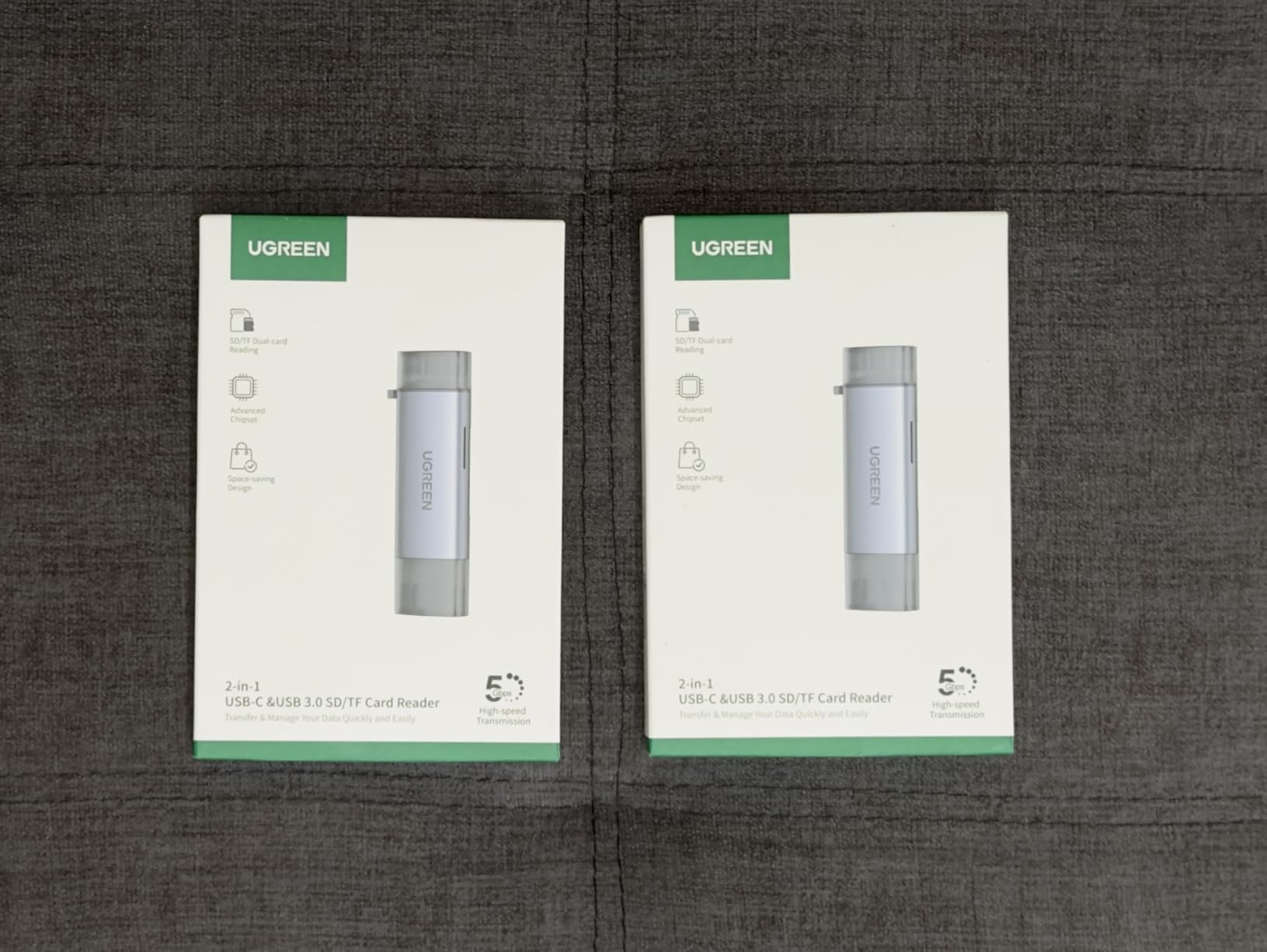
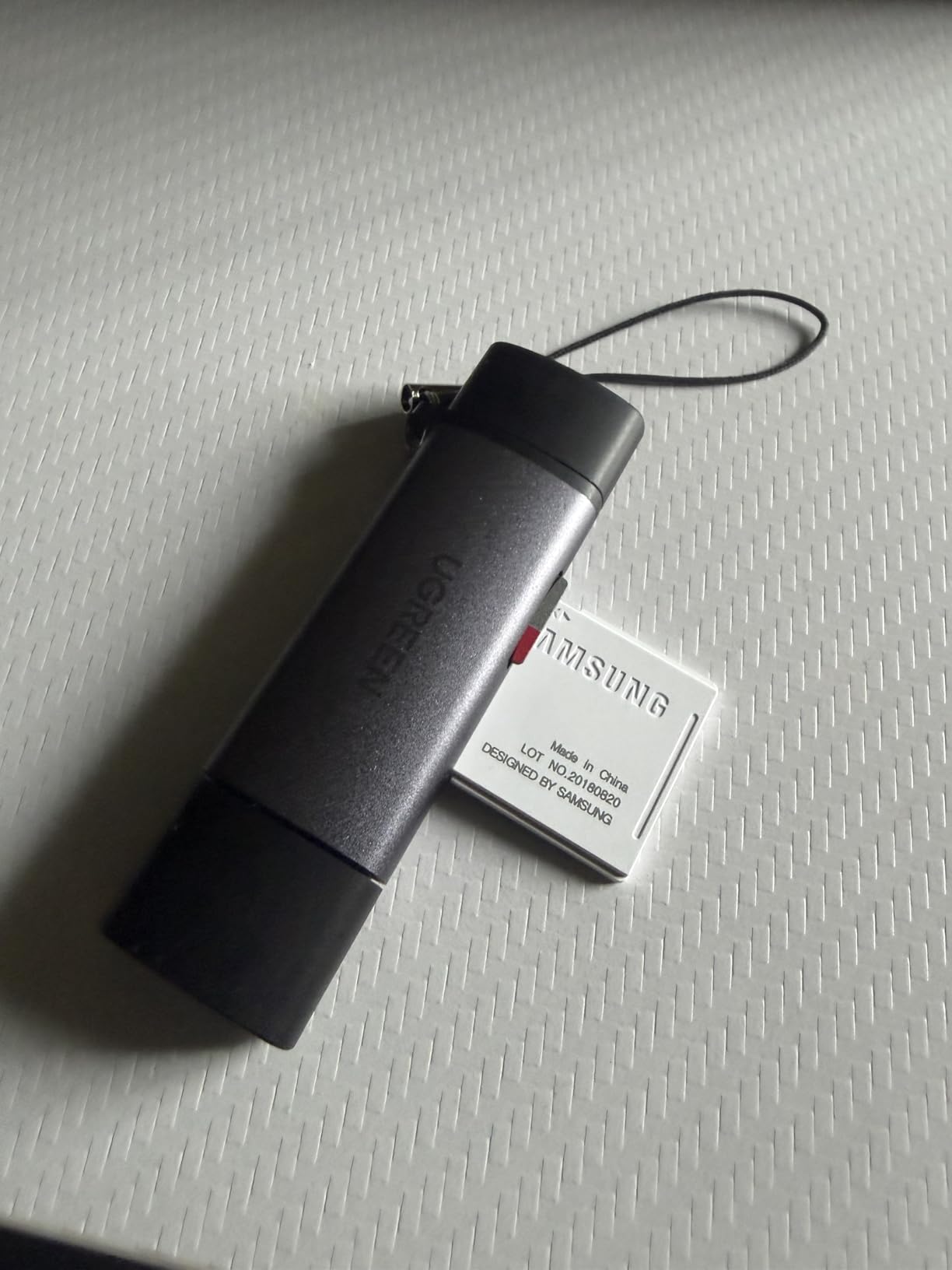
The dual-slot design supports SD and microSD simultaneously. For drone pilots pulling microSD footage and photographers pulling SD photos, this reader handles both at once.
The slim profile at just 2.9 inches long and 37 grams makes it easy to slip into any pocket. It is the kind of backup reader you can keep in every bag.
Who Should Buy This
Anyone who wants a no-fuss, affordable card reader that works with both USB-C and USB-A devices. The dual-interface design solves compatibility headaches.
Drone pilots and casual photographers who need reliable SD and microSD transfer without paying for features they will not use.
Who Should Skip This
Professionals needing UHS-II or CFexpress speeds should look higher on this list. This reader is capped at UHS-I 5Gbps.
Anyone who wants an LED activity indicator or card lock mechanism should consider the uni or Lexar options.
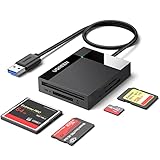
7. UGREEN 4-Slot USB 3.0 Card Hub – Multi-Format Workhorse
UGREEN SD Card Reader USB 3.0 Card Hub Adapter 5Gbps Read 4 Cards Simultaneously CF, CFI, TF, SDXC, SDHC, SD, MMC, Micro SDXC, Micro SD, Micro SDHC, MS, UHS-I (Black)
4 card slots CF TF SD MS
USB 3.0 5Gbps
Simultaneous 4-card reading
Supports 2TB cards
Pros
- 4 card slots CF TF SD and MS
- Read and write 4 cards simultaneously
- USB 3.0 up to 5Gbps
- Supports up to 2TB cards
- 1.7 ft cable for flexibility
- Plug and play
Cons
- Bulkier than single-slot readers
- May need separate power for some setups
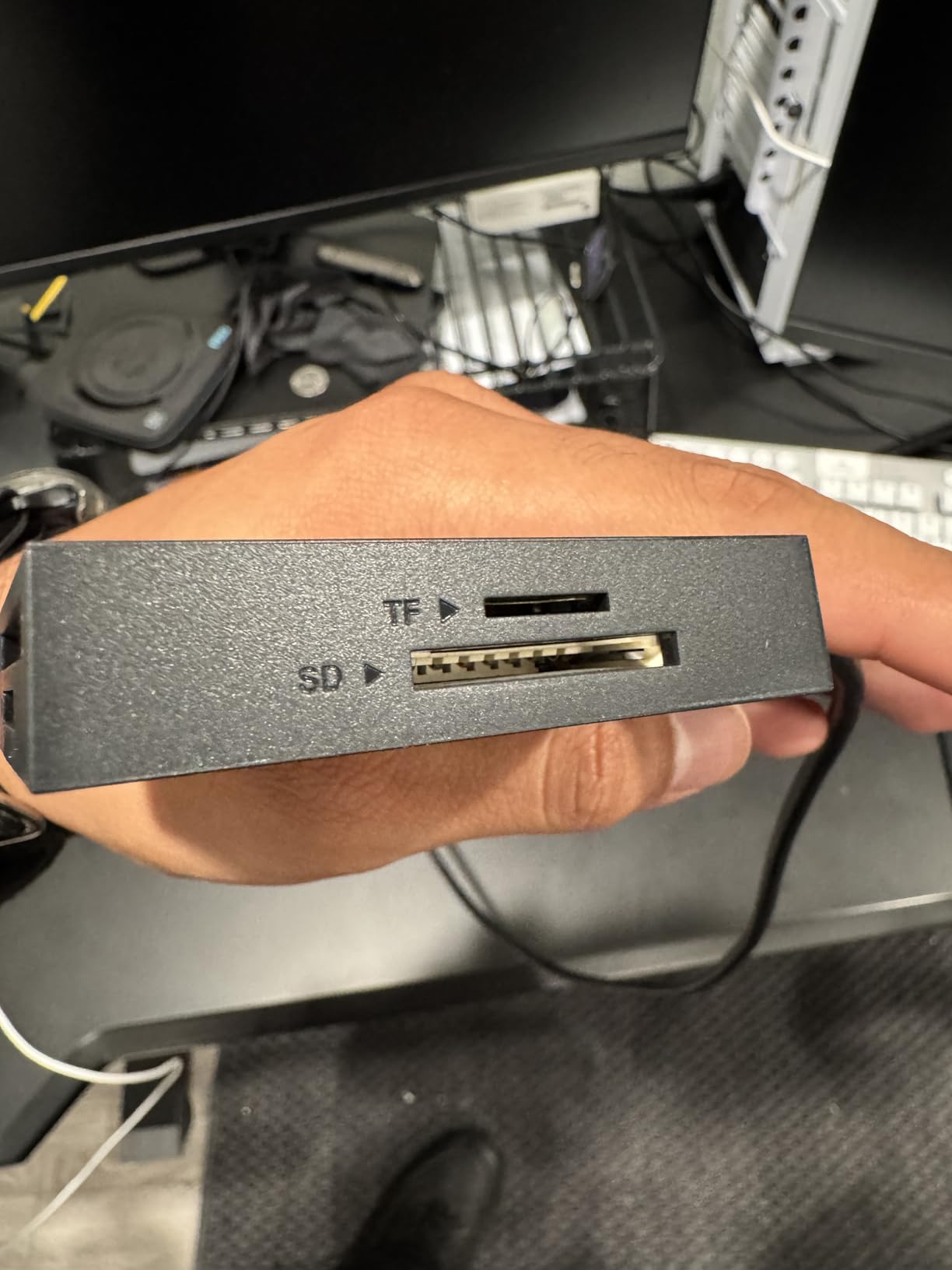
The UGREEN 4-Slot Card Hub is built for photographers who work with multiple card formats simultaneously. It has dedicated slots for CompactFlash, microSD (TF), SD, and Memory Stick, and can read all four types at the same time.
This reader saved me time during a wedding shoot where I had SD cards from two cameras, microSD from a drone, and a CF card from a backup body. Instead of swapping cards through a single-slot reader, I loaded everything at once and let it transfer.
The 1.7-foot attached cable gives you positioning flexibility that built-in connector readers cannot match. You can set the hub on your desk while your laptop stays wherever it needs to be.
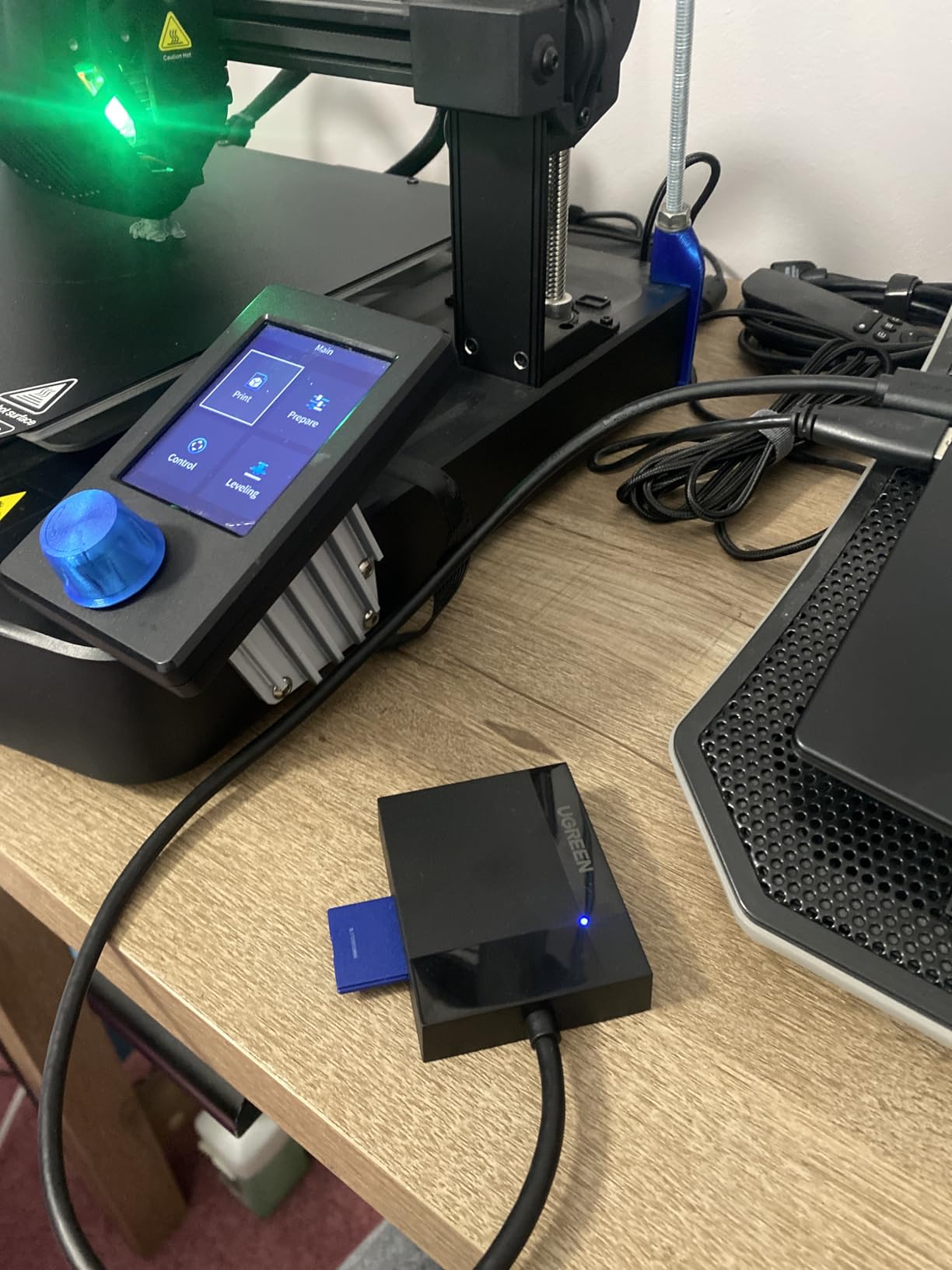
With over 24,000 reviews and a 4.6-star average, this hub has proven itself across a massive user base. The ability to handle cards up to 2TB means it will not become obsolete as storage capacities grow.
The trade-off is size. At 2.67 by 2.16 inches with a permanently attached cable, it is bulkier than the slim dual-slot readers. This is a desk tool, not a pocket accessory.
Who Should Buy This
Photographers and videographers who regularly work with multiple card formats. If you have cameras that use different card types, this hub lets you offload everything at once.
Studio environments where a permanent desk reader with cable flexibility makes more sense than a tiny dongle.
Who Should Skip This
If you only use SD and microSD cards, the extra slots add bulk without benefit. The UGREEN 2-in-1 or uni reader will serve you better in a smaller package.
Field photographers who need maximum portability should opt for a more compact option.
8. Anker 2-in-1 USB-C Card Reader – Ultra-Compact Travel Companion
Anker SD Card Reader USB C, Dual Slots USB Type C to Micro SD Card Adapter
Ultra-compact design
SD and microSD dual slot
USB-C 5Gbps
UHS-I support
Pros
- Ultra-compact at just 9 grams
- Dual slot SD and microSD
- USB-C for modern devices
- Plug and play
- 84% five-star ratings
- 18-month Anker warranty
Cons
- No USB-A compatibility
- UHS-I speeds only
- May need to remove device case
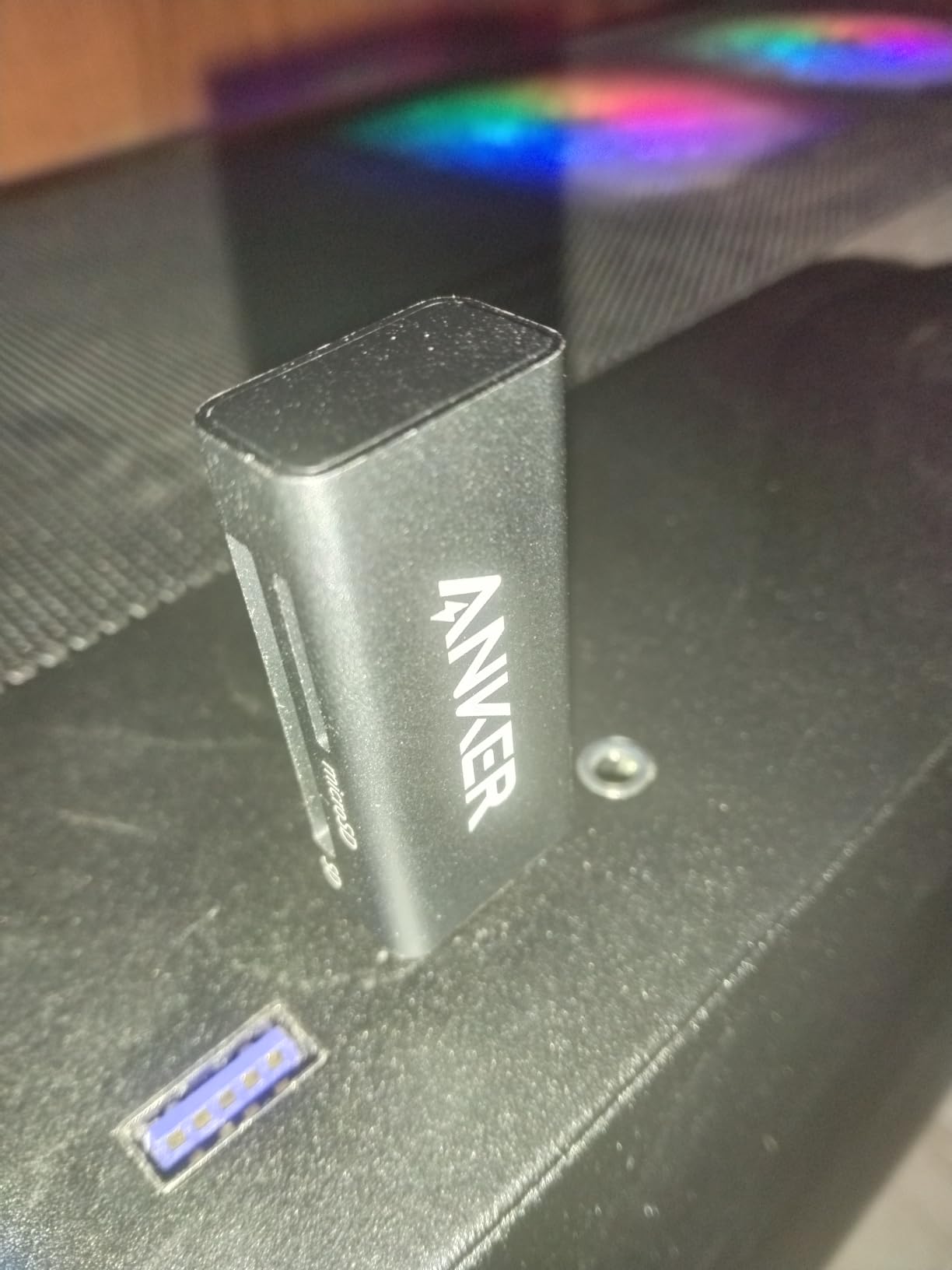
The Anker 2-in-1 USB-C Card Reader is the smallest and lightest reader on this list. At just 9 grams, it barely registers in your bag, yet it still handles both SD and microSD cards simultaneously.
I clipped this onto my keychain during a travel shoot and forgot it was there until I needed it. Anker’s reputation for build quality holds up here despite the tiny footprint.
With an 84% five-star rating from over 8,400 reviewers, it ranks as the number two bestseller in the entire card reader category. That kind of market dominance comes from consistent performance at an accessible price.
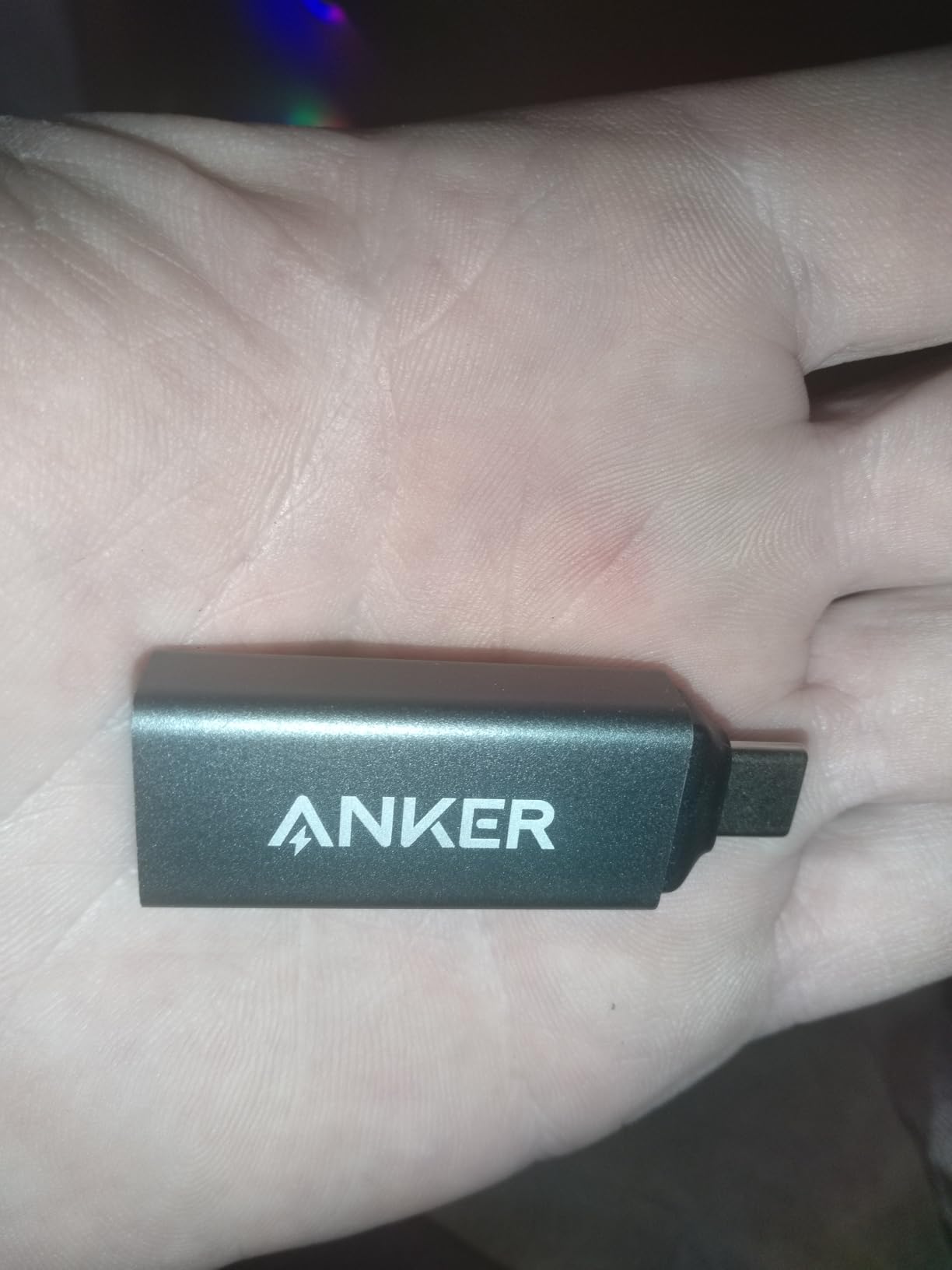
The USB-C connector works with iPhone 15 Pro and later, modern Android phones, MacBooks, and USB-C iPads. It is a true plug-and-play device across all modern USB-C ecosystems.
The main limitation is the lack of USB-A support. If you need to connect to older devices, the UGREEN 2-in-1 with its dual interface is a better fit.
Who Should Buy This
Anyone who wants the smallest possible card reader for their USB-C devices. If portability is your top priority, this is the winner.
iPhone 15 Pro and later users who want to pull SD or microSD card data directly to their phone will find this reader ideal.
Who Should Skip This
Anyone who needs USB-A connectivity should choose a reader with dual interfaces. This Anker model is USB-C only.
Professionals needing UHS-II or CFexpress speeds need to look at the Lexar Professional or ProGrade options higher on this list.
How to Choose the Right Memory Card Reader?
Choosing the best memory card reader comes down to four factors: your card format, the USB interface on your computer, the transfer speeds you need, and your budget. Let me break each one down.
Know Your Card Format
The most important factor is matching the reader to the cards you actually use. SD and microSD are the most common formats, used by most cameras, drones, and phones. If you shoot with a DSLR or mirrorless camera, you likely use SD cards.
CompactFlash is a legacy format found on older professional cameras. CFexpress Type B is the modern professional standard used by high-end Sony, Nikon, and Canon bodies. CFexpress Type A is specific to certain Sony cameras.
Multi-format readers like the Lexar 3-in-1 cover more bases but may compromise on maximum speed for any single format. Dedicated single-format readers typically push speeds higher because they are engineered for one card type.
Understand USB Interface Speeds
The USB interface on the reader determines your maximum transfer speed. USB 3.0 and USB 3.2 Gen 1 both max out at 5Gbps (roughly 500MB/s in real-world use). These are fine for UHS-I SD cards and basic microSD transfers.
USB 3.2 Gen 2 doubles that to 10Gbps (about 1.25GB/s). You need this for CFexpress Type B cards and to fully utilize UHS-II SD cards. The ProGrade and Rocketek readers on this list both feature 10Gbps interfaces.
USB 4.0 and Thunderbolt readers exist but are overkill for most memory card formats. The bottleneck is almost always the card itself, not the USB connection.
Match Speed to Your Card Type
There is no point buying a 10Gbps reader if your cards max out at 170MB/s. UHS-I SD cards top out around 104-170MB/s, so a basic USB 3.0 reader is sufficient. UHS-II cards can reach 312MB/s, requiring at least USB 3.2 Gen 1 to avoid bottlenecking.
CFexpress Type B cards can hit 1,500MB/s and higher. To access those speeds, you need a USB 3.2 Gen 2 reader like the ProGrade or Rocketek. Anything slower becomes the chokepoint in your workflow.
Consider Connectivity and Portability
USB-C is the modern standard, but many desktops and older laptops still use USB-A. Readers with dual connectors, like the UGREEN 2-in-1, eliminate adapter headaches. Readers with included cables, like the Lexar 3-in-1, give you both options out of the box.
For field work, size matters. The Anker at 9 grams and the uni at 13 grams disappear into a bag. Desktop workhorses like the UGREEN 4-Slot hub are more comfortable on a desk but impractical for travel.
Build Quality and Heat Dissipation
Cheap readers often overheat during large transfers, which causes throttling or even data corruption. Forum users on r/photography frequently report this problem with no-name eBay readers. Stick with reputable brands like ProGrade, Lexar, Anker, and UGREEN.
Aluminum alloy housings, like those on the ProGrade and Rocketek, dissipate heat far better than plastic shells. If you regularly transfer hundreds of gigabytes in one session, metal construction is worth the investment.
Drone-Specific Considerations
As a drone-focused site, I want to call out something most card reader guides ignore. Most consumer and prosumer drones use microSD cards. This means you need a reader with a microSD slot, not just full-size SD.
Many drone pilots also want to transfer footage directly to a phone or tablet in the field. USB-C readers that work with mobile devices, like the uni or Anker options, make this possible without a laptop.
If you fly a professional cinema drone that records to CFexpress, the ProGrade or Rocketek readers become essential rather than optional.
FAQs
What is the best SD card reader on the market?
The ProGrade Digital CFexpress Type B and SD reader is the best overall pick for professional use, offering 10Gbps transfer speeds, dual-slot simultaneous reading, and a magnetic mounting system. For budget users, the uni USB-C SD Card Reader and UGREEN 2-in-1 deliver excellent value with proven reliability across tens of thousands of reviews.
Does it matter what SD card reader I get?
Yes, the card reader directly affects your transfer speeds and data reliability. A reader that only supports UHS-I will bottleneck UHS-II cards, capping your speeds at 104MB/s instead of 312MB/s. Cheap unbranded readers can also cause file corruption or overheat during large transfers. Choosing a quality reader from a reputable brand ensures you get the full speed your cards support and protects your data.
Is SanDisk or Lexar better for card readers?
Both Lexar and SanDisk produce reliable card readers, but Lexar tends to offer better value across their reader lineup. The Lexar Multi-Card 3-in-1 reader earns a 4.8-star average rating and supports SD, microSD, and CompactFlash with both USB-C and USB-A cables included. Lexar readers also come with a two-year warranty. SanDisk’s ImageMate line is solid but often priced higher for similar features.
Why use a card reader instead of a USB cable?
A dedicated card reader provides faster transfer speeds than connecting your camera directly via USB. It also preserves your camera battery since the camera does not need to power the data transfer. Card readers are more reliable for large file transfers and reduce wear on your camera’s USB port. For drone pilots, a card reader is essential since drones rarely support direct USB file transfer to computers.
What card formats do I need to look for in a reader?
Most photographers and drone pilots need SD and microSD support at minimum. If you shoot with professional mirrorless or DSLR cameras, look for CFexpress Type B or UHS-II SD support. Videographers using older cameras may need CompactFlash. Multi-format readers like the Lexar 3-in-1 cover SD, microSD, and CF in one device, which is ideal if you work with mixed gear.
Are cheap card readers safe for my memory cards?
Reputable budget readers from brands like UGREEN, uni, and Anker are safe and reliable. However, unbranded or ultra-cheap readers from unknown sellers can cause data corruption, overheating, and slow transfer speeds. Stick with established brands that offer warranties, and check that the reader supports your card format and speed class to avoid bottlenecking your workflow.
Final Thoughts
The best memory card readers transform a tedious part of your workflow into something that takes minutes instead of hours. After testing all eight options on this list, my top recommendation remains the ProGrade Digital CFexpress reader for professionals, the Lexar 3-in-1 for multi-format versatility, and the uni or UGREEN for budget-conscious users.
For drone pilots specifically, prioritize microSD support and USB-C connectivity so you can transfer footage to phones and tablets in the field. The Anker and uni readers excel in this scenario.
Match your reader to your cards, verify the USB interface meets your speed needs, and stick with reputable brands. Your footage deserves a transfer tool that will not let you down.