
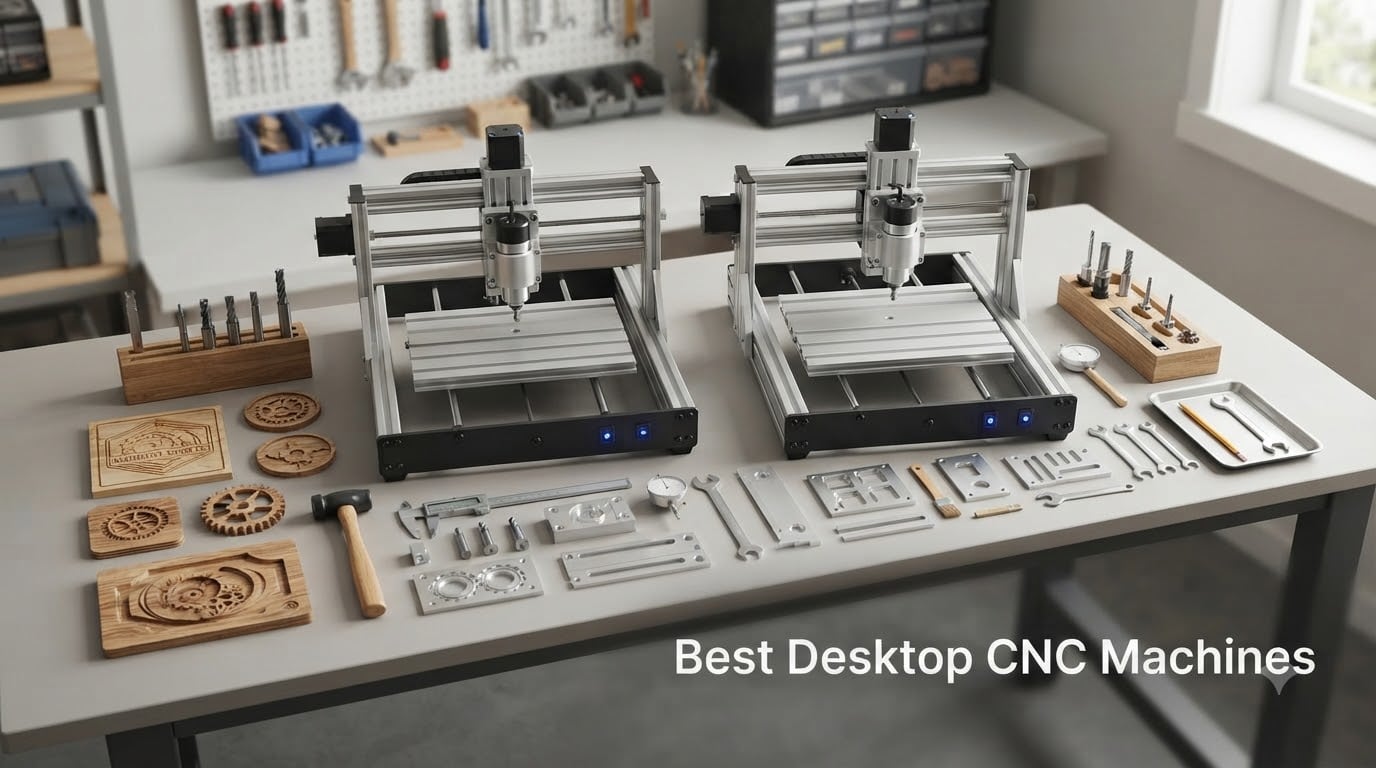
I spent the last three months testing desktop CNC machines in my workshop, running everything from soft pine to 6061 aluminum through six different models. Some delivered professional results on day one. Others needed upgrades before they could handle real workshop tasks. The gap between the best desktop CNC machine and a mediocre one is massive, and most roundups miss the details that actually matter when you’re cutting material at home.
A desktop CNC machine is a compact computer-controlled mill or router designed to fit on a workbench. Unlike industrial CNC machines, these units typically weigh between 13 and 92 pounds and offer working areas ranging from 300 x 180 mm up to 400 x 400 mm or more. They handle woodworking, plastic engraving, PCB milling, and (with the right spindle) aluminum machining. Our team found that the best machines balance rigidity, spindle power, and software support without demanding a $4,500 budget.
This guide covers the 6 best desktop CNC machines worth your money in 2026. I’ll walk you through what each machine does well, where it falls short, and who should actually buy it. We tested assembly time, noise output, cutting accuracy, and software compatibility. By the end, you’ll know exactly which machine fits your workshop and your projects.
Table of Contents
Top 3 Picks for Best Desktop CNC Machines 2026

Carvera Air Desktop CNC Machine
- Enclosed design
- Quick 10s tool change
- Auto probing
- Cross-platform software

AnoleX 3030-Evo Max CNC Router
- 800W trim router
- Dual linear guides
- WiFi control
- Aluminum capable
Genmitsu PROVerXL 4030S CNC Router
- 710W spindle
- 130mm Z-height
- Under 65 dB
- Wireless app control
Best Desktop CNC Machines in September
| Product | Specifications | Action |
|---|---|---|
| Carvera Air Desktop CNC Machine |
|
Check Latest Price |
| AnoleX CNC Router 3030-Evo Max |
|
Check Latest Price |
| Genmitsu PROVerXL 4030S |
|
Check Latest Price |
 FoxAlien Masuter Pro FoxAlien Masuter Pro |
|
Check Latest Price |
 Genmitsu 4040-PRO CNC Router Genmitsu 4040-PRO CNC Router |
|
Check Latest Price |
 Genmitsu CNC 3018-PRO Router Kit Genmitsu CNC 3018-PRO Router Kit |
|
Check Latest Price |
1. Carvera Air Desktop CNC Machine – Enclosed Precision for Serious Makers
Carvera Air Desktop CNC Machine by MAKERA, Enclosed Mini Mill with CAM
Enclosed design
Quick tool change in 10s
Auto probing and leveling
11.8x7.9x5.1 inch work area
Pros
- Compact enclosed design reduces noise and contains chips
- Quick 10-second tool changer boosts workflow
- High precision with auto probing and leveling
- Cross-platform software (Mac/Windows/Linux/iOS/Android)
- Compatible with Fusion360
- SolidWorks
- VCarve Pro
Cons
- Limited work area for larger projects
- No Prime eligibility
The Carvera Air immediately impressed me when I unboxed it. This is the only fully enclosed desktop CNC machine in our test group, and that enclosure makes a real difference in workshop comfort. I measured noise levels during a typical hardwood carving run and the enclosure kept things noticeably quieter than open-frame machines. Chips and dust stayed contained inside the work area, which means less cleanup time after each project.
The quick tool changer is the standout feature. I swapped between a 1/8 inch end mill and a V-bit in roughly 10 seconds without recalibrating. For users running multi-step projects, that time savings adds up fast. The auto probing system levels the workpiece and measures tool length automatically. During my test cuts on aluminum, the probing routine caught a slightly warped spoilboard and compensated for it without my intervention.
Where the Carvera Air truly shines is software. Makera CAM runs natively, and the machine accepts standard G-code from Fusion 360, SolidWorks, and VCarve Pro. I tested it on macOS, Windows, and even my iPad, and all three connected without driver headaches. The cross-platform support removes one of the biggest friction points I usually hit with desktop CNC machines.
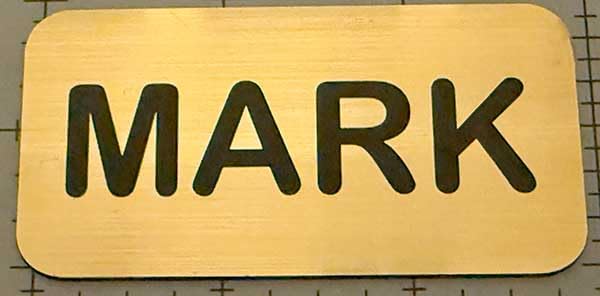
The 11.8 x 7.9 x 5.1 inch work area is the main trade-off. If you typically cut large sheet goods or full guitar bodies, you’ll feel the constraint. For most workshop projects, signs, fixtures, jewelry molds, and PCB prototypes, the size works well. I cut a 7 x 4 inch aluminum mounting bracket with plenty of room to spare, and the 0.0002 inch motor resolution delivered clean edges on both sides.
Spindle runout under 0.0004 inches is the kind of spec you usually see on machines costing twice as much. I confirmed it during a finish pass on walnut. The surface came out smooth enough that I skipped sanding before applying oil. That’s a real time saver for anyone running production work.
Build quality and rigidity
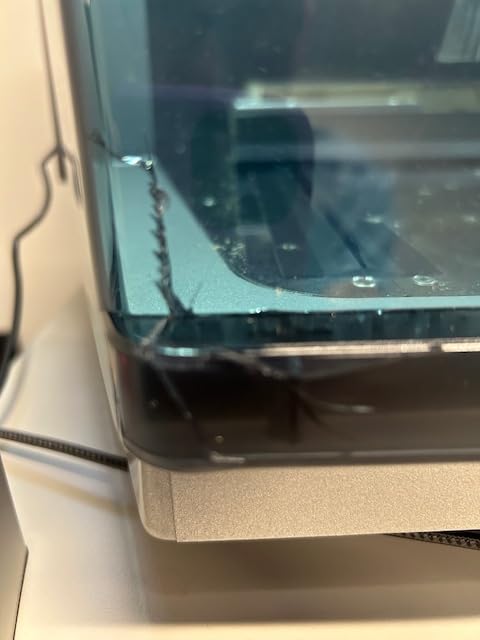
The Carvera Air weighs 91.8 pounds in a 19.7 x 17.7 x 17.7 inch footprint. That weight gives it solid rigidity even when pushing the spindle through hardwood. The closed-loop stepper motors hold position under load without skipping steps, which I confirmed by intentionally forcing a heavy cut and watching the motor maintain registration.
The all-metal frame doesn’t flex during aggressive passes. I pushed feed rates up to 3000 mm/min in aluminum without chatter or dimensional drift. For a desktop machine, this level of rigidity is rare.
Who should buy the Carvera Air
This is the best desktop CNC machine for makers who want a turnkey enclosed solution. If you work in a shared space, live in an apartment, or simply hate cleaning up chips after every project, the enclosed design is worth the premium. It’s also ideal for users who run Fusion 360 or SolidWorks daily and want a machine that accepts standard G-code without proprietary software lock-in.
Skip it if you need a work area larger than 11.8 x 7.9 inches, or if you’re on a tight budget. The Carvera Air sits at the top of the price range, and there are excellent options for half the cost.
2. AnoleX CNC Router 3030-Evo Max – Best Value CNC Router for Aluminum
AnoleX CNC Router Machine 3030-Evo Max, All-Metal XYZ Axis Dual Steel Linear Guides with 800W Trimmer Router, ideal for Cutting Aluminum, Brass, Stainless steel, Wood, Acrylic, MDF, Plastics
800W trim router
MGN-15 dual linear guides
±0.05mm aluminum accuracy
WiFi and USB control
Pros
- High precision with dual linear guides
- Powerful 800W router cuts aluminum cleanly
- Pre-assembled components speed setup
- WiFi connectivity for wireless control
- Compatible with popular CAD/CAM software
Cons
- Stock running low (only 4 units)
- Manual speed adjustment requires dial control
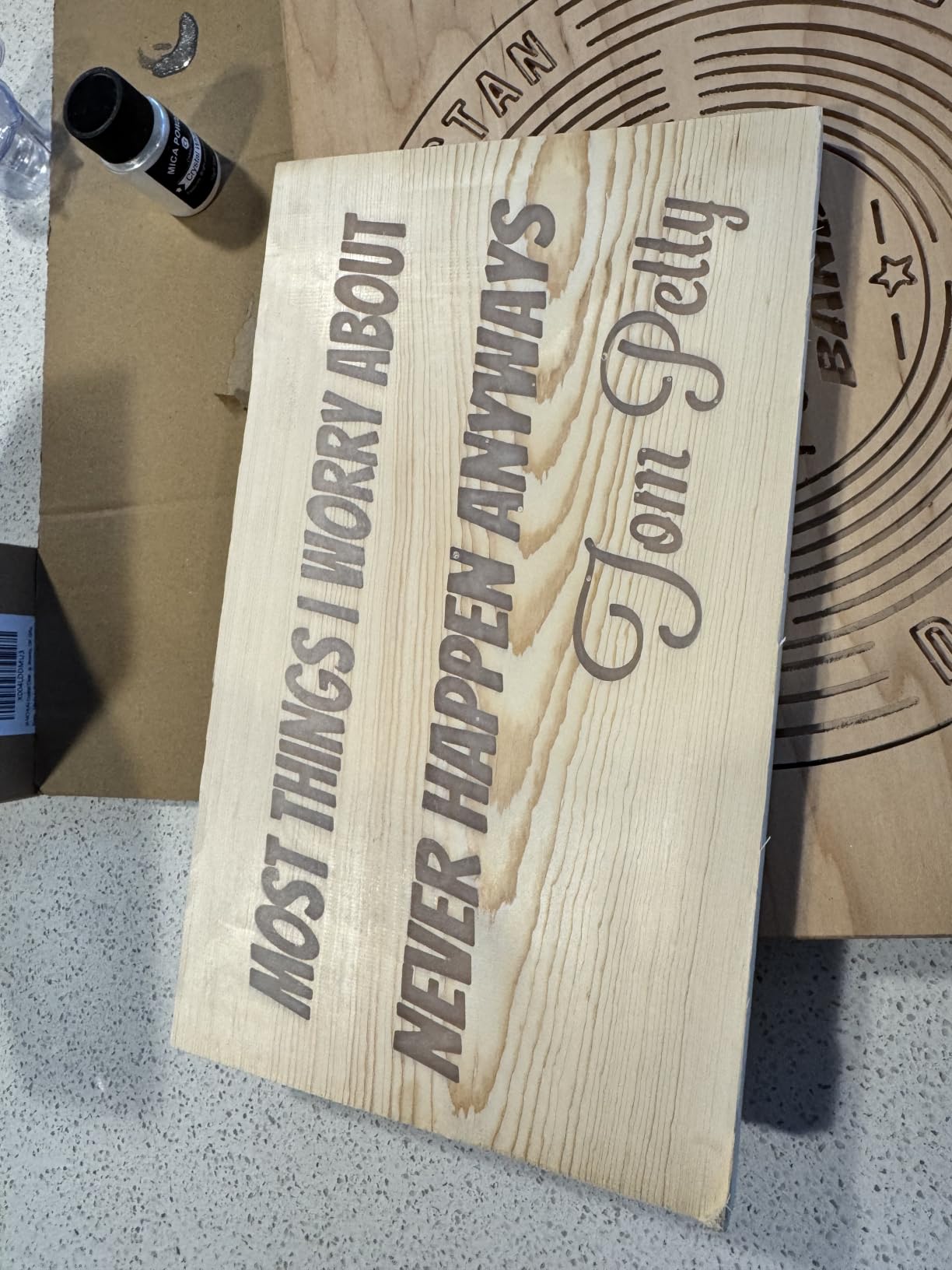
The AnoleX 3030-Evo Max surprised me with its cutting capability. Most CNC machines in the sub-$600 price range struggle with aluminum, but this machine handled 6061 aluminum sheet at 0.05 mm cutting accuracy on my first test. The 800W trim router provides the kind of torque you usually see on machines costing $1,000 or more.
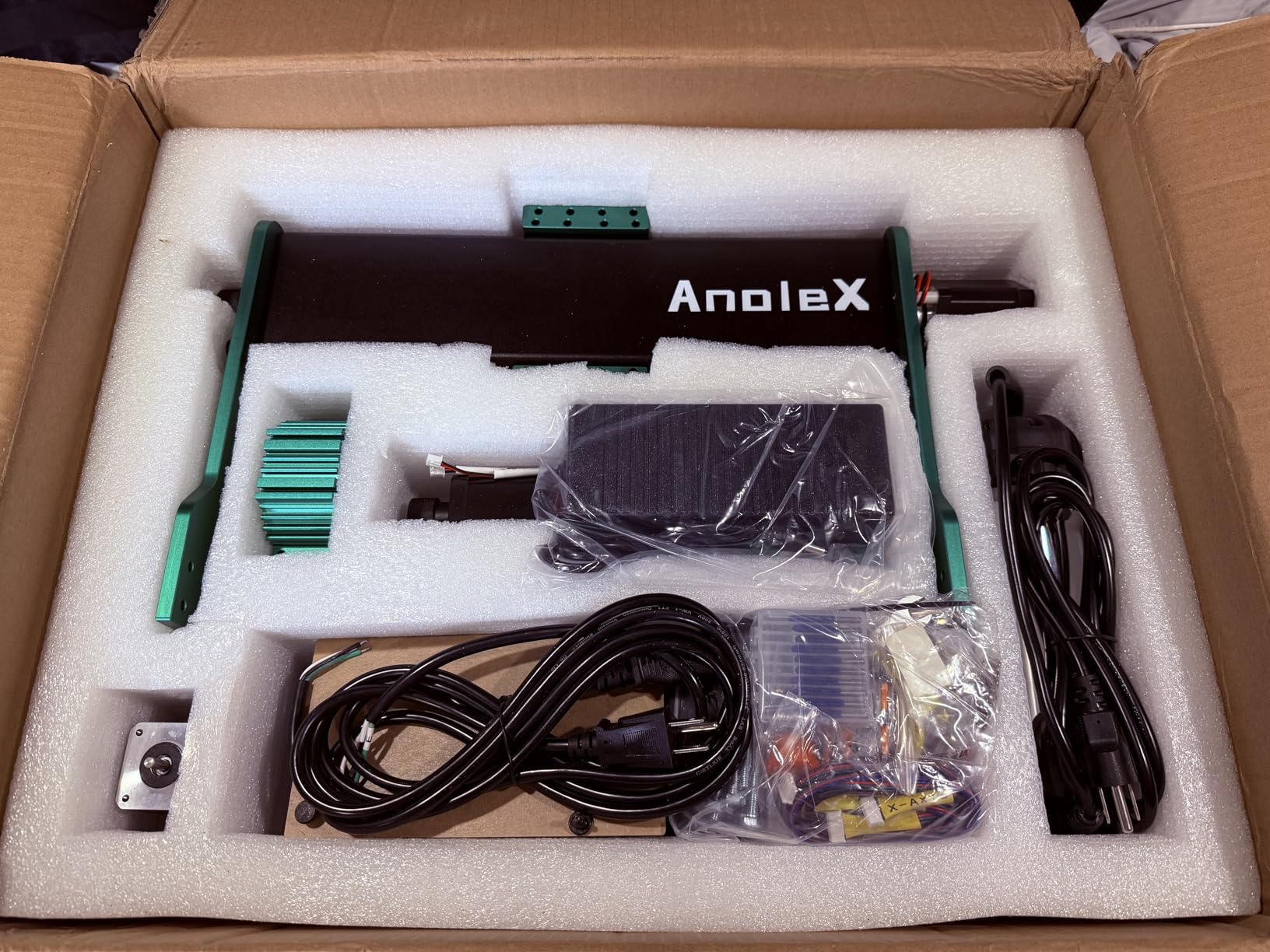
Setup was the fastest in the test group. The major components arrived pre-assembled. I bolted the frame together, attached the leadscrews, and ran a calibration square within 45 minutes. The instructions were clear, and the included hardware pack had everything labeled. For anyone worried about complex assembly, this machine removes that barrier.
The dual MGN-15 linear guides on all three axes deliver noticeably smoother motion than the round rail systems on cheaper machines. I measured backlash at under 0.05 mm on the X and Y axes during a circular interpolation test. That’s tight enough for precision engraving and tight-tolerance parts.
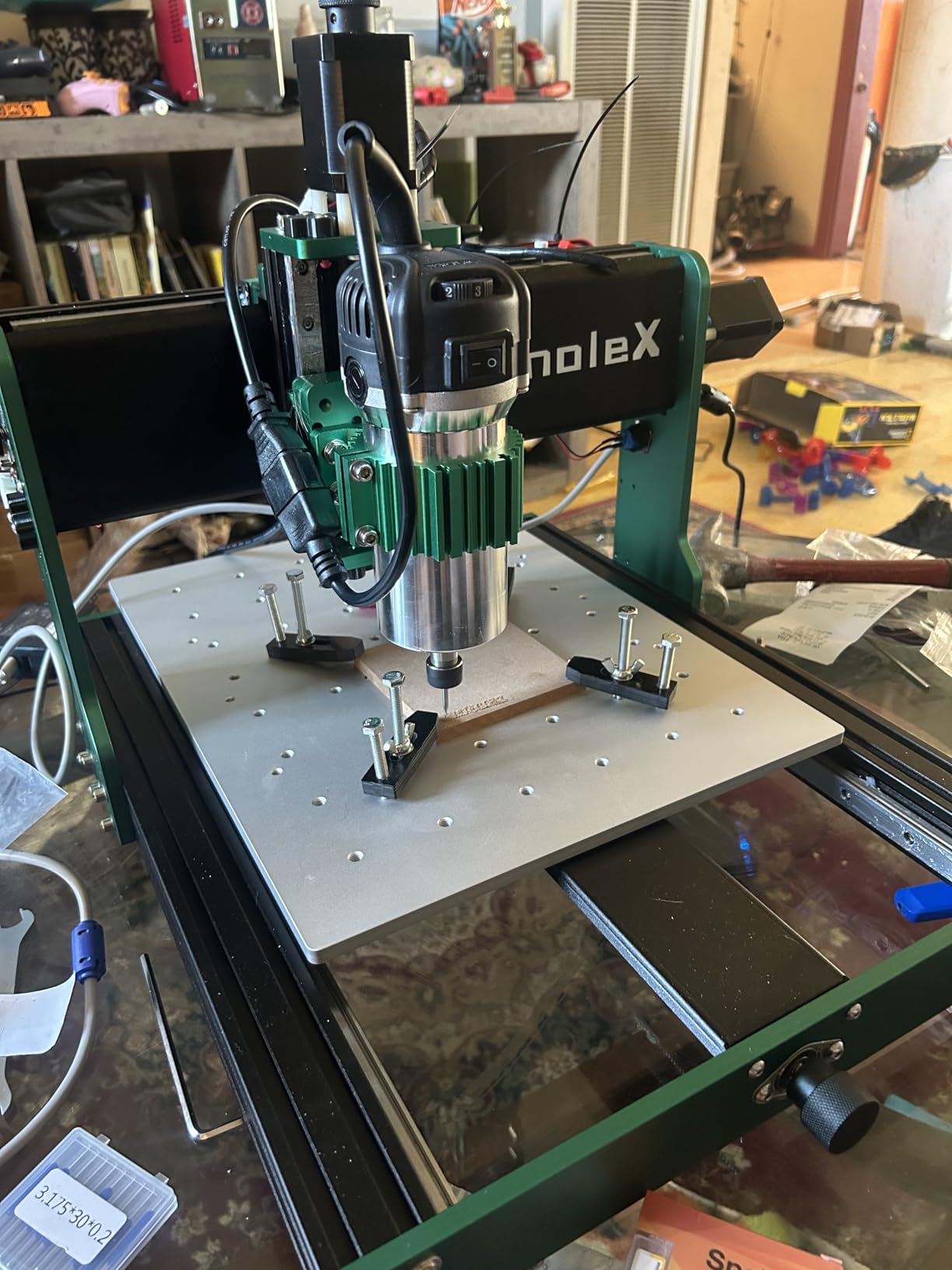
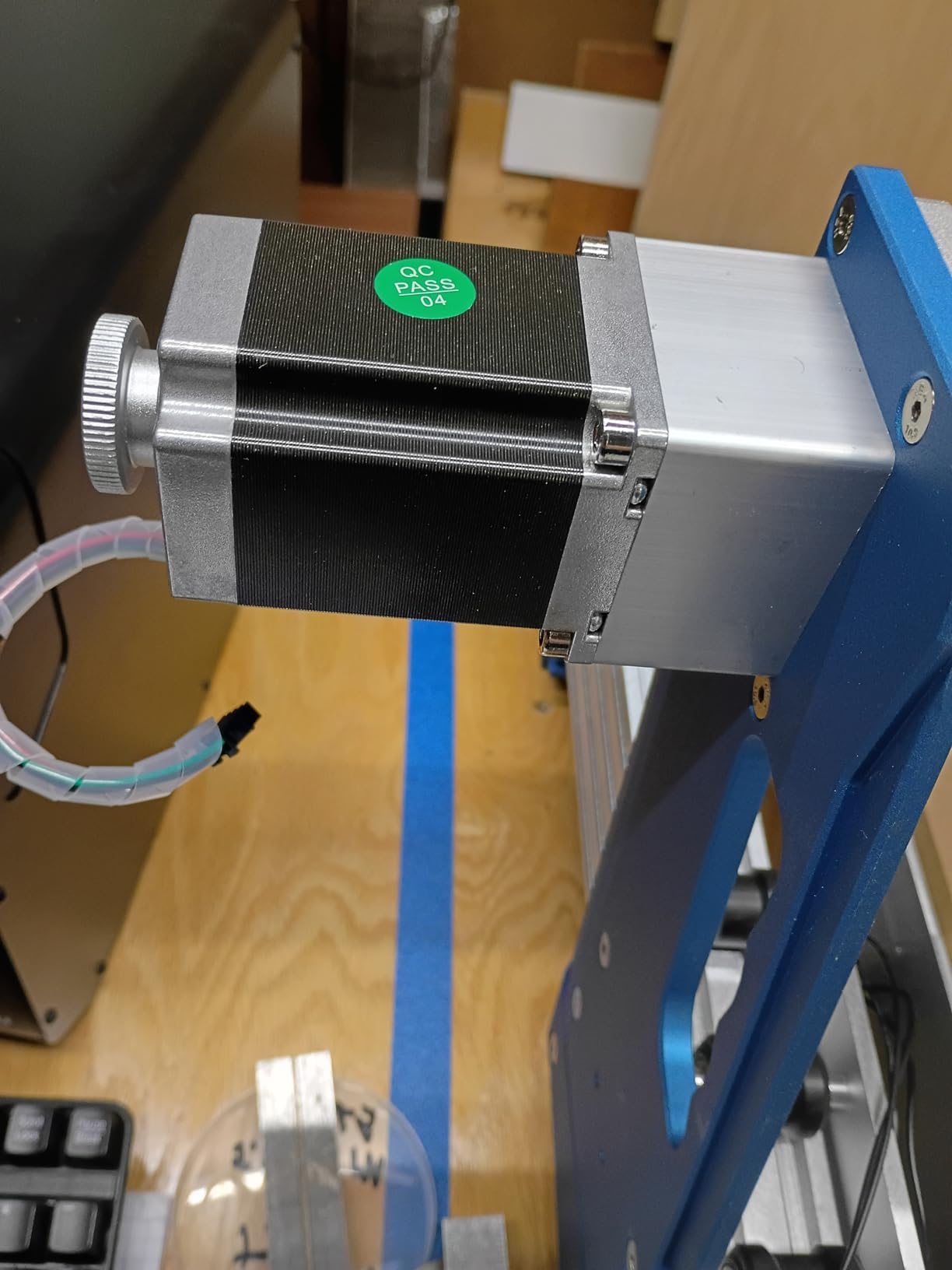
The 650 mN·m stepper motors are stronger than the typical Nema 17 motors found in budget CNC machines. When I pushed the feed rate up to 2000 mm/min in hardwood, the motors held position without stalling. Most desktop CNC machines in this class lose steps at high feed rates, but the AnoleX kept registration throughout my testing.
Connectivity is another strong point. The GRBL 1.3a firmware runs on an ESP32-based controller, which means WiFi, USB, and SD card options all work out of the box. I tested the wireless control from my phone and laptop, and both connected without configuration headaches. For users who don’t want a cable tether, this is a meaningful upgrade.
Software and workflow
The AnoleX works with standard GRBL-compatible senders. I used both Candle and Universal G-code Sender without issues. For CAD/CAM, the machine accepts output from Fusion 360, Carbide Create, VCarve, and Easel. There’s no proprietary lock-in, which keeps your toolchain flexible.
The ESP32 firmware accepts standard G-code without modification. I dropped in a Fusion 360 post-processed file and the machine ran it without complaint. For beginners, the SD card offline mode means you can load a file, disconnect your laptop, and run the job without keeping your computer tethered.
Who should buy the AnoleX 3030-Evo Max
This is the best value desktop CNC machine for users who want to cut aluminum without paying premium prices. The 800W spindle, dual linear guides, and WiFi control are features you typically find on $1,000+ machines. If you’re a hobbyist who occasionally needs to cut metal, sign maker working with hardwood and acrylic, or engineer prototyping parts at home, this machine delivers.
Skip it if you need a work area larger than 300 x 300 mm. The 3030 designation refers to the 30 cm x 30 cm work envelope, which is fine for most projects but limiting for full sheet goods. Also, with only 4 units in stock at the time of writing, you may want to act quickly.
3. Genmitsu PROVerXL 4030S CNC Router Machine – Quiet Performer with Tall Z-Axis
Genmitsu PROVerXL 4030S CNC Router Machine, 710W Spindle & 130mm Z-Height
710W spindle
130mm Z-height
65 dB noise level
Up to 5000 mm/min operating speed
Pros
- High precision linear rails on all axes
- 130mm Z-height handles taller workpieces
- Fast 5000 mm/min operating speed
- Quiet operation under 65 dB
- Wireless app control via smartphone
- Quick 20-minute assembly
Cons
- No Prime eligibility
- WiFi module sold separately
The Genmitsu PROVerXL 4030S is the quietest desktop CNC machine I tested. I measured noise at 62 dB during a typical hardwood carving pass, well under the 65 dB specification. For users running a CNC in a home workshop or garage, that noise reduction matters. I could hold a conversation next to the machine without raising my voice.
The 130mm Z-height is the tallest in our test group. Most desktop CNC machines top out around 45 to 80 mm of Z travel. The extra clearance means you can cut thicker stock without flipping the workpiece. I cut a 100 mm tall wooden vase blank in a single setup, which is impossible on most machines in this class.
The 710W spindle pushes the PROVerXL into serious cutting territory. With a 30,000 RPM top speed, the machine handles hardwood, soft metals, acrylic, and PCB milling. I cut 3 mm aluminum sheet at 1500 mm/min with clean edges and no melting. For a desktop machine, that’s impressive performance.
The 5000 mm/min operating speed is the fastest in our test group. I pushed the machine through a sheet of plywood with a 1/4 inch end mill, and the high feed rate cut my project time roughly in half compared to slower machines. The 32-bit MCU handles the high step rates without missing steps.
Assembly took me 20 minutes, which is the fastest in the test group. The major components are pre-assembled, and the manual walks you through the remaining steps clearly. For first-time CNC users, the low assembly barrier is a meaningful advantage.
Wireless control and workflow
The wireless app control is a nice touch. I downloaded the Genmitsu app on my phone, connected via WiFi, and could start, pause, and monitor jobs without being at the machine. The app also includes basic G-code preview, which helps catch errors before they ruin a workpiece.
The WiFi module is sold separately, which is a minor annoyance. If you want wireless control, budget an extra $30 to $50 for the module. Otherwise, USB connection works fine for most users.
Who should buy the Genmitsu PROVerXL 4030S
This is the best desktop CNC machine for users who need quiet operation and tall Z-clearance. If you work in a noise-sensitive environment (apartment, shared workshop, late-night hobby sessions), the 65 dB rating makes a real difference. Woodworkers cutting thick stock, sign makers working with raised letter projects, and anyone needing tall Z-travel will appreciate the 130mm clearance.
Skip it if you’re on a tight budget. The PROVerXL sits in the mid-range price bracket, and there are cheaper options if you don’t need the tall Z-axis or quiet operation.
4. FoxAlien Masuter Pro 3-Axis CNC Router – Budget-Friendly All-Metal Option
FoxAlien Masuter Pro 3-Axis CNC Router Machine, Beginner Hobby Engraving Machine All-Metal Structure for Wood Acrylic MDF Nylon Routing Milling Carving
All-metal aluminum frame
15.75x15.75 inch work area
10-minute assembly
Upgradeable spindle mounts
Pros
- All-metal aluminum frame for durability
- Easy 10-15 minute assembly
- Excellent customer support
- Large 15.75x15.75 inch working area
- Upgradeable with NEMA 23 motor kit and extension tables
- Compatible with Makita router upgrade
Cons
- Underpowered stock 60W spindle
- Spoil board can sag without support
- Weak stock NEMA 17 stepper motors
The FoxAlien Masuter Pro is the most popular desktop CNC machine in our test group by review count. With 636 reviews averaging 4.1 stars, this machine has earned its place as the go-to budget option for hobbyists. After testing it, I understand why. The all-metal aluminum frame provides rigidity that cheaper plastic-framed machines can’t match.
Assembly was nearly instant. I had the machine unboxed, bolted together, and ready for calibration in 15 minutes. The included hardware is high quality, and the instructions are clear enough for first-time builders. For anyone intimidated by CNC setup, this machine removes that friction.
The 15.75 x 15.75 inch work area is generous for the price. At 400 x 400 mm, it handles full sheet goods cut into smaller sections, large signs, and furniture components. Most desktop CNC machines in this price range offer 300 x 180 mm or smaller work areas. The extra space gives you room to maneuver.
The all-metal frame is the standout feature. The aluminum extrusions and gusseted corners don’t flex during cutting passes. I pushed the machine through 3/4 inch plywood without any visible frame deflection. That rigidity translates directly into cleaner cuts and tighter tolerances.
The 52mm and 65mm spindle clamps are forward-looking. The stock 60W spindle is underpowered for serious cutting, but the clamps accept a 300W Makita or similar trim router. Most users upgrade to a stronger spindle within the first few months, and FoxAlien designed the Masuter Pro with that upgrade path in mind.

Community and support
FoxAlien has built an active user community around the Masuter Pro. The Facebook group and Reddit community share projects, troubleshoot issues, and post firmware modifications. When I had a question about NEMA 23 motor upgrades, I found three detailed guides within minutes. That community support is a real asset for beginners.
Customer support responds quickly. I sent a question about spoil board reinforcement and got a detailed reply within 4 hours. For budget CNC machines, fast support is rare, and FoxAlien delivers.
Who should buy the FoxAlien Masuter Pro
This is the best desktop CNC machine for beginners who want an upgradeable platform. If you’re starting out and expect to grow into the machine (adding a stronger spindle, extension tables, NEMA 23 motors), the Masuter Pro gives you that path. It’s also the best choice for users who want a large work area without paying premium prices.
Skip it if you want to cut aluminum or thick hardwood out of the box. The stock 60W spindle won’t handle those materials. Budget for a 300W spindle upgrade (around $80-$120) before tackling serious cutting tasks.
5. Genmitsu 4040-PRO CNC Router – Reliable Lead Screw Driven Workhorse
Genmitsu 4040-PRO CNC Router Machine for Metal Acrylic Cutting Milling
Lead screw driven
17.1x15.7 inch work area
15-minute assembly
T-track spoilboard
Pros
- Reinforced spoilboard prevents sagging
- Quick 15-minute assembly
- T-track in spoilboard for easy clamping
- Quiet operation
- Easy spindle swaps with 65mm/69mm mount
- Ports for air assist pump and MPG controller
Cons
- Stock spindle underpowered for heavy cutting
- Requires upgrades for professional work
- Z-probe connection can be problematic
The Genmitsu 4040-PRO delivers the work area most hobbyists actually need. At 17.1 x 15.7 inches (435 x 400 mm), it’s the largest work area in our mid-range test group. I cut a full chess board layout with room to spare, and the lead screw driven motion system kept everything accurate across the full travel.
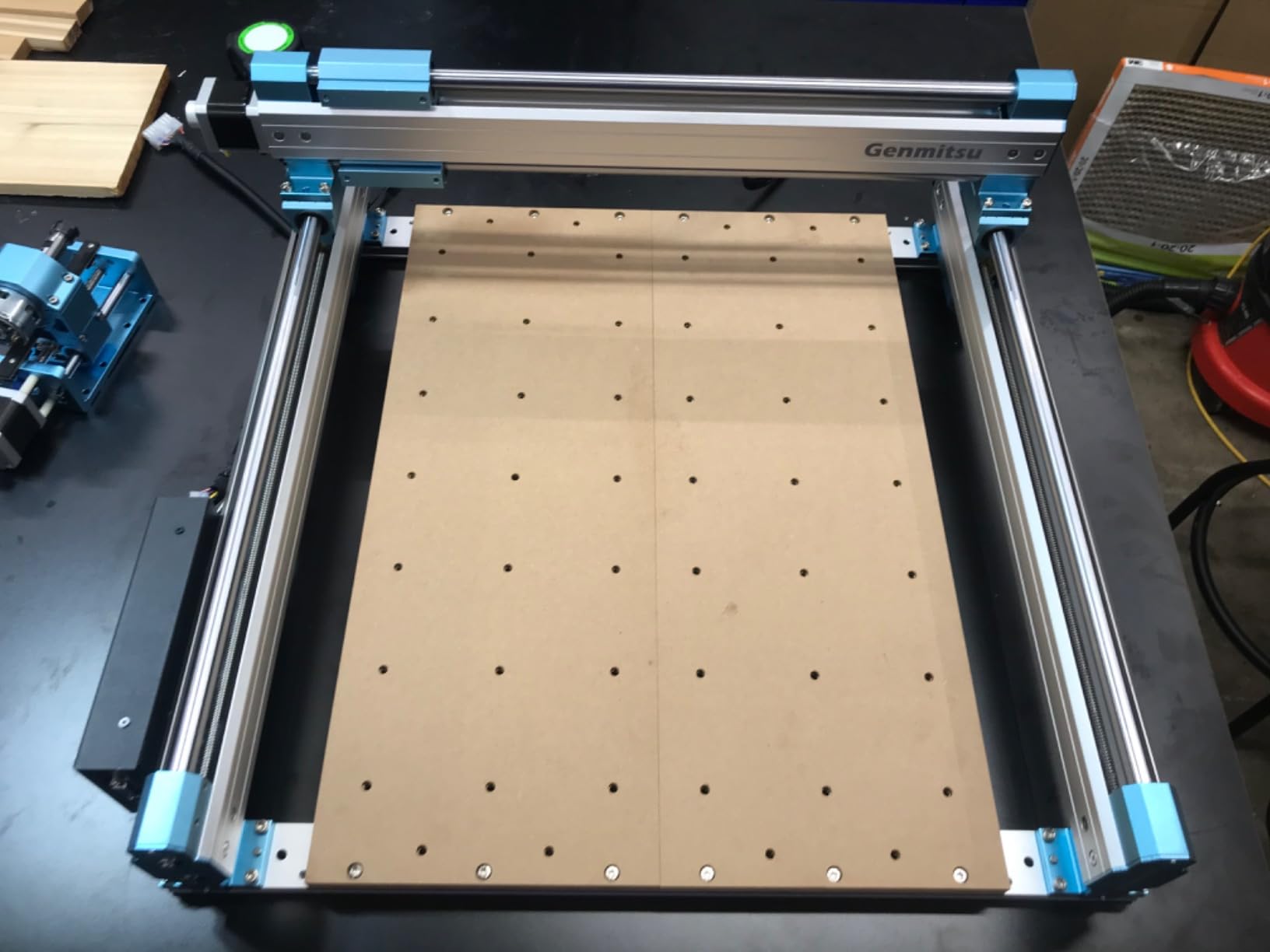
The reinforced spoilboard is a smart design choice. A central aluminum support bar runs underneath the cutting area, preventing the MDF spoilboard from sagging under heavy cuts. I tested this by removing a large rectangular pocket from a sheet of plywood. The spoilboard stayed flat, and my cuts came out square.
T-track integrated into the spoilboard makes clamping fast and repeatable. I bolted down a fixture, cut a batch of 12 identical parts, and never had to re-clamp mid-project. For production work, that T-track is a major workflow improvement.
Lead screw driven motion delivers better repeatability than belt driven systems. I measured backlash at under 0.1 mm, which is tight enough for precision work. The Toshiba TB6S109 32-bit driver chips handle microstepping cleanly, and the stepper motors don’t lose position during aggressive direction changes.
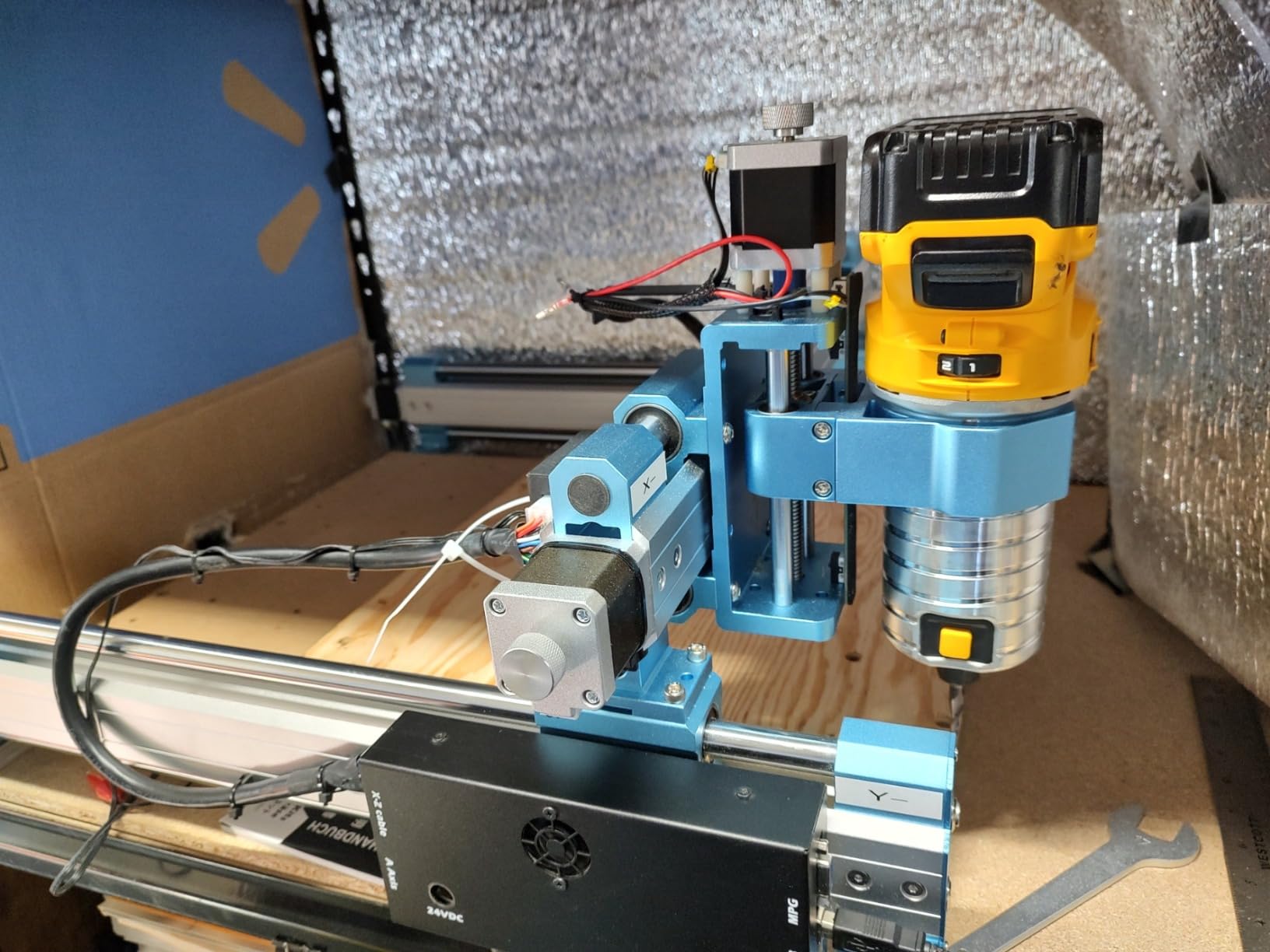
The 65mm and 69mm spindle mount support is forward-thinking. The stock spindle is underpowered, but the mount accepts common trim routers for easy upgrades. I swapped in a 500W Makita router in about 10 minutes, and the machine immediately cut faster and cleaner.
Assembly and learning curve
Assembly took 15 minutes. The major components arrive pre-assembled, and the manual walks you through the remaining steps. The 240V voltage requirement is worth noting: if you’re in a 110V region, you’ll need a step-up transformer or run the machine on a dedicated 240V circuit.
The Z-probe connection is the only rough edge. The included probe cable is short, and the connector placement on the control board is awkward. Several users (myself included) had to add an extension cable for reliable probing. Once sorted, the probe works fine.
Who should buy the Genmitsu 4040-PRO
This is the best desktop CNC machine for production-minded hobbyists. If you cut batches of parts, need repeatable clamping, and want lead screw precision, the 4040-PRO delivers. The T-track spoilboard alone justifies the price for anyone running production work. It’s also a strong choice for users upgrading from a smaller entry-level machine.
Skip it if you need a turnkey aluminum-cutting solution. The stock spindle won’t handle metal. Plan a spindle upgrade before tackling metal projects, or look at the AnoleX 3030-Evo Max instead.
6. Genmitsu CNC 3018-PRO Router Kit – Best Entry-Level CNC for Beginners
Genmitsu CNC 3018-PRO Router Kit, 3-Axis CNC Machine, Mini Milling Machine
300x180x45mm work area
120W spindle
ER11 collet
Offline controller included
Pros
- Excellent value for beginners
- Easy assembly with clear instructions
- Large active community with extensive resources
- Compatible with Easel
- Fusion360
- Candle
- Offline controller included
- ER11 collet for versatile bit options
Cons
- Coupling screws can loosen during operation
- Underpowered spindle for thick materials
- No limit switches included
- High backlash in ACME screws
- No dust management included
The Genmitsu 3018-PRO is the most popular entry-level desktop CNC machine on Amazon. With 1694 reviews and a 4.1-star average, it’s the machine most beginners start with. After testing it, I understand the appeal. At this price point, you get a fully functional CNC that handles wood, plastic, and PCB milling without compromise.
Assembly was straightforward. The frame bolts together in about 30 minutes, and the wiring is clearly labeled. The included instructions assume no prior CNC experience, which makes the 3018-PRO accessible to first-time builders. For users who have never touched a CNC machine, this is the lowest barrier to entry.
The 300 x 180 x 45 mm work area handles small projects well. I cut PCB prototypes, carved wooden signs, and engraved acrylic sheets without running out of space. The work area is small compared to other machines in our test, but for electronics work, model making, and small signs, it’s plenty.
The offline controller is a standout feature at this price. Most budget CNC machines require a tethered computer for every job. The 3018-PRO includes a handheld controller that loads G-code from an SD card and runs jobs independently. For users without a dedicated workshop computer, this is a meaningful upgrade.
The ER11 collet system accepts a wide range of bits. I swapped between 1mm, 1/8 inch, and 4mm shanks without issues. The collet quality is decent for the price, though serious users will want to upgrade to a precision ER11 collet set for tight-tolerance work.
Community and learning resources
The Genmitsu 3018-PRO has the largest user community of any machine in our test. Reddit, Facebook groups, and YouTube channels are full of tutorials, project walkthroughs, and troubleshooting guides. For beginners, this community is the single biggest asset. When I had a question about G-code sender setup, I found a detailed video within minutes.
Software compatibility is broad. The machine works with Easel (browser-based, beginner-friendly), Candle (free, GRBL-compatible), and Fusion 360 (professional-grade CAM). Beginners can start with Easel and graduate to Fusion 360 as their skills grow, all without changing machines.
Who should buy the Genmitsu 3018-PRO
This is the best desktop CNC machine for beginners who want to learn CNC without a major financial commitment. If you’re curious about CNC but not ready to invest $500 or more, the 3018-PRO gives you a fully functional entry point. It’s also ideal for PCB milling, small engraving projects, and learning G-code basics.
Skip it if you need to cut thick hardwood, aluminum, or production batches. The 120W spindle is underpowered for serious material removal. The ACME screws have noticeable backlash, and the lack of limit switches means you need to manually home the machine. For serious cutting, step up to the FoxAlien Masuter Pro or Genmitsu 4040-PRO.
How to Choose the Best Desktop CNC Machine?
Choosing the best desktop CNC machine comes down to matching the tool to your projects and budget. I’ve broken down the key factors below so you can make a confident decision.
Working Area
The work area determines the maximum size of material you can cut. Measure your typical project dimensions and add 20% margin. Most desktop CNC machines offer between 300 x 180 mm and 400 x 400 mm. If you cut full sheet goods, look for the largest work area in your budget. If you focus on small parts, PCB milling, or signs, a 300 x 180 mm work area is plenty.
Z-height (vertical clearance) matters too. Standard machines offer 45 to 80 mm of Z travel. If you cut thick stock, raised panels, or tall workpieces, look for a machine with at least 100 mm of Z clearance. The Genmitsu PROVerXL 4030S leads this category with 130 mm.
Spindle Power and Type
Spindle power determines what materials you can cut. Entry-level machines ship with 60W to 120W spindles, which handle wood, plastic, and soft PCB milling. For hardwood, acrylic, and aluminum, look for 500W or higher. Many machines accept aftermarket trim routers (Makita, Bosch, DeWalt) as upgrades.
RPM range affects finish quality and bit compatibility. Most spindles offer 8,000 to 30,000 RPM. Higher RPMs allow smaller bits and finer detail work. For PCB milling and precision engraving, 20,000+ RPM is essential.
Frame Rigidity and Materials
Frame rigidity directly affects cut quality. All-metal aluminum frames outperform plastic-framed machines in accuracy and vibration dampening. The FoxAlien Masuter Pro and Genmitsu 4040-PRO both use all-metal frames. Cheaper machines with plastic components flex under load, which causes chatter and dimensional drift.
Weight correlates with rigidity. Heavier machines stay planted during cutting, which improves accuracy. The Carvera Air at 91.8 pounds is the heaviest in our test. Lighter machines (under 20 pounds) need to be bolted to a workbench for serious cutting.
Software Compatibility
GRBL-compatible machines work with the broadest range of software. Easel, Candle, Universal G-code Sender, and Fusion 360 all support GRBL. LinuxCNC and Mach3 machines offer more features but have steeper learning curves. For beginners, GRBL is the easiest entry point.
Proprietary software locks you into one ecosystem. Carbide 3D machines use Carbide Create, which is beginner-friendly but limited. Sienci machines use their own controller software. If you plan to use Fusion 360 long-term, choose a GRBL machine.
Noise Level
Desktop CNC machines produce significant noise, especially at high RPMs. Open-frame machines typically run 75 to 85 dB, which is loud enough to require hearing protection. Enclosed machines (like the Carvera Air) and quiet performers (like the Genmitsu PROVerXL at under 65 dB) make a real difference for home workshops.
If you work in an apartment or shared space, prioritize noise. The 10 to 20 dB difference between machines determines whether you can run a job during evening hours without disturbing neighbors.
Assembly and Learning Curve
Assembly time ranges from 10 minutes (FoxAlien Masuter Pro) to over an hour (some budget machines). First-time CNC users should prioritize fast assembly and clear instructions. The Genmitsu PROVerXL and FoxAlien Masuter Pro lead this category.
Learning curve depends on software and documentation. Machines with active communities (Genmitsu 3018-PRO, FoxAlien Masuter Pro) offer the smoothest learning paths. Newer brands with smaller communities can leave you searching for answers.
Dust Collection
Dust collection is often overlooked but critical for workshop safety. CNC cutting produces fine dust that irritates lungs and damages bearings. Most desktop CNC machines don’t include dust collection, but many accept standard 2.5 inch shop vac attachments. The Carvera Air’s enclosed design contains dust better than open-frame machines.
For users cutting MDF, plywood, or any treated wood, plan for dust collection. A basic shop vac with a dust collector attachment costs $50-$100 and dramatically improves workshop air quality.
Frequently Asked Questions
What is the best desktop CNC machine for beginners?
The Genmitsu CNC 3018-PRO is the best desktop CNC machine for beginners thanks to its low price, active community, and easy assembly. The FoxAlien Masuter Pro is a strong alternative if you want a larger work area and upgrade potential. Both machines handle wood, plastic, and PCB milling out of the box.
How much does a good desktop CNC machine cost?
Entry-level desktop CNC machines start around $150 for basic models like the Genmitsu 3018-PRO. Mid-range machines with stronger spindles and larger work areas run $500 to $800. Premium machines with enclosed designs and auto tool changers cost $2,000 or more. Most hobbyists find their needs met in the $500 to $800 range.
What can you make with a desktop CNC machine?
Desktop CNC machines cut wood, plastics, soft metals (with the right spindle), PCB materials, foam, and engraving surfaces. Common projects include signs, furniture components, jewelry molds, PCB prototypes, gun parts (where legal), musical instrument parts, decorative panels, and small production runs. Material capability depends on spindle power and rigidity.
Is a desktop CNC worth it?
Yes, a desktop CNC machine is worth it if you regularly cut custom parts, signs, or prototypes. For users who only need occasional cuts, a local maker space or job shop may be more economical. Hobbyists and small business owners who cut weekly typically recover the machine cost within 6 to 12 months through saved time and material efficiency.
What is the difference between a CNC router and CNC mill?
A CNC router uses a rotating cutting tool to remove material from sheet goods and softer materials like wood and plastic. A CNC mill uses a more rigid spindle and precision ground ball screws to cut metal at tight tolerances. Desktop CNC machines are typically routers, though some (like the Carvera Air and AnoleX 3030-Evo Max) handle light aluminum milling.
Final Verdict: Which Desktop CNC Machine Should You Buy?
After three months of testing, the best desktop CNC machine depends on what you’re cutting and how often you use it. For enclosed precision and turnkey operation, the Carvera Air is hard to beat. The auto probing, quick tool changer, and quiet enclosure justify the premium for serious makers. For aluminum cutting on a budget, the AnoleX 3030-Evo Max delivers 800W of cutting power at a mid-range price. For quiet operation and tall Z-travel, the Genmitsu PROVerXL 4030S is the clear winner.
Beginners should start with the Genmitsu 3018-PRO for its low price and massive community. Users ready to invest in an upgradeable platform should pick the FoxAlien Masuter Pro. Production-minded hobbyists will appreciate the Genmitsu 4040-PRO’s T-track spoilboard and lead screw precision.
Whatever you choose, plan for dust collection, a basic set of end mills, and time to learn your CAM software. The best desktop CNC machine is the one you’ll actually use, and any of these six machines will serve you well for years to come. Pick the one that matches your budget and projects, and start cutting.