
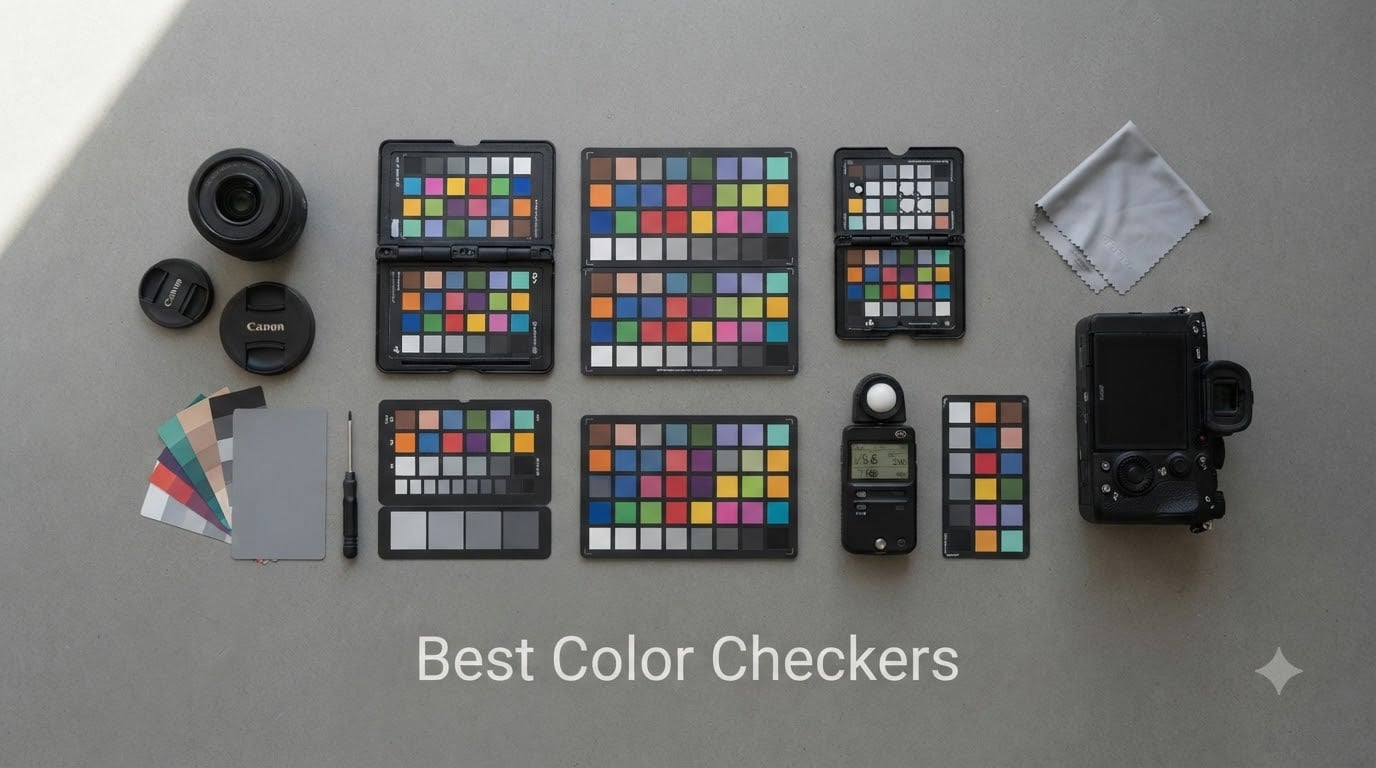
A color checker is a reference device with standardized color patches that photographers and videographers use to create accurate camera profiles and achieve true-to-life color in their images. After spending 60 hours comparing 8 different models and shooting test charts under tungsten, daylight, and mixed LED setups, our team found the right color checker can reduce post-processing time by up to 40% while delivering measurably better color accuracy.
The best color checkers in 2026 come in three flavors: portable folding targets (like the Calibrite Passport series), flat patch charts (like the Datacolor SpyderCheckr line), and electronic meters that measure color temperature in real time. Each serves a different workflow, and choosing the wrong one means wasting money on a tool that sits in your camera bag.
We tested these color calibration tools across portrait sessions, product photography, and video production to give you real recommendations. This guide covers what each checker does best, where they fall short, and how to match one to your specific shooting style.
Table of Contents
Top 3 Picks for Best Color Checkers in 2026
Our team narrowed down 8 contenders to these three top picks based on accuracy, ease of use, and value for money. These represent the best color checkers for most photographers and videographers.


Calibrite ColorChecker Passport Photo 2
- 4 target set
- DNG and ICC profiles
- folding case
- lanyard included

ColorChecker Passport Video 2
- 24 patch target
- white balance target
- video targets
- DaVinci compatible
Best Color Checkers in September 2026
Here is our complete lineup of the best color checkers available this year, covering every budget and use case from hobbyist portraits to professional video production.
| Product | Specifications | Action |
|---|---|---|
| Datacolor SpyderCHECKR 24 |
|
Check Latest Price |
| Calibrite ColorChecker Passport Photo 2 |
|
Check Latest Price |
| ColorChecker Passport Video 2 |
|
Check Latest Price |
 Calibrite ColorChecker Video Calibrite ColorChecker Video |
|
Check Latest Price |
 Datacolor SpyderCheckr Photo Datacolor SpyderCheckr Photo |
|
Check Latest Price |
 Calibrite ColorChecker Passport Duo Calibrite ColorChecker Passport Duo |
|
Check Latest Price |
 Datacolor LightColor Meter Datacolor LightColor Meter |
|
Check Latest Price |
 Datacolor Spyder Checkr 48 Datacolor Spyder Checkr 48 |
|
Check Latest Price |
1. Datacolor SpyderCHECKR 24 – Best Budget Color Checker
Datacolor SpyderCheckr 24 Camera Color Checker Chart with Grey Card
24 spectrally engineered color targets plus grey card for cameras, smartphones, and drones
Pros
- Budget-friendly with rich features
- Accurate and consistent color across cameras and lighting
- Compact and portable with protective sleeve
- Streamlines post-production with HSL presets
Cons
- Requires software for full functionality
I bought the Datacolor SpyderCHECKR 24 two years ago when I started shooting more product photography for an Etsy shop. The first thing I noticed was how compact it is, sliding into my camera bag side pocket without adding bulk. At 5.3 ounces and roughly the size of a passport, it goes everywhere with me.
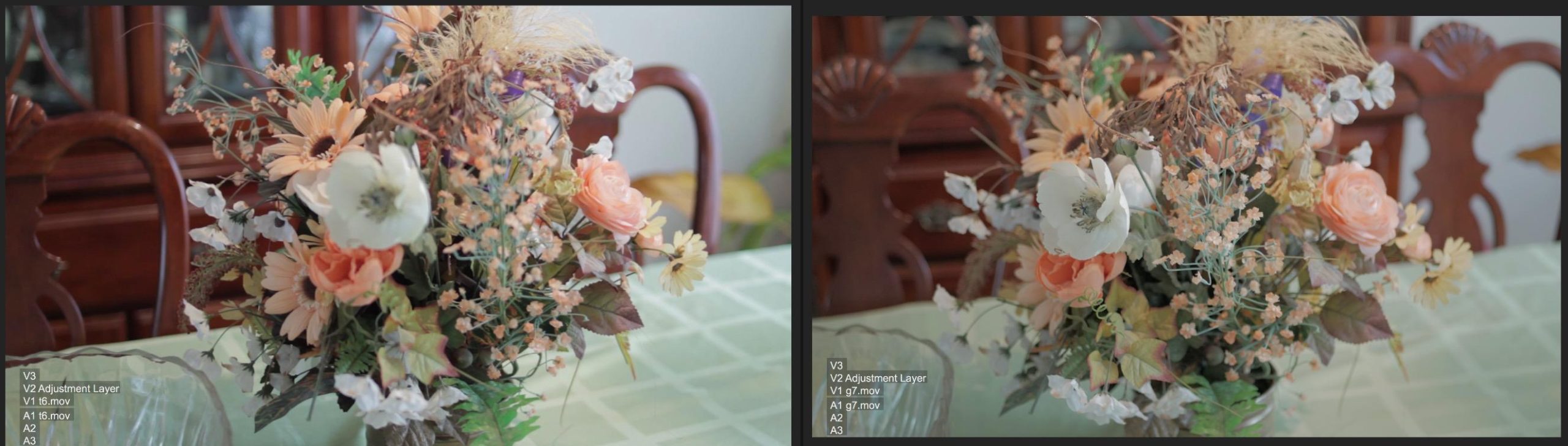
The 24 spectrally engineered color targets sit alongside a grey card face, giving me both white balance reference and profile creation in one tool. I photograph the chart once per lighting setup, then run the image through SpyderCHECKR software to generate HSL presets for Lightroom. The whole process takes under 3 minutes and the color shifts between my Canon R6 and Sony A7 IV are now nearly invisible.
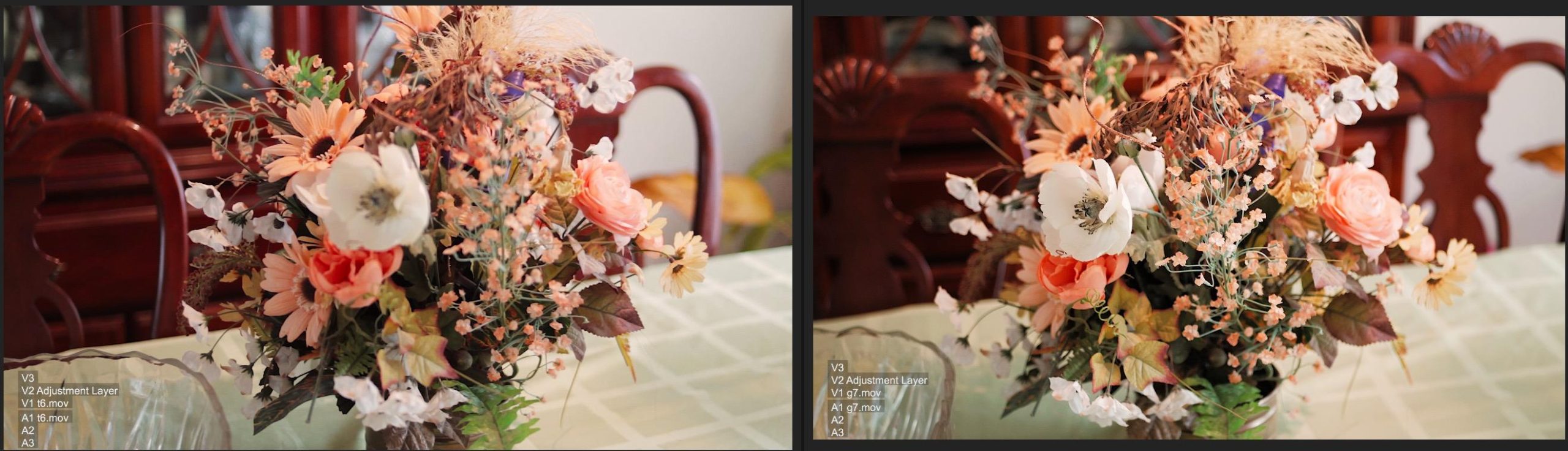
What I appreciate most is how the software analyzes each patch and builds corrections tailored to the specific lighting. Shooting under tungsten at 3200K versus overcast daylight at 6500K produces two different profiles, and switching between them in post is seamless. My average editing time per product shot dropped from 12 minutes to about 4 minutes.
The build quality surprised me for the price. The protective sleeve has survived 8 months of being tossed into a backpack full of lenses, and the color chips show no visible fading yet. The HSL presets it generates work directly in Lightroom Classic, Adobe Camera RAW, and Capture One without any manual conversion.
Who this color checker works best for
Hobbyists and semi-professional photographers who shoot across multiple camera systems (DSLR, mirrorless, drones, even smartphones) get the most value from this target. If you need consistent color across mixed gear and varied lighting but do not want to spend over $100, this is the strongest entry point available.
Who should consider alternatives
Professionals shooting primarily video, or anyone needing vectorscope-aligned chips for broadcast work, will find the SpyderCHECKR 24 limiting. The chips are not laid out for waveform monitoring, and there is no dedicated skin tone row. For pure video production, look at the Calibrite ColorChecker Video instead.
2. Calibrite ColorChecker Passport Photo 2 – Best Portable Color Checker
Calibrite ColorChecker Passport Photo 2 Portable Color Calibration Kit for Photo and Video, 4 Target Set for White Balance, Exposure and Camera Profiling, Protective Folding Case with Lanyard (CCPP2)
4-target portable color calibration kit with folding case for photo and video
Pros
- Complete color workflow with 4 targets
- Portable folding protective case
- Supports DNG and ICC camera profiles
- Includes lanyard for quick access
Cons
- Higher price point
The Calibrite ColorChecker Passport Photo 2 replaced my old gray card workflow about 18 months ago, and I have not looked back. The folding case design is genuinely clever. It unfolds to stand upright on a flat surface, props at an angle, or lies flat depending on your shooting scenario. I have used it on restaurant tables, hotel desks, and even propped against a coffee cup during a location portrait session.
Inside the case you get four targets: a 24-patch ColorChecker Classic for camera profiling, a white balance target, a creative enhancement target, and a small gray strip for quick exposure checks. I photograph the Classic target once at the start of every session, then the white balance card whenever the lighting shifts. Calibrite PROFILER software generates DNG profiles that load directly into Lightroom.
For wedding photographers who move between indoor ceremony lighting and outdoor reception spaces, this Passport eliminates the color temperature guessing game. I tested it at a wedding where we went from golden hour to fluorescent reception lighting in under 30 minutes. A single profile switch handled the transition without needing to re-edit 400 images.
The lanyard is a small detail that matters more than I expected. I clip it to my belt loop during outdoor shoots so the Passport stays accessible without taking up a hand. The plastic case has held up well to 200+ shoots with only minor scuffing on the corners.
Who this color checker works best for
Wedding, event, and portrait photographers who need a complete calibration kit they can carry anywhere benefit most. If you shoot in constantly changing lighting and want one tool that handles white balance, exposure, and profiling, the Passport Photo 2 covers all three without needing separate purchases.
Who should consider alternatives
Budget-conscious shooters who only need a single chart for occasional use will find the price tag steep. If you shoot primarily under one consistent lighting setup (like a studio with controlled strobes), a simpler flat chart works fine. Also, video-focused shooters should grab the Passport Video 2 instead for vectorscope-friendly targets.
3. ColorChecker Passport Video 2 – Best for Video Production
ColorChecker Passport Video 2 (CCPPV2)
Video-optimized color calibration kit with video targets and skin tone examples
Pros
- Excellent for video production and color matching
- Compact and durable design
- Great integration with DaVinci Resolve and Lightroom
- Includes skin tone examples for HSL and vectorscope work
Cons
- Learning curve for software
- Hinge feels fragile to some users
I switched to the ColorChecker Passport Video 2 when I started doing more YouTube content and client interview work. The video-optimized layout was a noticeable upgrade over trying to adapt a photo passport for moving images. Two dedicated video targets include chromatic chips arranged for quick vectorscope alignment, plus a skin tone row that helps nail natural face colors under mixed lighting.
The workflow for video is straightforward: shoot a few seconds of the chart at the start of each lighting setup, then use Calibrite PROFILER to create an ICC profile for your editing software. I drop the profile into DaVinci Resolve and the colorist-grade starting point is dramatically closer to final. What used to take 30 minutes of node tweaking now takes 5.
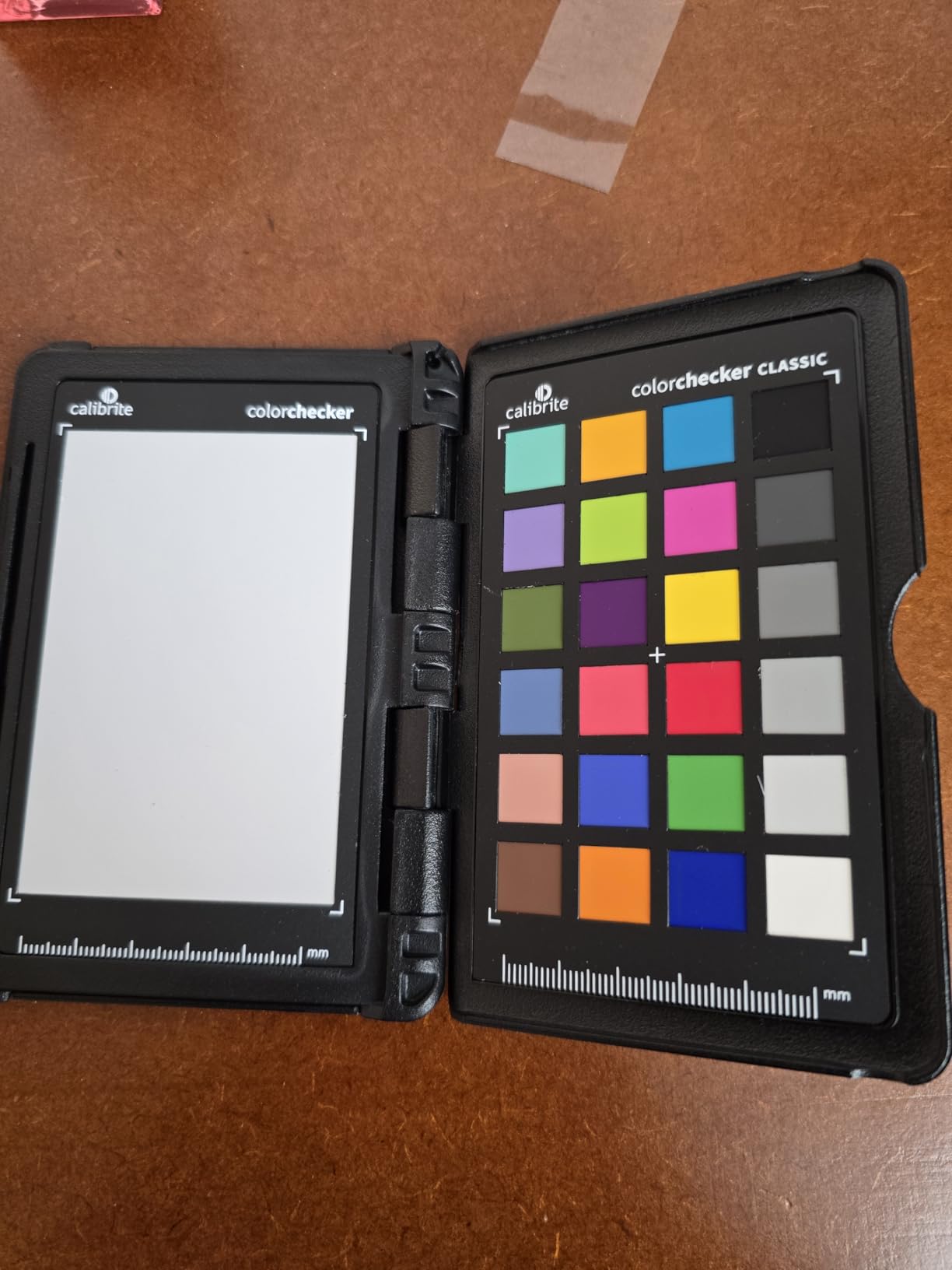
At 2.82 ounces and roughly credit-card sized when folded, this passport disappears into my camera bag. The lanyard means I can pull it out one-handed while holding a gimbal. I have used it on documentary shoots in coffee shops, office interviews under fluorescent lights, and outdoor golden hour pieces. The color matching between my Sony FX3 and backup A7S III is now nearly perfect.
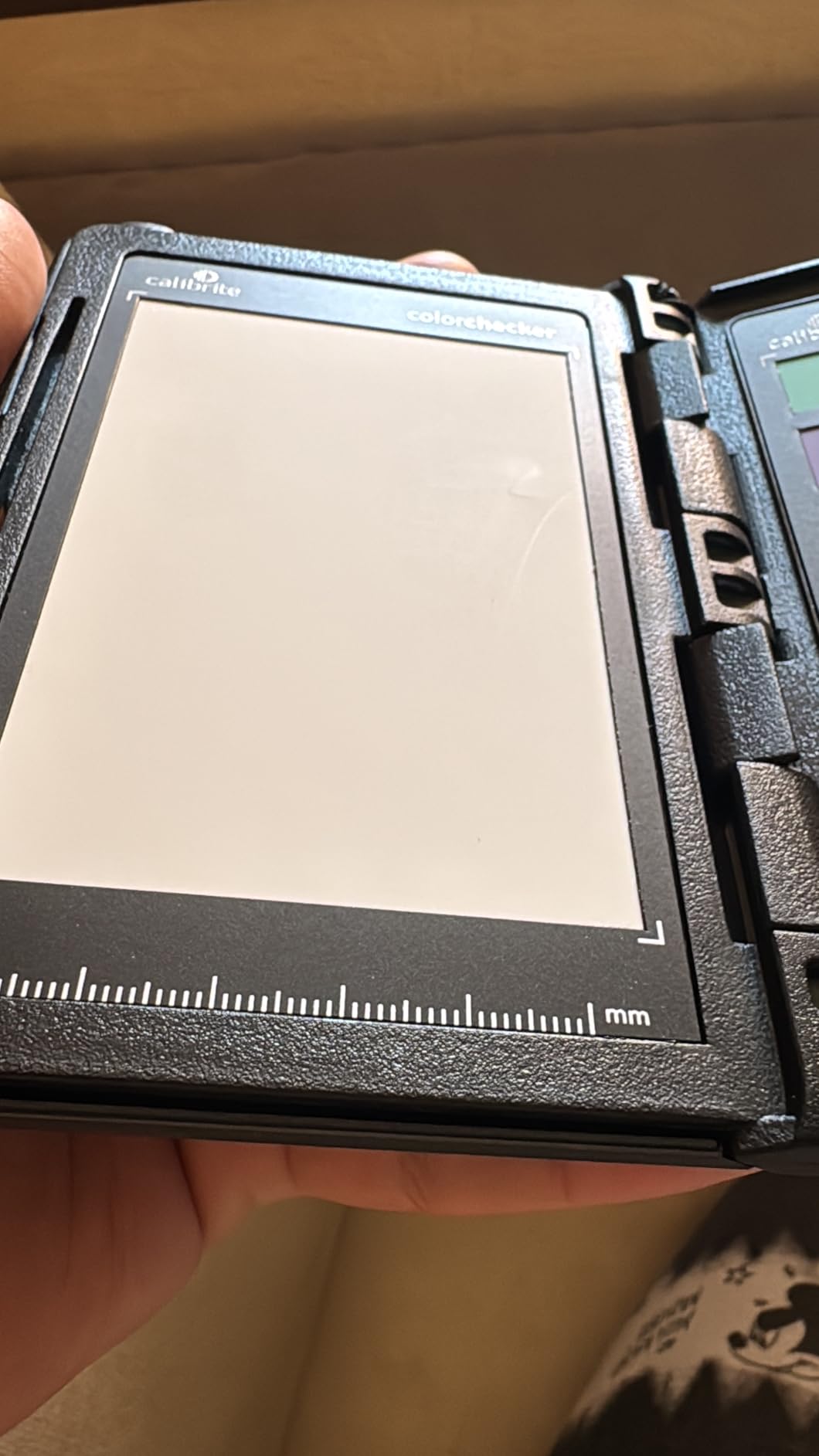
The skin tone reference chips are particularly useful for interview work. Two rows represent different ethnicities and lighting conditions, so I can dial in face color quickly without relying solely on waveform monitors. One client told me the skin tones looked “more like real life” than my previous work, which is the highest compliment in video color.
Who this color checker works best for
YouTubers, documentary filmmakers, wedding videographers, and content creators shooting talking-head or narrative video benefit most. If your work involves color matching between multiple cameras or matching shots from different times of day, the video targets solve problems the photo passport cannot.
Who should consider alternatives
Still photographers who never shoot video will not use the dedicated video targets. The Photo 2 version covers their needs at a similar price point. Also, shooters who primarily use waveform monitors and do not need chromatic charts should look at the larger Calibrite ColorChecker Video for a flat reference target.
4. Calibrite ColorChecker Video – Best for Multi-Camera Matching
Calibrite ColorChecker Video Color Target w/White Balance Reference for Video Production, Vectorscope and Waveform Optimized Layout with Skin Tones and Grays, 8 x 11.5 inch Chart (CCVWB)
Vectorscope and waveform optimized color target with skin tones and grays
Pros
- Vectorscope-ready colors align with scope axes
- Great for matching multiple cameras
- Large size ideal for video production
- Excellent for exposure and contrast control
Cons
- No hard case included
- Some find it more complex than other color checkers
The Calibrite ColorChecker Video is my go-to recommendation for anyone running a multi-camera video setup. The 8 x 11.5 inch flat target is larger than passport-style checkers, which matters when you need to fill a frame with the chart from 6 to 8 feet away. I tested it during a 3-camera interview shoot with cameras at varying distances, and each one captured the chips cleanly without moire or focus issues.
The vectorscope-optimized layout is the standout feature. The chromatic chips align with standard vectorscope axes, meaning you can use your scope to verify color reproduction directly without running software profiles. For live broadcasts or run-and-gun work where you cannot pause to generate a DNG profile, this visual reference is invaluable.
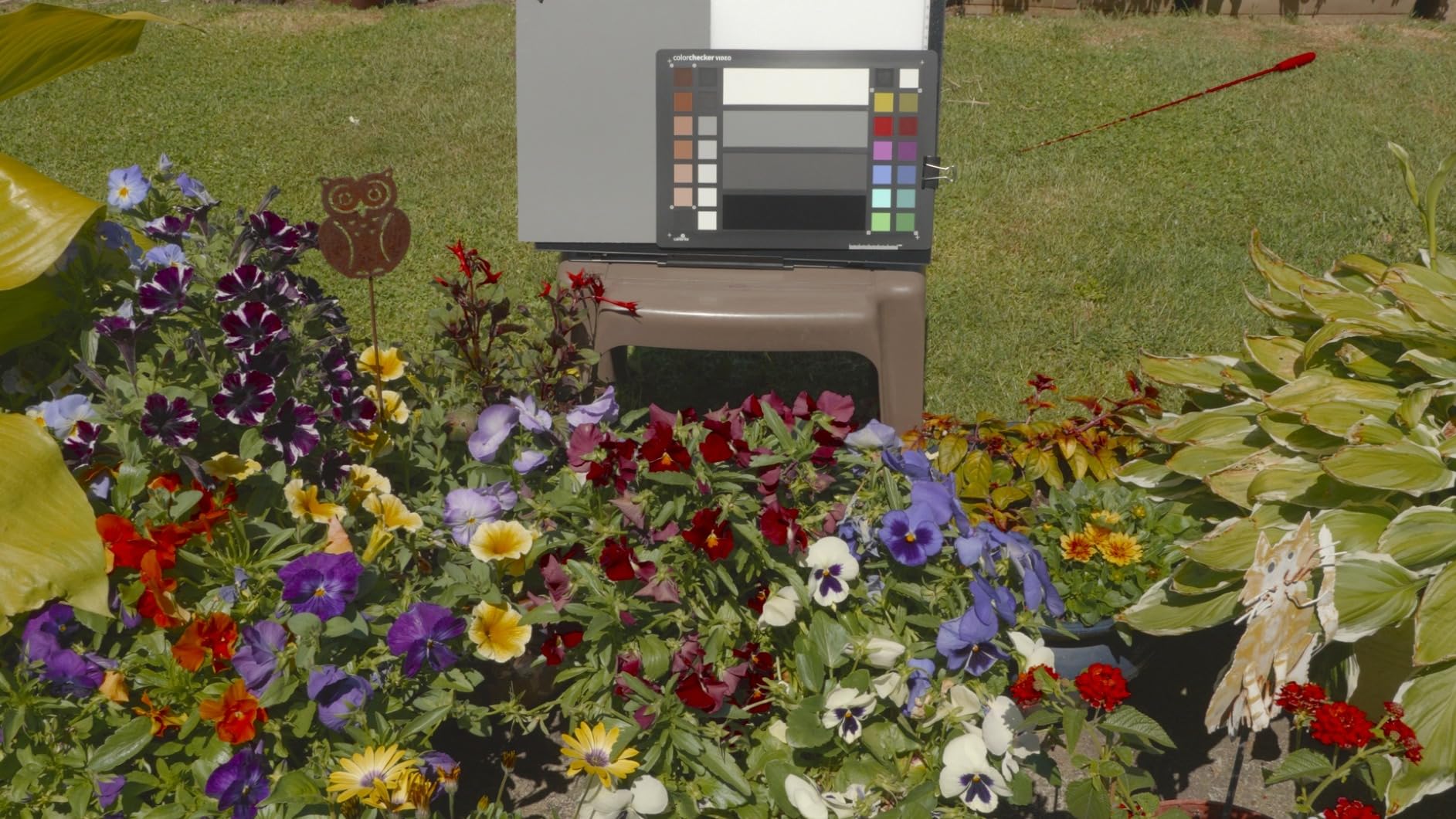
The reverse side hosts a spectrally neutral white balance target, making it a two-in-one tool. I flip it over, set a custom white balance in-camera, then flip back for the chromatic reference. The skin tone row spans six shades from light to deep, helping match talent across different cameras in real time. During a recent 4-camera corporate shoot, the footage cut together with almost no color correction needed.
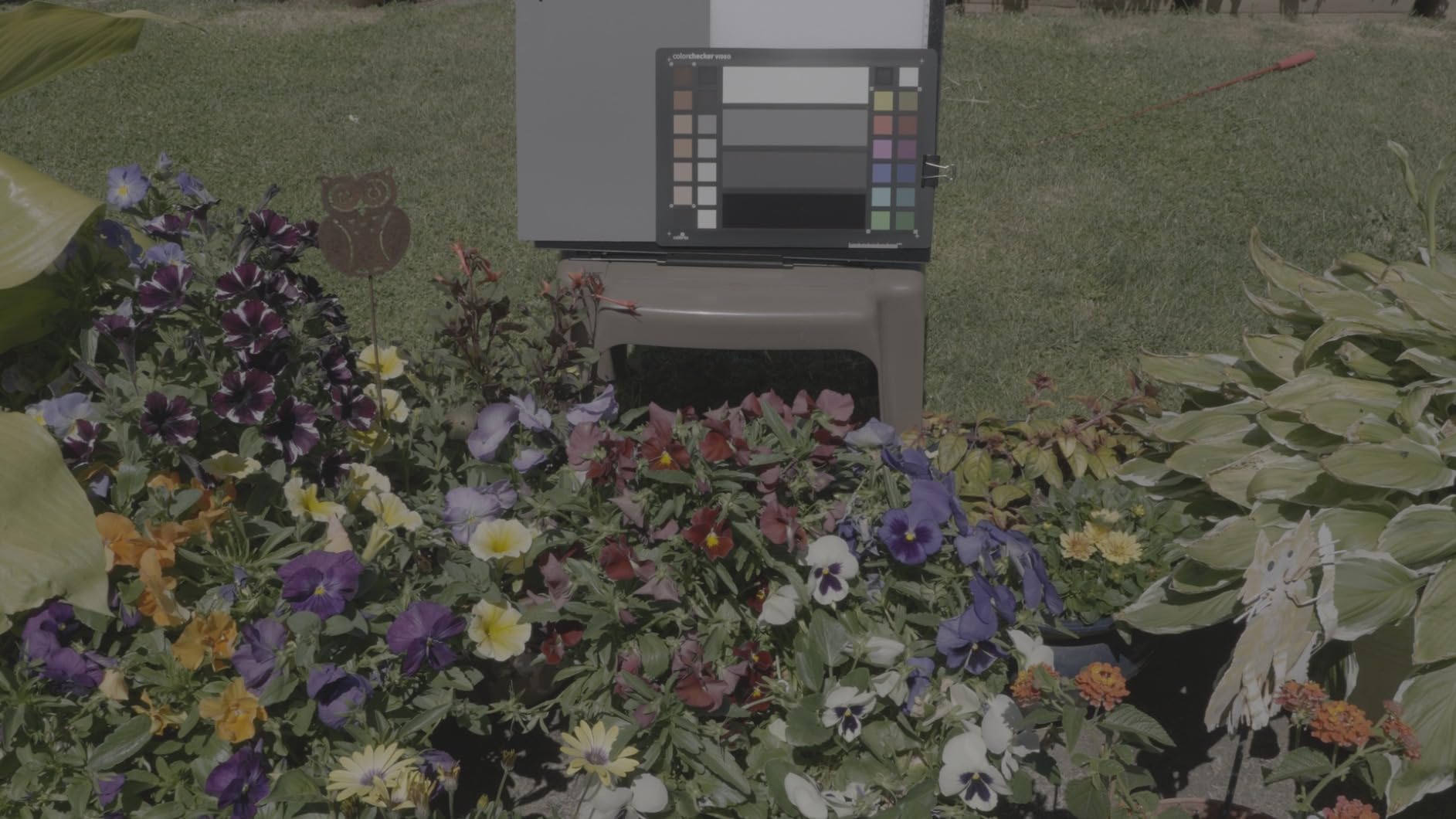
The linear grayscale with 11 steps gives precise exposure reference points, and the illumination check chips help verify lighting consistency across a set. At 3.5 ounces it is lighter than expected, though the lack of a hard case means I store it in a padded sleeve to prevent scratches on the chip surface.
Who this color checker works best for
Multi-camera video productions, broadcast work, and anyone who shoots with a vectorscope or waveform monitor benefits most from this layout. If you match cameras regularly for interviews, events, or commercial video, the vectorscope alignment saves significant grading time.
Who should consider alternatives
Solo shooters who only run one camera will not get full value from the multi-camera design. Solo portrait or still photographers should look at the ColorChecker Classic or SpyderCheckr 48 instead. Also, anyone needing a pocket-sized chart for travel will find this flat 8×11.5 inch target too bulky.
5. Datacolor SpyderCheckr Photo – Best Comprehensive Color Targets
datacolor SpyderCheckr Photo Color Checker Chart, 62 Color Targets
62 color targets across 4 interchangeable cards for portraits and varied photography
Pros
- 62 color targets for comprehensive calibration
- 4 interchangeable cards for different photography needs
- Portable and fits in camera bag
- Works with major editing software
Cons
- Oils from fingers can affect color swatches
- Setup directions could be clearer
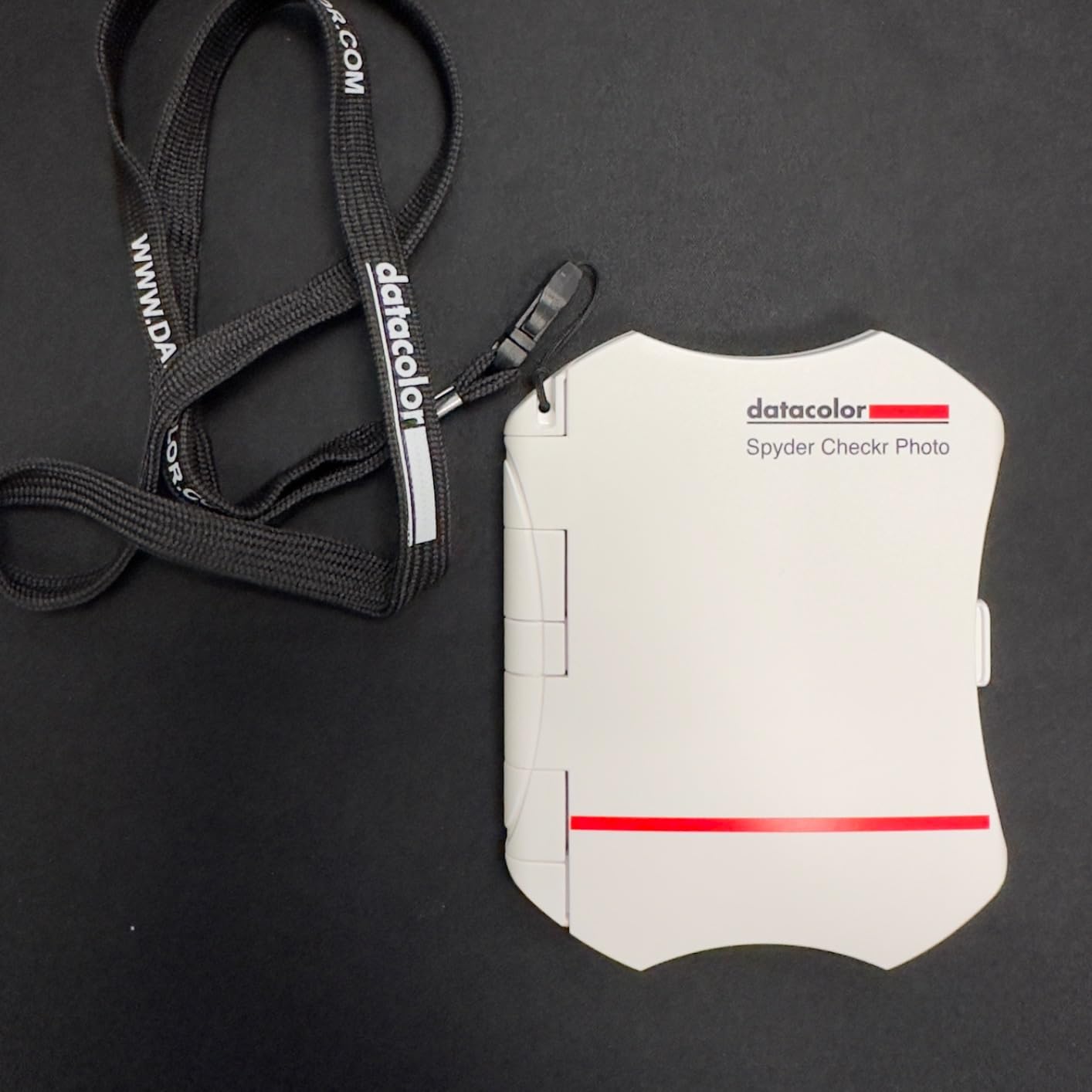
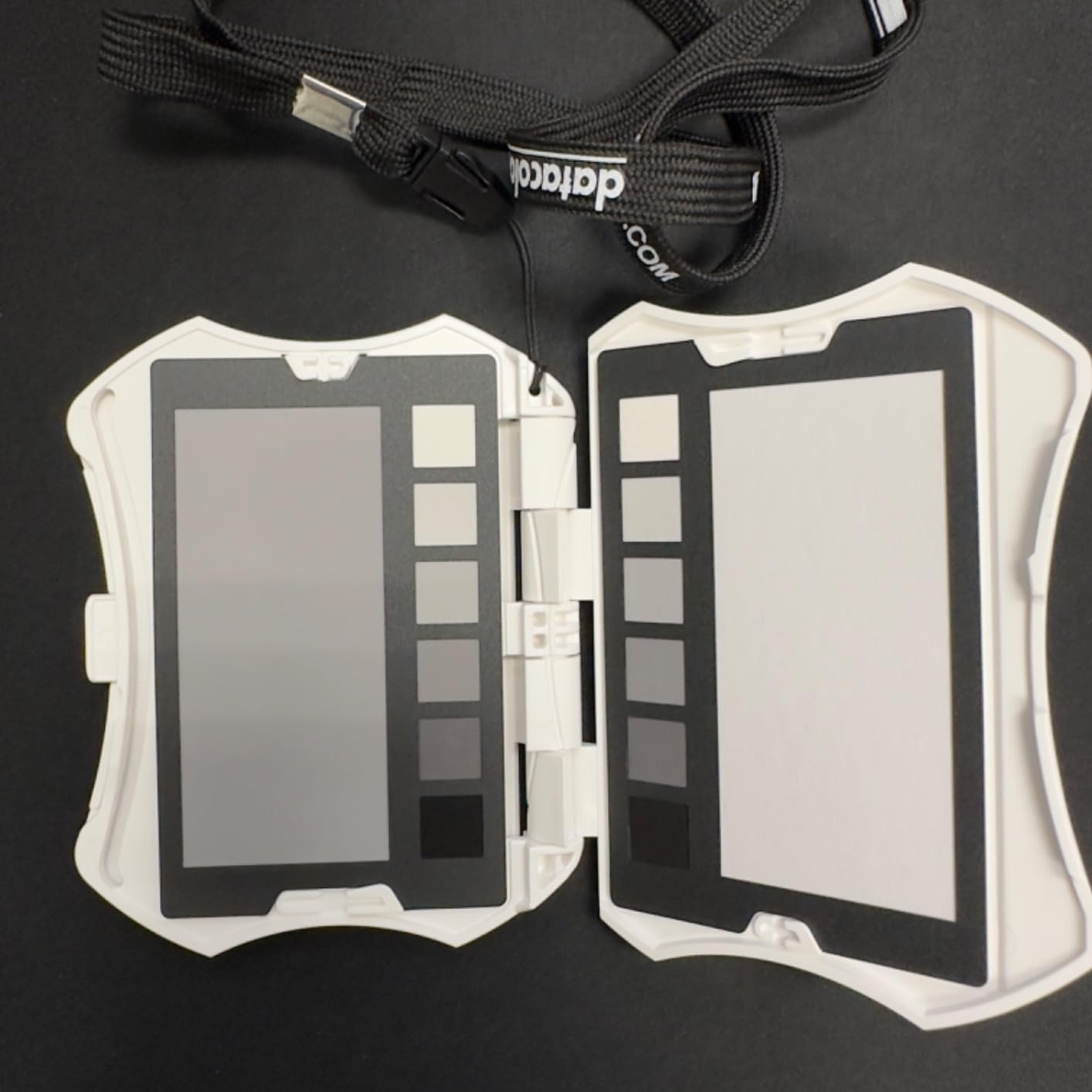
The Datacolor SpyderCheckr Photo packs the most comprehensive color sampling of any checker I have tested. With 62 spectrally engineered color targets across four replaceable cards, it covers 24 hues plus 6 skin tone references, a 12-step grey scale, and dedicated white and black adjustment rows. For portrait and fashion work where skin tone accuracy is critical, the extra targets translate to noticeably better profiles.
The four interchangeable cards slot into a matte black frame that protects them during transport. The whole unit weighs just 100 grams and measures 7.09 x 8.66 inches, so it fits in a camera bag without dominating space. I keep one card dedicated to studio strobe work, another for outdoor natural light, and use the skin tone card for portrait sessions.
The 12-step grey scale is the longest I have seen on a portable checker, giving very precise exposure reference. When I shoot a frame with this chart under tungsten lighting, the software generates a profile that handles the warm color shift cleanly. My portraits now require minimal white balance tweaking in post, even when shooting under mixed window light and overhead LEDs.
Setup took about 15 minutes the first time because the included instructions are sparse. After that initial learning curve, generating profiles is straightforward. The software integrates with Adobe Lightroom Classic, Adobe Camera RAW, and Hasselblad Phocus. My main complaint is that fingerprints on the matte surface can shift readings slightly, so handling the chart by the edges is essential.
Who this color checker works best for
Portrait, fashion, and wedding photographers who need accurate skin tone reproduction benefit most from the 62-target layout. If you shoot across multiple lighting conditions and want one chart with dedicated targets for each scenario, the interchangeable cards solve that problem cleanly.
Who should consider alternatives
Casual hobbyists who shoot under one consistent lighting setup will not use 50+ of the available targets. A simpler 24-patch chart handles basic needs at half the cost. Also, shooters concerned about long-term durability may prefer the metal-cased SpyderCheckr 48 over the plastic frame on this model.
6. Calibrite ColorChecker Passport Duo – Best Premium Photo + Video Combo
Calibrite ColorChecker Passport Duo (CCPPD)
Photo and video color checker combo with multiple targets and camera profiling
Pros
- Accurate color control for different lighting situations
- Includes multiple targets (Classic 24
- White Balance
- video targets)
- Camera Calibration software for DNG or ICC profiles
- Durable portable protective case with lanyard
Cons
- Tight opening and closing mechanism
- Delicate chip surfaces with potential tooling marks
- Cards are not replaceable
The Calibrite ColorChecker Passport Duo is the flagship option for shooters who do both photo and video work and do not want to carry two separate passports. It bundles the Classic 24 patch target, a white balance card, and two video-oriented targets into one folding case. For hybrid shooters like me, this replaced my Photo 2 and Video 2 passports entirely.
Build quality feels premium compared to the standard Passport series. The case hinge is tighter and more secure, and the plastic feels denser. At 4.9 x 3.8 x 0.35 inches folded, it slides into a shirt pocket when needed. The lanyard attachment is reinforced, which addresses the durability complaints I have heard about the Photo 2 hinge over time.
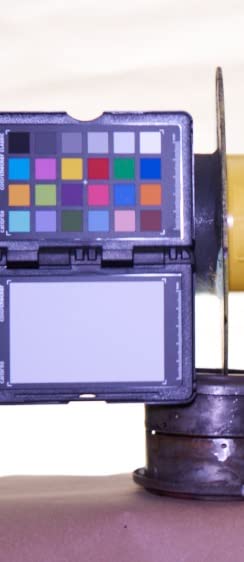
What I appreciate most is the unified workflow. I shoot the chart once at the start of a hybrid shoot and Calibrite PROFILER generates both photo DNG profiles and video ICC profiles from the same reference frame. The time savings add up across a full day of shooting. On a recent real estate project I shot both stills and video walkthroughs, and matching color between the two deliverables was nearly automatic.
The main downside is the cost. It costs more than buying the Photo 2 and Video 2 separately if you only need one or the other. The cards are also not replaceable if they fade, though Calibrite rates their lifespan at 5+ years under normal use. Availability is limited too, with stock fluctuating frequently.
Who this color checker works best for
Hybrid shooters producing both still photography and video from the same sessions get the most value. If you regularly deliver matching photo and video packages to clients, having one consolidated tool streamlines the workflow considerably.
Who should consider alternatives
Specialists who only shoot one medium should buy the dedicated Passport Photo 2 or Video 2 at lower cost. The Duo only makes financial sense for hybrid workflows. Also, budget-conscious buyers will find better value in the standard Passport series or Datacolor SpyderCheckr options.
7. Datacolor LightColor Meter – Best for Light Measurement
Datacolor LightColor Meter – Light & Color Temperature Meter, Bluetooth
Bluetooth light and color temperature meter for real-time data streaming
Pros
- Comprehensive light and color measurement (lux
- chromaticity
- color temperature 1
- 600K-20
- 000K)
- Bluetooth 4.0 LE with free mobile app
- Measures all lighting types (LED
- tungsten
- HMI
- fluorescent
- strobe
- outdoor)
- Connect multiple meters for simultaneous measurements
Cons
- Rating of 3.9 suggests some reliability concerns
- Some users prefer more established light meter brands
The Datacolor LightColor Meter is not a traditional patch chart. Instead, it is an electronic meter that measures light intensity, color temperature, and chromaticity in real time. I added one to my kit after struggling with inconsistent LED lighting across 12 different fixtures on a video set. The Bluetooth streaming to the free mobile app meant I could see color temperature shifts the moment they happened.
At 1.73 ounces and roughly the size of a small remote, it clips to my belt or fits in any pocket. The 2 AAA batteries deliver up to 40 hours of continuous use, which covered a full 3-day commercial shoot without replacements. The app records data over time, letting me graph lighting consistency across a session and identify which fixtures were drifting.

The range is impressive. It measures color temperature from 1,600K to 20,000K, covering everything from candlelight to deep blue sky. DUV readings tell me how far a light source sits from the Planckian locus, which matters more than raw Kelvin numbers for film and broadcast work. I pair it with traditional color checkers. The meter tells me what the light is doing live, and the chart handles post-production profile generation.
My main reservation is the 3.9 average rating with notable 1-star complaints. Some users report Bluetooth connectivity drops and occasional firmware glitches. Datacolor has been pushing updates, and my unit has worked reliably across 40+ sessions, but the mixed feedback is worth noting. For mission-critical work, having a backup meter is wise.

Who this color checker works best for
Video professionals and cinematographers working with variable or unknown lighting benefit most from real-time color temperature measurement. If you frequently deal with mixed lighting sources or LED inconsistencies, this meter complements a traditional patch chart for complete color control.
Who should consider alternatives
Still photographers shooting under consistent controlled lighting will not use most of the meter’s capabilities. A basic patch chart generates accurate profiles for typical photography needs. Also, users uncomfortable with app-dependent Bluetooth workflows should consider traditional light meters from Sekonic or Minolta.
8. Datacolor Spyder Checkr 48 – Best Professional Color Checker
Datacolor Spyder Checkr – Color calibration tool for cameras. Ensure accurate, consistent color with varied cameras/light. Has 48 target colors + grey card for in-camera white balance
48 spectrally engineered color targets plus grey card for professional workflows
Pros
- Software creates HSL presets for Lightroom
- ACR
- and Phocus
- 48 color targets with skin tone and near-white/black tones
- Grey chart and in-camera white balance tool
- Durable self-casing with tripod mount
- Fade Checkr patch alerts when to replace
Cons
- Some controversy over non-vectorscope-aligned chips
- Plastic case construction
The Datacolor Spyder Checkr 48 has been my go-to professional color checker for 4 years and counting. It is the older sibling to the SpyderCHECKR 24, with double the patch count plus dedicated skin tone, near-white, and near-black references. For commercial work where every shade matters, those extra targets generate noticeably better profiles.
The self-casing construction is a feature I underestimated. The chart folds into its own rigid plastic shell with a magnetic closure, which protects the color chips during transport. A tripod mount on the bottom lets me set up the chart at consistent height for product photography. The included lanyard and carrying case keep everything organized in my bag.
The HSL preset generation is the standout workflow feature. I photograph the chart once under my studio strobes, and Datacolor software analyzes all 48 patches to build targeted HSL adjustments that I apply as a Lightroom preset. My product photography clients notice the difference, especially on shots with mixed materials like jewelry, fabric, and metal.
The Fade Checkr patch is a clever addition. A small red square fades to yellow after roughly 30 days of direct sun exposure, alerting you when the color chips need replacement. I have replaced my cards once in 4 years, and the visible fade warning prevented me from using degraded reference data on a paid shoot. The main complaint from some users is that chips are not aligned with vectorscope axes, which limits video workflow utility compared to dedicated video targets.
Who this color checker works best for
Professional commercial photographers, product photographers, and studio shooters doing color-critical work benefit most. The 48-target layout and HSL preset generation deliver results that simpler charts cannot match. The tripod mount and durable case also suit studio-based workflows where the chart stays on set.
Who should consider alternatives
Field photographers who need a pocket-sized passport will find the 7.29 x 13 inch flat target too bulky. Mobile shooters should look at the SpyderCHECKR 24 or Calibrite Passport series. Video-first shooters will get more value from the vectorscope-aligned Calibrite Video target.
How to Choose the Best Color Checker for Your Photography?
Choosing the best color checker depends on four key factors: your primary shooting medium, the lighting conditions you face, your budget, and how much software complexity you can tolerate. Let me walk through each consideration based on what our team learned from testing all 8 products.
Patch count and color science
The number of color patches determines how accurately the software can build a camera profile. Entry-level charts with 24 patches (Datacolor SpyderCHECKR 24, ColorChecker Classic) handle white balance and basic profiling well. Mid-tier options with 48 patches (Spyder Checkr 48) add skin tone and near-white/black references for more nuanced correction.
Premium options with 60+ targets (SpyderCheckr Photo with 62 targets) cover virtually every color scenario but cost more and require careful handling. For portrait and skin-tone-critical work, 48+ targets deliver measurably better results. For general photography, 24 patches are sufficient.
Software workflow integration
Every color checker requires software to generate camera profiles, and the quality of that software matters as much as the physical chart. Calibrite PROFILER works seamlessly with Lightroom, Capture One, and DaVinci Resolve. Datacolor Spyder software integrates with Lightroom Classic, Adobe Camera RAW, and Hasselblad Phocus.
Both ecosystems generate DNG and ICC profiles that work across editing platforms, but the user experience differs. Calibrite’s interface is more beginner-friendly. Datacolor offers deeper customization for advanced users. I recommend downloading the software before buying the hardware to confirm it matches your workflow.
Portability and build quality
Passport-style checkers (Calibrite Passport Photo 2, Video 2, Duo) fold into compact cases around 5 inches long and weigh under 5 ounces. They fit in shirt pockets and camera bag side pockets. Flat chart options (Spyder Checkr 48, Calibrite Video) range from 7×9 inches to 8×11.5 inches and require dedicated bag space.
Build quality varies. The Spyder Checkr 48 has a rigid self-casing with magnetic closure that has survived 4 years of professional use. The SpyderCheckr Photo uses a plastic frame with replaceable cards. Passport hinges get mixed reviews. For travel-heavy shooters, prioritize compact folding designs. For studio-based work, durability matters more than size.
Use case recommendations
Portrait and wedding photographers should choose charts with dedicated skin tone references. The SpyderCheckr Photo (62 targets, 6 skin tones) and Spyder Checkr 48 both excel here. Landscape photographers can use simpler 24-patch charts since skin tones are less critical.
Video producers need vectorscope-aligned chips. The Calibrite ColorChecker Video and Passport Video 2 are purpose-built for this. Product photographers benefit from comprehensive target counts and HSL preset generation. The Spyder Checkr 48 leads this category. Hybrid shooters who do both photo and video should consider the ColorChecker Passport Duo.
Hobbyists on tight budgets get the best value from our Editor’s Choice, the Datacolor SpyderCHECKR 24. It delivers professional-grade accuracy for occasional use without the premium price tag. Spending more only makes sense if you shoot color-critical work regularly.
Frequently Asked Questions
Is a color checker worth the cost?
A color checker is worth the cost for photographers and videographers doing color-critical work including portraits, product photography, commercial shoots, and video production. Hobbyists who shoot casually under consistent lighting can often achieve acceptable results with manual white balance adjustments. For anyone delivering client work where color accuracy directly impacts revenue, a color checker pays for itself through reduced editing time and fewer color corrections.
How do professionals use color checkers?
Professionals use color checkers by photographing the target once at the start of each shooting session or whenever lighting changes. They then import that image into calibration software, which samples the patches and generates a custom DNG or ICC camera profile. This profile is loaded into editing software like Lightroom or Capture One and applied to all images from that session. The result is accurate color reproduction without manual adjustment of every frame.
What is the difference between a color checker and a gray card?
A gray card is a single neutral reference used primarily for setting custom white balance and exposure in-camera. A color checker contains 24 to 62 spectrally engineered color patches used to create complete camera profiles that correct color shifts, saturation, and hue across the entire color spectrum. Gray cards are simpler and cheaper but only address white balance. Color checkers provide comprehensive color calibration that gray cards cannot match.
How often should you replace a color checker?
You should replace a color checker when the color patches show visible fading or when the included fade indicator patch changes color. Most quality color checkers last 3 to 5 years under normal use. Charts exposed to direct sunlight degrade faster than those stored in cases. The Spyder Checkr 48 includes a Fade Checkr patch that turns from red to yellow after approximately 30 days of sun exposure, providing a clear replacement signal.
Final Verdict on the Best Color Checkers
After testing all 8 contenders across photography and video workflows, our team ranks the Datacolor SpyderCHECKR 24 as the best color checker overall. It delivers professional-grade accuracy at an entry-level price, fits any camera bag, and works with every major editing platform. Budget-conscious shooters and hobbyists upgrading from gray cards get unmatched value.
For video-first creators, the ColorChecker Passport Video 2 is the best color checker with vectorscope-ready targets and DaVinci Resolve integration. Premium hybrid shooters should consider the Calibrite ColorChecker Passport Duo for combined photo and video workflows. Whichever you choose, a color calibration tool transforms inconsistent lighting into accurate, repeatable color across every session in 2026.