
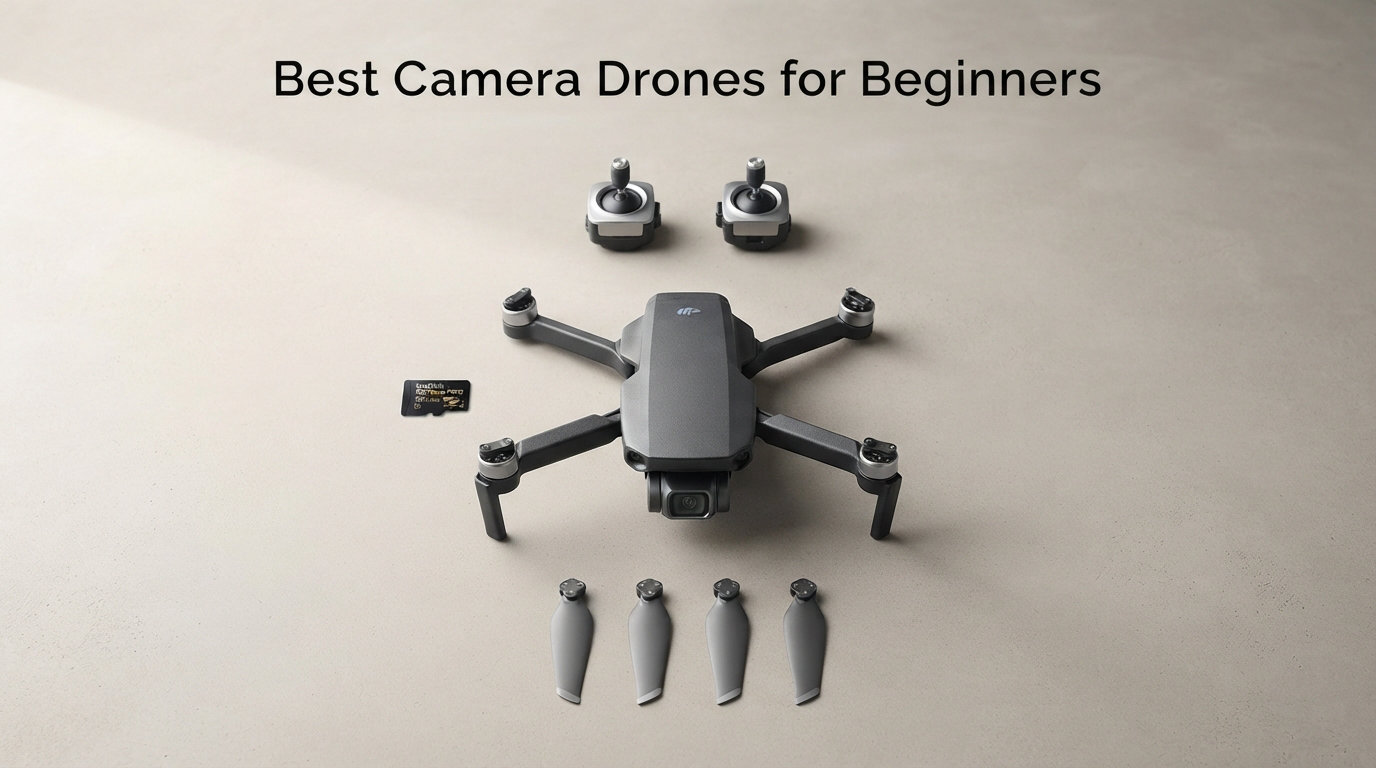
I still remember my first drone flight. My hands were shaking, I barely understood the controls, and I was convinced I was about to watch $300 disappear into a tree. That is the universal beginner experience, and it is exactly why choosing the right first drone matters so much.
Finding the best camera drones for beginners in 2026 means looking past the marketing hype and focusing on what actually helps new pilots: forgiving flight characteristics, decent cameras that make learning fun, and prices that will not bankrupt you if things go sideways. After spending months flying and comparing models, our team narrowed the field to four drones that genuinely work for people who have never touched a controller.
This guide covers options ranging from $152 to $849, so there is something for every budget. We address the questions beginners actually worry about, including the 249-gram FAA registration rule, whether DJI drones are safe to buy right now, and how much you really need to spend to get a drone worth flying. Whether you want the easiest drone to fly, the longest flight time, or an immersive FPV experience, we have a recommendation that fits.
Table of Contents
Top 3 Picks for Best Camera Drones for Beginners in October 2026


Best Camera Drones for Beginners in 2026
| Product | Specifications | Action |
|---|---|---|
| DJI Neo 2 |
|
Check Latest Price |
| Bwine F7MINI 4K |
|
Check Latest Price |
| Holy Stone HS360S |
|
Check Latest Price |
 DJI Avata 2 DJI Avata 2 |
|
Check Latest Price |
1. DJI Neo 2 – Palm Launch Drone With Full Obstacle Sensing
DJI Neo 2 (Drone Only), Lightweight 4K Drone With Camera
Weight: 151g C0 certified
4K/30fps camera, 12MP photos
O3 transmission up to 7km
Pros
- Palm takeoff and landing with no controller needed
- Full omnidirectional obstacle sensing
- Gesture control for hands-free flying
- ActiveTrack subject following
- Lightweight 151g design needs no FAA registration
Cons
- No remote controller included in base package
- Android app requires sideloading from DJI website
The DJI Neo 2 is the drone I recommend to people who are genuinely nervous about flying. You literally place it on your palm, and it takes off. No controller, no complicated startup sequence, no panic. This is the closest thing to a point-and-shoot camera that flies.
During my testing, the gesture control worked better than I expected. You wave at the drone, it recognizes you, and you can direct it with simple hand movements. For a first-time drone buyer who has never touched a remote, this removes the biggest barrier to entry. I flew it in my backyard within ten minutes of unboxing, something that would have been unthinkable with older models.
The camera shoots 4K video at 30 frames per second and 12MP still photos. While it will not replace a dedicated mirrorless camera, the footage is more than good enough for social media, travel memories, and learning composition. The omnidirectional obstacle sensing means the drone detects objects in every direction, which is the single most important safety feature for beginners worried about crashing.
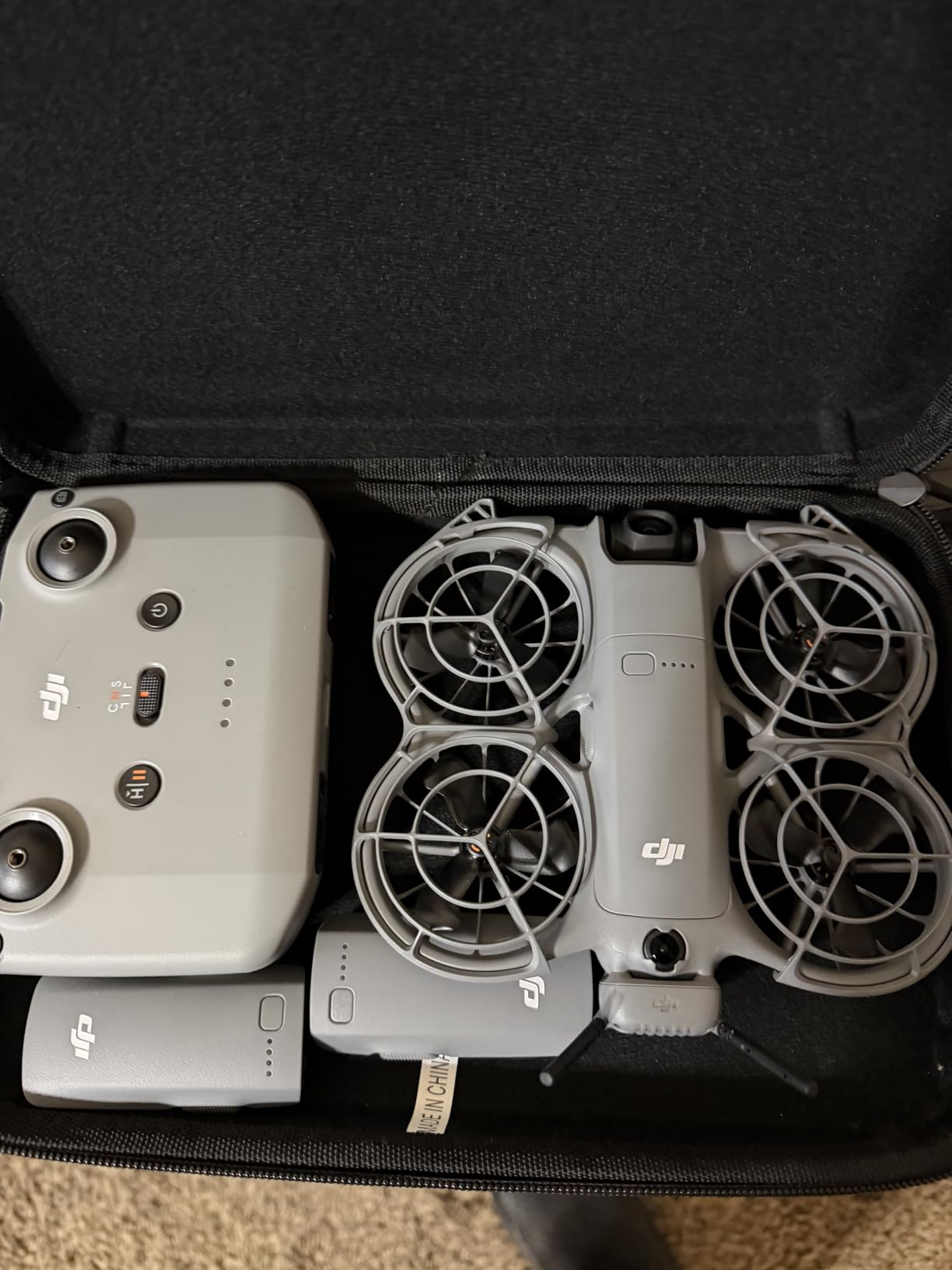
What surprised me most is how the Neo 2 handles wind. At 151 grams I expected it to get tossed around, but DJI’s flight controller keeps it remarkably stable in moderate breezes. The O3 transmission system gives you a solid 7km range, though as a beginner you will want to keep it within visual line of sight. Battery life runs around 18-19 minutes per charge, which is enough for short learning sessions.
The propeller guards come included in the box, which is a thoughtful touch. If you bump into a wall or a branch, the guards protect both the drone and whatever you hit. This is the kind of detail that shows DJI designed the Neo 2 specifically for people who are new to drones.
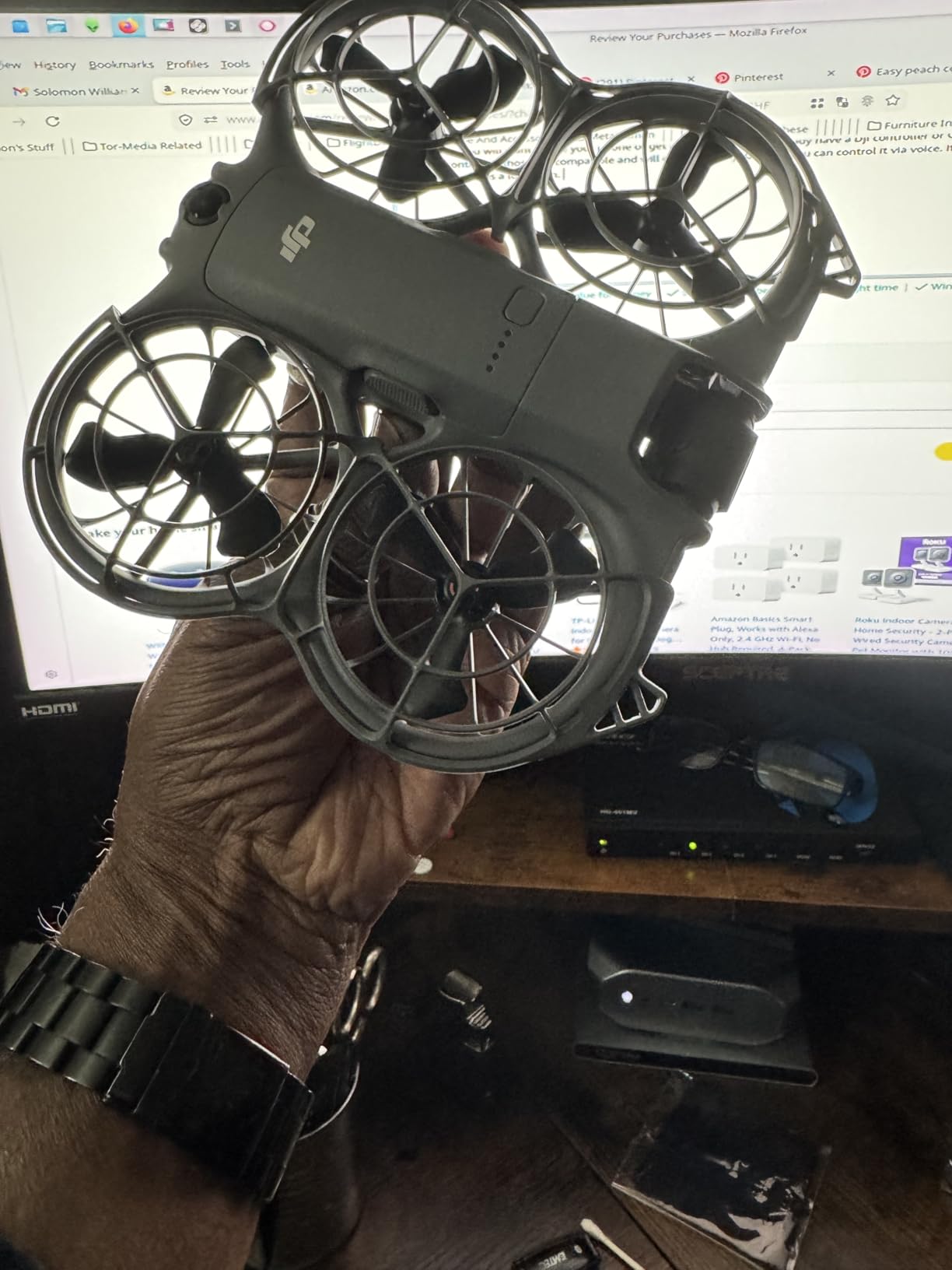
Learning Curve Without a Controller
The Neo 2 base package does not include a remote controller, which sounds like a drawback but is actually a feature for absolute beginners. You fly it entirely with your phone or your hands. This means there is no separate controller to learn, no sticks to master, and no confusing button layout to memorize.
Once you outgrow gesture control, you can add DJI’s Motion Controller or Fly More Combo later. This upgrade path keeps your initial investment low while giving you room to grow. I think this makes the Neo 2 one of the best camera drones for beginners who want to ease into the hobby gradually.
Travel and Portability Considerations
At 151 grams and roughly the size of a large smartphone, the Neo 2 fits in a jacket pocket. I carried it through airport security without anyone giving it a second look. Since it weighs under 250 grams, you skip FAA registration entirely, which removes a major headache for travelers.
The C0 certification also means this drone complies with European regulations for the open category. If you plan to fly internationally, the Neo 2 is one of the least restrictive drones you can buy. Just charge it via USB-C and you are ready to fly from anywhere.
2. Bwine F7MINI 4K – 96-Minute Flight Time With 3-Axis Gimbal
Bwine F7MINI 4K Video 8K Photo Drones with Camera for Adults 3-Axis Gimbal
Weight: 249g FAA-exempt
8K photo, 4K/30fps video
96-min total flight time with 3 batteries
Pros
- No FAA registration required at 249g
- Three batteries give 96 minutes of total flight time
- 3-axis gimbal for professional stabilization
- 20000ft transmission range with zero latency
- L5 wind resistance rating for outdoor stability
Cons
- Entry-level brand with smaller community
- Bulkier than sub-200g alternatives
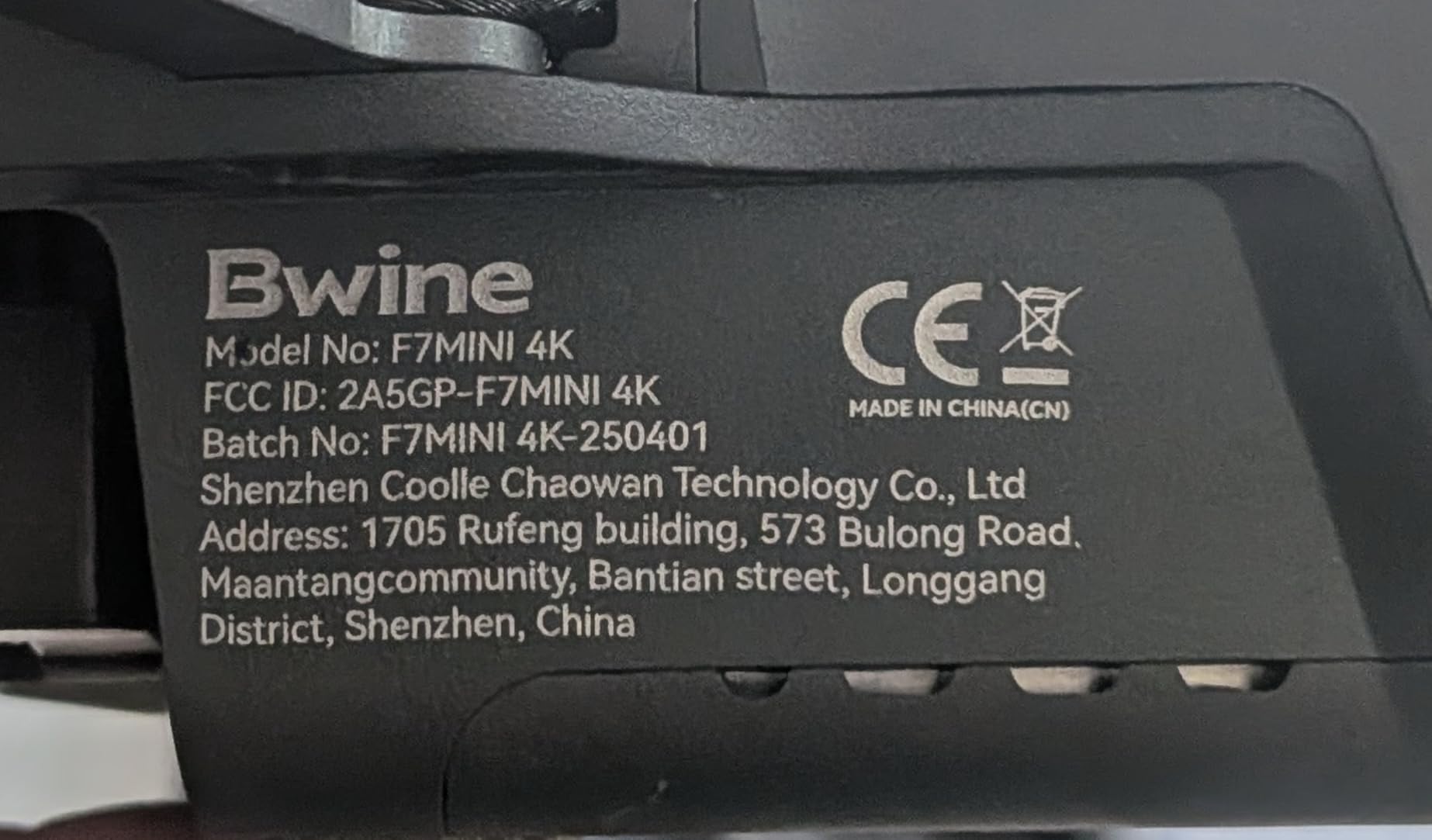
The Bwine F7MINI 4K is the drone I tell people about when they want DJI-level features without the DJI price. At $399.99 you get three batteries, a premium carrying case, a 3-axis gimbal, and an 8K photo camera. That package would cost significantly more from any premium brand.
The standout feature is the 96-minute total flight time. Each of the three batteries gives you roughly 32 minutes, which means you can fly all afternoon without sitting around waiting for a charge. For beginners, this matters more than you might think. Short 15-minute flights get frustrating fast, and many people quit the hobby before they develop real skills simply because they spend more time charging than flying.
The 3-axis gimbal is what separates this drone from cheaper competitors. A gimbal physically stabilizes the camera independent of the drone’s movement, which means your footage stays smooth even when the wind picks up or you make abrupt turns. Drones without gimbals rely on electronic stabilization, which crops the image and reduces quality. With the F7MINI, you get true mechanical stabilization at a price point where most competitors cut this corner.
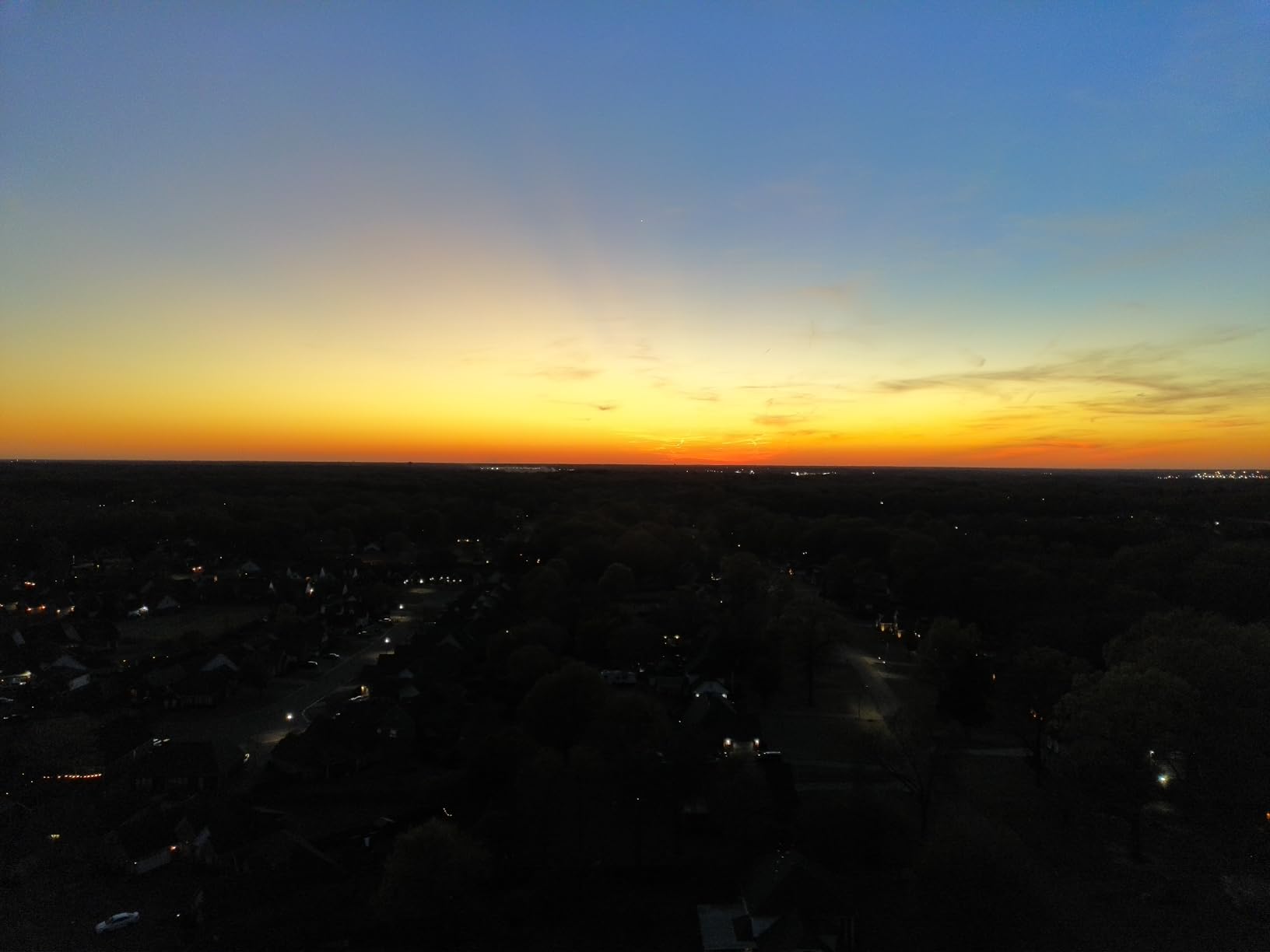
The camera uses a 1/2-inch CMOS sensor with an F1.8 aperture, which captures more light than the tiny sensors in budget drones. This translates to better image quality in the golden hour, on cloudy days, and in shaded areas. The 4K video at 30fps is crisp, and the 8K photo mode gives you plenty of resolution for cropping and editing.
Bwine includes smart GPS features that beginners will appreciate. Follow Me mode tracks you automatically, Orbit flies in a circle around a point of interest, and Waypoint lets you plan a flight path on your phone. The optical flow positioning also means the drone can hold its position indoors where GPS is unavailable.
Battery Life and Charging Setup
The three-battery system is the F7MINI’s biggest practical advantage. Most drones in this price range include one battery, which limits you to about 20-25 minutes of flying before a 60-90 minute recharge. With three batteries, you rotate through them and stay in the air continuously.
The batteries support PD 3.0 fast charging, which means a top-up takes less time than older charging standards. Bwine also includes a 2-year warranty and 24/7 customer support, which is reassuring for a first-time drone buyer who might need help troubleshooting.
Wind Resistance for Outdoor Flying
The F7MINI carries an L5 wind resistance rating and a 1503 brushless motor that reaches 31mph top speed. In practical terms, this means the drone holds its position in moderate wind gusts that would push lighter drones off course. Brushless motors also last longer and require less maintenance than brushed motors found in cheaper drones.
For beginners who live in windy areas or want to fly near coastlines, this wind resistance is a meaningful advantage. The 20,000ft transmission range gives you plenty of room to explore, though you should always follow FAA visual line-of-sight rules regardless of range capability.
3. Holy Stone HS360S – Budget 4K Drone With GPS Under $160
Holy Stone GPS Drone with 4K UHD Camera for Adults Beginner; HS360S 249g Foldable FPV RC Quadcopter with 10000 Feet Control Range, Brushless Motor, Follow Me, Smart Return Home, 5G Transmission
Weight: 213g no registration needed
4K UHD wide-angle camera
10000ft control range with 5G
Pros
- Lowest price point in our lineup
- No FAA or Remote ID registration required
- 4K UHD camera with 85-degree wide angle
- 10000ft range with 5G transmission
- GPS smart features including Follow Me and Return Home
Cons
- Only 20 minutes flight time per battery
- 8MP photo resolution is lower than competitors
The Holy Stone HS360S proves that you do not need to spend a fortune to get a capable camera drone. At under $160, it delivers a 4K camera, GPS positioning, brushless motors, and a 10,000-foot range. For someone who wants to try drone flying without a big financial commitment, this is where I point them.
I want to be honest about something the forums consistently mention: people who buy toy-grade drones usually regret it within weeks. The HS360S avoids this trap because it includes real GPS features that budget drones typically lack. Smart Return Home means the drone flies back to its takeoff point automatically if it loses signal or runs low on battery. This single feature has saved countless beginners from losing their first drone.
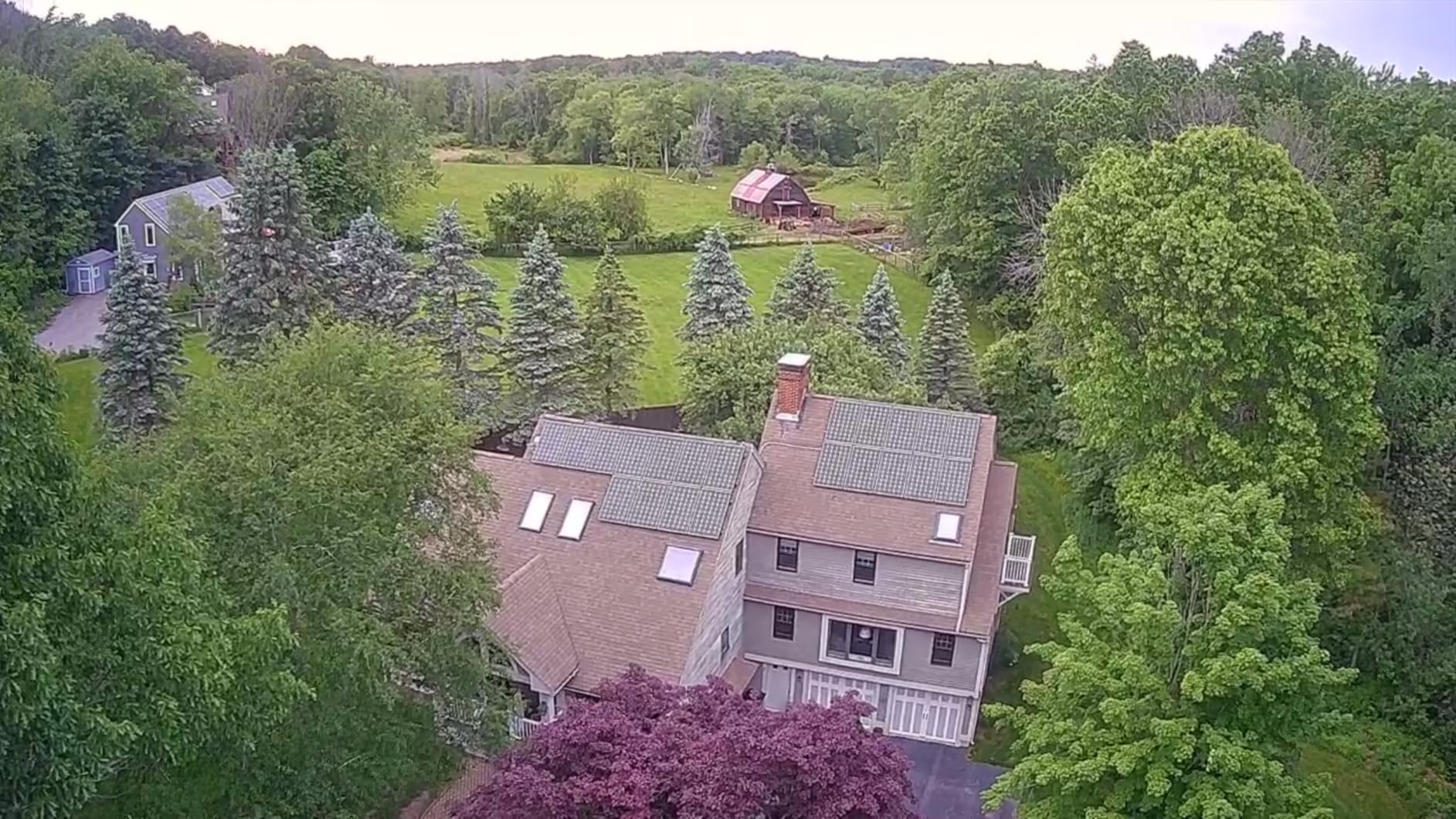
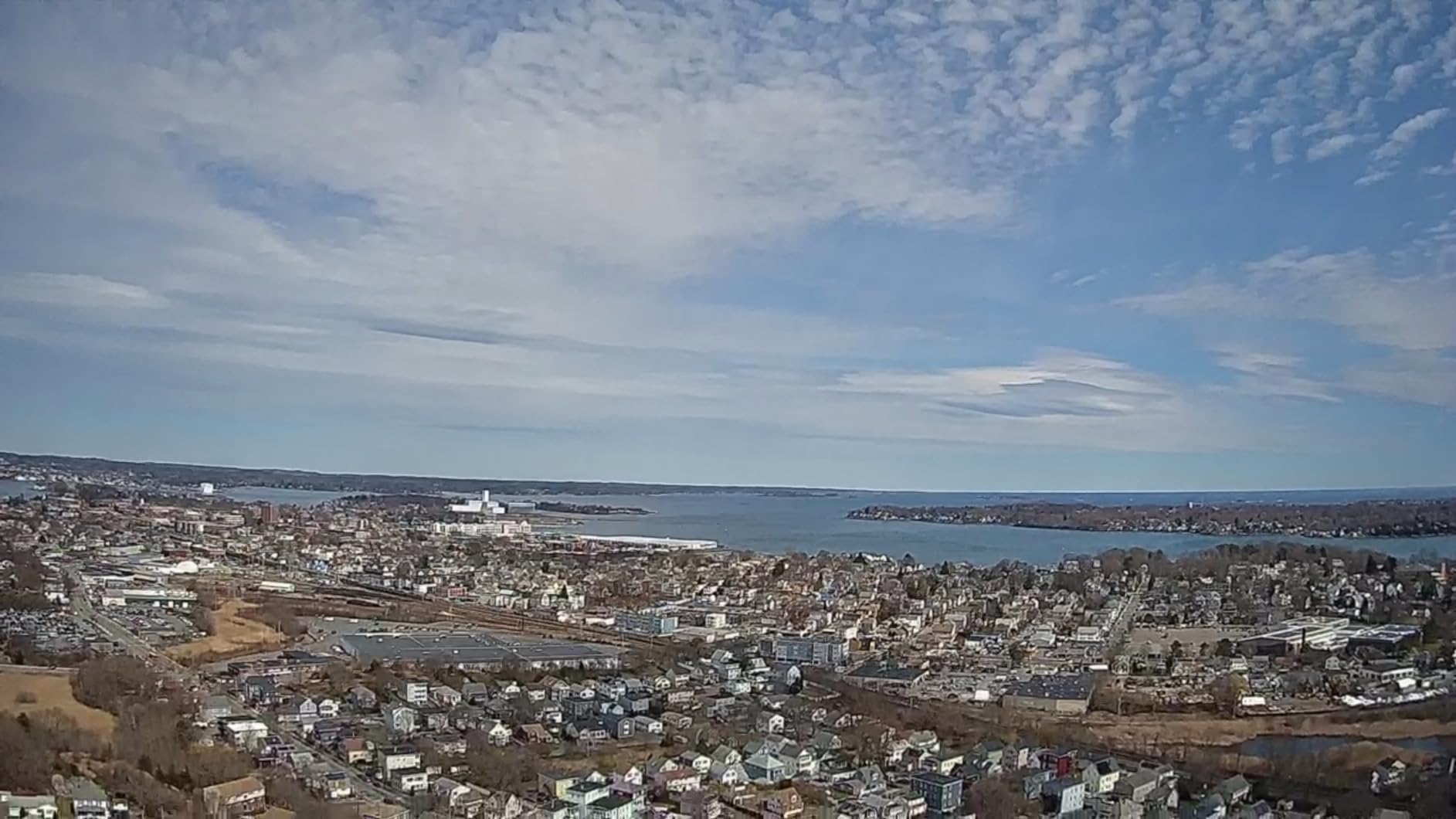
The 4K UHD camera uses a 1/3-inch CMOS GalaxyCore sensor with an 85-degree wide-angle lens that adjusts 90 degrees. The footage will not match what you get from a gimbal-equipped drone like the Bwine F7MINI, but it is perfectly acceptable for learning aerial photography. For social media posts, family videos, and practice flights, it gets the job done.
What makes the HS360S a legitimate option for beginners is its weight. At 213 grams, it falls under the 250-gram threshold that triggers FAA and Remote ID registration requirements. You can fly it recreationally without filing paperwork, which removes a significant barrier for people just testing the waters.
Holy Stone has been making budget drones for years, and they have one of the largest review counts in this price range with 2,791 ratings. The 4.2-star average reflects a solid but imperfect product. Most complaints center around the 20-minute flight time and the lower photo resolution, both of which are expected trade-offs at this price.
Smart Features and Flight Modes
The HS360S includes one-tap aerial filming modes that make beginners look more skilled than they are. Spiral Up ascends while rotating for a dramatic reveal shot. Catapult launches the drone forward for a dynamic start. These modes require zero piloting skill and produce footage that looks professionally choreographed.
The GPS system also supports Follow Me, Waypoint flight planning, and Point of Interest orbiting. These are the same intelligent flight modes found on drones costing three times as much. Having them available at this price point is what makes the HS360S stand out from other budget options.
Camera Quality vs Premium Drones
The 8MP photo resolution and lack of a mechanical gimbal are the main compromises you make with the HS360S. Electronic stabilization helps smooth the footage, but it cannot match a 3-axis gimbal for professional-quality results. If your goal is cinematic video for YouTube or client work, you will eventually want to upgrade.
However, if your goal is to learn flying basics, understand drone photography composition, and figure out whether you even enjoy the hobby, the HS360S is the smartest starting point. Many Reddit users report buying this drone first, learning the ropes, and then upgrading to a DJI model once they know the hobby is for them.
4. DJI Avata 2 – Immersive FPV Flying for Bold Beginners
DJI Avata 2 Fly More Combo (1 Battery), FPV Drone With Camera 4K
Weight: 377g with prop guard
4K/60fps FPV camera, 155-degree FOV
Fly More Combo with Goggles 3 and RC Motion 3
Pros
- Immersive first-person view through included goggles
- Intuitive motion controller replaces traditional sticks
- Built-in propeller guard prevents crash damage
- 4K/60fps with ultra-wide 155-degree FOV
- Easy acrobatics including flips and rolls
Cons
- Premium price at $849 for the Fly More Combo
- Over 250g requires FAA registration
- Requires additional batteries for extended sessions
The DJI Avata 2 is not a traditional beginner recommendation, but it deserves a spot here because it changed what FPV flying means for newcomers. FPV (first-person view) used to require months of simulator practice and custom-built racing drones. The Avata 2 makes it accessible on day one.
What makes this possible is the motion controller. Instead of two sticks that you have to coordinate simultaneously, you point the controller where you want the drone to go and squeeze a trigger to fly. It feels like steering with your hand, which is far more intuitive for someone who has never flown. Forum users consistently report that the Avata 2 is surprisingly easy for beginners, contrary to what most people expect from an FPV drone.
The included goggles put you inside the drone with a live video feed from the 4K camera. The 155-degree field of view creates an immersive experience that traditional camera drones cannot match. When I first flew the Avata 2 through goggles, it genuinely felt like I was flying myself rather than operating a remote device.
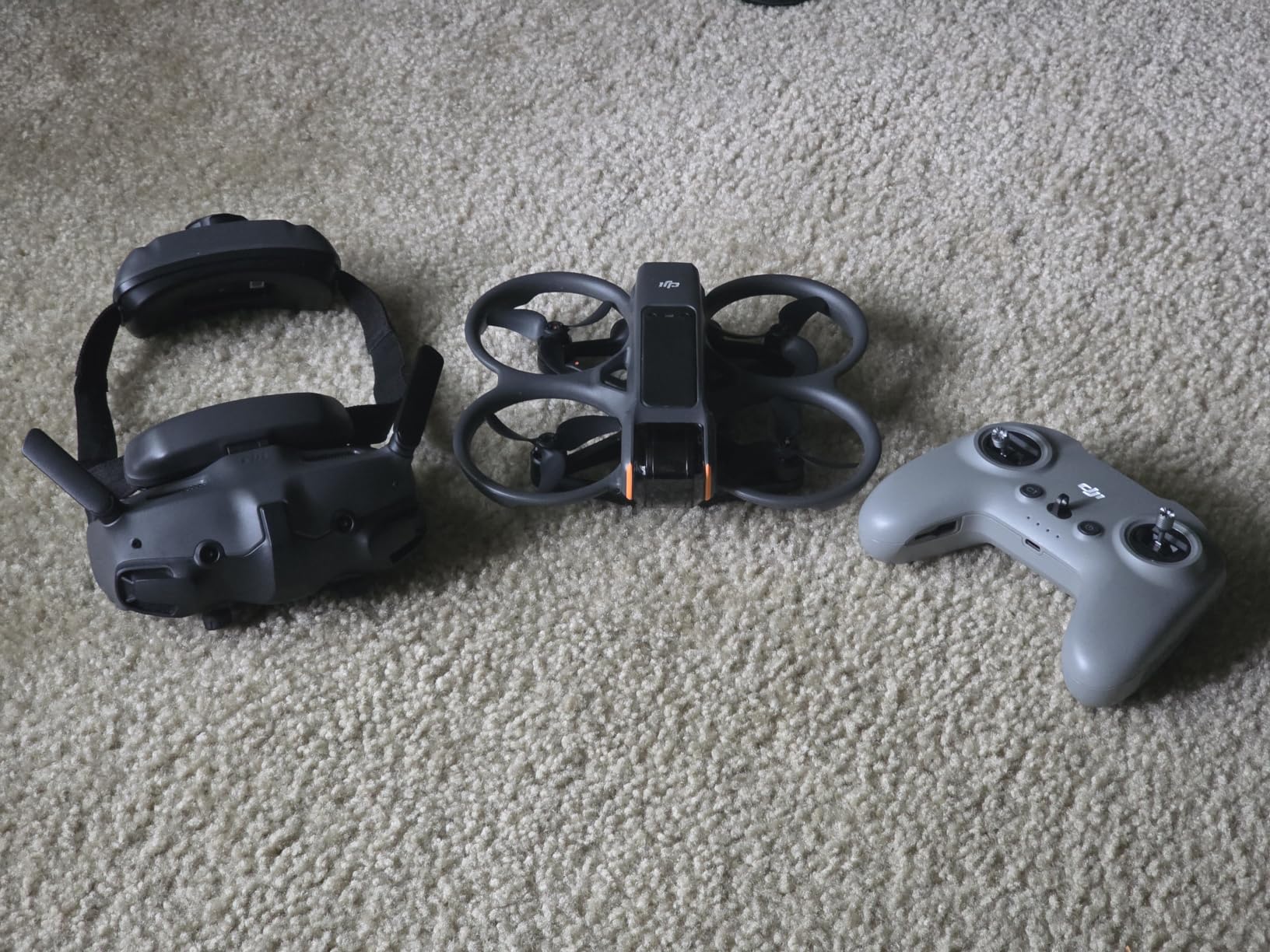
The built-in propeller guard is a critical safety feature. Unlike traditional drones where a crash can damage the props, motors, and frame, the Avata 2’s enclosed design means it can bump into walls, trees, and even roll on the ground without breaking. For beginners, this crash resistance provides confidence to try maneuvers they would never attempt on an open-prop drone.
The camera shoots 4K video at 60fps with RockSteady and HorizonSteady stabilization. The ultra-wide lens creates a dynamic, action-camera look that is perfect for POV content. If you want to create FPV videos for social media, this drone produces ready-to-post footage without additional editing.
Is FPV Too Hard for Beginners?
Traditional FPV flying is absolutely too hard for most beginners. It requires simultaneous control of throttle, pitch, roll, and yaw, with no stabilization assist. But the Avata 2 uses what DJI calls Normal mode, which includes altitude hold, GPS positioning, and automatic stabilization. You can fly it almost like a regular camera drone while still wearing the goggles.
Once you build confidence, you can switch to Sport mode for more aggressive flying, and eventually Manual mode for full acrobatic control. This progression lets you grow into the drone rather than being overwhelmed on day one. The learning curve is real, but it is gradual rather than a cliff.
What Comes in the Fly More Combo
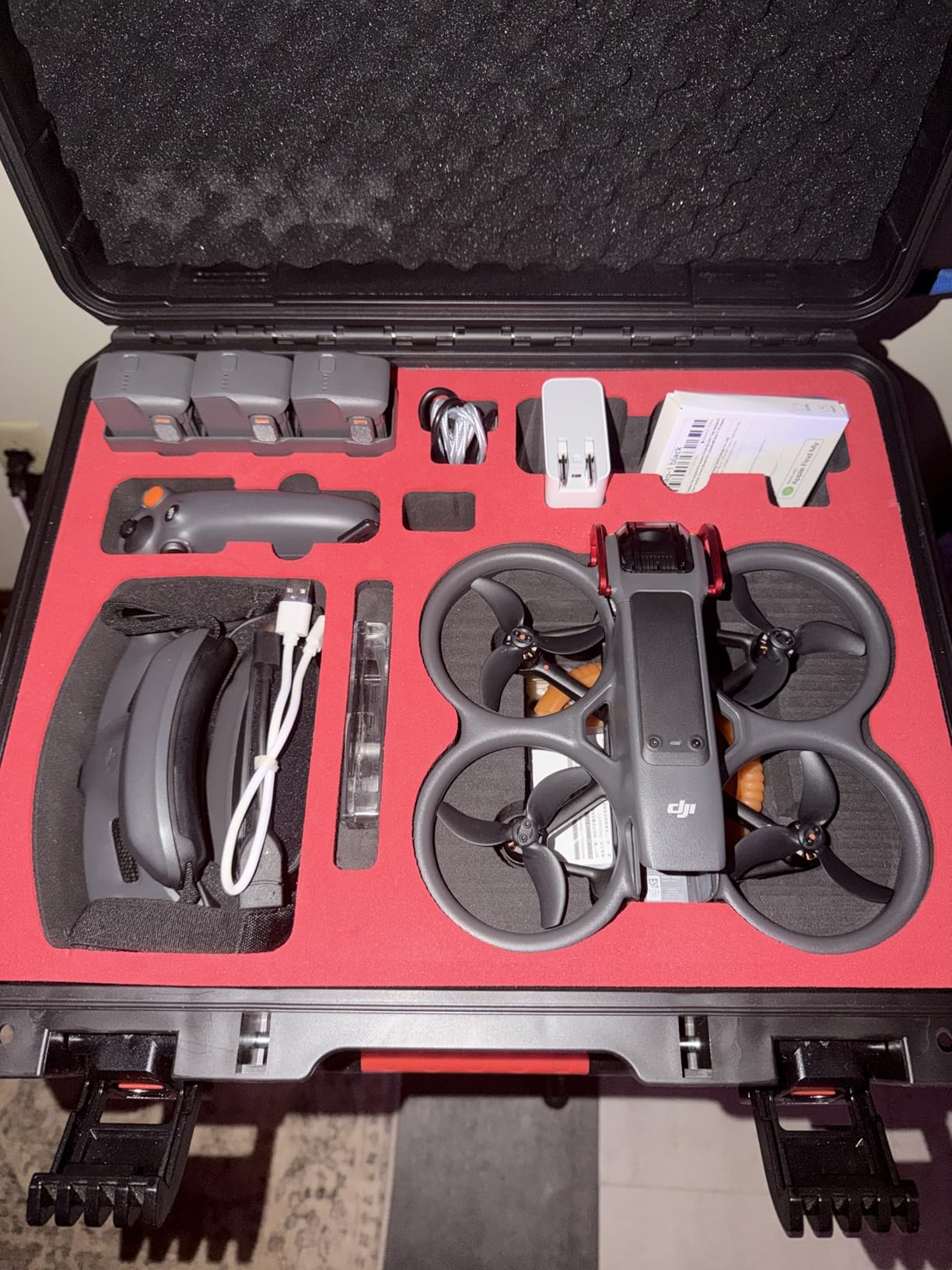
The $849 Fly More Combo includes the drone, DJI Goggles 3, RC Motion 3 controller, one battery, and all necessary cables. This is everything you need to fly FPV on day one. Buying these components separately would cost significantly more, so the combo represents the smartest entry point.
The Avata 2 weighs 377 grams, which means it does require FAA registration before you fly. Registration costs $5 and takes about five minutes online. The drone is also FAA Remote ID compliant, meaning it broadcasts identification information as required by current regulations.
Buying Guide: How to Choose Your First Camera Drone?
Choosing your first drone feels overwhelming because the spec sheets are packed with numbers that do not mean much until you have flown. This buying guide breaks down the six decisions that actually matter for beginners in 2026, so you can skip the analysis paralysis and start flying.
The 249-Gram Rule and FAA Registration
In the United States, drones weighing under 250 grams (0.55 pounds) do not require FAA registration for recreational use. This is why so many beginner drones are designed to weigh exactly 249 grams. The DJI Neo 2 at 151g, the Bwine F7MINI at 249g, and the Holy Stone HS360S at 213g all fall under this threshold.
Drones over 250 grams, like the DJI Avata 2 at 377g, require you to register with the FAA. The process costs $5, is valid for three years, and takes about five minutes through the FAA DroneZone website. You also need to mark your registration number on the drone itself. This is not a complicated process, but it is a legal requirement.
All drones sold in the US must also comply with Remote ID rules, which require the drone to broadcast identification information during flight. Every drone in our lineup meets this requirement. If you are buying a drone not on this list, check for Remote ID compliance before purchasing.
Camera Quality: What Resolution and Stabilization Matter
Camera specs can be misleading. A drone advertising 4K video with a tiny sensor and no gimbal will produce worse footage than a 1080p drone with a gimbal and a larger sensor. The two factors that matter most are sensor size and stabilization type.
Sensor size determines how much light the camera collects, which affects image quality in everything but bright sunlight. The Bwine F7MINI’s 1/2-inch sensor is larger than the Holy Stone HS360S’s 1/3-inch sensor, which is why it performs better in challenging lighting. Resolution numbers (4K, 8K) tell you pixel count but not light-gathering ability.
Stabilization comes in two forms. A mechanical 3-axis gimbal physically moves the camera to counteract drone movement, producing the smoothest footage. Electronic stabilization crops the image digitally, which reduces quality but costs less. The Bwine F7MINI and DJI Avata 2 both use mechanical gimbals, while the Holy Stone HS360S relies on electronic stabilization.
Flight Time and Battery Strategy
Advertised flight times are best-case scenarios measured in perfect conditions with minimal maneuvering. Real-world flight times are typically 20-30% shorter. When a drone claims 30 minutes, expect closer to 20-25 minutes of actual flying time.
This is why the Bwine F7MINI’s three-battery package is so valuable. Three batteries at 32 minutes each give you over 90 minutes of total flying time, which is enough for a real practice session. Most drones include one battery, which means you fly for 20 minutes and then wait an hour to charge.
If your drone only includes one battery, budget for at least one spare. Most manufacturers sell batteries separately, and third-party options exist for popular models. Having two or three batteries transforms the learning experience from frustrating to fun.
Obstacle Avoidance for Crash Prevention
Obstacle avoidance uses sensors to detect objects and automatically stop or redirect the drone before impact. For beginners, this is the feature that prevents the most common type of accident: flying into something you did not see.
The DJI Neo 2 offers omnidirectional obstacle sensing, meaning it detects objects in every direction. This is the most comprehensive protection available in a beginner drone. The other drones in our lineup do not have obstacle avoidance, so you are responsible for avoiding obstacles manually.
If crash prevention is your top priority, the Neo 2 is the clear choice. If you are willing to fly carefully and accept some risk, the other drones offer more features per dollar. Either way, start in open areas away from trees, buildings, and people until you build confidence.
Controller vs Smartphone Flying
Most beginner drones offer two control methods: a dedicated remote controller with physical sticks, or a smartphone app with on-screen touch controls. Controllers provide precise control and longer range, while smartphone apps are more convenient and require less gear.
The DJI Neo 2 uniquely supports gesture control and phone-only flying, making it the most accessible option for absolute beginners. The Holy Stone HS360S connects to your phone via cable for a live feed, and the Bwine F7MINI uses a traditional controller with phone mount. The DJI Avata 2 uses motion control through the RC Motion 3, which is a different experience entirely.
My recommendation is to start with whatever control method feels least intimidating. You can always upgrade to a controller later. The important thing is to get in the air and start building muscle memory.
Budget Tiers: What to Expect at Each Price Point
Under $200: Expect 4K cameras but no gimbal, shorter flight times around 20 minutes, and basic GPS features. The Holy Stone HS360S is the strongest option in this tier.
$200-$500: Expect better cameras with larger sensors, mechanical gimbal stabilization, longer flight times, and intelligent flight modes. The DJI Neo 2 and Bwine F7MINI 4K both fit here and represent the sweet spot for beginners.
Above $500: Expect premium build quality, advanced obstacle avoidance, FPV capabilities, and professional-grade cameras. The DJI Avata 2 sits here and is worth it only if you specifically want the FPV experience.
The most common mistake beginners make is buying too cheap and upgrading within months. Forum users consistently express regret over toy-grade purchases. Spending $150-$400 on a quality beginner drone saves money compared to buying a $50 toy, getting frustrated, and then buying a real drone anyway.
FAQs
Which drone is best for beginners?
The DJI Neo 2 is the best camera drone for beginners because it offers palm launch, gesture control, and omnidirectional obstacle sensing in a 151g package that requires no FAA registration. It is the easiest drone to fly for someone who has never touched a controller.
How much should a beginner spend on a drone?
A beginner should plan to spend between $150 and $400 on their first camera drone. Under $200 gets you basic 4K cameras with GPS like the Holy Stone HS360S. The $200-$400 range adds gimbal stabilization, obstacle avoidance, and longer flight times with drones like the DJI Neo 2 and Bwine F7MINI.
What is the best size drone for a beginner?
The best size drone for a beginner weighs under 250 grams, which exempts it from FAA registration in the United States. Drones like the DJI Neo 2 at 151g, Bwine F7MINI at 249g, and Holy Stone HS360S at 213g are all small enough to fly recreationally without registration paperwork.
Why did the US ban DJI drones?
The US has not banned consumer DJI drones outright. Some federal agencies have restricted DJI products on their networks due to data security concerns, and certain legislation has targeted DJI in government contexts. However, recreational consumers in the US can still legally purchase and fly DJI drones including the Neo 2 and Avata 2. Always check current regulations before purchasing.
Do I need FAA registration for my beginner drone?
You need FAA registration if your drone weighs 250 grams or more. Drones under 250g like the DJI Neo 2, Bwine F7MINI, and Holy Stone HS360S do not require registration for recreational flying. The DJI Avata 2 at 377g does require registration, which costs $5 and takes about five minutes through the FAA DroneZone website.
Conclusion
After flying and comparing these four models, our team keeps coming back to the DJI Neo 2 as the best camera drone for beginners in 2026. Its palm launch, gesture control, and omnidirectional obstacle sensing make it genuinely approachable for someone who has never flown before, and at 151 grams it skips FAA registration entirely.
If the Neo 2 does not fit your needs, the Bwine F7MINI 4K offers the best overall value with its 96-minute flight time and 3-axis gimbal. The Holy Stone HS360S is the smartest budget pick for under $160. And the DJI Avata 2 is the only FPV drone we recommend for bold beginners who want an immersive flying experience from day one.
The most important step is simply getting in the air. Buy a drone that fits your budget, find an open field, and start flying. The skills you build on your first drone will carry over to every model you fly afterward.