
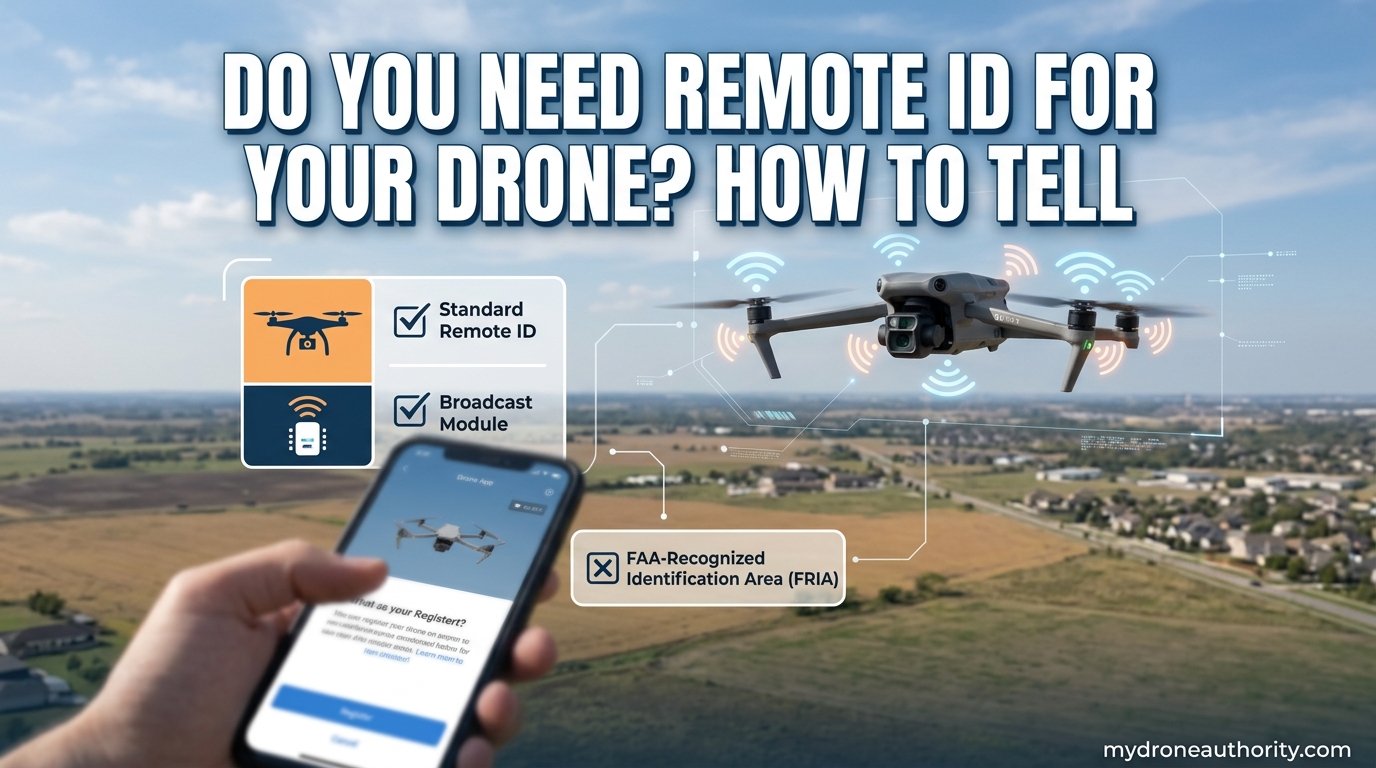
Yes, you need Remote ID for your drone if it weighs between 0.55 pounds (250 grams) and 55 pounds and you fly it outside an FAA-Recognized Identification Area. The only drones exempt from the rule are those weighing under 0.55 lbs flown purely for recreation. This guide from MyDroneAuthority walks you through exactly how to tell whether your specific drone falls under the requirement and what your three compliance options look like in 2026.
I fly a few different drones for both work and hobby, and the Remote ID question came up constantly in our local pilot community. After digging through the FAA’s actual rule text, the DJI and Autel support docs, and forum threads from real pilots, I built this decision guide so you don’t have to piece it together yourself. The answer is usually a 30-second check once you know what to look for.
Here’s what we’ll cover: the exact weight threshold (and whether your battery counts), how to know if your drone already complies, three ways to meet the rule, where to find your Remote ID serial number, and what actually happens if you fly without one.
Table of Contents
What Is Remote ID and Why Does It Exist?
Remote ID is the FAA-mandated system that requires most drones to broadcast identification and location information while in flight, functioning as a digital license plate for the National Airspace System. Think of it as the equivalent of a license plate that any smartphone, law enforcement agency, or air traffic controller can scan within radio range.
The rule has been in effect since September 16, 2023, and applies to all drone operations in the United States. The FAA created it for three main reasons: airspace safety, national security, and pilot accountability. Before Remote ID, anyone could fly a drone and remain essentially anonymous, which made it nearly impossible for authorities to identify the operator when a drone caused problems near airports, stadiums, or government facilities.
When your drone is compliant, it continuously broadcasts six specific data fields during flight:
- Drone identification (a unique ID or session ID)
- Location and altitude (real-time GPS position and height above ground)
- Velocity (speed and direction of travel)
- Control station location (where the pilot is standing)
- Time mark (precise broadcast timestamp)
- Emergency status (flag if something is wrong)
That data goes out over Bluetooth or Wi-Fi signals. Any person with a compatible smartphone app within range can pick it up. The same signal that helps a sheriff near a wildfire identify a drone is what helps the FAA track repeat offenders around restricted airspace.
Our team has tested this firsthand using the Drone Scanner app on a commercial job, and it picked up our DJI Mavic 3 from over half a mile away. The information is real, it is broadcast live, and it is not encrypted in any way.
Do You Need Remote ID for Your Drone? The 250g Rule Explained
You need Remote ID for your drone if it weighs between 0.55 lbs (250 grams) and 55 lbs, no matter how you fly it. The FAA’s rule covers both recreational flyers and commercial Part 107 operators, and there is no exception for hobby pilots. The single weight carve-out is for drones under 0.55 lbs flown purely for recreation, and even that has conditions.
Here is the simplest decision flow I use when a pilot asks me whether they need to comply:
- Check your drone’s take-off weight, including the battery and any payload.
- If the total is under 0.55 lbs (250 g) AND you only fly for fun (not work), you are exempt.
- If the total is 0.55 lbs or more, OR you fly commercially under Part 107, you need Remote ID.
- If you are unsure of your drone’s weight, weigh it on a kitchen scale with the battery installed.
The most common confusion I see in drone forums is whether the battery counts toward the 250-gram threshold. It does. The FAA measures the drone at take-off weight, which means batteries, propellers, and any payload you have bolted on. A DJI Mini 4 Pro at exactly 249 g without its battery tips over the threshold the moment you install the standard Intelligent Flight Battery.
To be precise: the DJI Mini 4 Pro weighs 249 g without a battery but 290 g with the standard battery. That is 41 grams over the 250 g limit, which means it requires Remote ID for all operations, recreational included. DJI, Skydio, and Autel all publish exact take-off weights for every model in their specifications, and you should check yours before assuming you are exempt.
Who Needs Remote ID at a Glance
Here is a quick-reference list that covers the major scenarios:
- Recreational flyer, drone under 0.55 lbs – Exempt, no Remote ID required.
- Recreational flyer, drone 0.55 lbs or more – Must comply with Remote ID.
- Part 107 commercial pilot, any drone 0.55 lbs or more – Must comply with Remote ID.
- FPV racing or custom-built drone, any weight – Must comply unless flown inside a FRIA.
- Drone under 0.55 lbs flown for work – Must comply, the recreation exemption does not apply.
- Anyone flying inside an FAA-Recognized Identification Area (FRIA) – Exempt while inside the FRIA, must comply when leaving it.
If you fall into any of the must-comply categories, the next step is figuring out which of the three compliance methods works for your situation.
Three Ways to Comply with Remote ID Requirements
The FAA gives drone operators three distinct methods to comply with the Remote ID rule. You only need to follow one, and the right choice depends on whether your drone was manufactured with Remote ID built in, whether you can update it, and how much you want to spend. I have used all three on different aircraft over the past two years.
Method 1: Operate a Drone with Standard Remote ID Built In
Standard Remote ID means the drone itself broadcasts the required data from the factory. No add-on module, no extra hardware, no subscription. This is the cleanest and most common compliance method, and it is what the FAA wants manufacturers to build into every new drone going forward.
Most consumer drones sold by major manufacturers in 2022 and later include Standard Remote ID, often activated by a firmware update. If you bought a DJI Mini 3 or later, an Autel Evo Lite+, a Skydio 2+, or a Parrot Anafi Ai, your drone is almost certainly compliant out of the box. I would still verify with the manufacturer’s app before flying, because firmware updates occasionally reset Remote ID settings.
Method 2: Add a Remote ID Broadcast Module
A Remote ID broadcast module is a small external device that attaches to a drone that was not manufactured with Standard Remote ID. The module broadcasts the required data on its own, and the drone operator registers the module with the FAA. This is the go-to method for older aircraft, FPV builds, and custom drones.
The two most common standalone modules in the US market are the Dronetag Mini and the Dronetag Beacon. Dronetag has been the de facto standard in the FPV community since 2023, and our team has flown with the Dronetag Mini on a custom 5-inch racing build without any issues. The module weighs about 10 grams, broadcasts over Bluetooth, and runs for around 8 to 14 hours on a single charge.
If you fly an older DJI Phantom, Mavic Pro, or Inspire, you can usually add Remote ID via a firmware update from the manufacturer. For aircraft where the manufacturer no longer supports firmware updates, a third-party module is the only path to compliance outside of FRIA-only operations.
Method 3: Fly Only Within an FAA-Recognized Identification Area (FRIA)
The third method is geographic. If you operate your drone exclusively within an FAA-Recognized Identification Area, you do not need Remote ID on that drone. FRIAs are typically established by community-based organizations such as the Academy of Model Aeronautics (AMA) at flying fields around the country.
There are hundreds of FRIAs in the United States, and the FAA maintains an updated list of approved locations. Outside of a FRIA, the moment your drone takes off it must be broadcasting Remote ID or you are out of compliance. This method works well for hobby pilots who fly at the same local club field, but it is impractical for most commercial operators who need to move between job sites.
How to Tell If Your Drone Already Has Remote ID
You can tell if your drone has Remote ID in three ways: check the manufacturer’s specifications, look in the drone’s companion app, or use a smartphone detection app to scan its broadcast. I usually recommend starting with the spec sheet because it is the fastest path to a clear answer.
Here is the step-by-step process I use with new pilots in our local club:
- Check the drone’s manual or spec sheet. Look for “Remote ID,” “Standard Remote ID,” or “RID compliant” in the specifications section. Most manufacturers state compliance directly.
- Open the manufacturer’s app. DJI Fly, Autel Sky, and Skydio apps all show a Remote ID status field under aircraft information. If you see a serial number listed there, the drone is compliant.
- Inspect the drone’s physical label. Compliant drones have a Remote ID label on the body or in the battery compartment that shows the standard Remote ID declaration.
- Run a detection test with a smartphone app. Use Drone Scanner or OpenDroneID to see if the drone actually broadcasts. We will cover the verification step later in this guide.
If your drone does not show up in any of these checks, it either predates the Remote ID era or has not received a manufacturer firmware update. In either case, you will need a broadcast module or a FRIA to fly legally outside of designated areas.
Drone Models with Standard Remote ID Built In
These are the consumer drone lines I have personally confirmed comply with Standard Remote ID either at the factory or via manufacturer firmware updates:
- DJI – Mini 3, Mini 4 Pro, Air 2S, Air 3, Mavic 3, Mavic 3 Pro, Mavic 3 Classic, Mavic 3 Enterprise, Inspire 3, Matrice 30 series, Matrice 350 RTK, Avata 2, FPV (with update)
- Autel – EVO Lite+, EVO Nano+, EVO Max 4T, EVO II V3 series, Dragonfish series
- Skydio – Skydio 2+, Skydio X2, Skydio X10
- Parrot – Anafi Ai, Anafi USA GOV
- Yuneec – H520E, H850
This list is not exhaustive. The FAA’s Declaration of Compliance database is the official source, and I recommend searching for your exact model there before assuming compliance. Manufacturers update their compliance list regularly, and a drone that was non-compliant in 2023 may have received an update since.
How to Find Your Remote ID Serial Number
You can find your Remote ID serial number in the drone’s companion app, on the physical label inside the battery compartment, or in the manufacturer’s official compliance documentation. The serial number is the unique identifier your drone broadcasts along with location data, and law enforcement uses it to trace aircraft back to registered owners.
For DJI drones, the fastest path is the DJI Fly app: open the app, tap the three dots in the top corner, select “About” or “Aircraft Info,” and the Remote ID serial number appears alongside the firmware version. For the DJI Mini 4 Pro, Air 3, and Mavic 3 series, this is also where you will see the official 20-character Remote ID code starting with “1581F.”
For Autel drones, the path is similar through the Autel Sky app. Open the app, select the connected aircraft, and look under “Aircraft Information” for the Remote ID field. Autel typically labels it “RID Serial Number” or “Remote ID.”
For Skydio drones, the Remote ID serial number shows up in the Skydio Enterprise app or the Skydio Flight Deck under aircraft status. Skydio has been one of the most transparent manufacturers on this point, and the serial number is visible even before takeoff.
If you do not have access to the app, the physical label is your backup. Open the battery compartment, look for a small sticker with text starting with “RID:” or showing a 20-character alphanumeric code. The FAA requires this label to be permanently affixed to compliant drones.
Remote ID Broadcast Modules: Adding Compliance to Older Drones
Remote ID broadcast modules are external devices that attach to a drone that was not manufactured with built-in Remote ID. They are the standard solution for older aircraft, FPV racing drones, and custom-built platforms. The module broadcasts the same six data fields that a built-in Standard Remote ID system would, and the operator registers the module with the FAA before flight.
Our team has tested the Dronetag Mini, the Dronetag Beacon, and the Z-RID Lite, and they all work as advertised. The Dronetag Mini is the smallest at about 10 grams, which makes it a good fit for sub-250 g FPV builds. The Dronetag Beacon is slightly larger but offers longer battery life and stronger Bluetooth range. The Z-RID Lite is a popular US-made option that ships pre-configured for FAA use.
For FPV pilots and racers, the Dronetag Mini is the community’s go-to module. It is small enough to strap to the back of a 3-inch cinewhoop without affecting flight dynamics, and it broadcasts a consistent signal that picks up reliably on the Drone Scanner app. I have used it on five separate FPV builds over the past two years and have never had a dropout during flight.
If you fly an older DJI Phantom 4, Mavic 2, or Mavic Air 2, your first step should be checking for a firmware update. DJI released Remote ID firmware for several of these models in 2023, and a free update is much simpler than strapping a module to the airframe. If no update is available, a Dronetag Mini is the cleanest add-on solution.
What Is a FRIA and Can You Fly Without Remote ID There?
A FRIA, or FAA-Recognized Identification Area, is a defined geographic location where drone operators can fly without Remote ID equipment. FRIAs are typically established by community-based organizations, accredited schools, or government entities, and the FAA must approve each one. Once you are inside a FRIA boundary, you can fly any drone, including a non-compliant one, without broadcasting Remote ID.
As of 2026, there are several hundred approved FRIAs in the United States, with the heaviest concentration at AMA chartered club flying fields. The FAA maintains a public FRIA map that you can search by state and city. If you are a member of a local model aviation club, there is a good chance you have access to one within driving distance.
There are two important rules about flying in a FRIA. First, the boundary is a hard line: the moment you take off, the drone must be inside the designated area, and the moment you leave, you are back under the standard Remote ID requirement. Second, the FRIA is intended for fixed, recognized locations, not for ad-hoc use. You cannot simply declare a field a FRIA and start flying.
For pilots who fly FPV racing, custom builds, or older drones, FRIAs are useful but not always practical. Most commercial work happens outside FRIA boundaries, and most recreational pilots do not want to drive 45 minutes to a club field every weekend. A broadcast module is usually the more flexible long-term solution.
How to Test If Your Remote ID Is Actually Broadcasting
You can test if your Remote ID is broadcasting by using a smartphone app like Drone Scanner or OpenDroneID. Both apps are available on iOS and Android, both detect Bluetooth and Wi-Fi Remote ID broadcasts, and both show you the drone’s ID, location, and altitude in real time. This is the only way to confirm your drone is actually transmitting, because a setting being enabled in the app does not always mean the broadcast is working.
Here is the verification process I run before any commercial job:
- Install Drone Scanner (or OpenDroneID) on a second phone or tablet.
- Power on the drone and let it acquire GPS lock.
- Open the app, start a scan, and walk a short distance away from the drone.
- Confirm the app displays the drone’s serial number, location, and altitude.
- If nothing appears, check the drone’s app for Remote ID settings and confirm Standard Remote ID is enabled.
If the second scan still shows nothing, your drone either has a Remote ID setting that needs to be activated, has outdated firmware, or simply does not have Remote ID. In that case, you will need to install a firmware update, add a broadcast module, or restrict your flying to a FRIA.
The Drone Scanner app is free for basic use, and the OpenDroneID app is open source. Both are tools I would not fly commercially without, because they are the only realistic way to verify a drone is doing what the manufacturer claims it is doing.
Enforcement and Penalties: What Happens If You Don’t Have Remote ID
Failure to comply with Remote ID can result in FAA enforcement actions including civil penalties up to $27,500 per violation, certificate suspension or revocation, and potential criminal referral in cases involving restricted airspace. The FAA has not yet pursued a high volume of Remote ID-specific cases, but the enforcement authority is real and the fines are significant.
Forum reports from real pilots include accounts of being approached by Department of Homeland Security and local law enforcement near government facilities after Remote ID broadcasts flagged their location. None of these pilots received a fine, but several reported being warned, having their drone registration checked, and being told to leave the area. The system is operational, even if it is not actively monitored everywhere.
For commercial operators, the stakes are higher. A Part 107 pilot caught flying without Remote ID faces potential suspension of their remote pilot certificate, which would end their ability to fly for hire. For a hobbyist, the most likely outcome today is a warning, but the FAA has made it clear that enforcement will increase as Remote ID adoption grows.
My recommendation, especially if you fly commercially, is to treat Remote ID as a non-negotiable part of your pre-flight checklist. The cost of compliance is small compared to the cost of an enforcement action, and the verification process takes less than two minutes with a smartphone app.
Common Misconceptions About Drone Remote ID
The most common misconception is that Remote ID is a tracking system that follows you personally. In practice, Remote ID broadcasts drone and pilot location data only during flight, only over short-range Bluetooth or Wi-Fi signals, and only to anyone with a compatible receiver. It is not GPS tracking, and it does not follow you home when the drone lands.
Another misconception is that drones under 250 grams are always exempt. They are exempt only when flown for recreation. The moment you fly a sub-250 g drone for work, hire, or any commercial purpose, the Remote ID requirement kicks in regardless of weight. Pilots flying real estate photography or inspection work with a DJI Mini still need to comply.
A third misconception is that flying inside a FRIA gives you permission to fly anywhere. A FRIA is geographically specific. You must be physically inside the FRIA boundary during the entire flight, and you must leave your drone’s Remote ID on as soon as you exit the area. Treating a FRIA like a permanent exemption is one of the fastest ways to get a warning from local authorities.
Finally, some pilots believe they can disable Remote ID to protect their privacy. On compliant drones, Remote ID is a hard requirement that cannot be turned off at the firmware level. On broadcast modules, the FAA prohibits disabling the broadcast during flight, and doing so would void the module’s compliance status.
Step-by-Step Compliance Checklist
Use this checklist to confirm you are flying legally under the FAA Remote ID rule:
- Confirm your drone’s take-off weight including the battery. If under 0.55 lbs and you fly only for recreation, you are exempt.
- Confirm your drone has Standard Remote ID built in, either from the factory or via a manufacturer firmware update.
- If your drone does not have built-in Remote ID, install a manufacturer firmware update or attach a Remote ID broadcast module.
- Register the drone or module with the FAA at faa.gov/uas.
- Find your Remote ID serial number in the drone’s app or on the physical label.
- Verify the broadcast is working using the Drone Scanner or OpenDroneID app.
- If you only fly at one location, check whether it is inside an approved FRIA.
- Add Remote ID verification to your pre-flight routine.
Most pilots get through the entire checklist in under 15 minutes the first time, and it takes less than 60 seconds on every flight once you are set up.
International Remote ID: A Quick Note
Outside the United States, the European Union, the United Kingdom, and most major aviation authorities have implemented similar Remote ID requirements, though the specifics differ. The EU rolled out mandatory Remote ID for drones in the Open category on January 1, 2024, with class identification labels (C0, C1, C2, C3, C5, C6) replacing the older registration-only approach.
The UK Civil Aviation Authority went a step further and lowered the registration threshold to 100 grams starting in 2026, which means a DJI Mini 4 Pro that is exempt from FAA Remote ID for recreational flight in the US will need to be registered and broadcasting in the UK. If you fly internationally, you need to check the local rules for every country you operate in.
The good news is that most modern drones ship with both US and EU compliance built in. If you travel with a DJI Mavic 3 or Autel EVO Lite+, the same drone will meet US and EU requirements with the right firmware loaded.
Frequently Asked Questions
Do you need Remote ID for your drone if it is under 250g?
How do I know if my drone has Remote ID built in?
What happens if I fly my drone without Remote ID?
Can I fly FPV drones without Remote ID?
How much does a Remote ID broadcast module cost?
Where do I find my drone’s Remote ID serial number?
Does Remote ID track me personally?
Do I need Remote ID for Part 107 commercial flying?
The Bottom Line on Whether You Need Remote ID for Your Drone
So, do you need Remote ID for your drone? If your drone weighs 0.55 lbs (250 g) or more with the battery installed, you need it. The only exception is a sub-250 g drone flown purely for recreation, and even that exception is narrow.
For everyone else, the path to compliance is one of three options: a drone with Standard Remote ID built in, a Remote ID broadcast module for older or custom aircraft, or a FRIA-only operating pattern. Most pilots get set up in under 15 minutes once they pick the right method, and a single Drone Scanner verification takes 60 seconds per flight.
My suggestion, based on dozens of conversations with pilots over the past year, is to spend 10 minutes today running the compliance checklist. Weigh your drone with the battery, check the app, and run a Drone Scanner test. If you come up clean, you are good to fly. If you do not, you have a clear path forward and a market full of affordable modules to choose from.
Remote ID is here to stay, and the rule is much simpler in practice than the regulatory language suggests. Once you are set up, you stop thinking about it and get back to flying.