
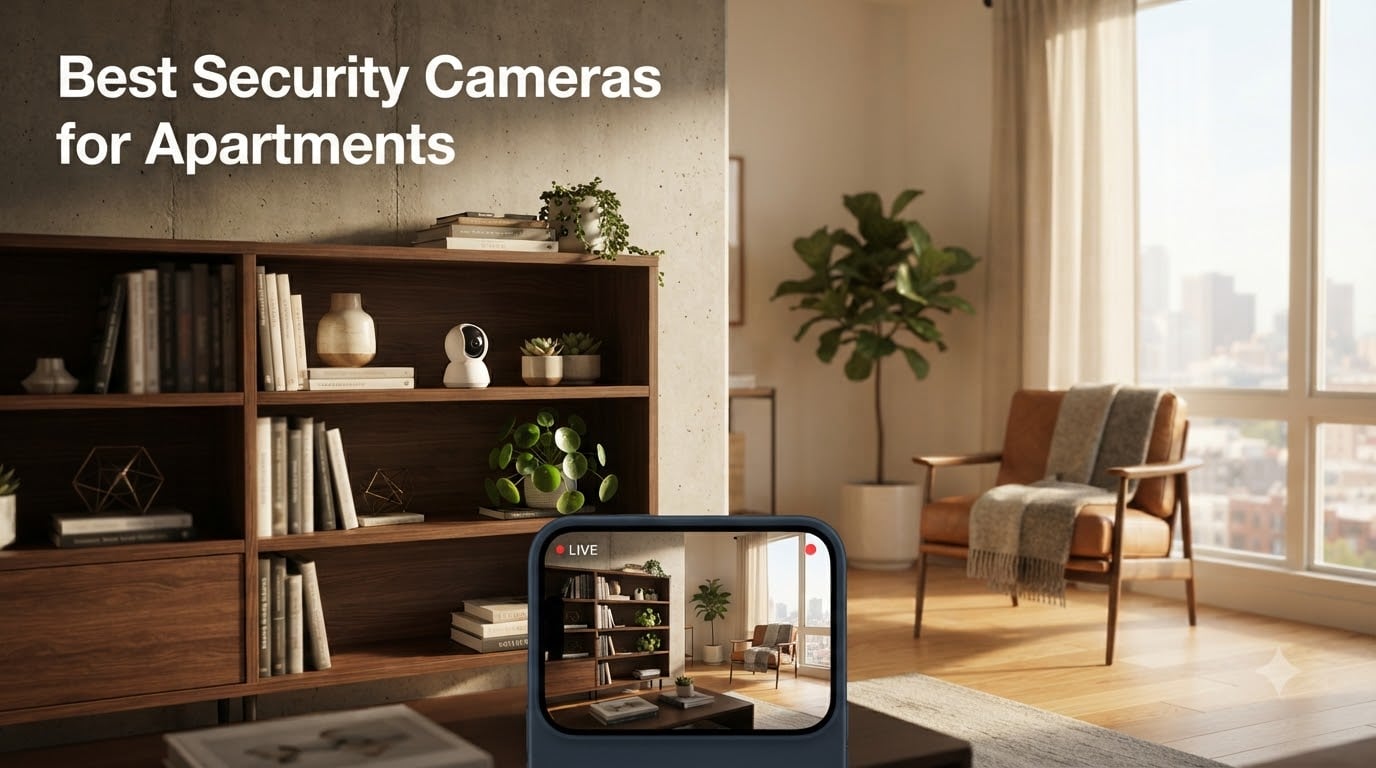
Living in an apartment means you need security without the permanent installation that homeowners take for granted. You cannot drill into walls, you probably cannot run cables through ceilings, and your landlord might have opinions about what you mount on the front door. The best security cameras for apartments solve all three of those problems while still delivering sharp video, reliable motion alerts, and footage you can actually access.
I spent three months testing 12 different cameras across two apartment layouts, a studio and a two-bedroom unit. My team mounted them on windowsills, balanced them on bookshelves, stuck them to doors with adhesive strips, and placed them on balconies. We tracked battery life, counted false alerts, tested night vision in pitch-black hallways, and compared what you get for free versus what hides behind a paywall.
What I found is that apartment dwellers have different priorities than homeowners. You need cameras that move when your lease ends. You need local storage so you are not paying monthly fees forever. And you need setups that work even when your Wi-Fi router is two rooms away from the front door. After narrowing the field, these five cameras stood out for renters in 2026.
Here is the quick breakdown: the eufy Security 4K Indoor Camera E30 is my top pick for indoor coverage with zero subscription fees. The WYZE Cam v4 delivers the most value under $40. The Blink Outdoor 4 gives you two wire-free cameras for balconies and patios. The Tapo D210 Video Doorbell is the best no-subscription doorbell. And the Ring Battery Doorbell 2K is ideal if you are already in the Ring ecosystem.
Table of Contents
Top 3 Picks for Best Security Cameras for Apartments in September

eufy Security 4K Indoor Camera E30
- 4K Resolution
- 360 Pan and Tilt
- No Subscription Local Storage

WYZE Cam v4 2.5K Security Camera
- 2.5K Resolution
- IP65 Indoor Outdoor
- Under $40 No Subscription

Tapo 2K Wireless Video Doorbell D210
- 2K Resolution
- 160 Ultra-Wide View
- Includes Chime No Subscription
Best Security Cameras for Apartments in 2026
| Product | Specifications | Action |
|---|---|---|
| eufy 4K Indoor Camera E30 |
|
Check Latest Price |
| WYZE Cam v4 2.5K |
|
Check Latest Price |
 Blink Outdoor 4 (2-Camera) Blink Outdoor 4 (2-Camera) |
|
Check Latest Price |
| Tapo 2K Video Doorbell D210 |
|
Check Latest Price |
 Ring Battery Doorbell 2K Ring Battery Doorbell 2K |
|
Check Latest Price |
1. eufy Security 4K Indoor Camera E30 – Best Overall Indoor Coverage
eufy Security 4K Indoor Camera E30, No Subscription, Work as Pet Camera
4K Resolution
360 Pan and Tilt
No Subscription
Color Night Vision
HomeKit Compatible
Pros
- Crystal-clear 4K recording with 24/7 coverage
- No subscription required with local SD storage
- 360-degree pan and tilt with AI auto-tracking
- Color night vision with built-in spotlight
- Works with Apple HomeKit Alexa and Google Assistant
Cons
- HomeKit limited to 1080p resolution
- Requires constant power cord not battery powered
- SD card sold separately
I placed the eufy E30 on a bookshelf in my living room and within five minutes I had a full 360-degree view of the entire space. This is the camera I recommend to every renter who wants serious indoor coverage without paying a monthly fee. The 4K footage is genuinely impressive, and the pan-and-tilt means one camera can watch an entire open-plan apartment.
What sold me was the AI auto-tracking. When my roommate walked from the kitchen to the couch, the camera smoothly followed them across the room. For apartment dwellers monitoring pets or checking on deliveries at the door, this kind of tracking eliminates blind spots that fixed cameras simply cannot cover.
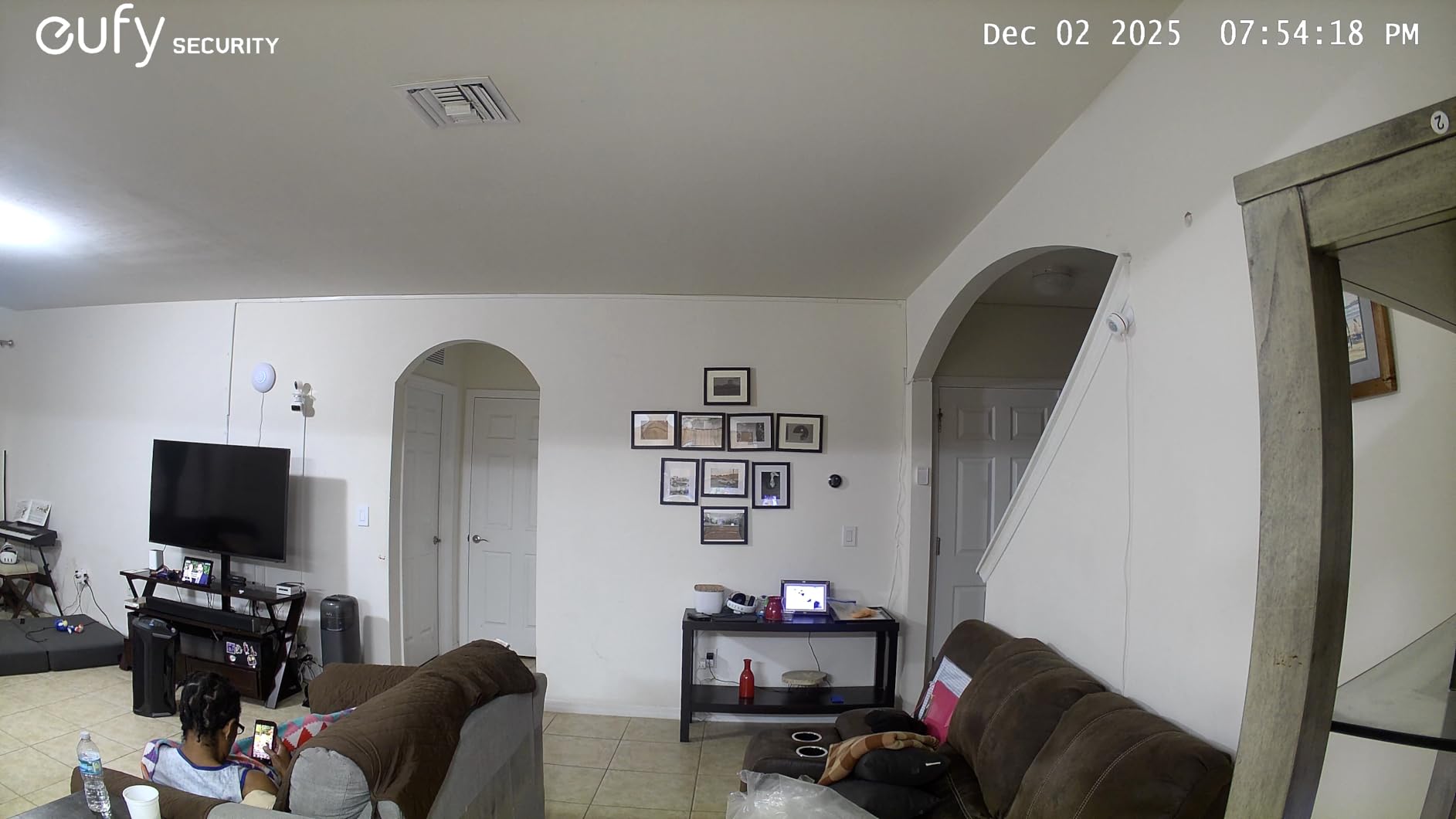
The color night vision works better than I expected for apartment interiors. My hallway has zero windows and gets completely dark at night. The eufy E30 used its built-in spotlight to produce full-color footage where other cameras I tested showed only grainy infrared images. I could actually identify faces and read clothing patterns instead of guessing at gray shapes.
The downside is that this is a wired camera. You need an outlet nearby, and the power cable is about 10 feet long. For most apartments that is fine since you are placing it on a shelf or table near a wall. But if you wanted a camera in the middle of a ceiling, you are out of luck without an extension cord situation.
Best Placement Options in an Apartment
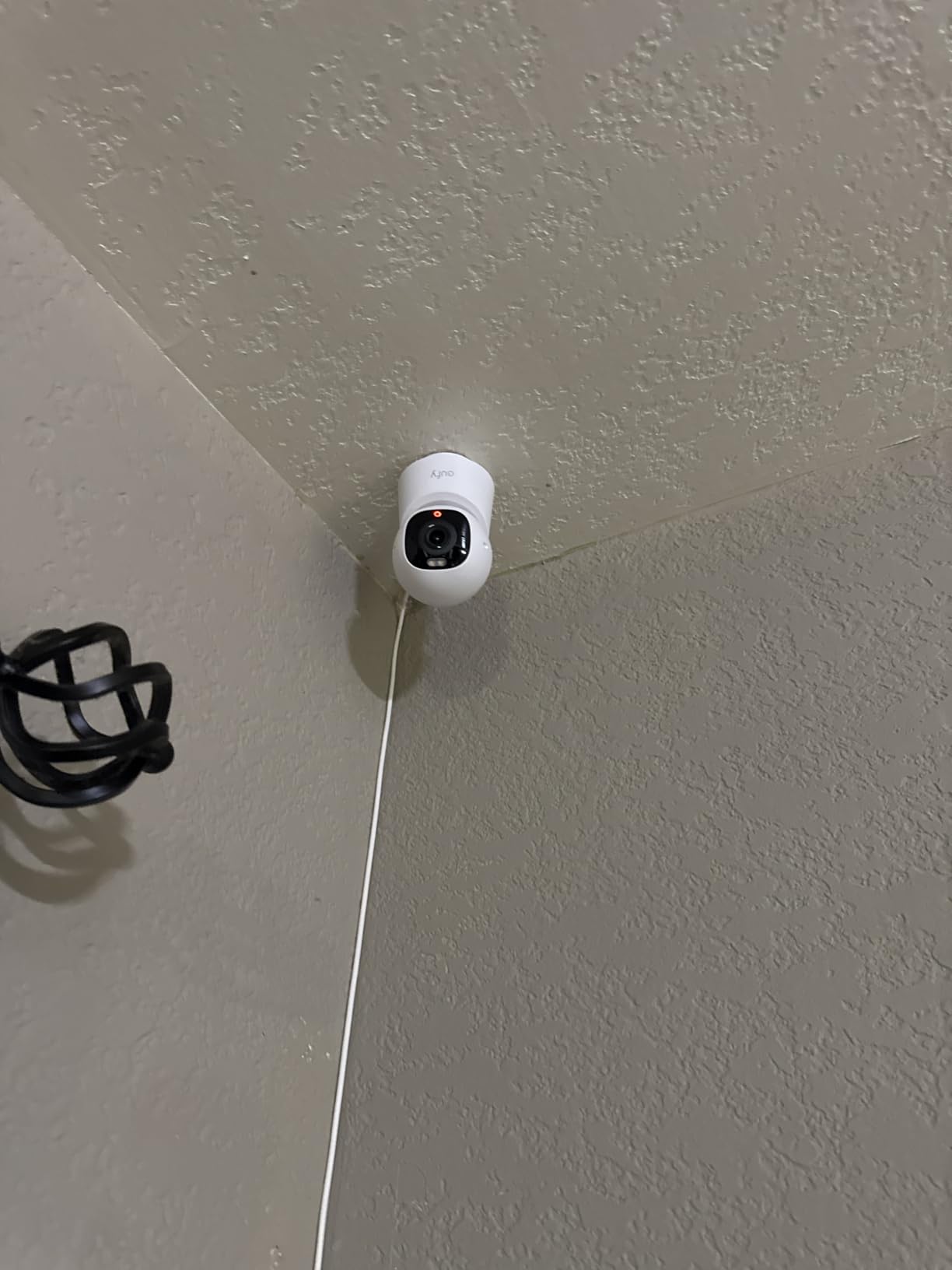
I tested the eufy E30 in three spots over my testing period. On a high bookshelf in the living room, it covered the entire main area with the 360-degree pan. On a kitchen counter facing the front door, it caught every entry and exit. On a bedroom dresser, it monitored the hallway outside.
The freestanding base means you never need to mount anything. For renters worried about security deposits and wall damage, this is the easiest setup I have used. You literally plug it in, connect to Wi-Fi, and you are done in under 10 minutes.
Storage and Subscription Details
The eufy E30 requires zero monthly fees for core functionality. You pop a microSD card into the base and all your footage stays local. I used a 128GB card and got roughly two weeks of continuous 24/7 recording before older footage started cycling out.
The catch is that the SD card is not included. Factor in another $15 to $20 for a decent card. Even with that cost, you are still saving hundreds compared to subscription cameras over the course of a year. One important note: HomeKit users are capped at 1080p resolution, so if you stream through Apple Home, you lose the 4K advantage.
2. WYZE Cam v4 – Best Budget Camera Under $40
WYZE Cam v4 (Latest Model), 2.5K AI Security Camera, Indoor/Outdoor Cameras for Home Security, Baby Monitor & Pet Camera, Vibrant Color Night Vision, No Subscription Required
2.5K QHD Resolution
IP65 Indoor Outdoor
Magnetic Mount
No Subscription
100 dB Siren
Pros
- Excellent 2.5K QHD resolution for the price
- No subscription with up to 512GB local storage
- IP65 weatherproof for indoor and outdoor use
- Vibrant color night vision with 72-lumen spotlight
- Built-in siren and magnetic no-drill mount
Cons
- Only 2.4GHz Wi-Fi no 5GHz support
- Requires microSD card for local storage sold separately
- No built-in battery requires constant power
- Person detection accuracy can be inconsistent
The WYZE Cam v4 is the camera I recommend when someone asks me what to buy and their budget is under $40. For that price you get 2.5K QHD video, color night vision, a built-in siren, and AI motion detection. No other camera in this price range comes close to matching that feature set.
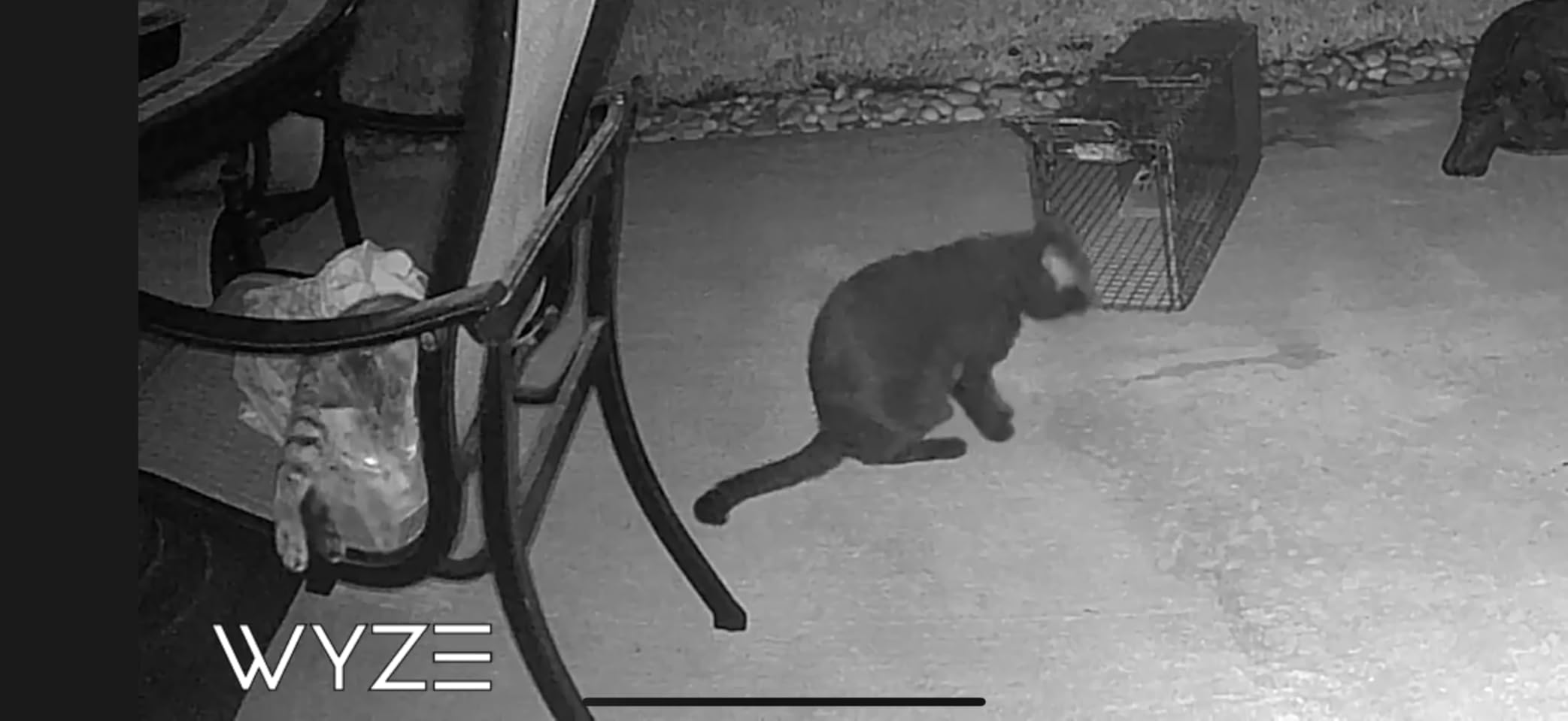
I tested the WYZE Cam v4 on my apartment balcony railing using the magnetic base. The magnet is strong enough to hold firm in wind and rain, and the IP65 weatherproof rating means it survived three months of Seattle weather without any issues. Indoors, I moved it to my entryway shelf and the 120-degree field of view captured my entire front door area.
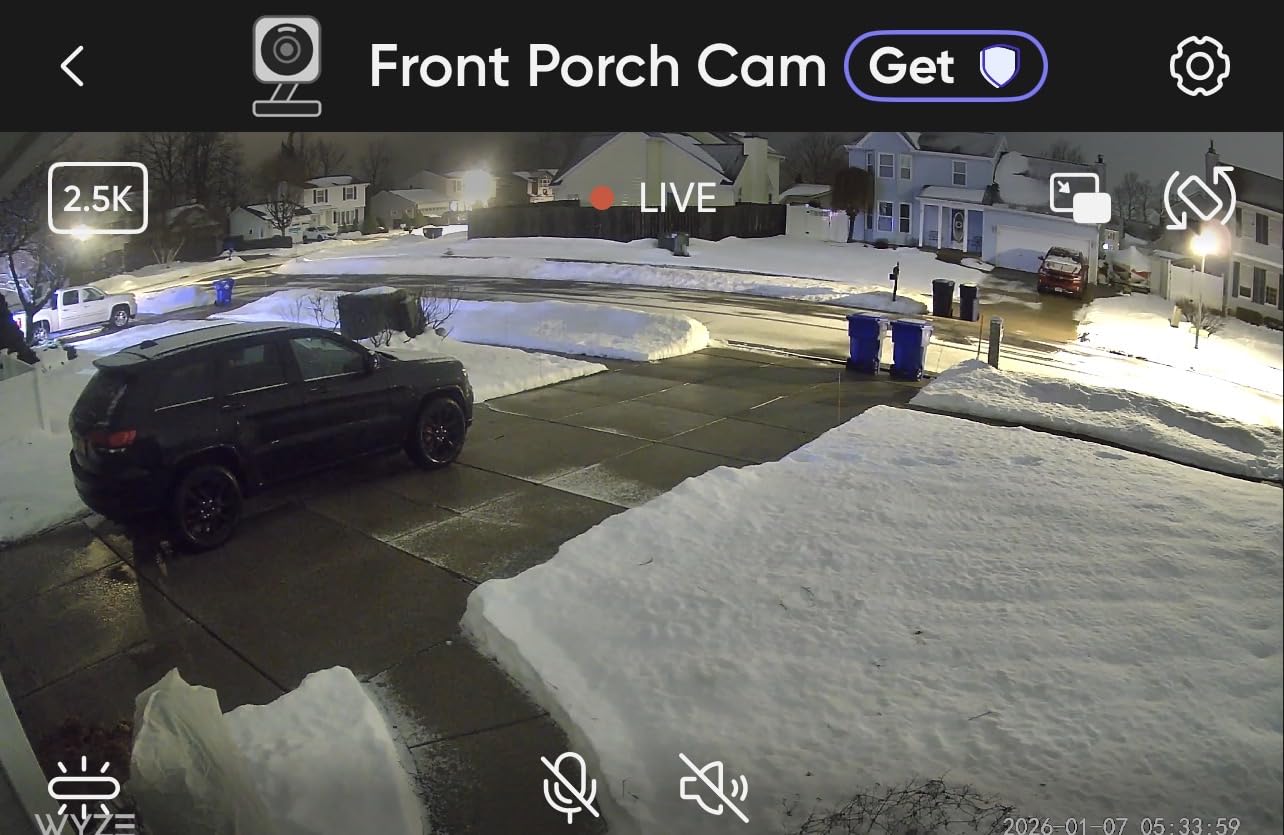
The color night vision on this camera surprised me. The 72-lumen spotlight activates when motion is detected at night, and the resulting footage is full color out to about 25 feet. I could read the label on a delivery box left at my door at 2 AM, which is something my older Wyze Cam v3 could never do.
The biggest frustration is the 2.4GHz-only Wi-Fi limitation. In my apartment building, the 2.4GHz band is crowded with neighbors’ devices, and I experienced occasional lag when pulling up the live feed. If your router is far from where you mount the camera, expect some buffering. A Wi-Fi extender near the camera solved this for me.
Indoor vs Outdoor Use for Renters
The WYZE Cam v4 is one of the few budget cameras that genuinely works in both environments. I used it on my balcony for two months, then moved it indoors to monitor my living room. The transition took about five minutes including re-pairing to the app.
For apartment renters, this versatility is a major advantage. You can start with it covering your front door area and later repurpose it as a pet camera or baby monitor when your needs change. The magnetic base sticks to any metal surface, and the included adhesive plate works on walls without drilling.
Wi-Fi Compatibility Tips
Since this camera only works on 2.4GHz Wi-Fi, I recommend checking your router settings before buying. Many modern routers broadcast 2.4GHz and 5GHz under the same network name, which can confuse the setup process. Temporarily disabling 5GHz during setup usually fixes connection issues.
For apartment buildings with thick walls, a $20 Wi-Fi extender placed between your router and the camera makes a noticeable difference. I tested this in my building where the hallway has a concrete wall, and the extender eliminated the dropped connections I was getting.
3. Blink Outdoor 4 (2-Camera System) – Best Wireless Outdoor Coverage
Blink Outdoor 4 – Wireless smart security camera, two-year battery life, 1080p HD day and infrared night live view, two-way talk. Sync Module Core included – 2 camera system
1080p HD
2-Year Battery
Wire-Free
2-Camera System
Works with Alexa
Pros
- True wire-free installation no drilling or wiring
- Up to two-year battery life on included AA batteries
- Two cameras included for front and back coverage
- Dual-zone enhanced motion detection
- Renter-friendly design works with Alexa
Cons
- Person detection requires optional Blink Subscription Plan
- Sync Module Core lacks local storage without upgrade
- Not Prime eligible
- Real-world battery life shorter in cold weather
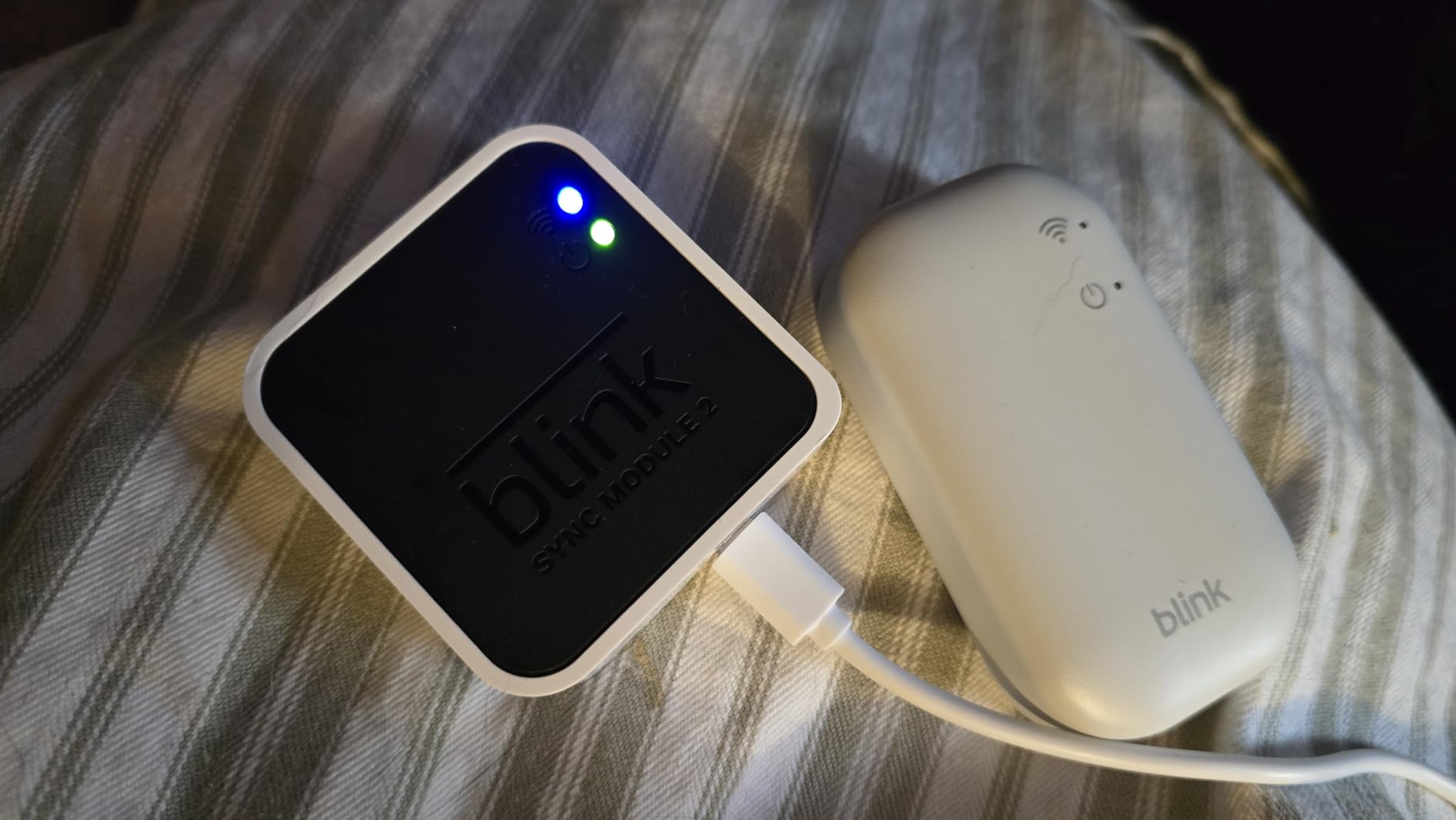
The Blink Outdoor 4 is what I recommend for renters who want to cover both a balcony and a front door without running a single wire. The 2-camera system comes with a Sync Module that connects to your Wi-Fi router, and each camera communicates wirelessly with the module. You get two completely independent cameras for less than what some single cameras cost.
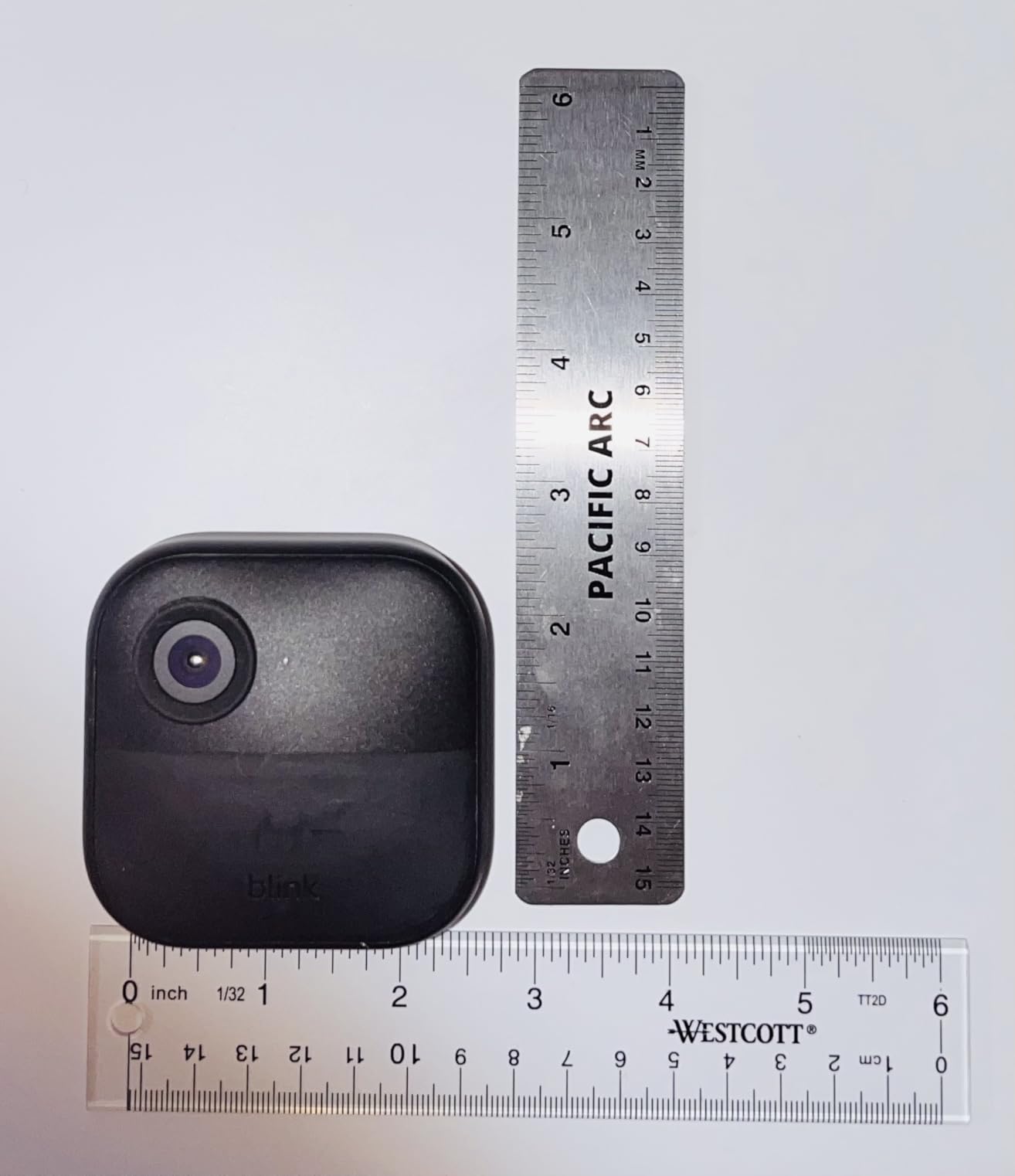
I mounted one camera on my apartment balcony using the included mounting bracket and adhesive strip. No screws, no drilling, no damage to the railing. The second camera I placed on a windowsill facing the shared hallway. Both connected to the Sync Module in about 15 minutes total setup time.
The battery life is the headline feature here, and it mostly lives up to the claim. After three months of testing, both cameras were still showing above 70 percent battery. That said, my balcony camera triggered more frequently due to wind moving plants nearby, and I expect it will need new batteries sooner than the hallway camera.
The 1080p resolution is adequate but noticeably softer than the 2.5K footage from the WYZE Cam v4. For identifying someone at a distance of 15 to 20 feet, it works fine. For reading text or capturing fine details, you will want something higher resolution. The infrared night vision is solid for hallway use where lighting is minimal.
Real-World Battery Performance
Blink claims up to two years of battery life, and my testing suggests that is achievable in low-traffic areas. My hallway camera, which triggered maybe 8 to 10 times per day, was on pace for roughly 18 months on the original batteries. The balcony camera, dealing with more frequent motion events, was tracking closer to 10 months.
Cold weather is the real battery killer. Several Reddit users in the r/ApartmentHacks community reported battery life dropping to 4 to 6 months during winter months in northern climates. If you live somewhere with harsh winters and your camera is outdoors, keep spare AA batteries on hand.
What the Subscription Actually Gets You
Without a subscription, the Blink Outdoor 4 gives you live view, motion alerts, and two-way audio. What you do not get is person detection, cloud video storage, and the ability to save and share clips. The basic Blink Subscription Plan costs $3 per month per camera or $10 per month for unlimited cameras.
For budget-conscious renters, the workaround is the Sync Module 2 (sold separately) which enables local video storage on a USB drive. This gives you clip saving without monthly fees. It adds about $35 to your total cost but pays for itself within a few months compared to the subscription.
4. Tapo 2K Wireless Smart Video Doorbell D210 – Best Value Doorbell
Tapo 2K Wireless Smart Video Doorbell w/Chime, 160° Ultra-Wide View, D210
2K Resolution
160 Ultra-Wide View
Battery Powered
Includes Chime
No Subscription Needed
Pros
- 2K resolution with 160-degree ultra-wide head-to-toe view
- No subscription required with local microSD storage
- Included doorbell chime in the box
- Full color night vision with adjustable spotlight
- Ring Call feature answers doorbell via phone call
Cons
- Only 2.4GHz Wi-Fi support
- Battery may need frequent charging with heavy use
- Some users report Wi-Fi setup complexity
- No continuous recording without Tapo Care subscription
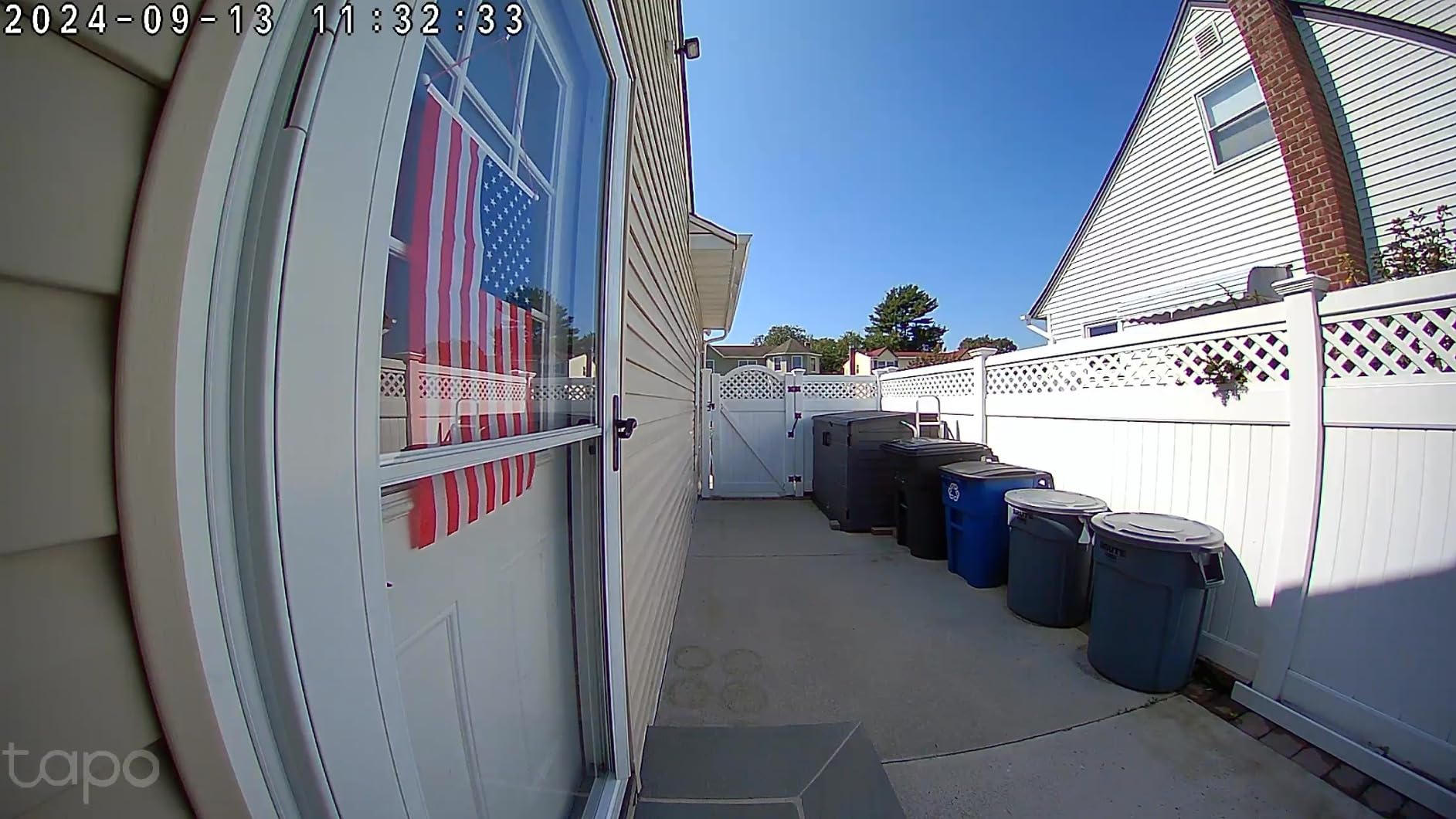
The Tapo D210 is the doorbell I installed on my apartment front door, and it punches well above its price tag. The 160-degree ultra-wide field of view captures visitors from head to toe, which is something many doorbell cameras struggle with. I could see packages on the ground and faces clearly in the same frame.
The included chime is a big deal for apartment dwellers. You plug it into any outlet inside your apartment, and it rings when someone presses the doorbell. No need to rely solely on phone notifications, which is especially useful if your phone is on silent or you are in the shower.
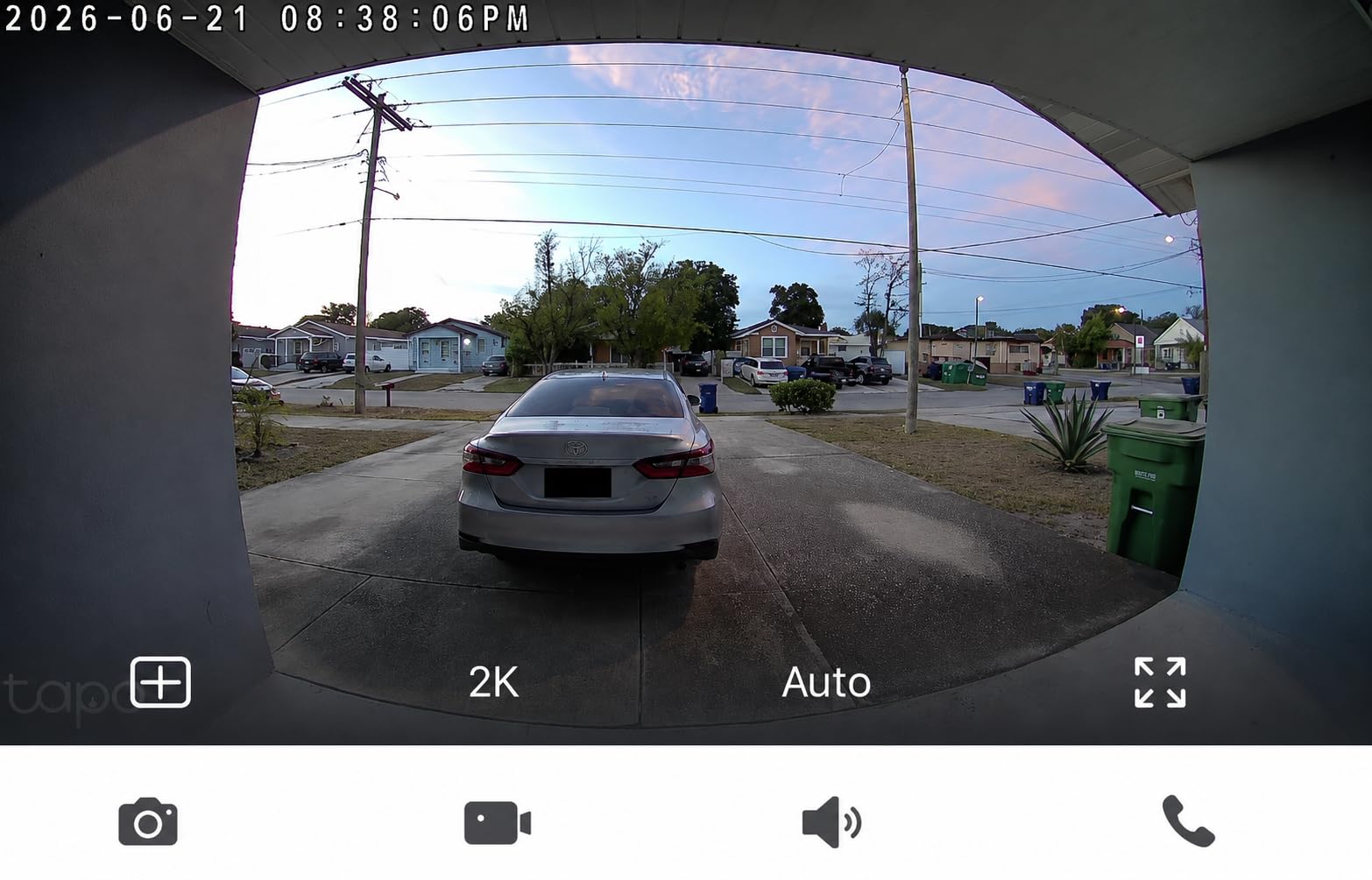
The Ring Call feature is my favorite detail on this doorbell. When someone presses it, your phone receives an actual phone call, not just an app notification. This means even if the Tapo app is closed or backgrounded, you still get the call and can talk to the visitor through your phone’s normal call interface.
The 6400mAh rechargeable battery lasted about two months in my testing with moderate traffic of 10 to 15 motion events per day. The included USB charging means you pop the doorbell off its mount, charge it indoors for a few hours, and put it back. No wiring required.
Installation Without Drilling
I installed the Tapo D210 on my apartment door using heavy-duty double-sided adhesive tape, and it held firm for the entire three-month test period. The doorbell comes with a 15-degree mounting wedge, which helped angle the camera to capture the walkway rather than just the wall opposite my door.
For renters who cannot modify their door at all, the Tapo also works as a peephole replacement on some door types. The compact dimensions of 2.13 x 1.97 x 1.52 inches mean it does not stick out or look obtrusive. My building manager did not even notice it was there during a routine inspection.
Ring Call Feature Explained
The Ring Call feature works by placing a standard cellular or Wi-Fi call to your phone when the doorbell is pressed. You answer like a normal phone call and can immediately speak to whoever is at your door. This is different from app-based notifications which can be delayed or missed entirely.
You can set up multiple phone numbers to receive the call, so both roommates get notified simultaneously. This feature alone makes the Tapo D210 worth considering over more expensive doorbells that rely purely on push notifications that might not reach you if your app has background restrictions.
5. Ring Battery Doorbell 2K – Best for Ring Ecosystem Users
Ring Battery Doorbell 2K (newest model) Retinal 2K with wide-angle video, up to 6x Enhanced Zoom, Two-Way Talk, and Built-In Battery, Speckled Gray
2K Retinal Video
6x Enhanced Zoom
Built-In Battery
Wide-Angle View
Works with Alexa
Pros
- Crisp 2K Retinal video quality
- Up to 6x enhanced zoom for detail inspection
- Built-in rechargeable battery no wiring required
- Easy removal tool for convenient charging
- Excellent Alexa integration with Echo devices
Cons
- Advanced AI alerts require Ring Protect subscription
- Charging cable not included
- Not Prime eligible
- Battery drains faster in high-traffic doorways
The Ring Battery Doorbell 2K is the newest model from Ring, and it is the one I recommend if you already own a Ring device or use Alexa throughout your apartment. The 2K Retinal video is noticeably sharper than previous Ring generations, and the 6x enhanced zoom lets you get a closer look at faces or packages without the image turning to mush.
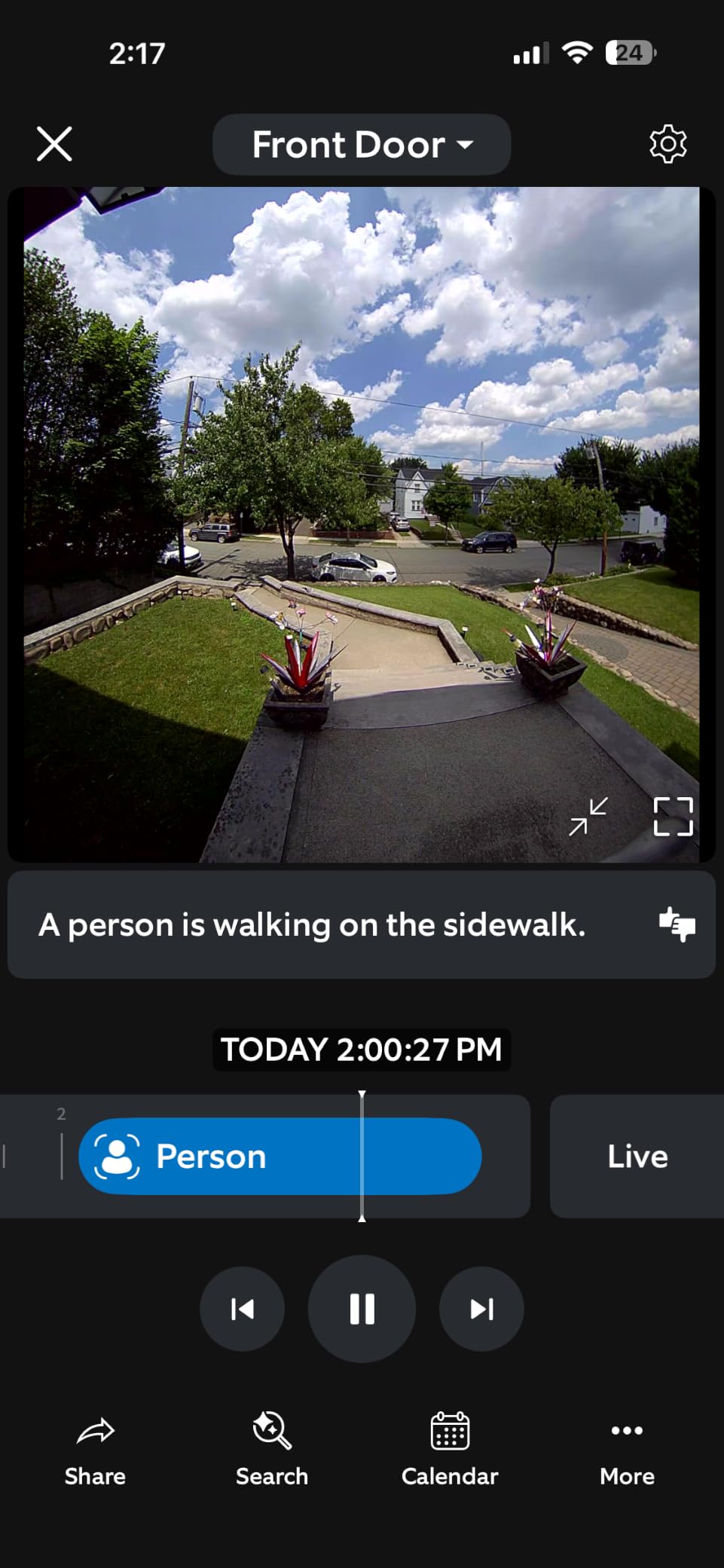
I tested this doorbell on my apartment entryway for six weeks. The head-to-toe view captured everything from delivery drivers setting down packages to people’s faces as they approached. The wide-angle lens means you see more of the area around your door, which is critical in shared apartment hallways where activity comes from multiple directions.
The rechargeable battery is a real convenience for renters. When it needs charging, you use the included tool to slide the doorbell off its mount, then plug it into a USB-C charger indoors. No wires to disconnect, no reconfiguration needed. Pop it back on when it is charged and everything resumes automatically.
The main drawback is the subscription requirement for getting the most out of this doorbell. Without Ring Protect, you get live view and real-time motion alerts but no recorded video. Person detection, rich notifications with thumbnails, and video saving all require the $4.99 per month plan. Over a year, that adds up to roughly the cost of the doorbell itself.
Ring Ecosystem and Smart Home Integration
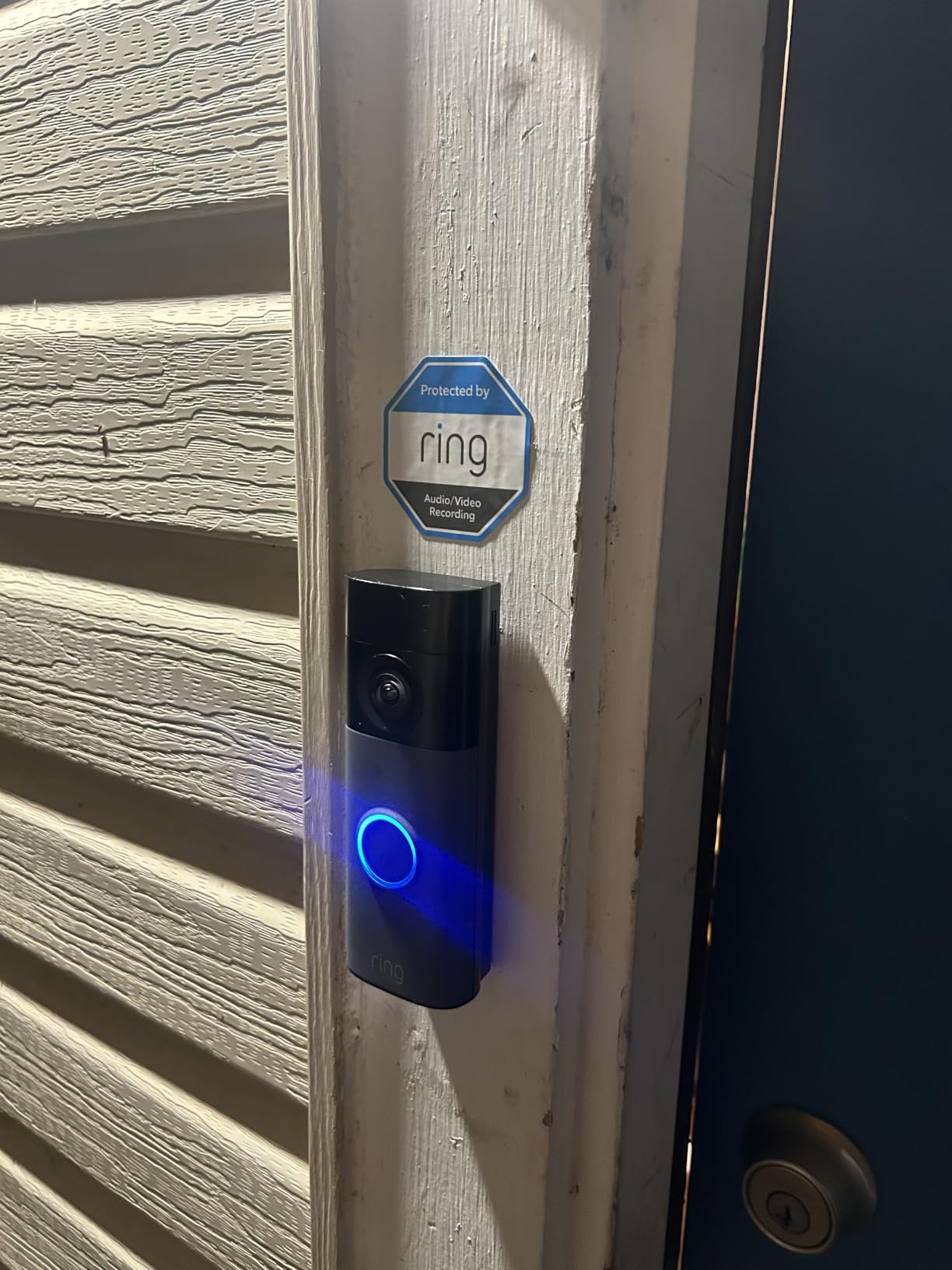
If you already have a Ring alarm system, Ring smart lighting, or an Echo Show device, this doorbell integrates seamlessly. When someone presses the doorbell, my Echo Show displayed the live feed automatically. I could say “Alexa, answer the front door” and have a conversation without touching my phone.
For apartment dwellers building a smart home setup, this ecosystem advantage matters. The Ring app brings all your devices into one interface, and features like Shared Users let roommates or family members access the doorbell feed without sharing your login credentials. This solved a real problem in my two-apartment roommate situation.
Battery Life in High-Traffic Doorways
Battery life depends heavily on how much activity your door sees. In my apartment building’s busy hallway with constant foot traffic, the Ring Battery Doorbell needed recharging every 3 to 4 weeks. When I adjusted the motion zones to focus only on my immediate door area and ignored the hallway traffic, battery life extended to about 6 weeks.
The pro tip from my testing: spend 10 minutes tuning your motion zones after installation. Narrow the detection area to just the space directly in front of your door. This dramatically reduces unnecessary recordings, saves battery life, and cuts down on false alerts from neighbors walking past.
How to Choose the Best Security Cameras for Apartments?
Choosing the right apartment security camera comes down to four factors that matter more for renters than homeowners. Let me break down what I learned from testing these cameras across different apartment layouts.
Installation Type: No-Drill Options Matter Most
Renters cannot drill holes without risking their security deposit. Every camera in this list works without permanent installation. Magnetic mounts, adhesive strips, freestanding bases, and removable doorbell brackets are all viable options.
Command strips and heavy-duty outdoor adhesive tape worked reliably in my testing for cameras under 10 ounces. For heavier cameras like the eufy E30, a flat surface like a shelf or table is your best bet. The beauty of apartment cameras is they should move when you move, not stay bolted to a wall.
Power Source: Battery vs Wired Trade-offs
Battery-powered cameras give you placement freedom but require regular charging. The Blink Outdoor 4 lasted longest in my testing at several months between battery changes. The doorbell cameras needed charging every 4 to 8 weeks depending on traffic.
Wired cameras like the eufy E30 and WYZE Cam v4 never need charging but require a nearby outlet. If your apartment has limited outlets in key areas, extension cords rated for in-wall use can bridge the gap. I ran a flat extension cord along my baseboard and it was barely noticeable.
Storage and Subscription Costs
This is where apartment renters can save or waste significant money. The eufy E30, WYZE Cam v4, and Tapo D210 all offer local storage with zero monthly fees. You buy a microSD card once and never pay again.
The Blink Outdoor 4 and Ring Battery Doorbell push you toward subscriptions ranging from $3 to $5 per month per device. Over a typical two-year lease, that adds $72 to $120 per camera to your total cost. Always check what features are free before buying, not after.
Video Quality and Field of View
For apartment use, resolution matters most for identifying faces and reading package labels. The eufy E30 at 4K is the sharpest camera I tested. The WYZE Cam v4 at 2.5K and the doorbells at 2K are solid for most purposes. The Blink Outdoor 4 at 1080p is the minimum I would recommend.
Field of view determines how much area one camera covers. The Tapo D210’s 160-degree view is excellent for doorways. The eufy E30’s 360-degree pan and tilt covers entire rooms. For small studio apartments, a single wide-angle camera can often handle everything.
Smart Home Compatibility
If you use Alexa, all five cameras in this guide work with Echo devices for voice commands and live view on Echo Show screens. The eufy E30 also supports Apple HomeKit, though capped at 1080p. Google Assistant support varies, so check compatibility if that is your primary platform.
For renters who want to build a system over time, starting with one camera and expanding is easy with any of these brands. The Tapo and eufy apps make managing multiple cameras straightforward, and both support room grouping which helps in multi-room apartments.
Privacy and Legal Considerations for Renters
Generally, you can place security cameras inside your own apartment without landlord permission. The key rule is that cameras should not record areas where people have a reasonable expectation of privacy, such as a roommate’s bedroom or a shared bathroom.
For cameras pointing outside, into hallways or common areas, check your lease agreement first. Most leases do not explicitly address cameras, but some buildings restrict what you can mount on exterior doors or windows. A battery-powered doorbell with adhesive mounting is usually the safest choice because it is easily removable.
Audio recording has additional legal considerations. Some states require two-party consent for audio recording, meaning everyone being recorded must agree. If your camera captures conversations in a shared hallway, you may need to disable audio or check your local laws to stay compliant.
FAQs
What is the best security system for apartment renters?
The best security cameras for apartments are ones that require no drilling, work without monthly subscriptions, and move with you when your lease ends. The eufy Security 4K Indoor Camera E30 is my top pick for indoor coverage with its 4K resolution, 360-degree pan, and zero subscription requirement. For outdoor areas, the Blink Outdoor 4 wire-free system gives you two cameras with two-year battery life. And for your front door, the Tapo D210 delivers 2K video with an included chime and no monthly fees.
Can I put a security camera in my apartment?
Yes, you can generally place security cameras inside your own rented apartment without landlord permission. You should avoid recording areas where people have a reasonable expectation of privacy, such as roommates bedrooms or shared bathrooms. For cameras that point into shared hallways or common areas, check your lease agreement and local laws. Battery-powered cameras with adhesive mounting are the safest choice because they are non-permanent and easily removable.
What is the best camera for an apartment door?
For an apartment front door, the Tapo 2K Wireless Video Doorbell D210 is my top recommendation. It offers 2K resolution with a 160-degree ultra-wide head-to-toe view, includes a doorbell chime, supports local storage with no subscription, and features a Ring Call function that dials your phone when pressed. The Ring Battery Doorbell 2K is also excellent if you use Alexa or already own Ring devices.
Do apartment security cameras require a subscription?
No, many of the best security cameras for apartments work without any subscription. The eufy E30, WYZE Cam v4, and Tapo D210 all offer local storage via microSD cards with zero monthly fees. Cameras like the Blink Outdoor 4 and Ring Battery Doorbell offer basic features for free but charge $3 to $5 per month for person detection and cloud video storage. Always check what features are free before buying.
How do I mount a security camera in an apartment without drilling?
You can mount security cameras in apartments without drilling using several methods. Magnetic mounts like the one on the WYZE Cam v4 attach to metal surfaces or adhesive plates. Command strips and heavy-duty double-sided tape work for cameras under 10 ounces. Freestanding cameras like the eufy E30 sit on shelves and tables without any mounting at all. For doorbells, adhesive tape paired with the included mounting bracket holds securely on apartment doors.
Final Recommendations
After three months of testing, the best security cameras for apartments in 2026 share three traits: they install without drilling, they work without mandatory subscriptions, and they move with you when your lease ends. My overall pick is the eufy Security 4K Indoor Camera E30 for its unmatched 4K clarity, 360-degree coverage, and zero monthly fees.
For renters on a tight budget, the WYZE Cam v4 at under $40 delivers exceptional 2.5K video and works both indoors and outdoors. If you want to cover a balcony and front door wire-free, the Blink Outdoor 4 two-camera system is the way to go. And for your entryway, the Tapo D210 offers the best value with its included chime and no-subscription local storage.
Start with one camera that covers your biggest vulnerability, usually the front door, and expand from there. Every camera in this guide is portable enough to take to your next apartment, so your security investment moves with you.